
nashi Team
6 min read
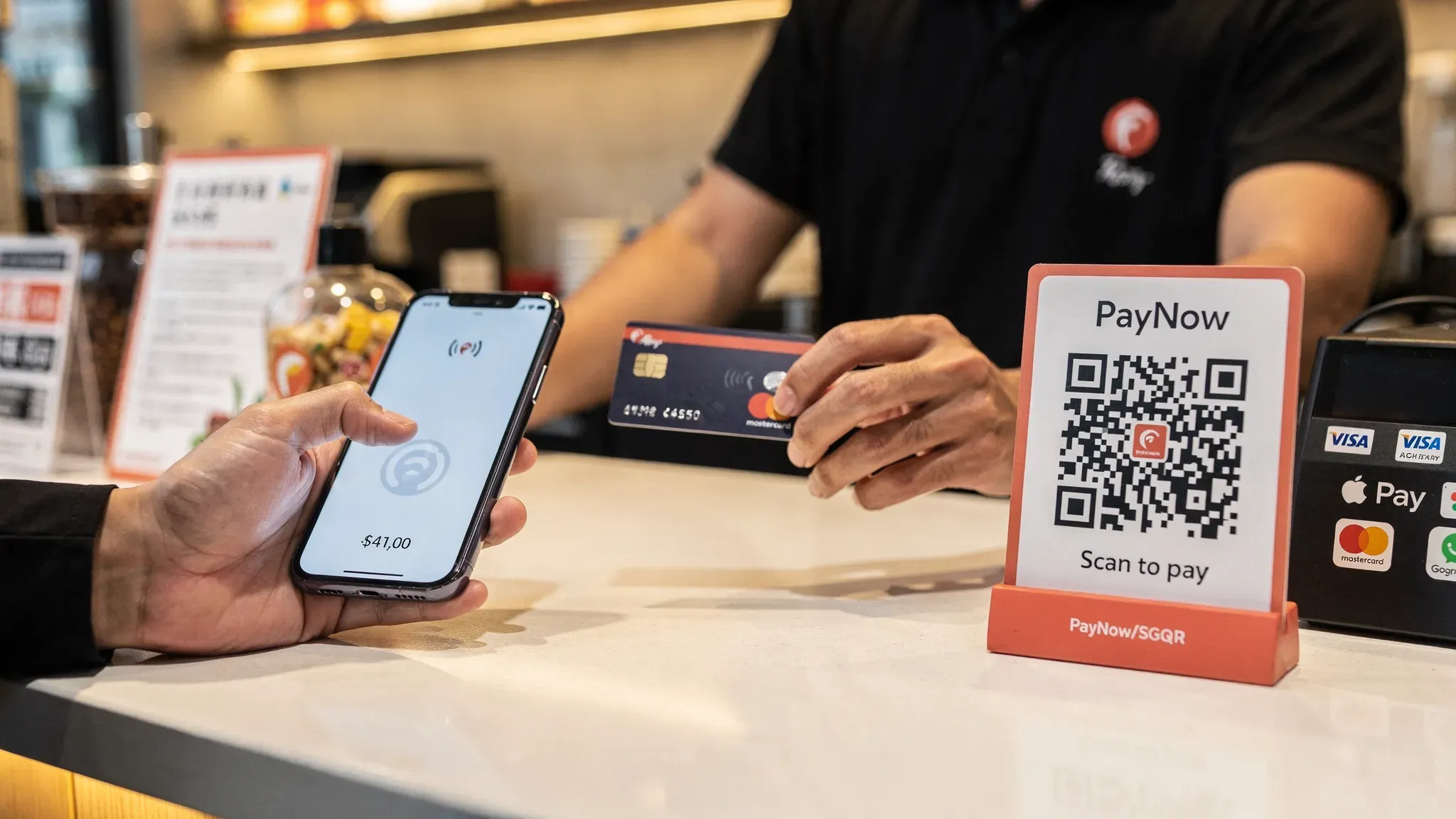
Singapore customers are firmly “mobile-first” at checkout, but that doesn’t mean everyone wants to pay the same way. Locals often default to PayNow or SGQR, tourists and expats may only have cards and mobile wallets, and higher-value services (tuition, repairs, wellness) frequently see customers prefer tapping a card for speed, rewards, and perceived security.
This guide breaks down the main mobile payment methods in Singapore (PayNow, cards, and wallets), what they’re best for, and how small businesses can offer the right mix without turning payments into a complicated project.
The 3 core mobile payment methods in Singapore (and what they actually are)
Most “mobile payments” fall into three rails:
Bank transfer rails: PayNow and QR payments (instant bank-to-bank transfers)
Card rails: Visa, Mastercard, AMEX (contactless card tap, Apple Pay, Google Pay)
Wallet schemes: Consumer apps that usually sit on top of either PayNow/QR or card rails (plus a few cross-border wallet networks)
Understanding the rail matters because it determines your real-world outcomes: who can pay, fees, refunds, chargebacks, and how disputes work.
PayNow and SGQR: the default for locals (and still the cheapest)
PayNow is Singapore’s instant bank transfer method, widely used by local consumers and SMEs. Many merchants use PayNow via a PayNow Corporate UEN and display a QR code, often under the SGQR standard.
Why merchants love it:
Low cost: typically free or very low cost depending on how you implement it (often via your bank)
Instant confirmation: funds arrive quickly (subject to bank flow)
Great for repeat local customers: especially if you serve a neighbourhood catchment
Where PayNow can fall short:
Tourists cannot use it if they don’t have a Singapore bank account
Some customers simply prefer tap (especially for higher-value transactions)
Refunds are manual: you usually need to transfer money back rather than “refund” a transaction in the card sense
If you want a deeper operational guide (static vs dynamic QR, SGQR best practices), see nashi’s resources on PayNow QR codes and PayNow for business.
External reference: SGQR is a national standard led by IMDA, see IMDA’s SGQR information.
Contactless cards (and why wallets like Apple Pay are still “card payments”)
When a customer taps a physical card, Apple Pay, or Google Pay, the merchant is still accepting a card payment. Mobile wallets typically tokenise the card credentials, but the transaction runs over the same major card networks.
Why this matters for small businesses:
If you accept contactless cards, you also accept most mainstream mobile wallet taps (subject to device and provider support).
Fees are usually card processing fees (percentage plus a fixed amount per transaction, depending on provider).
You get a more standard merchant workflow: receipts, reporting, and the ability to process refunds within your payments system.
Where cards win in Singapore:
Tourists and international customers: they can pay instantly without PayNow
Higher-value services: customers often prefer cards for rewards, instalment options (where applicable), and familiarity
Faster checkout: tap-and-go reduces awkward QR scanning and bank app switching
Where cards can be less ideal:
Very low ticket sizes: fixed per-transaction fees can bite on S$3 to S$6 purchases
Chargeback exposure: cards come with dispute processes that PayNow does not
For a wallet-specific comparison, nashi has a dedicated guide: Mobile wallet payment: Apple Pay vs Google Pay for Singapore merchants.
Digital wallets beyond Apple Pay and Google Pay (PayLah!, WeChat Pay, Alipay)
Singapore consumers also use wallet apps that may connect to:
PayNow / SGQR (common for local wallets)
Card rails (wallet top-ups or linked cards)
Cross-border wallet networks (common for tourist-heavy areas)
For merchants, the operational question is usually not “which wallet is trending,” but:
Do my customers (especially tourists) arrive with this wallet?
Can I accept it via a single QR (SGQR / Alipay+ type networks) or do I need a dedicated integration?
What is the MDR (merchant discount rate), settlement timeline, and refund flow?
If you serve Chinese tourists, you’ll want a plan for cross-border wallets. nashi’s merchant playbook is here: WeChat Pay Singapore: The Ultimate Merchant Guide.
Quick comparison: PayNow vs cards vs wallets (merchant view)
The table below is a practical way to choose what to prioritise.
Method | Best for | Typical merchant cost pattern | Who can pay | Refund experience | Key limitation |
|---|---|---|---|---|---|
PayNow (UEN, SGQR) | Everyday local payments, repeat locals, invoices paid on the spot | Often low cost (commonly via bank), depends on setup | Singapore bank account holders | Manual transfer back in many setups | Not usable for most tourists |
Contactless cards (tap) | Tourists, higher-value services, fast checkout | % fee + fixed fee per transaction (provider-specific) | Almost anyone with a card | Standard card refunds supported by payment provider | Less ideal for very low ticket sizes |
Mobile wallets (Apple Pay, Google Pay) | Same as cards, plus faster tap experience | Usually the same as card acceptance | iPhone/Android users with a card in wallet | Same as card refunds | Still depends on card acceptance |
Tourist wallets (WeChat Pay, Alipay, others) | Tourist-heavy businesses, destination retail | MDR varies by PSP and scheme | Visitors with those apps | Depends on provider | Setup varies, not always “one integration” |
What a “good” payment mix looks like for micro and small businesses in Singapore
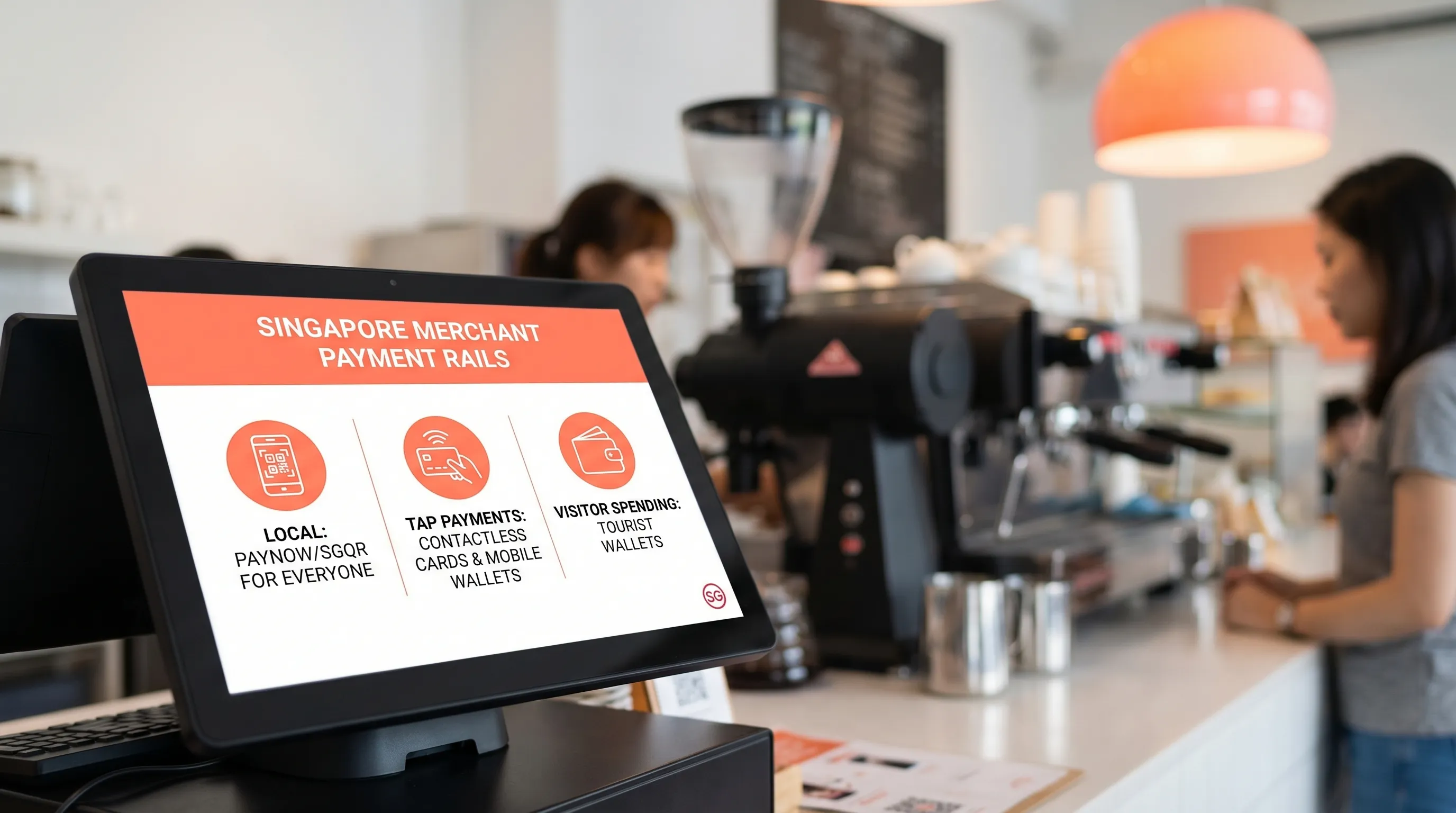
For most small merchants, the best approach is layering, not replacing.
A simple, proven mix:
PayNow/SGQR for locals who want free bank transfer
Contactless cards and mobile wallet taps for tourists, expats, and customers who prefer tapping
Optional: tourist wallets if you’re in a high-tourist zone or your product is a known tourist purchase
This avoids two common mistakes:
Over-investing in a complex POS suite when you only need reliable in-person acceptance.
Assuming PayNow alone covers everyone, then losing sales when a customer says, “Can I just tap?”
How to choose the right method for your business (by real-world scenario)
1) Pop-ups, fairs, market stalls, mobile sellers
You need speed, portability, and minimal setup. PayNow QR is easy, but card tap can materially increase conversion when queues form or when tourists show up.
Good baseline: PayNow + contactless card acceptance.
2) Service businesses (tuition, home maintenance, wellness)
Customers are often paying larger amounts, and many prefer cards for rewards and budgeting. PayNow still matters, but “tap to pay” reduces friction at the end of an appointment.
Good baseline: PayNow + contactless card acceptance with refund capability.
3) Tourist-facing businesses
If your customers include non-residents, PayNow alone is risky. Cards are the universal fallback. Add tourist wallets when it’s operationally simple and economically sensible.
Good baseline: contactless cards + PayNow, then add WeChat Pay/Alipay where it pays off.
4) Very low ticket sizes (for example, S$5 coffee)
PayNow can be excellent here. Card acceptance can still work, but you should be more sensitive to fixed per-transaction fees and operational speed.
Good baseline: PayNow first, then test cards depending on volume and customer demand.
Implementation checklist: set up mobile payments without slowing down your business
Here’s a lightweight checklist that fits most Singapore micro and small businesses:
Put your PayNow UEN QR where customers naturally look (countertop, booth front, invoice/WhatsApp template).
Add clear signage for “Tap to pay” so customers know they can use cards and mobile wallets.
Decide how you will handle refunds (especially if you currently rely on PayNow transfers).
Confirm your settlement timeline (cash flow matters more than most merchants expect).
Track your mix for two weeks: PayNow share vs card share vs tourist demand, then refine.
If you want a fee-focused deep dive, see: A guide to payment processing fees in Singapore.
Where nashi fits: simple contactless card acceptance on your phone
If your goal is to accept in-person contactless card payments without buying or renting a terminal, nashi is built for that use case.
What nashi does (and what it doesn’t):
Turns an NFC-enabled smartphone into a payment terminal (Tap to Phone)
Android available, iOS coming soon
Accepts Visa, Mastercard, and AMEX
PCI-DSS compliant, powered by Adyen
Built to stay simple (it is not a full POS suite and does not try to bundle e-commerce or inventory tools)
Operationally, nashi is designed to work alongside PayNow, so you can keep PayNow as your free local option and offer tap payments when customers prefer cards.
To see how Tap to Phone works step-by-step, read: How to use Tap to Pay on your smartphone for business payments in 2026.
Frequently Asked Questions
Are Apple Pay and Google Pay different from card payments for merchants? For merchants, Apple Pay and Google Pay are typically processed as card transactions (tokenised), so you usually accept them if you accept contactless card payments.
Is PayNow enough for a small business in Singapore? PayNow is excellent for locals, but it can be limiting if you serve tourists, expats, or customers who prefer to tap a card. Many businesses do best by offering both.
Do I need a card terminal to accept contactless payments? Not always. Tap-to-Phone (also called SoftPOS) can let you accept contactless card and mobile wallet taps using a compatible smartphone, without extra hardware.
What should I offer first: PayNow or cards? If most customers are local and ticket sizes are small, start with PayNow. If you serve tourists or have higher-value transactions, add card acceptance early so you don’t lose sales.
Can I issue refunds with mobile payment methods? With PayNow, refunds are often a manual transfer back to the customer. With card acceptance, refunds are typically supported through your payment provider’s system.
Accept more payments without adding hardware
If you already use PayNow and want to add a simple way for customers to tap their card or mobile wallet, nashi is designed for fast, no-hardware in-person acceptance.
Try nashi at trynashi.com and explore Tap to Phone setup in the Tap to Pay guide.


