
nashi Team
10 min read
PayNow is everywhere in Singapore, from hawker stalls to freelance designers. But what exactly is it and how can it help your business?
PayNow is a super-fast payment system for real-time money transfers. Forget fumbling for bank account numbers. All you need is a mobile number or a business UEN.
For small business owners, this system is a game-changer. It offers a free, instant, and simple way to get paid.
What Is PayNow and Why It Basically Runs Singapore Now
PayNow Singapore acts as a digital bridge connecting nearly every bank account in the country. It replaces the old, clunky method of typing in long account numbers. This eliminates typos and payment delays.
Instead, PayNow uses simple identifiers like a phone number to route money instantly. Funds go directly to the correct bank account.
The system is built on Singapore’s secure Fast and Secure Transfers (FAST) network. It's not a third-party app; it's backed by the same heavy-duty protection your bank uses. This ensures every transaction is both lightning-fast and secure.
The Rise of a Payment Giant
PayNow launched on 10 July 2017 and its growth was explosive. It fundamentally changed how individuals and businesses handle daily finances.
By the end of 2022, PayNow had 7.6 million registered proxies, processing S$123 billion in transactions. It became the go-to payment method for everyone from uncles selling chicken rice to creative freelancers. You can find more data on its widespread adoption.
The appeal for small businesses is clear. It provides a way to accept digital payments without buying a card terminal. All you need is a business bank account and a smartphone.
PayNow's magic is its simplicity. It turns identifiers we use every day into payment gateways, making a transaction feel as easy as sending a WhatsApp message. This is the core reason it’s woven itself so deeply into Singapore’s commercial life.
How It Works for Your Business
The system runs on a "proxy" model. You link a unique, easy-to-remember identifier to your business bank account.
Here are the common proxies you can use:
Mobile Number: Great for peer-to-peer payments or sole traders
NRIC/FIN: A popular choice for freelancers and sole proprietors
UEN (Unique Entity Number): The gold standard for registered businesses
VPA (Virtual Payment Address): A unique alias used by non-bank financial institutions
This proxy system keeps your sensitive bank account details private. Customers only need your public identifier (like your UEN) to pay you. This adds a welcome layer of security to every sale.
Ready to Get Paid? Setting Up PayNow for Your Small Business
Getting your small business rolling with PayNow Singapore is easy. You can get it all sorted in minutes from your banking app. No paperwork, no waiting.
First, decide on your payment "address." You can link your personal mobile number or NRIC for a no-fuss option. Alternatively, use your company's Unique Entity Number (UEN) for a more official setup.
Choosing Your PayNow "Address"
For sole proprietors and freelancers, using a personal ID is the quickest way to start. It’s fast, simple, and connects to your existing bank account.
If you're running a registered company, using your UEN is the way to go. This option, called PayNow Corporate, looks more professional. It signals to customers that they’re dealing with a legitimate business.
Let’s break it down:
For Freelancers & Sole Proprietors: Your Mobile Number or NRIC is your best bet
For Registered Businesses (Pte. Ltd.): Using your UEN is the industry standard
How to Register for PayNow Corporate
Registering your business is a breeze. It's just a few taps within your bank's online portal or mobile app.
Log in to business banking
Find PayNow registration
Link your UEN
Pick a business nickname
Confirm and activate
The most crucial step is choosing a clear business nickname during setup. This name appears on your customer's screen for verification before they confirm payment.
Generating Your SGQR Code
Once registered, it's time to generate your SGQR code. You can create this static code inside your banking app. Generate it once, print it out, and you're good to go.
Display the QR code:
At your payment counter
On menus or invoices
At pop-ups or market stalls
How the Pandemic Supercharged PayNow
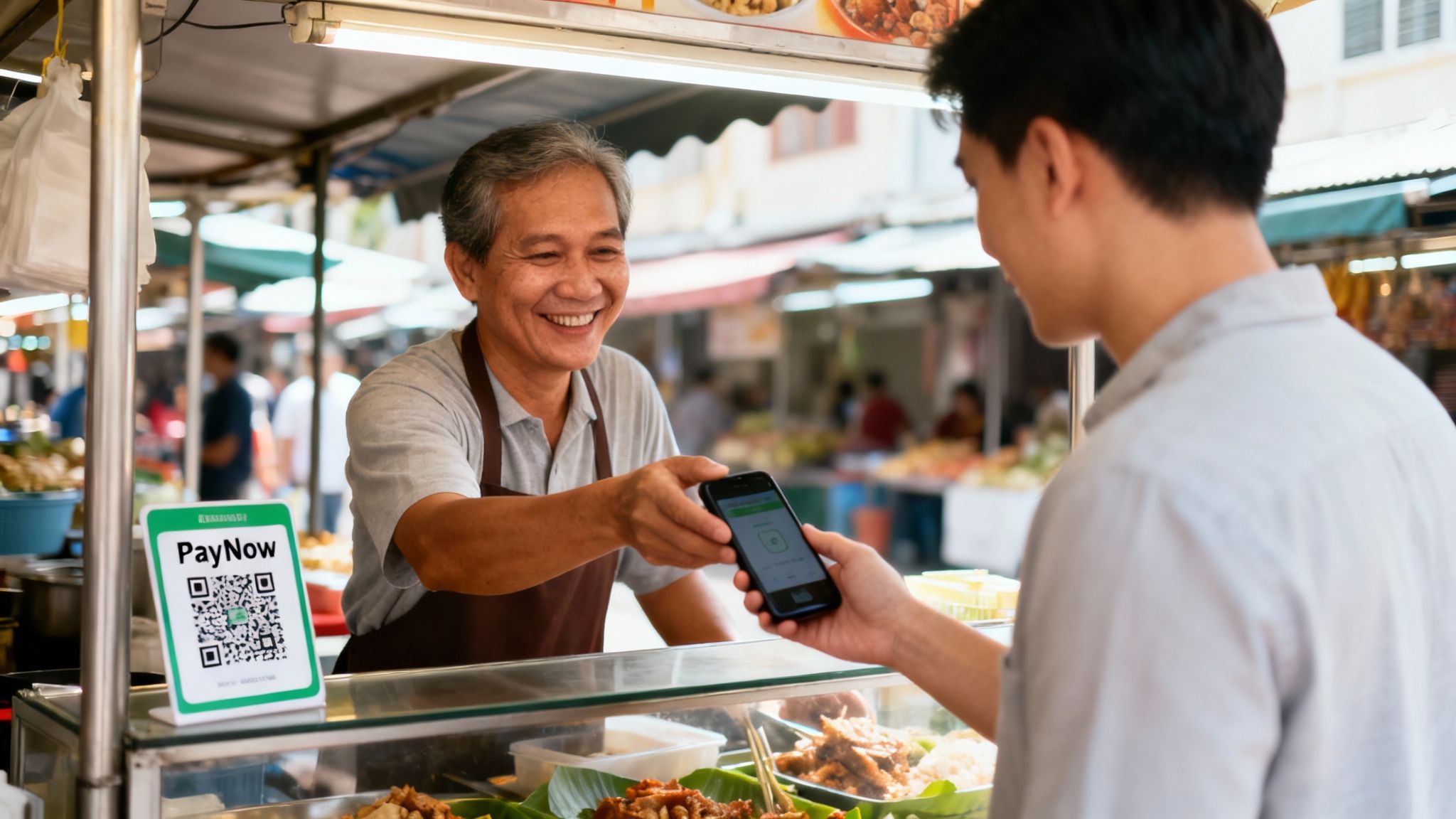
Before 2020, PayNow was a handy tool. The COVID-19 pandemic turned it into a must-have.
Hawkers, cafes, and home-based businesses needed a zero-contact way to get paid. PayNow delivered exactly that.
The Mad Dash to Contactless
The need for social distancing accelerated the shift to digital payments. Small merchants couldn't deal with complicated card terminals during a lockdown. They needed a simple solution that worked with their smartphone.
PayNow was the perfect fit. This was a digital revolution crammed into a few months. A simple printed QR code became the new cash register for thousands of businesses overnight.
The pandemic sent PayNow's growth into orbit. In 2020 alone, transaction volumes shot up by 48% to 138.38 million. The total value jumped 40% to US$154 billion. Find out more to discover more about PayNow's impact on business growth.
Customer Habits Changed for Good
What started as a safety measure became the new normal. Singaporeans got used to the convenience of scanning a QR code. Fumbling with notes and coins became a thing of the past.
This change in behavior is permanent. Customers now expect to see a PayNow QR code at the counter. Not offering it can make a business seem outdated and could lead to lost sales.
The pandemic didn't just inflate transaction volumes; it firmly cemented PayNow in everyone's mind as the way to pay for everyday stuff. It became a symbol of a safe, modern, and incredibly efficient Singapore.
The reasons for this massive uptake were crystal clear:
Zero Physical Contact: The ultimate safe way to pay during a health crisis.
Instant Confirmation: Merchants saw money in their account immediately.
No Extra Hardware: A smartphone and bank account were all that was needed.
Everyone Had It: Nearly every Singaporean with a smartphone was ready to use it.
This period proved that a simple, secure system could power a nation's commerce through a crisis. PayNow Singapore is no longer just an option; it's fundamental to doing business here.
PayNow Fees, Limits, and Security
Let's cover what every business owner cares about: cost and safety. For PayNow, the answers are fantastic. Here’s the straight scoop on fees, limits, and security.
The affordability of PayNow Singapore is a game-changer. The system was built for widespread adoption, making it free for most businesses. This is a massive win compared to traditional card payments that take a percentage of your profit.
Are there any hidden fees for Businesses?
The short answer is no. For most small businesses, freelancers, and sole proprietors, receiving money via PayNow is completely free. Banks want to encourage digital adoption, so they've made transfers simple and free.
Some banks might have special fee structures for PayNow Corporate accounts with massive transaction volumes. But for the everyday small business, you get to keep 100% of every PayNow sale.
How Much Can You Actually Send and Recieve?
PayNow has generous limits that work for both personal and business use. The limits are different for personal and corporate accounts.
Here’s a quick look at what you can expect:
Personal PayNow Limits: The default daily limit is usually S$1,000, but can be increased to S$5,000 in your banking app.
PayNow Corporate Limits: The standard daily transfer limit is a whopping S$200,000. This gives most businesses plenty of room to manage cash flow.
The real beauty of PayNow is that it operates on the same ultra-secure banking infrastructure you already trust. It's not a separate app with its own security system; it's a feature within your bank's secure ecosystem.
Is PayNow Secure Enough for Business Transactions?
Absolutely. Security is built into PayNow’s DNA. You're protected by your bank's multi-layered security, including two-factor authentication (2FA) and instant transaction alerts.
A PayNow transfer is just a simplified direct bank transfer. It runs on the FAST network, overseen by the Monetary Authority of Singapore (MAS). Every transfer is encrypted and authenticated to the highest financial security standards.
The payee name check is a smart security feature. Before a customer confirms payment, their app shows your registered business name. This final check ensures the money is going to the right place and gives everyone peace of mind.
Where PayNow Taps Out: The Payment Gaps You Need to Fill
PayNow is a game-changer for quick, local payments. But treating it as your only payment tool means leaving money on the table. Knowing where PayNow's magic ends is key to catching every sale.
The most glaring gap is international credit and debit cards. PayNow is a homegrown system for Singapore’s banking network. This is both its superpower and its kryptonite.
Imagine a café in a tourist area or an e-commerce store selling globally. A customer from Australia or the US wants to buy something with their Visa, but you can't accept it. That’s a lost sale, plain and simple.
Thinking Beyond Our Borders
PayNow’s links with Thailand's PromptPay and Malaysia's DuitNow are great for regional transactions. However, they don't help the tourist from Europe who wants to tap their Mastercard. With 76% card usage in Singapore, and tourists relying on them, not having a card option is a risk. You can learn more about how PayNow fits into the wider payment ecosystem on Maxthon's blog.
PayNow shines brightest when paired with a solid card acceptance solution like nashi.
PayNow is the undisputed champion for local, bank-to-bank transfers. But when a customer wants to use their credit card—for rewards, security, or because they're from overseas—it simply can't help. This is the crucial gap every small business must fill.
Why Customers Still Love Their Cards (Especially for Big Buys)
For bigger purchases, credit cards are still king. This is driven by benefits that a direct debit system like PayNow can't match.
There are a few big reasons people reach for their card:
The Safety Net: Credit cards offer powerful chargeback and fraud protection.
The Sweet, Sweet Rewards: Cashback, air miles, and other perks drive loyalty to card programs.
Buying Power: "Buy Now, Pay Later" (BNPL) services are almost always tied to card payments.
If someone is spending S$2,000 on a designer bag, they'll want the security and perks of their credit card. Forcing them to use PayNow can cause hesitation. Adding a card option removes that friction.
PayNow vs Card Acceptance: When to Use Each
Knowing when to offer a card option is key to maximizing sales. Here's a guide to help you choose the right tool for the job.
Scenario | Best Choice: PayNow | Best Choice: Card (such as via nashi) |
|---|---|---|
A local regular buys their morning coffee (S$5) | Definitely. It's fast, free, and perfect for small, everyday transactions. | Not necessary. The fees might not be worth it for such a small amount. |
A tourist buys souvenirs from your shop (S$80) | Not an option for them. | Absolutely. This is your only way to accept their international card. |
A local client pays a S$1,500 invoice for services | Good option, as it's a direct, no-fee transfer. | Also a great choice. Many clients prefer the security and rewards of their card for larger sums - plus freed up cash flow. Offer both! |
Selling high-value electronics (S$2,500) | Can create hesitation for the buyer. | Essential. The fraud protection and potential for large payments are major selling points. |
Running a food stall at a hawker centre | Perfect fit. Quick, cashless, and exactly what your local customers expect. | Nice to have, but probably not essential if your customers are all local. |
An international customer wants to buy from your pop up or from your e-commerce site | Impossible. | The only way. This is a non-negotiable for any brand with global ambitions. |
The smartest approach is a "both/and" strategy. Offer PayNow for fast local payments and a solution like nashi for everything else. This creates a seamless checkout experience.
Get 100% Payment Coverage by Pairing PayNow and nashi
Why choose? The best payment strategy embraces both PayNow and card payments. This killer combo means you’re ready for every customer, every time.
Think of it as the perfect one-two punch. PayNow Singapore handles fast, free, and secure local bank transfers. Then, a simple solution like nashi handles credit and debit cards from anyone, anywhere.
With this dual approach, you never have to say, "Sorry, we don't take that." It's about making it easy for people to give you their money.
Creating the Perfect Payment Duo
The "PayNow plus nashi" model is genius in its simplicity. PayNow is your workhorse for daily local buys.
But for the tourist with a credit card or the local wanting to earn points? That's where nashi comes in, turning your smartphone into a card terminal with Tap to Pay. No clunky hardware is needed.
Here’s how this dynamic duo plays out:
At a hawker stall: A local pays S$6 with your PayNow QR code. A tourist family pays S$45 with their Mastercard using nashi on your phone.
For a freelance designer: A local client pays a S$300 deposit via PayNow Corporate. For the final S$2,500 invoice, you send a nashi payment link for them to use their AMEX.
At a pop-up market: Handle small sales with PayNow. When a customer buys S$280 worth of items, you accept their Visa with a simple tap on your phone.
The smartest payment strategy for any small business isn't about ditching PayNow. It's about beefing it up. By adding a simple, hardware-free way to take cards, you cover all your bases and stop leaving money on the table.
Frequently Asked Questions (FAQ)
Here are quick answers to the most common questions about using PayNow for business.
1. Is it okay to use my personal PayNow for business?
You can, but it's not ideal. Using your mobile number or NRIC works for freelancers just starting out. However, registering for PayNow Corporate with your UEN looks far more professional and builds customer trust.
2. How do I confirm a PayNow payment?
The only way to be 100% sure is to check your banking app. You should receive an instant notification, and the transaction will appear immediately in your history. Never rely on a customer's screenshot as proof of payment.
3. Are there any fees for receiving money with PayNow?
For nearly all small businesses, receiving payments via PayNow is completely free. While some banks may have special fee tiers for corporations with very high transaction volumes, the average SME pays nothing. This means you keep 100% of every sale.
4. Can tourists use PayNow to pay me?
Generally, no. PayNow is designed for Singapore bank account holders and a few regional partners. Tourists from outside these regions, like Europe or the US, cannot use it.
5. What's the main difference between personal PayNow and PayNow Corporate?
Personal PayNow links to an individual's mobile number. PayNow Corporate links to a registered business's Unique Entity Number (UEN). Corporate accounts typically have much higher transaction limits and present a more professional image to customers.
This limitation with tourists perfectly illustrates why you need more than just PayNow. A tool like nashi is the ideal partner, filling that gap by letting you accept contactless card payments from anyone, anywhere, with nothing but your smartphone.
Complete your payment setup with nashi today and never miss a sale again.


