
nashi Team
5 min read
Your pop-up stall is buzzing and the queue is growing. You need to keep things moving fast. This is where Tap to Pay changes the game.
It lets you take payments in seconds from anyone with a contactless card or phone. With a simple app like nashi, your smartphone becomes your payment terminal.
Why Your Business Needs Tap to Pay, Like, Yesterday
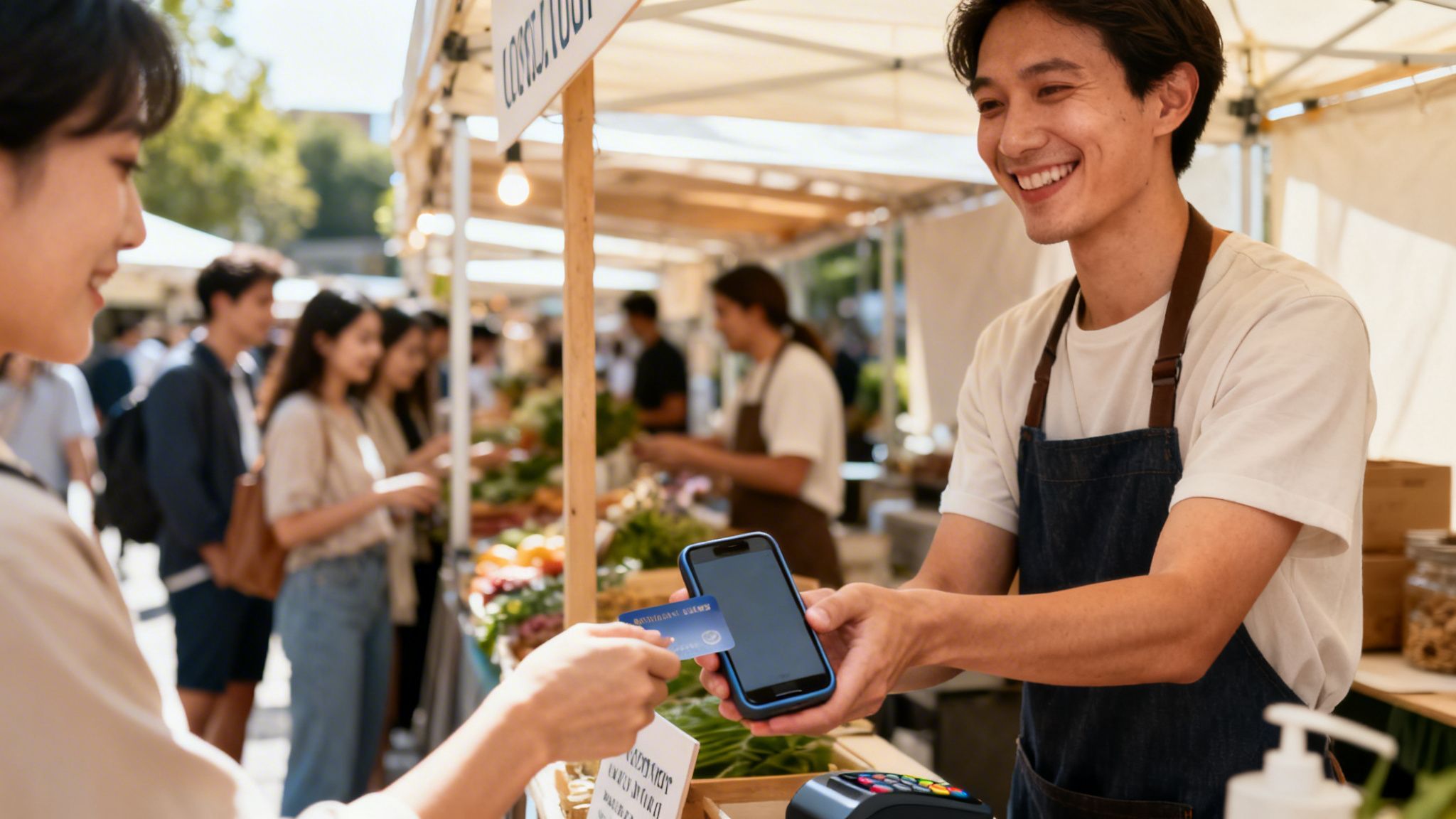
The biggest win with Tap to Pay is freedom from hardware. Forget renting or buying clunky, expensive card terminals. This switch saves you money, cuts counter clutter, and removes a major setup headache.
A hardware-free approach also fits how your customers live. People in Singapore expect fast, digital payment options everywhere. Offering a quick tap meets that expectation and makes you look professional.
Ride the Cashless Wave
Singapore’s move to a cashless society is a reality, not just a trend. This creates a huge opportunity for agile businesses. Customers have embraced tapping their cards or phones for everything.
Apple's launch of Tap to Pay on iPhone in Singapore in late 2025 supercharged this movement. As a result, digital payment adoption shot up to a whopping 92%. You can read more about this evolution at 9to5mac.com.
Card payments alone reached SGD 148.91 billion in 2024. Contactless payments made up a massive SGD 55.14 billion of that total.
Being able to accept major cards like Visa, Mastercard, and AMEX right on your phone means you'll never have to turn away a high-value sale again. Tourists and locals often pull out their cards for bigger purchases, and now you can serve them without a second thought.
It's More Than Just Another Way to Pay
Adopting Tap to Pay opens you up to a wider group of customers. This is especially true for tourists who can't use local solutions like PayNow. For more info, see our guide on how PayNow QR codes work for businesses in Singapore.
Think of Tap to Pay as the perfect partner to your existing payment options. You keep using PayNow for local transfers and add Tap to Pay to cover everyone else. This dual strategy ensures you capture every dollar.
Get Set Up with Tap to Pay in Just a Few Minutes
You can start taking card payments almost instantly. Forget waiting for a terminal to arrive in the mail. With an app like nashi, the setup is digital and lightning-fast.
The beauty is its simplicity. All you need is your smartphone and a few business details. This sidesteps the paperwork and training that come with old-school providers.
Your Smartphone is Your New Card Terminal
First, check your gear. Your phone must have a Near Field Communication (NFC) chip. It’s the same tech that powers Apple Pay and Google Pay.
Here’s a quick rundown of what you’ll likely need:
Apple Crew: An iPhone XS or any newer model.
Android Fans: Most mid-range to high-end Android phones from the last few years have NFC.
Not sure if your phone has it? A quick search for your phone's model plus "NFC" will tell you. This tiny chip is the only physical hardware you need.
A Painless Digital Sign-Up
Gone are the days of in-person appointments. Onboarding with an app like nashi is done entirely on your phone. Just download the app, create an account, and enter your business details.
Typically, you'll be asked for:
Your business registration info (like your UEN).
Identity verification details for security.
The bank account for your payouts.
The entire verification is handled digitally and is usually sorted out in about one business day. This means you could sign up on a Monday and be ready to take your first card payment by Tuesday. That's a massive win for any fast-moving business!
Look for providers offering a fee-free trial. This lets you process a set amount in sales without charges. It's a risk-free way to see if Tap to Pay fits your business flow.
For more background on local payment providers, check out our deep-dive on Fiuu and their role in Singapore's ecosystem.
Your First Tap to Pay Transaction
Alright, let's get you paid. You're about to see how easy it is to take your first payment. Forget clunky machines; this is fast, smooth, and seamless.
The process is designed to feel like a quick, professional handshake. It takes seconds from start to finish. No more long queues, just happy customers.
Firing Up the Payment
First, open your nashi app. You'll see a simple keypad.
Punch in the amount your customer owes and hit "charge." Your phone's screen will instantly show the universal contactless symbol. Your phone is now a payment terminal.
The Customer's Tap
Now for the fun part. Hold your phone out to your customer. They just need to tap their card or phone against the back of your device.
The sweet spot is usually near the top half of your phone's back, where the NFC chip lives. You'll hear a chime and see an "Approved" message in a blink.
And that's all there is to it. No extra dongles, no messy wires, just a slick, secure payment that makes you look like a pro. You can move right on to helping the next person without skipping a beat.
Receipts and Refunds Sorted
After the payment, the app asks if you want to send a receipt. You can send a digital copy to your customer’s email or via SMS. It’s professional and paper-free.
Need to undo a sale? Refunds are just as painless.
Go to your transaction history in the app.
Find and select the payment to reverse.
Process a full or partial refund in a couple of taps.
This gives you complete control over every sale, right from your pocket.
Real-World Tips for Pop-Ups, Markets, and Mobile Services
Selling on the go is different from running a traditional shop. Your smartphone is your cash register. Speed and reliability are everything.
The number one enemy of every mobile seller is a dead battery. Nothing kills a busy sales period faster than your payment device dying mid-transaction.
Nail Your Mobile Setup Before You Go
A little prep makes all the difference. A high-capacity power bank is a non-negotiable part of your kit. It ensures you're covered from the first sale to the last.
Before you start selling, close all unnecessary background apps. Mute personal notifications. This saves battery and prevents interruptions during a payment.
Here are a few more battle-tested tips:
Check Your Signal First: Test your mobile data as soon as you arrive. If reception is bad, a portable Wi-Fi hotspot is a lifesaver.
Keep It Cool: Singapore's heat can cause phones to overheat. Keep your device in the shade to prevent it from slowing down or shutting off.
Wipe It Down: Give your phone a quick wipe. A clean surface helps ensure a fast, flawless tap every time.
For small businesses on the move—think market vendors and home service pros—Tap to Pay is a game-changer. It's a chance to ditch clunky terminals and accept major cards without contracts. Singapore's digital payments market is expected to rocket to USD 60.1 billion by 2035. Dive deeper into these trends in PwC's comprehensive payments report.
Let Your Customers Know You're Ready for Them
You're all set up; now shout about it! A simple sign like "Tap to Pay Accepted Here!" with contactless and card logos works wonders. Place it where customers can easily see it.
When it's time to pay, guide the customer confidently.
Try a simple, natural script:
"That's $25, please. You can just tap your card or phone right here." (as you point to the back of your phone).
"Ready to settle up? We take contactless cards and Apple Pay right on my phone!"
This small bit of communication makes the process feel smooth and secure. For more ideas, see our guide on the best mobile POS systems in Singapore.
Let's Talk Security and Solving Glitches
Trust is everything in business. When a customer taps their card on your device, they're trusting you with their data. The good news is Tap to Pay is built on ultra-secure, enterprise-level technology.
This is serious payment tech. Every transaction is wrapped in layers of security, giving you and your customers total confidence.
How Your Transactions Are Kept Safe and Sound
The magic behind the scenes is a process called tokenization. When a customer taps to pay, their actual card number is never stored on your phone.
Instead, a special one-time-use code—a "token"—is created for that single purchase. Even if a fraudster grabbed this token, it would be useless. It can't be reused or traced back to the original card details.
This is a huge deal for you as a merchant. Because you never handle the raw card data, your liability is massively reduced. You’re automatically compliant with strict global payment standards (like PCI DSS).
Quick Fixes for Those Little Payment Hiccups
Even with the best tech, you’ll occasionally hit a snag. A payment that doesn't go through on the first try is no reason to panic. Most issues are sorted out in seconds.
Here are a few common ones and how to handle them:
The "Tap Again" Nudge: This is the most common issue. It usually means the card and phone didn't connect properly. Ask the customer to hold their card steady against the top-back half of your phone for a second longer.
Spotty Connection: Tap to Pay needs a stable internet connection. If you have a weak signal, try moving a few steps or firing up a portable hotspot.
It's the Card, Not You: A "Declined" message comes directly from the customer's bank. It's not a problem with your app or phone. Politely let the customer know and ask if they have another card to try.
Frequently Asked Questions (FAQ)
What phone do I need to use Tap to Pay?
You need a smartphone with a Near Field Communication (NFC) chip. This includes any iPhone XS or newer, and most mid-range to high-end Android phones from the last few years. The phone you already have is likely all the hardware you need.
Is Tap to Pay on a phone as secure as a terminal?
Yes, absolutely. It uses the same enterprise-grade security, including tokenization. Your customer's actual card number is never stored on your device, making each transaction extremely secure.
What are the fees compared to a traditional terminal?
Tap to Pay apps typically have a simple, pay-as-you-go model with a flat percentage fee per transaction. This eliminates the monthly rental fees, setup costs, and lock-in contracts common with traditional card machines.
Can I accept international credit cards?
Yes. Tap to Pay on your phone allows you to accept major credit cards like Visa, Mastercard, and AMEX from both local and international customers. This is a significant advantage over local-only payment methods like PayNow QR.
Ready to turn your phone into a payment powerhouse? With nashi, you can start accepting contactless card payments in minutes—no hardware, no contracts, just simple, secure transactions. Get started with nashi today!


