
nashi Team
5 min read
If you run a small business in Singapore, you have probably heard a mix of terms from payment providers: mobile payment terminal, card reader, POS terminal, mPOS, SoftPOS, Tap to Phone, and Tap to Pay. They often sound like different names for the same thing, but they can mean very different costs, setup processes, and day-to-day workflows.
For a boutique, pop-up stall, tutor, mobile beautician, contractor, wholesaler, private driver, or event vendor, the real question is simple: what lets you accept card payments reliably without adding unnecessary hardware or admin?
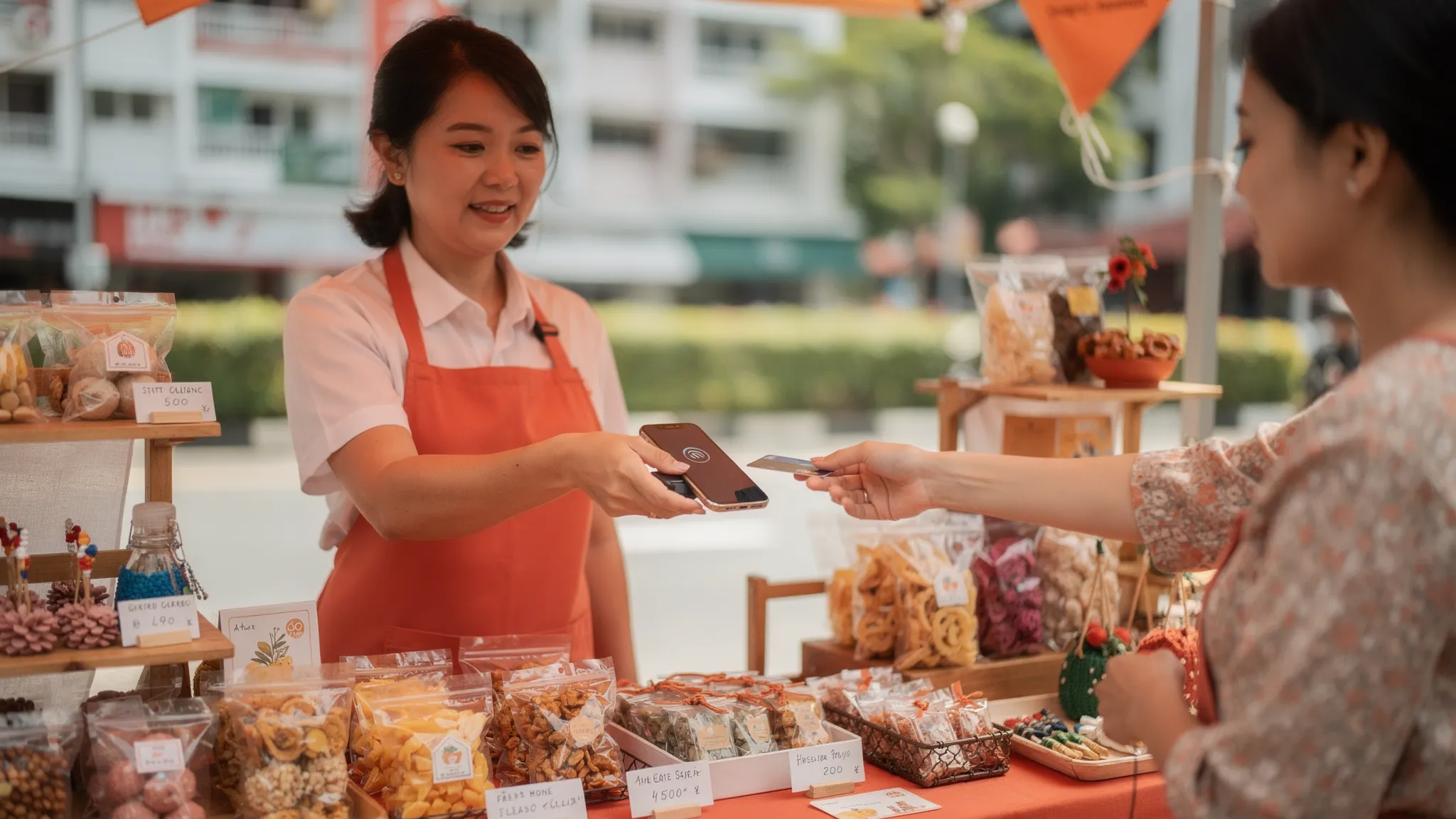
The short answer: if you only need in-person card acceptance, a phone-based mobile payment terminal is usually the simplest option. If you need deeper POS features, barcode scanning, cash drawer support, table management, or a dedicated checkout device, a physical card reader or full POS setup may still make sense.
What is a mobile payment terminal?
A mobile payment terminal is a portable way to accept payments away from a fixed countertop terminal. In Singapore, the term can refer to a few different setups:
A handheld terminal with WiFi or SIM connectivity
A Bluetooth card reader connected to a phone or tablet
A Tap to Phone app that turns an NFC-enabled smartphone into the terminal
An all-in-one mobile POS device with payments and software features
That is why comparing options can feel confusing. Some providers use mobile payment terminal to mean a physical device. Others use it to describe app-based card acceptance on a phone.
For micro and small businesses, the most important distinction is not the label. It is whether you need extra hardware.
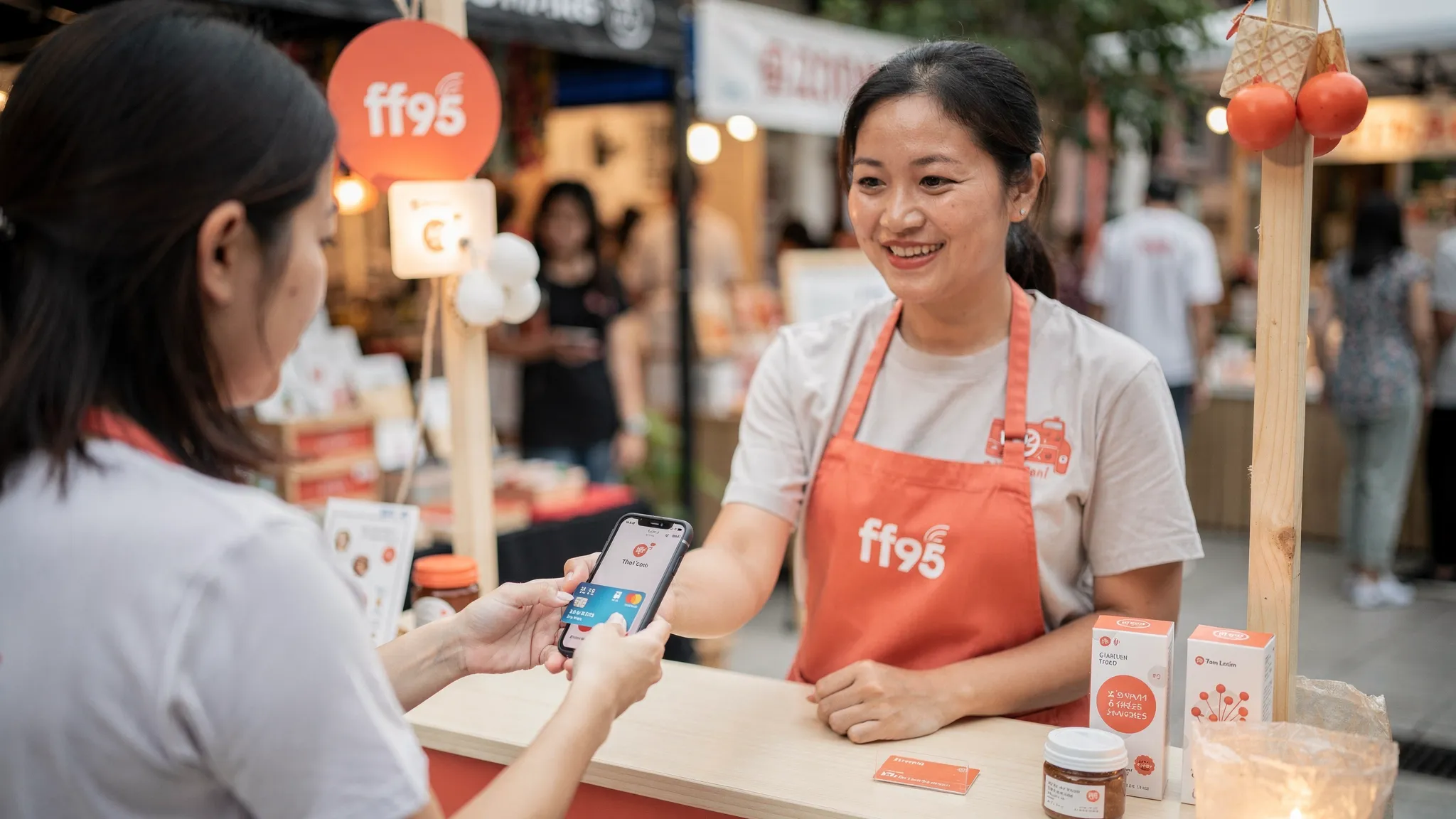
With Tap to Phone, your smartphone becomes the payment terminal. A customer taps their Visa, Mastercard, AMEX, Apple Pay, Google Pay, or other supported contactless wallet on the back of the device, and the payment is processed in the app. No Bluetooth reader, no separate terminal, no paper roll, and no charging a second device.
What is a card reader?
A card reader is usually a separate piece of hardware that reads a card by tap, chip, or swipe. In today’s Singapore market, the most common card reader for small businesses is an mPOS reader, which connects to a phone or tablet via Bluetooth.
Card readers can be useful, especially if your business already uses a POS system and wants card acceptance tied into that setup. But they also add operational details that many small sellers do not want:
Buying, renting, or waiting for hardware delivery
Pairing and unpairing Bluetooth devices
Charging another device
Keeping spare hardware for events
Troubleshooting connection issues during checkout
For high-volume counters, the trade-off may be worth it. For occasional selling, home services, mobile appointments, or market stalls, hardware often becomes one more thing to remember.
Mobile payment terminal vs card reader: the key differences
The best choice depends on how and where you sell. Here is a practical comparison for Singapore businesses.
Factor | Phone-based mobile payment terminal | Physical card reader | Traditional card terminal or POS |
|---|---|---|---|
Hardware required | NFC-enabled smartphone | Separate reader plus phone or tablet | Dedicated terminal or POS device |
Setup speed | Usually fastest if onboarding is digital | Depends on hardware delivery and pairing | Often slower, especially with banks or legacy providers |
Best for | Pop-ups, mobile services, micro businesses, occasional card acceptance | Small retailers that want a separate device | Fixed-location retail, F&B, larger teams |
Upfront cost | Typically low or zero | May require purchase, rental, or deposit | Often involves rental, purchase, or contract costs |
Mobility | Very high | High, but depends on reader battery and pairing | Lower unless using portable terminals |
Staff training | Simple if the app is focused | Moderate | Moderate to high, depending on POS complexity |
POS features | Usually limited or focused on payments | Depends on provider | Often strongest |
Failure points | Phone battery, data connection, device compatibility | Phone, reader, Bluetooth, battery, data | Terminal hardware, network, printer, software |
For most micro businesses, the main benefit of a phone-based mobile payment terminal is simplicity. You use a device you already carry, and you remove the need for a separate reader.
Where PayNow fits into the decision
In Singapore, PayNow is already a default for many small businesses. A customer scans a QR code or pays to a UEN, and the transfer goes bank-to-bank. It is familiar, low cost, and works well for many local customers.
But PayNow does not solve every payment situation. Tourists and many international customers cannot use it. Some customers prefer cards for rewards, credit terms, chargeback protection, or convenience. For higher-ticket purchases, card payments can also feel more natural to the customer than a bank transfer.
That is why the choice is not usually PayNow versus cards. The better setup is often PayNow plus card acceptance. Keep PayNow for local bank transfers, and add a mobile payment terminal or card reader for customers who prefer to tap.
Singapore’s unified QR payment system, SGQR, has helped standardise QR acceptance across merchants. You can read more from the Monetary Authority of Singapore’s SGQR resources. But for card acceptance, especially for international customers, you still need a card payment solution.
If you want a deeper look at QR payments, see nashi’s guide to the PayNow QR code.
Which option is best for different Singapore businesses?
There is no single best payment setup for every business. The right answer depends on your checkout environment, average transaction value, card mix, and tolerance for hardware.
Pop-ups, fairs, and market stalls
A phone-based mobile payment terminal is usually the strongest fit. You may only sell on weekends, at seasonal events, or across different locations. Carrying a separate reader, keeping it charged, and pairing it under event conditions can be annoying.
For pop-ups, the priority is fast setup and low commitment. You want to accept cards when shoppers are ready to buy, especially if they do not have cash or prefer not to use PayNow. A Tap to Phone app keeps your checkout lightweight.
Mobile services and home appointments
For air-conditioning servicing, cleaning, plumbing, grooming, private transport, tutoring, coaching, or wellness appointments, portability matters more than POS features. A customer may want to pay at their home, office, condo lobby, studio, or pickup point.
In these cases, a mobile payment terminal on your phone is usually more practical than carrying a card reader. It also feels professional because you can accept payment immediately instead of chasing transfers later.
Small retail shops and boutiques
If your shop only needs to accept card payments, Tap to Phone can be enough. It works well for lightweight counters, appointment-based shops, small studios, or boutique retail where you do not need inventory management built into your payment device.
If your store needs barcode scanning, stock tracking, staff permissions, receipt printers, cash drawers, and accounting integrations, a physical POS setup or card reader connected to POS software may be more suitable.
F&B and very low-value transactions
F&B is a special case. If you sell many low-ticket items, such as S$5 coffees or quick-service snacks, fixed per-transaction fees and queue speed matter a lot. A full POS or dedicated terminal may be a better fit, especially if you need kitchen orders, table management, modifiers, and receipt printing.
That said, some small F&B operators still benefit from Tap to Phone for events, catering, temporary booths, or overflow payment points.
Tourist-facing businesses
If your business serves tourists, expats, newly arrived residents, private transport customers, or international buyers at events, card acceptance is important. PayNow is not enough because many non-Singapore customers do not have access to it.
In this scenario, a mobile payment terminal that accepts international cards and mobile wallets can reduce lost sales. It also avoids asking customers to find cash, which is increasingly inconvenient.
Cost: do not compare only the headline rate
When choosing between a mobile payment terminal and a card reader, the transaction rate is only one part of the cost. Small businesses in Singapore should compare the total cost of ownership.
Cost item | Why it matters |
|---|---|
Setup fee | Some providers charge nothing, while others charge onboarding or activation fees |
Monthly fee | A low transaction rate may be less attractive if you pay rental or subscription fees every month |
Hardware cost | Card readers and terminals may require purchase, rental, deposit, or replacement costs |
Domestic card rate | Local Visa and Mastercard transactions may be priced differently from international cards |
International card rate | Tourist-heavy businesses should pay close attention to this |
AMEX support and pricing | Not every provider supports AMEX, and rates can differ |
Fixed transaction fee | A S$0.30 or S$0.50 fixed fee has a bigger impact on low-value transactions |
GST on fees | Some providers quote fees before GST, so check the final cost |
Settlement timing | Faster settlement can help cash flow, especially for small operators |
Contract terms | Look for lock-ins, cancellation fees, and minimum monthly volume requirements |
A simple formula helps you compare options:
Total processing cost = percentage fee + fixed transaction fee + any monthly or hardware costs
For example, if you process fewer transactions but at higher ticket values, avoiding monthly hardware rental may matter more than chasing a tiny difference in percentage rates. If you process hundreds of low-value transactions, the fixed fee and checkout speed may become more important.
For a more detailed cost breakdown, you can read nashi’s guide to terminal pricing in Singapore.
Security and compliance: what to check
Whether you choose a mobile payment terminal or card reader, security matters. Contactless card payments should be processed through compliant payment infrastructure, and customer card data should not be stored casually on your device.
The global card industry maintains security standards for mobile payment acceptance, including guidance from the PCI Security Standards Council. For merchants, the practical checklist is straightforward: choose a provider that explains compliance clearly, protects card data, and gives you proper transaction records.
You should also check whether the app supports real-time transaction confirmation, refunds, settlement reporting, and clear receipts. These operational details matter when a customer asks if payment went through or requests a refund after an event.
When a phone-based mobile payment terminal is the better choice
A Tap to Phone style mobile payment terminal is likely the better option if you want the simplest way to accept in-person cards without extra hardware.
It is especially suitable when:
You are a sole proprietor or small team
You sell at pop-ups, fairs, studios, homes, or customer sites
You want to avoid buying or renting a terminal
You do not need a full POS suite
You already use PayNow but want to accept cards too
You want a backup payment method for international customers
You prefer a lightweight app over a complex payments platform
This is where nashi is designed to fit. nashi turns an NFC-enabled smartphone into a card acceptance device, with no additional terminal or Bluetooth accessory required. It is built for micro and small businesses that want in-person card payments without the complexity of a full POS system.
nashi currently supports Android, with iOS coming soon. Businesses can accept Visa, Mastercard, and AMEX, including contactless cards and mobile wallets. Onboarding is digital through the app, typical approval is around 1 business day, and settlements are paid automatically to the business bank account in 2 business days. Full or partial refunds can also be issued through the app.
nashi is not trying to be an inventory platform, e-commerce gateway, or all-in-one POS suite. It is focused on card payments only, done simply.
When a card reader or full terminal is the better choice
A physical card reader or full terminal may be the better option if your business needs more than payment acceptance.
Choose a card reader or POS terminal if:
You need chip and PIN workflows beyond contactless acceptance
You run a fixed checkout counter with multiple staff
You need inventory, SKU, barcode, or receipt printer integration
You operate a busy F&B environment with queue and kitchen workflows
You want a dedicated device that is not someone’s personal phone
Your POS provider already includes a reader as part of a wider system
The trade-off is that you may have more setup, more hardware to manage, and potentially higher fixed costs. That is fine if those features save time or reduce errors. It is unnecessary if you simply want customers to tap a card and pay.
A simple decision framework
If you are still deciding, start with the actual checkout moment. Where are you standing? What is the customer holding? How much time do you have? What happens if the device fails?
Use this quick framework:
If your priority is... | Best fit |
|---|---|
Lowest hardware burden | Phone-based mobile payment terminal |
Fastest occasional selling setup | Tap to Phone app |
Full retail operations and inventory | POS system with integrated reader |
Busy F&B counter operations | Dedicated POS or terminal setup |
Mobile services at customer locations | Phone-based mobile payment terminal |
Tourist-friendly payments alongside PayNow | Card acceptance through Tap to Phone or terminal |
Separate checkout hardware for staff | Card reader or dedicated terminal |
For many Singapore micro businesses, the answer is not to replace every payment method. It is to build a practical stack: PayNow for local QR transfers, cards for customers who prefer to tap, and cash only where necessary.
Frequently Asked Questions
Is a mobile payment terminal the same as a card reader?
Not always. A mobile payment terminal can be a dedicated handheld device, a Bluetooth card reader, or a Tap to Phone app. A card reader usually refers to separate hardware that reads the card and connects to another device.
Can I accept card payments in Singapore without a card reader?
Yes. With Tap to Phone technology, an NFC-enabled smartphone can accept contactless card and mobile wallet payments through a supported app. nashi offers this on Android, with iOS coming soon.
Should I still offer PayNow if I accept cards?
Yes. PayNow is useful for many local customers and can be low cost. Card acceptance complements PayNow by supporting tourists, international cards, mobile wallets, and customers who prefer card rewards or credit.
Is Tap to Phone suitable for pop-up stores?
Yes, it is often a strong fit because it removes the need to carry and maintain extra hardware. Pop-up sellers still need reliable mobile data or WiFi and a charged phone.
Do I need a full POS system to accept card payments?
No. A full POS is useful if you need inventory, staff management, barcode scanning, or F&B workflows. If you only need in-person card acceptance, a focused mobile payment terminal app may be simpler.
What documents do Singapore businesses usually need to onboard? Requirements vary by provider. For nashi, onboarding is completed through the app and requires the IDs of majority shareholders/decision makers and a bank statement.
The bottom line
For Singapore micro and small businesses, the best choice depends on how much payment infrastructure you really need.
If you run a busy shop or F&B operation with complex POS needs, a card reader or full terminal setup may be worth the extra hardware. If you are a pop-up vendor, mobile service provider, small retailer, tutor, wholesaler, beauty professional, or event seller who just wants customers to tap and pay, a phone-based mobile payment terminal is usually the cleaner choice.
nashi is built for that second group: businesses that want to accept in-person card payments without hardware, subscriptions, or POS bloat. You can keep using PayNow, add card acceptance for customers who prefer it, and turn your existing phone into a payment terminal.
Ready to accept contactless card payments on your phone? Visit nashi to learn how Tap to Phone can help your business take payments wherever you sell.


