
nashi Team
5 min read
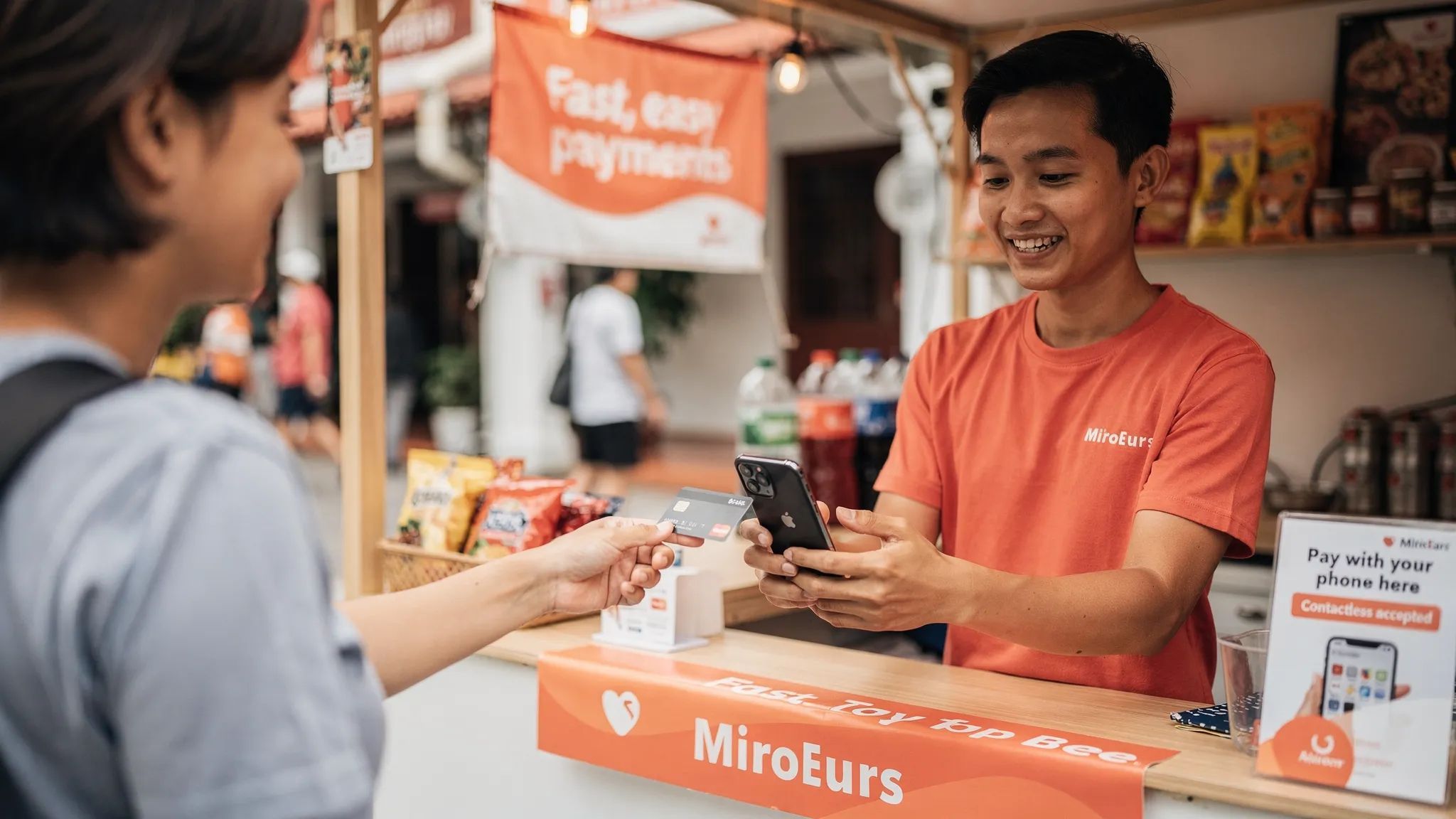
For many Singapore micro and small businesses, the next “card terminal” may already be in your pocket. A smartphone terminal lets you accept contactless card payments directly on a compatible phone, without a countertop machine, Bluetooth reader, paper rolls, or long hardware setup.
That matters if you sell at pop-ups, visit customers on-site, run a tuition centre, provide mobile beauty services, organise events, or serve tourists who do not use PayNow. Instead of asking customers to find cash or scan a bank QR code, you can let them tap a Visa, Mastercard, AMEX card, Apple Pay, Google Pay, or another supported mobile wallet on your phone.
This guide explains what a smartphone terminal is, how it works in Singapore, what you need to get started, and how to decide whether it is the right payment setup for your business.
What is a smartphone terminal?
A smartphone terminal is a payment app that turns a compatible smartphone into a contactless card acceptance device. It uses the phone’s NFC capability, the same short-range technology used when customers tap a card or mobile wallet at a payment terminal.
You may also see this category described as:
Tap to Phone
Tap to Pay on iPhone
SoftPOS
Phone-based card terminal
Contactless payment app
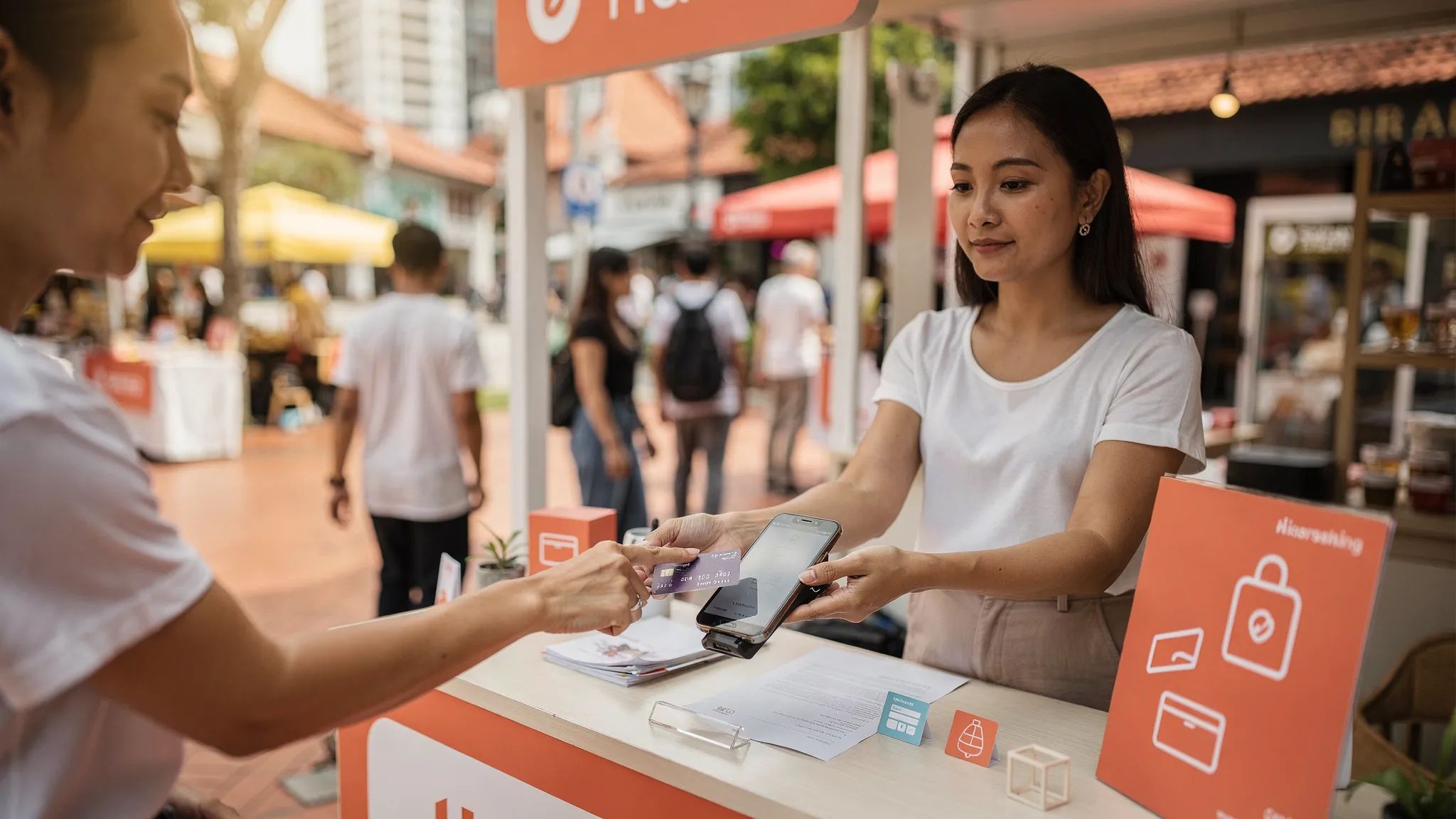
The idea is simple: instead of buying or renting a physical terminal, you download a payment app, complete business verification, enter the amount, and ask the customer to tap their card or wallet on the back of your phone. For iPhone users, see Tap to Pay on iPhone with nashi.
A smartphone terminal is designed for in-person card payments. It is not the same as an e-commerce payment gateway, and it is not necessarily a full POS system with inventory, SKU management, staff scheduling, and reporting dashboards. For many small businesses, that is the point. If you just need to accept cards face-to-face, a lightweight phone-based terminal can be much simpler.
How turning your phone into a terminal works
A smartphone terminal follows a familiar card payment flow, but removes the separate hardware.
The merchant opens the payment app, enters the amount to charge, and shows the customer where to tap. The customer taps a contactless card or mobile wallet on the back of the merchant’s phone. The transaction is securely processed through the payment provider, the merchant receives a confirmation, and funds are later settled into the business bank account.
With nashi, for example, customers can tap Visa, Mastercard, and AMEX cards, as well as supported mobile wallets. nashi is currently available on Android, with iOS coming soon. It is built for in-person card acceptance only, so the experience stays focused: enter amount, accept payment, confirm transaction, and issue refunds through the app if needed.
Why smartphone terminals are useful in Singapore
Singapore already has strong digital payment adoption. Many local customers are comfortable with PayNow, PayLah!, cards, and mobile wallets. But not every payment method works equally well for every customer or selling situation.
PayNow is excellent for many local transactions because it is bank-to-bank and typically free through your bank. But it depends on the customer having access to Singapore banking rails. Tourists, newly arrived expats, business travellers, and some cross-border customers may not be able to use PayNow easily. They are often more comfortable paying by card or mobile wallet.
A smartphone terminal helps fill that gap. It gives small businesses a way to accept card payments without committing to a traditional card terminal, monthly rental, or a full POS system. This is especially useful for businesses that only need card acceptance occasionally, seasonally, or while on the move.
For a deeper view of how PayNow, cards, and wallets work together, see nashi’s guide to mobile payment methods in Singapore.
What you need to use a smartphone terminal
The exact requirements depend on your provider, but most smartphone terminal setups in Singapore involve the same core components.
Requirement | What it means for Singapore businesses |
|---|---|
Compatible smartphone | You need an NFC-enabled phone that is supported by your payment app. nashi currently supports Android, with iOS coming soon. |
Payment app | The app turns your phone into the acceptance device and handles the transaction flow. |
Internet connection | You need WiFi or mobile data to process payments in real time. |
Business verification | Providers must verify your business before enabling card acceptance. |
Bank account | Settlements are paid into your business bank account. |
Supported card networks | Check whether the provider supports Visa, Mastercard, AMEX, and international cards. |
Refund capability | If you need to refund customers, confirm whether full and partial refunds can be done in-app. |
For nashi onboarding, businesses complete digital KYC in the app. Typical documents include the latest ACRA business profile, IDs of majority shareholders, and a bank statement. Approval is typically within 1 business day when required information is complete.
Smartphone terminal vs traditional card terminal
The biggest difference is hardware. A traditional card terminal is a separate device that must be purchased, rented, delivered, configured, maintained, charged, and sometimes connected to a POS system. A smartphone terminal uses the phone you already have.
Feature | Smartphone terminal | Traditional card terminal |
|---|---|---|
Hardware | Uses a compatible smartphone | Requires a separate terminal |
Setup | App download and digital onboarding | Often includes application forms, device delivery, and setup |
Mobility | Easy to use at pop-ups, events, and customer locations | Portable models exist, but still require dedicated hardware |
Upfront cost | Usually no terminal purchase | May include purchase, rental, setup, or replacement costs |
Monthly fees | Depends on provider, but phone-based options often avoid rentals | Common with many terminal providers |
Best for | Micro businesses, mobile sellers, pop-ups, services, occasional card acceptance | Higher-volume fixed locations, full POS environments, complex operations |
Main trade-off | Not a full POS suite | More hardware and operational overhead |
A smartphone terminal is not automatically better for every business. A busy restaurant, supermarket, or retailer with complex inventory needs may still prefer a full POS and dedicated hardware. But for many Singapore micro businesses, a traditional terminal can feel like too much commitment for a simple need: “I just want to accept card payments.”
How to set up your phone as a terminal
The process is usually much simpler than applying for a legacy terminal. With a provider like nashi, the setup looks like this:
Download the app on a compatible phone.
Complete digital onboarding and upload the required business documents.
Wait for verification, which is typically completed within 1 business day when documents are in order.
Open the app, enter the amount, and ask the customer to tap their card or mobile wallet on the back of your phone.
Receive a real-time payment confirmation and track the transaction in the app.
Receive automatic payouts to your bank account, with nashi settlements in 2 business days.
Issue full or partial refunds through the app when needed.
For merchants that have been relying on cash and PayNow, this is a practical way to add card acceptance without changing the rest of the business. You can continue using PayNow for local customers who prefer it, while offering card payments to customers who need or expect them.
What fees should you expect?
Card acceptance usually comes with a processing fee. In Singapore, this is often shown as a percentage of the transaction amount, sometimes with a fixed per-transaction fee. The final cost can depend on card type, whether the card is local or international, and whether AMEX is involved.
When comparing smartphone terminal providers, do not look only at the headline percentage. Consider the full cost of ownership:
Setup fees
Monthly subscription or terminal rental
Per-transaction percentage fee
Fixed per-transaction fee
International card pricing
AMEX pricing
GST treatment on fees
Settlement timing
Refund handling
Contract lock-in or cancellation fees
This is where smartphone terminals can be attractive. If there is no separate hardware to buy or rent, the total cost may be lower for businesses that take payments intermittently or operate from different locations.
A simple way to compare providers is to calculate your effective rate:
Effective rate = total payment fees ÷ total card sales x 100
For example, if you process S$8,000 in card sales and pay S$220 in total card fees, your effective rate is 2.75%. This is more useful than comparing headline rates alone, especially if your provider adds fixed fees, monthly costs, or different rates for international cards.
nashi has no hardware cost, no monthly subscription fee, and no annual contract. Pricing is transaction-based. Because pricing can depend on your industry and business maturity, it is worth speaking to nashi directly if you want to understand the best available rate for your use case.
For a more detailed breakdown, read nashi’s Singapore merchant guide to payment processing fees.
Is a smartphone terminal secure?
A proper smartphone terminal is not the same as manually typing card details into a phone. It uses secure contactless payment technology and must be supported by compliant payment infrastructure.
The payment industry has specific standards for contactless acceptance on commercial off-the-shelf devices. The PCI Security Standards Council publishes standards for securing cardholder data, including requirements relevant to software-based contactless payment acceptance.
nashi is PCI-DSS compliant and powered by Adyen’s payment infrastructure. For merchants, this means card acceptance is handled through established payment rails rather than improvised workarounds.
Good operational habits still matter. Keep your phone operating system and payment app updated, use a strong device passcode or biometric lock, avoid sharing merchant login credentials, and confirm that every transaction shows as approved before the customer leaves.
When a smartphone terminal makes the most sense
A smartphone terminal is especially useful when your business is mobile, lean, or still testing card acceptance.
Strong use cases in Singapore include pop-up retail, fairs, market stalls, private events, home-based brands, wholesalers taking payments at showrooms or deliveries, personal trainers, tutors, mobile beauty providers, repair contractors, air-conditioning servicing companies, rug and upholstery cleaners, and private transport providers.
It is also useful for businesses serving tourists or international customers. A visitor may not have PayNow, but they almost certainly have a card or mobile wallet. If you cannot accept that payment, you may lose the sale or create unnecessary friction at checkout.
A smartphone terminal is less ideal if you need complex POS functions, such as inventory tracking, kitchen orders, barcode scanning, staff permissions, loyalty programmes, or integrated e-commerce. It may also be less cost-effective for very low-value, high-frequency transactions, where fixed per-transaction fees can matter more. For example, a business selling mostly S$5 items may need to compare PayNow, NETS, card terminals, and other options carefully.
How to choose a smartphone terminal provider
The best provider is not always the one with the most features. For small businesses, the better question is whether the provider fits your actual way of selling.
Look for a provider that answers these questions clearly:
Does it support the cards your customers use, including Visa, Mastercard, AMEX, and international cards?
Does it work on your current phone, or will you need a new device?
How long does onboarding usually take?
Are there setup fees, monthly fees, hardware costs, or contract lock-ins?
How quickly are payouts settled to your bank account?
Can you issue full or partial refunds easily?
Is support available from real people when something goes wrong?
Is the app simple enough for your staff or helpers to use at events?
For some businesses, a broader platform like a full POS, e-commerce gateway, or omnichannel payment suite may be the right fit. But if your main goal is in-person card acceptance, a focused smartphone terminal can be faster to learn and easier to operate.
Practical tips for using your phone as a terminal
Once you are set up, a few small habits can make checkout smoother.
Place a small sign at your counter or booth saying that you accept contactless cards and mobile wallets. Tell customers where to tap, since the NFC reader area may vary by phone model. Keep your phone charged, especially at pop-ups and events. If you sell at fairs or outdoor locations, bring a power bank and make sure your mobile data connection is reliable.
If you use both PayNow and cards, train staff to ask a simple question: “Would you like to pay by PayNow or card?” This keeps the experience customer-friendly while allowing you to guide low-cost local payments to PayNow and card-preferred transactions to your smartphone terminal.
It is also sensible to test your setup before the first event or customer visit. Run a small transaction, confirm the payout settings, check refund steps, and make sure the person using the app understands the confirmation screen.
Smartphone terminal and PayNow: use both, not either-or
For Singapore businesses, the smartest payment setup is often not about replacing PayNow. It is about adding cards where PayNow falls short.
PayNow works well for local bank transfers. A smartphone terminal works well when customers prefer cards, want rewards, use mobile wallets, hold foreign cards, or cannot access Singapore banking rails. Offering both gives customers choice while helping you avoid overinvesting in hardware or software you do not need.
If you are still setting up your PayNow QR, you can also read nashi’s PayNow QR Code guide and then add card acceptance when you are ready.
Frequently Asked Questions
Can I really turn my phone into a card terminal?
Yes. With a supported Tap to Phone or smartphone terminal app, a compatible NFC-enabled phone can accept contactless card and mobile wallet payments without a separate card reader.
Does the customer need to download an app?
No. The customer only needs a supported contactless card or mobile wallet. They tap on your phone just as they would tap on a traditional payment terminal.
Is a smartphone terminal the same as a POS system?
Not necessarily. A smartphone terminal focuses on accepting in-person card payments. A full POS system may include inventory, staff management, cash drawer integrations, reporting, and other tools.
Can I use a smartphone terminal alongside PayNow?
Yes. In Singapore, many small businesses should offer both. PayNow is useful for local bank transfers, while card acceptance helps with tourists, higher-value transactions, mobile wallets, and customers who prefer card rewards.
How quickly can I start with nashi?
nashi onboarding is completed digitally in the app, and approval is typically within 1 business day when documents are complete. nashi is available on Android and iOS.
What cards can nashi accept?
nashi accepts Visa, Mastercard, and AMEX, including contactless physical cards and supported mobile wallets.
Turn your phone into a terminal with nashi
If your Singapore business needs a simple way to accept in-person card payments, nashi turns your compatible smartphone into a lightweight card terminal without extra hardware, monthly subscription fees, or annual contracts.
It is built for micro and small businesses that want card payments only, done simply: fast digital onboarding, Visa, Mastercard, and AMEX acceptance, settlements in 2 business days, and full or partial refunds through the app.
Try nashi to start accepting in-person, contactless payments from a compatible phone.


