
nashi Team
5 min read
Putting a “we take card payments” message on your shopfront sounds simple. Print a sticker, place it near the cashier, done. In practice, good payment signage does more than announce a payment option. It reassures customers before they queue, reduces awkward payment questions, and helps you capture sales from people who do not carry cash or cannot use PayNow.
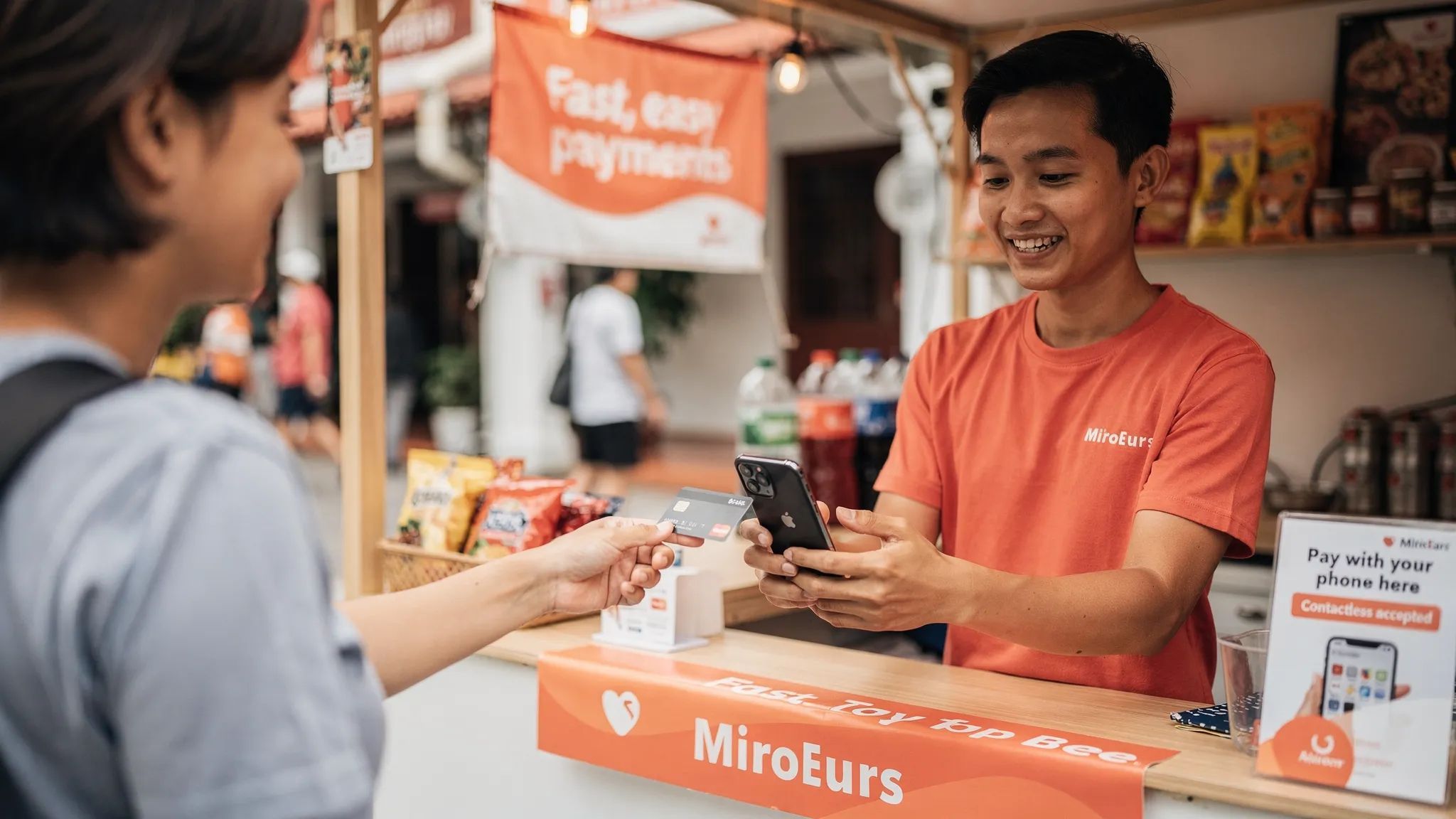
For Singapore micro and small businesses, this matters. Many customers are used to scanning PayNow or tapping a card, while tourists and expats may depend almost entirely on Visa, Mastercard, Amex, Apple Pay or Google Pay. If your signage only shows cash or PayNow, some customers may assume cards are not accepted and walk away before asking.
Here is how to add “we take card payments” to your shop signage in a way that is clear, professional, and useful at the point of sale.
Start with the payment methods you can actually accept
Before printing anything, make sure the message matches what your business can support today. A sign is a promise. If it says cards are accepted, your staff should be able to complete that card transaction quickly and confidently.
At minimum, confirm these details before you design your signage:
Your card acceptance account is approved and active
You know which card brands are supported, such as Visa, Mastercard or Amex
You have tested at least one small transaction
Staff know how to process a payment and issue a refund if needed
You have a backup option, such as PayNow, if mobile data is unavailable
If you do not want to buy or rent a traditional terminal, a Tap-to-Phone app can make this much easier. With nashi, for example, Singapore businesses can turn an NFC-enabled Android phone into a card payment terminal, with iOS support coming soon. Customers tap their card or mobile wallet on the back of the phone, and you do not need a separate Bluetooth reader or countertop terminal.
Choose wording that customers understand instantly
The phrase “we take card payments” is friendly and direct, which works well for small shops, pop-ups, service counters and event booths. However, there are a few variations that may work better depending on your customers and space.
Sign wording | Best for | Why it works |
|---|---|---|
We take card payments | Pop-ups, market stalls, home-based brands at events | Conversational and easy to understand |
Cards accepted here | Retail counters, salons, clinics, tuition centres | Short and professional |
Visa, Mastercard and Amex accepted | Tourist-facing businesses, higher-value services | Tells customers exactly what cards they can use |
Pay by card or PayNow | Local Singapore customers | Shows that customers have a choice |
Tap your card or phone to pay | Tap-to-Phone setups | Explains the action clearly |
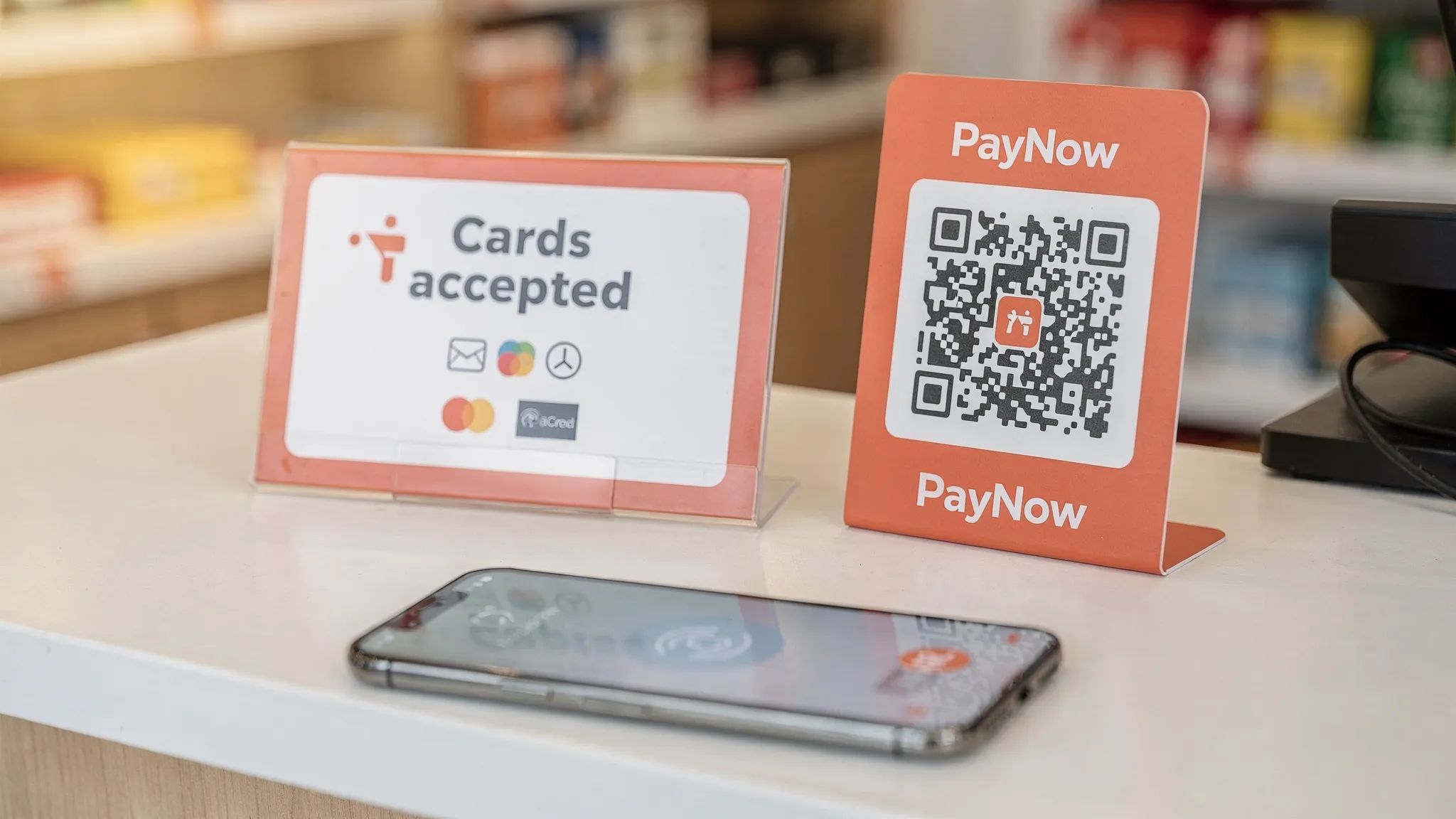
If you have very limited space, avoid long sentences. A sign that says “Cards accepted” with the right payment marks is often more effective than a crowded paragraph explaining every option.
For service businesses, such as private tutors, personal trainers, mobile beauty providers or air-conditioning contractors, use language that fits the situation. A small counter sign might say “Card payments available upon request”. A WhatsApp booking image or printed invoice note might say “PayNow and card payments accepted”.
Show the right card and wallet marks
Payment logos are powerful because customers recognise them faster than text. If your business accepts cards, showing the card brands can be more persuasive than simply writing “card payments”.
Only display payment marks that your provider actually supports. If you accept Visa and Mastercard but not Amex, do not include Amex on your signage. If your provider supports contactless mobile wallet payments, you can mention Apple Pay and Google Pay, but keep in mind that these usually run on the underlying card network.
A clean hierarchy usually works best:
Main message: Cards accepted here
Supported brands: Visa, Mastercard, Amex, where applicable
Optional line: PayNow also available
Optional instruction: Tap card or phone to pay
Use official decals or brand assets whenever possible. Avoid stretching logos, changing colours, downloading blurry images, or mixing old and new brand marks. If your payment provider supplies stickers or digital assets, use those first.
Design the sign for real-life visibility
A good payment sign should be readable in two seconds. Customers should not need to lean over your counter or ask your staff what the sign means.
Keep the design simple. Use high contrast, a plain background, and large text. For most shops, black text on white, dark blue on white, or white text on a dark background works well. Avoid placing payment text over busy product photos.
For Singapore shops and event booths, English is usually enough, especially when payment logos are included. If you serve many tourists, payment brand marks are often more useful than translating the entire sign. For example, a visitor may not read the full sentence, but they will recognise Visa, Mastercard, Amex, Apple Pay or Google Pay.
Place card payment signage where decisions happen
Do not hide the sign behind the cashier or place it only at the final payment moment. The best signage reduces uncertainty before the customer asks.
Location | Recommended sign type | Best message |
|---|---|---|
Front door or shopfront window | Sticker or small decal | Cards accepted here |
Cashier counter | Acrylic stand, tent card or sticker | Pay by card or PayNow |
Queue area | Small poster | Tap your card or phone to pay |
Pop-up booth table | Tabletop sign | We take card payments |
Service van or mobile kit | Sticker or laminated card | Card payments available |
Treatment room or tuition reception | Counter sign | PayNow and cards accepted |
For pop-ups, fairs and market stalls, place the sign at eye level if possible. A card payment message lying flat on a crowded table may be missed. Use a small upright stand, clip frame or A5 sign near the payment area.
For mobile service businesses, signage can be more flexible. You might use a small printed card in your work folder, a sticker on a receipt book, or a payment options image sent before appointments. The goal is to remove doubt before payment is due.
Pair card signage with PayNow instead of replacing it
In Singapore, PayNow is familiar, low-friction, and widely used by local customers. You do not need to remove PayNow from your payment signage just because you add cards. In many cases, the best message is that both are available.
The Monetary Authority of Singapore describes SGQR as Singapore’s unified payment QR code standard, which helps merchants display multiple QR payment schemes in one label. For local customers, a PayNow or SGQR display can still be the preferred option.
Cards fill a different gap. They are especially useful for customers who want rewards, higher-value purchases, corporate cards, foreign-issued cards, or mobile wallets linked to international cards. Tourists and newly arrived expats may not have access to PayNow at all.
A simple combined sign can work well:
PayNow accepted. Card payments also available.
Or, if space is tight:
PayNow + Cards accepted
This positions card acceptance as an extra convenience, not a replacement for a payment method your customers already know.
If you use Tap-to-Phone, explain where to tap
Tap-to-Phone is still new to some customers. They may be used to tapping on a black terminal, not on the back of a merchant’s phone. Your signage and staff script should make the experience feel normal.
Instead of only saying “card payments accepted”, consider adding a small instruction near checkout:
Tap your card or phone on the back of our phone.
This is especially helpful for market vendors, mobile service providers, and small shops using a smartphone instead of a traditional terminal. It prevents the awkward moment where the customer looks around for a card reader.
Your staff script can be just as simple:
You can tap your card or Apple Pay here, just on the back of the phone.
With nashi, the payment flow is designed for this exact situation. Open the app, enter the amount, let the customer tap their card or mobile wallet on the back of the phone, and show the confirmation when the payment is accepted.
Add trust cues without overloading the sign
Some customers may hesitate when they see a phone being used as a payment terminal. A little reassurance can help, but do not turn your payment sign into a technical brochure.
Short trust-building phrases include:
Secure contactless payments
Card payments processed securely
Receipt available on request
Full or partial refunds available, if this matches your provider setup
Do not make claims you cannot support. If your provider is PCI compliant or uses a recognised payment infrastructure, you can mention security in general terms, but the customer-facing sign should stay simple. The main goal is to help customers know they can pay by card.
If you apply any card-related conditions, check your provider agreement and make the condition clear before checkout. Customers should not discover important payment conditions only after they have decided to buy.
Keep the sign updated as your payments change
Payment signage often becomes outdated. A shop adds Amex but forgets to update the counter sign. A business changes provider but keeps old decals. A pop-up brand prints Apple Pay on a sign before confirming wallet acceptance.
Review your signage whenever you change payment providers, add a new card brand, stop accepting a payment method, or move from a physical terminal to Tap-to-Phone. This is especially important for businesses that sell at events, because customers make fast decisions and staff may be temporary or part-time.
A simple quarterly check is enough for most small businesses:
Are all listed payment methods still accepted?
Are the logos current and readable?
Is the sign visible from the queue or entrance?
Do staff know how to explain card payments?
Is your PayNow QR code still clean, scannable and correctly linked?
Quick signage templates you can copy
Use these as starting points and adapt them to your shop, stall or service business.
For a small retail shop
Cards accepted here
Visa, Mastercard and Amex welcome
PayNow also available
For a pop-up or market booth
We take card payments
Tap your card or phone to pay
PayNow available too
For a mobile service business
Card payments available
Ask to pay by Visa, Mastercard or Amex
PayNow accepted
For a tourist-facing shop
Cards welcome
Visa, Mastercard, Amex and contactless mobile wallets accepted
For a Tap-to-Phone checkout
Pay by card
Tap your card or phone on the back of our phone
Payment confirmation shown instantly
A simple rollout plan for Singapore small businesses
You do not need a full rebrand to add card payment signage. Treat it as a small operational upgrade.
Start by confirming your payment setup and supported card brands. Then create one primary sign for the checkout area and one secondary sign for your entrance, booth or booking materials. Test the wording with a few real customers. If they still ask whether cards are accepted, make the sign bigger, clearer, or closer to the point of decision.
For businesses that sell in different places, such as pop-ups, fairs, private appointments or delivery jobs, create a portable payment kit. Include a printed card payment sign, your PayNow QR, a phone charger or power bank, and a short staff script. This keeps the customer experience consistent even when your selling location changes.
If you are still choosing how to accept cards, compare the total setup effort, not just the transaction rate. A traditional terminal may suit a larger store with a fixed cashier counter. A Tap-to-Phone app may be better if you want to avoid hardware, monthly subscriptions and long setup cycles.
You can also read nashi’s guide to PayNow QR codes if you want to display PayNow and cards together, or explore card payment systems for small businesses if you are still deciding what setup fits your business.
Frequently Asked Questions
Can I put “we take card payments” on my shop sign if I use my phone as the terminal?
Yes, as long as your payment provider is approved and your business can actually accept card payments through the phone. With Tap-to-Phone solutions, the phone acts as the payment terminal, so the message is still accurate.
Should I show PayNow and card payments on the same sign?
For most Singapore small businesses, yes. PayNow is useful for local bank transfers, while cards are important for tourists, mobile wallets, rewards-focused customers and higher-value transactions.
Do I need separate signage for Apple Pay and Google Pay?
Not always. If your provider supports contactless mobile wallet payments, you can mention them, but many customers understand them as part of card acceptance. If space is limited, card brand marks plus “tap your card or phone” may be enough.
What is the best size for a card payment sign?
For a cashier counter, A6 or A5 is usually enough if the text is large and the sign is upright. For a shopfront or event booth, go larger so customers can see it before they reach the counter.
Can sole proprietors in Singapore accept card payments?
Yes, many payment providers support sole proprietors, subject to onboarding and verification requirements. With nashi, onboarding is digital through the app, and businesses typically need documents such as the latest ACRA business profile, IDs of majority shareholders and a bank statement.
Ready to put the sign up?
If your customers are asking whether you take cards, your signage is only half the job. You also need a simple way to accept those payments when they are ready to tap.
nashi helps micro and small businesses in Singapore accept in-person card payments using a smartphone, with no extra terminal, no Bluetooth accessory and no monthly subscription fees. The app is available on Android and iOS and supports Visa, Mastercard and Amex.
Start with the payment setup, then print the sign with confidence. Visit nashi to learn how Tap-to-Phone can help your business accept card payments without hardware.


