
nashi Team
6 min read
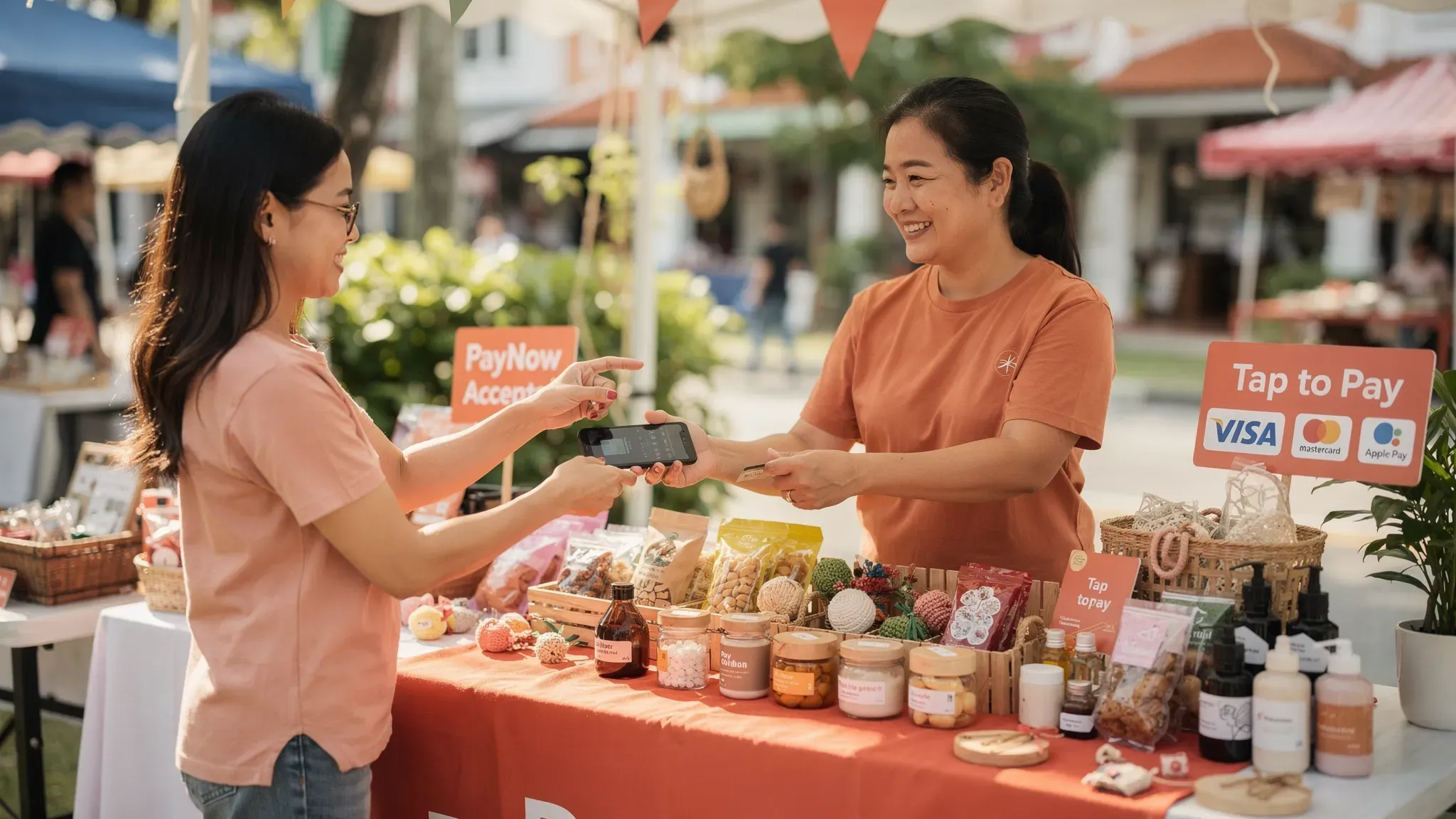
Most Singapore customers already expect to pay with their phone, either by scanning a QR code (PayNow, PayLah!) or by tapping Apple Pay and Google Pay at checkout. For micro and small businesses, the challenge is not “should I accept phone payments?”, it’s which phone payment methods to offer, what they cost, and how to set them up without buying hardware or getting stuck in long onboarding.
This guide breaks down the main phone payment options in Singapore, when each one makes sense, and a practical setup checklist for small teams, pop-ups, and mobile service businesses.
What “phone payments” can mean in Singapore
In day-to-day merchant conversations, “phone payments” usually refers to one (or both) of these:
Customers paying with their phone: Apple Pay or Google Pay (contactless), PayLah! (QR), or tourist wallets like WeChat Pay (QR).
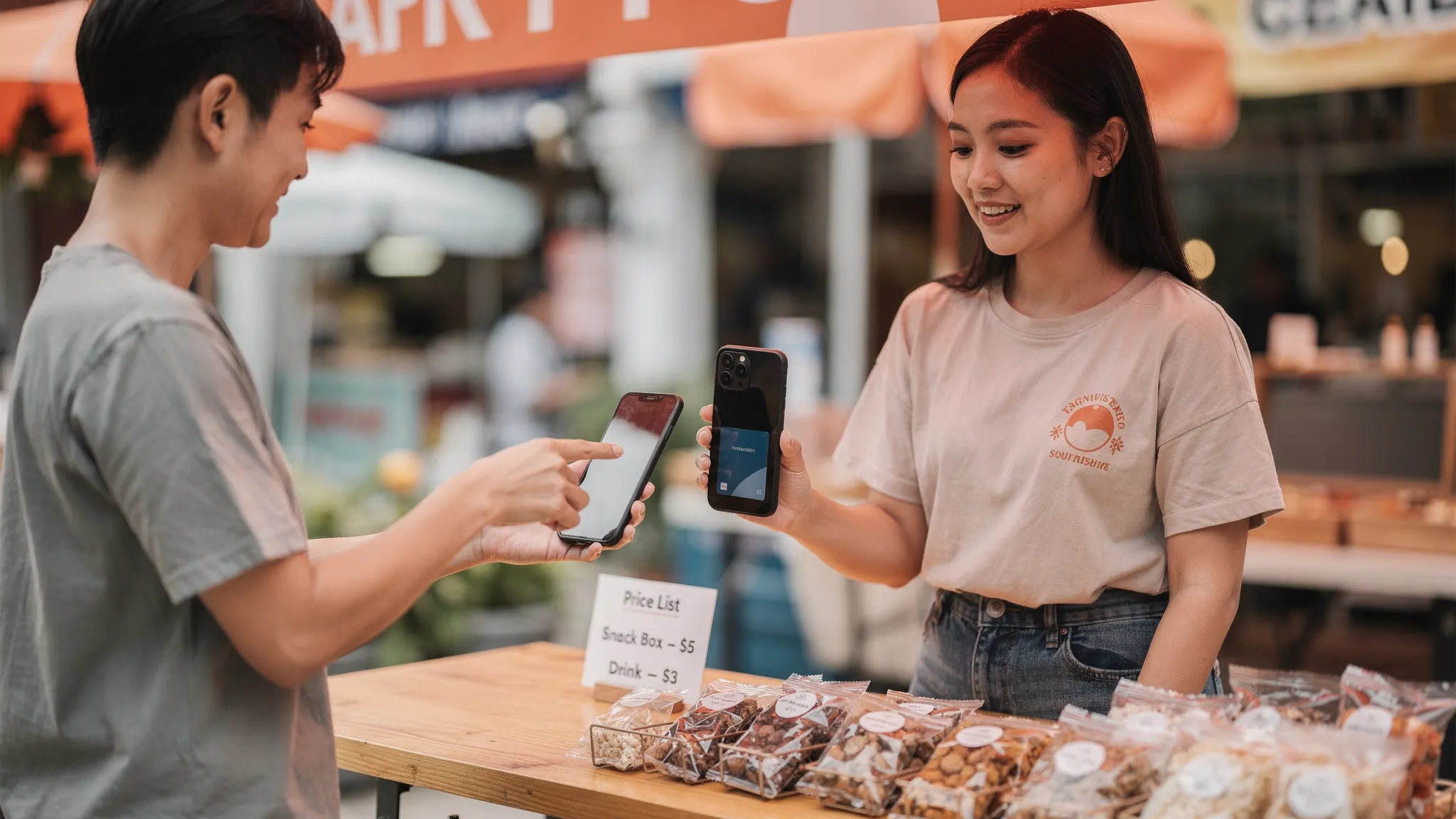
Merchants accepting payments on their phone: Tap-to-Phone (also called SoftPOS), where your smartphone acts like a card terminal.
The operational difference matters because it impacts fees, refund flow, and who can pay (locals only vs tourists too).
The 3 main phone payment rails for Singapore businesses
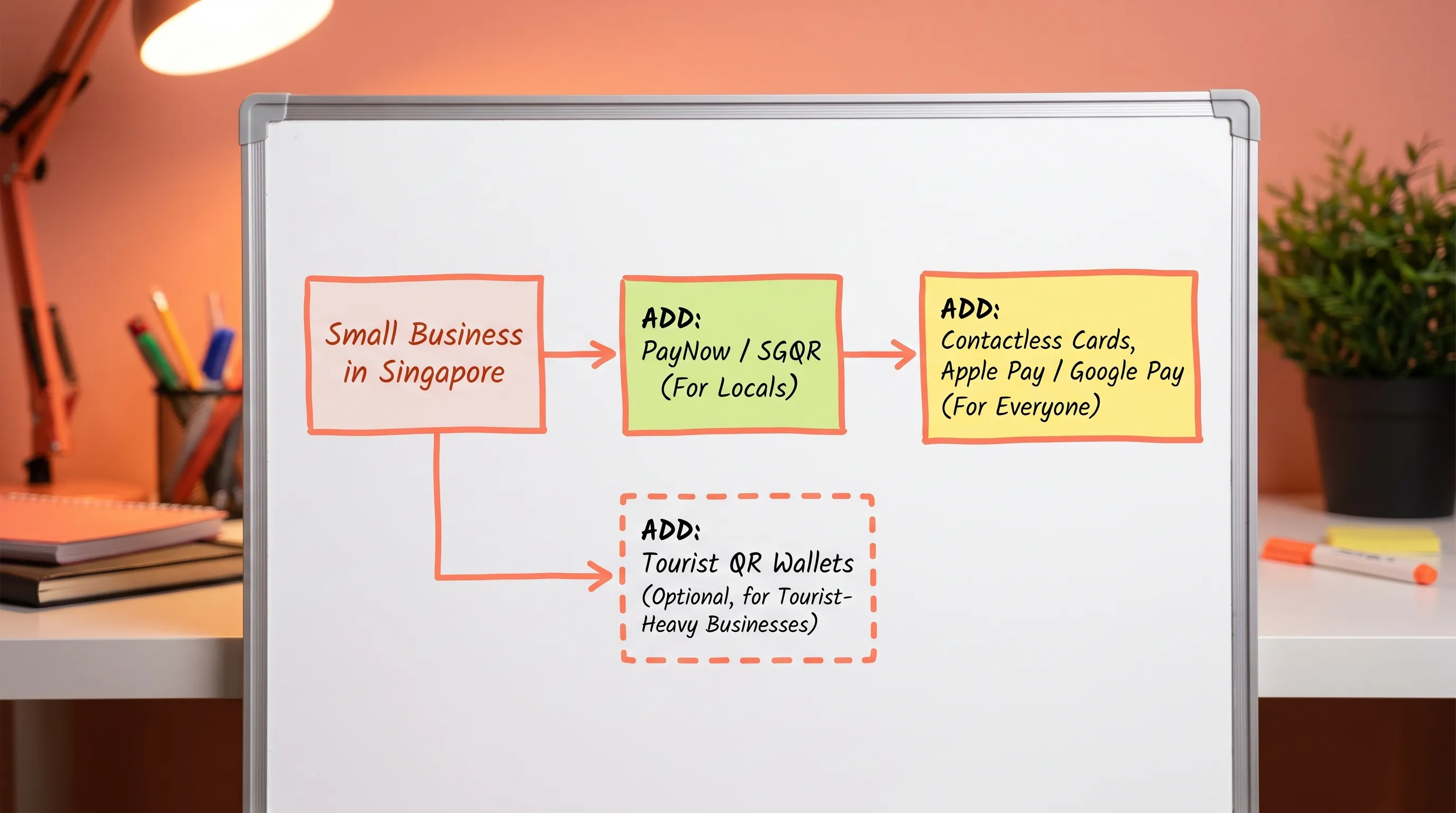
Most small businesses end up with a simple, layered mix:
PayNow/SGQR for fast bank transfers (great for locals, typically low cost)
Contactless cards and mobile wallets (Apple Pay, Google Pay) for universal acceptance, including tourists
Optional QR wallets (WeChat Pay, Alipay+) if you serve specific visitor segments
Here’s a practical comparison.
Method | What the customer does | Who can pay | Typical merchant cost | Refund experience | Best for |
|---|---|---|---|---|---|
PayNow (often via SGQR) | Scans QR, transfers from bank account | Mostly Singapore bank account holders | Often free via your bank (some PSPs charge) | Usually a separate bank transfer back | Low-ticket local payments, repeat local customers, reducing processing costs |
Contactless card via wallet (Apple Pay, Google Pay) | Taps phone (wallet) | Locals and international visitors | Card processing fees (percentage + fixed fee) | Refunds supported by your card acceptance provider | Tourists, higher-value services, customers who prefer cards, faster checkout |
Contactless physical card | Taps card | Locals and international visitors | Card processing fees (percentage + fixed fee) | Refunds supported by your card acceptance provider | Same as above, plus customers without mobile wallets |
QR wallets (PayLah!, WeChat Pay, Alipay+) | Scans QR inside wallet app | Depends on wallet (local vs tourist) | Provider-dependent MDR | Provider-dependent | Tourist-heavy locations, specific demographic demand |
If you want one “default” answer for most micro businesses in Singapore: keep PayNow, add contactless card acceptance, then add tourist QR wallets only if you consistently get asked.
Why PayNow alone is not enough (even if it’s free)
PayNow is excellent for local customers, but it has two common limitations for small merchants:
Tourists and new arrivals often cannot use PayNow, so your “digital payment” option becomes cash-only in practice.
Some customers strongly prefer card rails for rewards, expense tracking, and perceived security, especially for higher-value services (tuition packages, repairs, wellness sessions).
A good rule of thumb:
If you sell mostly to locals and average bills are small, PayNow can carry a lot of the load.
If you sell to tourists, expats, or you do higher-ticket work, card and wallet tap payments quickly become revenue-protecting, not just convenience.
(If you want the official ecosystem context, the Association of Banks in Singapore PayNow overview is a useful reference.)
How Apple Pay and Google Pay work for merchants (and why it matters)
From the merchant perspective, Apple Pay and Google Pay are contactless card transactions, not a separate payment method with separate reconciliation. That has two practical benefits:
One acceptance flow: if you can accept contactless cards, you can usually accept Apple Pay and Google Pay.
A familiar refund and dispute model: refunds go back to the cardholder through your payment provider.
On security, mobile wallets use tokenisation and device authentication (Face ID, passcode, fingerprint) to reduce fraud risk compared to a simple card tap in some scenarios. This is one reason many customers trust phone taps for larger purchases.
If you are planning around iPhone specifically, note that Apple expanded Tap to Pay on iPhone to Singapore in late 2025 (see Apple’s newsroom updates, for example via Apple Newsroom). Availability still depends on which payment platforms support it.
Accepting contactless card payments on your phone (Tap-to-Phone)
Tap-to-Phone lets you accept contactless card and wallet payments directly on a smartphone, without a separate card reader.
For Singapore micro and small businesses, it’s especially useful when you:
Run pop-ups, markets, fairs, or seasonal booths
Do mobile services (aircon servicing, repairs, cleaning, coaching)
Want low commitment and fast setup, instead of renting terminals
What you need to start
In most cases:
An NFC-enabled smartphone
Internet connection (mobile data or WiFi)
A payment acceptance app that supports Tap-to-Phone
Basic business verification documents for onboarding
What the checkout looks like
A typical flow:
You enter the amount in the app
Customer taps card or mobile wallet on the back of your phone
You get confirmation, then issue a receipt (if your provider supports digital receipts)
Because it’s still a card transaction, your day-to-day operations often become simpler than juggling multiple QR wallet dashboards.
Fees: how to estimate the real cost of phone payments
For small businesses, the biggest mistake is comparing only headline percentages.
PayNow costs
PayNow via your bank is often free, but the experience can be manual (customer screenshots, wrong amounts, reconciliation effort).
If you accept PayNow via some payment platforms, they may charge fees even though the underlying rail is low cost.
Card and wallet tap costs
Card acceptance is usually priced as:
A percentage fee (MDR)
Plus a fixed fee per transaction
Also watch for:
Different pricing for international cards and AMEX
Whether GST is charged on processing fees (some providers add it on top)
Any monthly minimums, subscriptions, or terminal rentals
Here’s a simple way to sanity-check your blended cost.
Scenario | Example sale amount | Example pricing model | Estimated fee paid | Effective cost |
|---|---|---|---|---|
Higher-value service | S$200 | 2.4% + S$0.30 | S$5.10 | 2.55% |
Lower-value item | S$12 | 2.4% + S$0.30 | S$0.59 | 4.90% |
The takeaway is not that one model is “good” or “bad”, it’s that fixed fees matter a lot more when your average transaction is small. If you sell S$5 coffees all day, your best setup may look very different from a tutor charging S$180 per package.
(If you want a deeper breakdown of hidden costs, rentals, and how to compare quotes, see nashi’s guide on terminal pricing in Singapore.)
A practical setup checklist for Singapore SMEs
This is the quickest way to roll out phone payments without creating “ops debt” later.
1) Decide your payment mix based on your customers
Use these quick prompts:
Do you serve tourists or international visitors? Add contactless cards (and consider tourist wallets later).
Do you sell higher-value services (S$80 and above)? Add card acceptance early.
Are most payments low-ticket and local? Prioritise PayNow, then add cards if customers ask or you see drop-offs.
2) Choose your acceptance method (QR vs tap)
Choose PayNow/SGQR when you want low cost and your customer base is mostly local.
Choose Tap-to-Phone when you want the simplest “tap like a terminal” experience without hardware.
If you are unsure, it’s normal to run both. Many Singapore merchants do.
3) Prepare onboarding documents once
Most providers will ask for some combination of:
Latest ACRA business profile
IDs for owners/shareholders
Bank account proof (statement)
Having these ready makes it easier to switch providers later if needed.
4) Set up the real-world details that reduce failed payments
Connectivity: test mobile data in your actual selling spot (basements, event halls, outdoor markets).
Battery: use a power bank for mobile operations.
Receipts: decide whether you will send digital receipts or keep it simple (many micro merchants only issue receipts on request).
Refunds: practise a refund once so you know where it sits in the app and how long it takes.
5) Add signage that matches how customers think
Instead of listing technical terms, use simple cues:
“PayNow accepted” with your SGQR
“Tap to pay” and the card brands you accept
Reducing checkout friction often matters as much as the fee percentage.
Which Singapore business types benefit most from phone payments?
Pop-ups, fairs, and market stalls
Phone payments reduce queue friction and “lost sales” moments when customers do not have cash. Tap-to-Phone is especially useful here because it avoids Bluetooth reader issues and hardware logistics.
Service businesses (on-site work)
If you do aircon servicing, cleaning, repairs, coaching, or wellness sessions, phone tap payments help you get paid on the spot, without chasing transfers later.
Tuition and appointment-based businesses
Parents often prefer card rails for tracking and rewards. A simple tap checkout can also look more professional than manual bank transfers, especially when selling packages.
Tourist-facing retail
If you operate in areas with steady visitor traffic, PayNow is not enough on its own. Cards and mobile wallets can be the difference between “browse only” and “buy now”.
Where nashi fits (and where it doesn’t)
nashi is built for micro and small businesses that want simple, in-person contactless card acceptance on a phone, without extra hardware.
Based on the current offering:
Works as a Tap-to-Phone app (Android today, iOS coming soon)
Accepts Visa, Mastercard, and AMEX for contactless card and wallet taps
Provides automatic settlements to your bank account in 2 business days
Supports full or partial refunds in-app
Offers a free trial with up to S$1,000 in fee-free transactions
nashi is not positioned as a full POS suite (inventory, e-commerce, multi-channel orchestration), so if you need a full retail operating system, a POS-first platform may be a better match.
For a step-by-step walkthrough, you can also reference: How to use Tap to Pay on your smartphone for business payments.
Frequently Asked Questions
Do I need a card terminal to accept phone payments in Singapore? You do not always need a physical terminal. If you only accept PayNow, you can use SGQR. If you want customers to tap Apple Pay, Google Pay, or contactless cards, you can use a terminal or a Tap-to-Phone app on an NFC-enabled smartphone.
Are Apple Pay and Google Pay separate payment methods for merchants? In most in-person setups, they are processed as contactless card transactions. If you accept contactless cards, you can typically accept Apple Pay and Google Pay as well, subject to your provider’s supported rails.
Is PayNow enough for a small business? PayNow is a strong baseline for local customers, but it can be limiting for tourists and customers who prefer card rails. Many SMEs use PayNow plus contactless cards to cover both needs.
How do I estimate my real card processing cost? Look at both the percentage fee and the fixed per-transaction fee, then test it against your average transaction size. Lower average tickets make fixed fees more significant.
What documents do I typically need to start accepting card payments? Most providers require business registration details (ACRA), identity documents for owners/shareholders, and a bank account document (such as a statement) for settlements.
Start accepting contactless payments with your phone
If you want to add card and mobile wallet tap payments without buying a terminal, nashi is designed for exactly that: simple, in-person card acceptance on your phone, built for Singapore micro and small businesses.
Try it at nashi and start with the free trial (up to S$1,000 in fee-free transactions).


