
nashi Team
5 min read
SoftPOS is one of the simplest ways for a small merchant to start accepting in-person card payments without buying a card terminal. If you run a pop-up, tuition centre, mobile service business, boutique, market stall, or small professional practice in Singapore, the appeal is straightforward: use a smartphone you already own, download an app, complete onboarding, and let customers tap their card or mobile wallet on your phone.
For many Singapore small businesses, this fills a real gap. PayNow is excellent for local bank transfers, but it does not work for every customer, especially tourists, newly arrived expats, or people who simply prefer to pay by card for rewards, cash flow, or convenience. SoftPOS lets you add card acceptance without turning your business into a full POS implementation project.
What is SoftPOS?
SoftPOS stands for software point of sale. In practical terms, it means an app that turns a compatible smartphone into a contactless payment terminal.
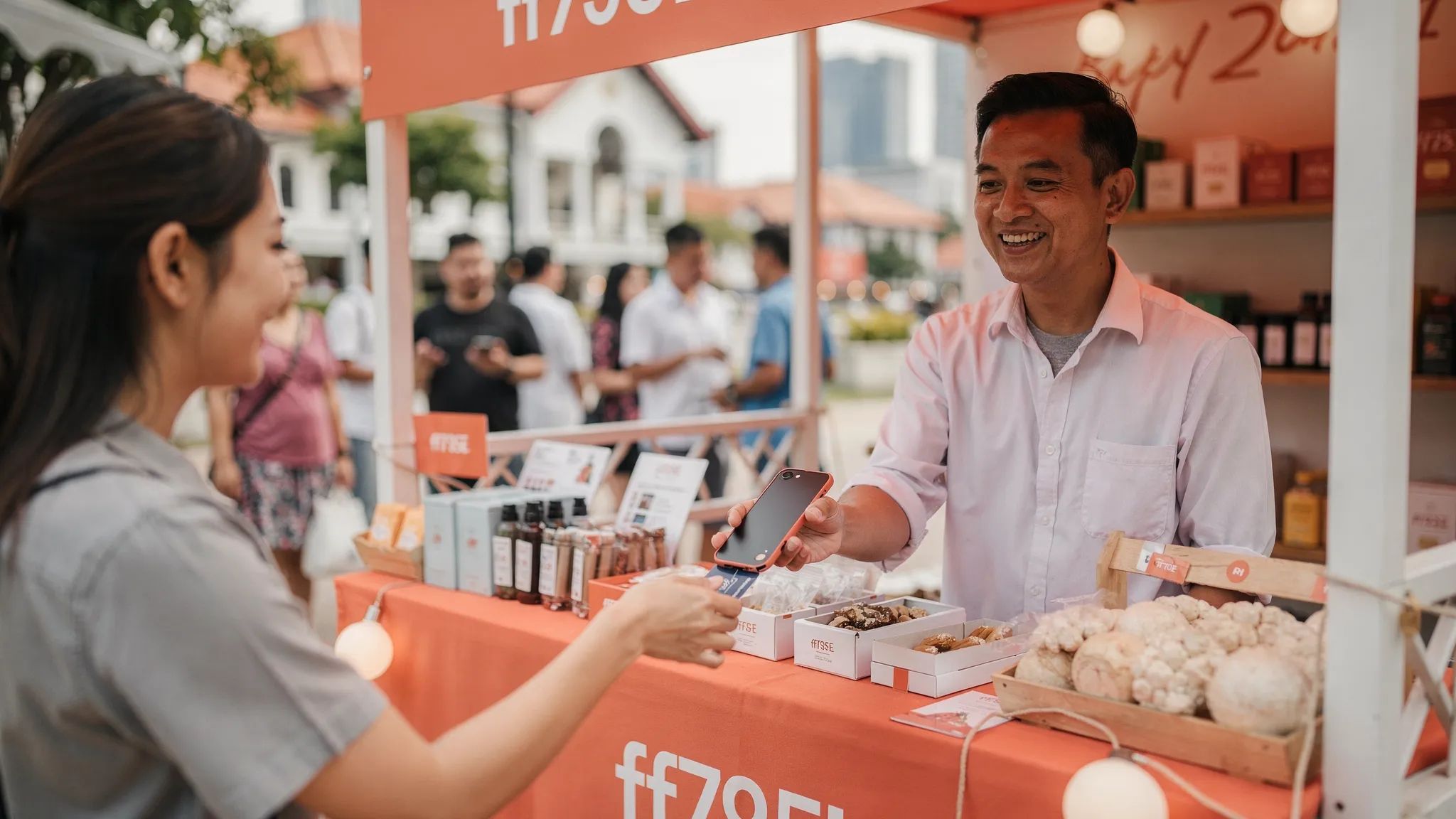
Instead of using a countertop card terminal or a Bluetooth card reader, the merchant opens a payment app, enters the amount, and asks the customer to tap their contactless card or mobile wallet on the phone. The phone uses NFC, the same short-range technology behind contactless cards and mobile wallets, to accept the payment.
SoftPOS is also described using terms such as Tap to Phone, Tap on Phone, Tap to Pay on Android, or Tap to Pay on iPhone. The wording changes by provider and device type, but the basic idea is the same: your phone becomes the card acceptance device.
That does not mean SoftPOS is a complete retail system. A full POS may include inventory, staff permissions, table management, SKU tracking, loyalty programmes, and accounting integrations. SoftPOS is narrower. It is designed to solve one problem well: accepting in-person contactless card payments.
Term | What it usually means | Separate hardware required? | Best suited for |
|---|---|---|---|
SoftPOS | An app that accepts contactless payments directly on a phone | No | Mobile merchants, pop-ups, small shops, service providers |
mPOS reader | A phone or tablet paired with a small Bluetooth card reader | Yes | Merchants who want a portable reader but do not need a full POS |
Traditional terminal | A dedicated card machine from a bank or payment provider | Yes | Fixed retail counters with steady volume |
Full POS or EPOS | A checkout system with operational tools like inventory and staff features | Usually yes | Larger retail, F&B, or multi-location operations |
How SoftPOS works in a real transaction
A SoftPOS transaction is intentionally simple. The merchant opens the app, enters the charge amount, and presents the phone to the customer. The customer taps a physical contactless card, Apple Pay, Google Pay, or another supported mobile wallet on the back of the device. The app confirms whether the transaction is approved, and the merchant can issue a receipt based on the provider’s options.
Behind that simple flow, several parties are involved. The SoftPOS provider connects to payment infrastructure that routes the transaction through the card networks and the customer’s issuing bank. If the transaction is approved, the funds are later settled into the merchant’s bank account according to the provider’s payout schedule.
For example, nashi lets Singapore merchants accept Visa, Mastercard, and AMEX through a Tap to Phone app. Customers tap their physical card or mobile wallet on the back of the merchant’s device, and settlements are paid automatically to the business bank account in 2 business days.
The most important point for merchants is that SoftPOS removes the dedicated terminal from the equation. There is no card reader to charge, pair, repair, or carry around. For a small business owner who is already using a phone for WhatsApp, scheduling, invoices, and PayNow, this is a very natural next step.
Why SoftPOS matters for small merchants in Singapore
Singapore is already highly comfortable with digital payments. Many small businesses moved from cash to PayNow during and after the pandemic because PayNow is easy, familiar, and typically free through a business bank account. That worked well for local customers, especially for lower-value everyday transactions.
But PayNow is not the whole payment picture. Some customers do not have a Singapore bank account. Tourists cannot be expected to use PayNow. Higher-value customers may prefer credit cards for rewards, instalment planning, chargeback protection, or simply because that is how they manage spending.
This is where SoftPOS becomes useful. It allows small merchants to keep PayNow while adding card payments, without taking on the cost and complexity of a terminal. The goal is not to replace PayNow. The goal is to avoid losing a sale because the customer cannot, or does not want to, pay by bank transfer.
This is especially relevant for:
Pop-ups, fairs, and market stalls that operate only on selected days
Mobile service providers such as air-con contractors, plumbers, cleaners, drivers, and pet groomers
Tuition centres, private tutors, trainers, coaches, and wellness practitioners
Small retailers selling skincare, fragrances, homeware, accessories, or gifts
Businesses serving tourists, expats, or international customers
Wholesalers or suppliers collecting deposits and balance payments in person
For these merchants, a full retail POS may be unnecessary. A traditional terminal may feel expensive or slow to set up. SoftPOS sits in the middle: simple enough for a microbusiness, but professional enough to support card-paying customers.
What you need to start using SoftPOS
The requirements are lighter than a traditional card terminal setup, but you still need to prepare the basics.
First, you need a compatible smartphone. For Android SoftPOS, this usually means an NFC-enabled Android device with an up-to-date operating system. For iPhone, SoftPOS is commonly described as Tap to Pay on iPhone. Availability depends on the provider and market rollout. nashi is currently available on Android, with iOS support coming soon.
Second, you need a business account with a payment provider. In Singapore, legitimate payment providers must complete onboarding and know-your-customer checks. This protects the merchant, the provider, and the card networks. The process should still be much faster than old paper-based terminal applications.
Third, you need a stable internet connection through WiFi or mobile data. The transaction is contactless at the phone, but authorisation still needs connectivity. At events and outdoor markets, it is worth checking signal strength before the crowd arrives.
Fourth, you need a bank account for settlement. Once transactions are processed, payouts are sent to your nominated account according to the provider’s settlement schedule.
With nashi, onboarding can be completed digitally through the app. Businesses typically need the latest ACRA business profile, IDs of majority shareholders, and a bank statement. Approval is typically completed within 1 business day, subject to the usual checks.
SoftPOS fees: what small merchants should compare
SoftPOS is often cheaper to start because there is no separate terminal to buy or rent. But the real cost is not just the headline rate. You should compare the total cost of accepting cards.
Most card payment pricing includes a percentage fee, sometimes called the merchant discount rate, and in some cases a fixed per-transaction fee. Rates may differ by card type. A locally issued Visa or Mastercard may cost less than an international card or AMEX. Some providers also add GST on fees, monthly fees, setup fees, minimums, or hardware charges.
For a small merchant, the key question is not only what is the rate. It is what will I actually pay based on my sales mix?
Cost factor | Why it matters for small merchants | What to ask your provider |
|---|---|---|
Setup fee | Raises the cost of trying card payments | Is there any activation or onboarding fee? |
Monthly fee | Hurts intermittent or seasonal sellers | Do I pay even if I do not transact that month? |
Hardware cost | Adds upfront investment and replacement risk | Do I need to buy, rent, or maintain a device? |
Local card rate | Affects most Singapore customer transactions | What is the rate for Singapore-issued Visa and Mastercard? |
International card rate | Important for tourist-facing businesses | Are overseas cards priced differently? |
AMEX support and pricing | Useful for some premium customers and business spend | Is AMEX accepted, and at what rate? |
Fixed transaction fee | Can be painful on low-ticket transactions | Is there a cents-per-transaction fee? |
Settlement timing | Impacts cash flow | When do funds reach my bank account? |
nashi has no setup fee, no monthly subscription fee, and no additional hardware requirement. Its public list pricing starts from 1.99% for businesses new to cards and 2.7% for other categories, with the option to discuss pricing based on industry and business maturity.
If you want a deeper breakdown of fee structures, nashi’s guide to payment processing fees in Singapore explains how percentage fees, fixed fees, and card mix affect your effective rate.
Is SoftPOS secure?
A common concern is whether accepting payments on a phone is safe. It is reasonable to ask this, because merchants are used to seeing card acceptance happen on dedicated terminals.
Modern SoftPOS solutions are designed around payment security standards. Reputable providers follow card network rules and security requirements such as PCI-DSS. The PCI Security Standards Council also maintains standards related to secure payment acceptance, including software-based payment acceptance on commercial off-the-shelf devices.
In plain English, a proper SoftPOS app should not simply read and store card numbers like a note-taking app. Payment data is protected through secure software, encryption, tokenisation, and controlled transaction flows. Your provider should also monitor transactions for fraud and compliance purposes.
Merchants still have responsibilities. Use a phone that is updated, protected by screen lock, and not jailbroken or rooted. Do not let customers walk away with your device. Train staff to recognise the payment confirmation screen. If you use multiple staff phones, make sure each device is properly approved and controlled.
nashi is PCI-DSS compliant and powered by Adyen’s payment infrastructure. That matters because the simplicity of SoftPOS should not come at the expense of proper payment processing.
SoftPOS versus PayNow: which should you use?
For most Singapore small businesses, the right answer is both.
PayNow is very strong for local bank-to-bank transfers. It is familiar, low cost, and convenient for many Singapore residents. If you already use a PayNow UEN QR code or SGQR, there is usually no reason to remove it.
SoftPOS adds something different. It lets you accept contactless cards and mobile wallets from customers who either cannot use PayNow or prefer not to. That includes tourists, international visitors, corporate card users, customers collecting card rewards, and people making larger purchases.
A practical payment setup for a small merchant could look like this:
Customer situation | Best payment option to offer | Reason |
|---|---|---|
Local customer buying a low-value item | PayNow or PayLah! | Low cost and familiar |
Tourist buying a product at a pop-up | Card via SoftPOS | They may not have a Singapore bank account |
Customer paying for a higher-value service | Card via SoftPOS or PayNow | Let them choose based on cash flow and rewards |
Repeat local customer paying an invoice | PayNow | Simple bank transfer experience |
Walk-in customer with no cash | Card via SoftPOS | Prevents lost sales |
If you need a refresher on QR payments, read nashi’s guide to the PayNow QR code. The strongest setup is often not one payment method, but a simple combination that covers more customers.
When SoftPOS is a good fit
SoftPOS is most compelling when your business values mobility, low upfront cost, and simple card acceptance.
It is a strong fit if you sell at events, take payment after appointments, visit customer homes, or operate from temporary locations. It is also helpful when you do not want a card terminal sitting unused between busy periods. If you only need to accept cards a few times a week, paying for hardware or a subscription may not feel sensible.
SoftPOS also works well for early-stage businesses. When you are still testing products, price points, and markets, you may not want to commit to a full POS stack. A lightweight card acceptance app lets you stay flexible.
The same applies to solo operators. A private tutor, physiotherapist, personal trainer, makeup artist, transport provider, or cleaning contractor may not need inventory management or a cash drawer. They need a reliable way to collect payment when the customer is ready.
When SoftPOS may not be enough
SoftPOS is not the best answer for every business. If you run a high-volume restaurant, cafe, or supermarket-style retail operation, a dedicated POS with integrated ordering, inventory, staff permissions, kitchen printing, or loyalty may be more appropriate.
It may also be less suitable if your average transaction value is very low and every fixed transaction fee significantly affects your margin. For example, if your business is mostly S$5 items, PayNow or cash may remain important. Card acceptance can still help, but you should calculate the effective cost carefully.
Businesses with complex checkout operations should also think carefully. If you need barcode scanning, detailed stock management, multiple registers, and accounting integrations from day one, SoftPOS alone may feel too basic. You can still use SoftPOS as a backup or mobile checkout tool, but it may not replace your full system.
The point is not that SoftPOS is better than every other option. It is that SoftPOS is often the simplest option when the job is specifically in-person card acceptance.
How to choose a SoftPOS provider in Singapore
Choosing a provider is not only about the lowest advertised rate. Small merchants should look for a balance of cost, speed, reliability, and human support.
Start with onboarding. If you need to sell at an event this weekend, a slow application process can cost you real revenue. Ask what documents are required, whether onboarding is fully digital, and how long approval usually takes.
Next, compare supported cards. At minimum, most merchants will want Visa and Mastercard. AMEX can also matter for higher-spending customers, corporate cards, and tourist-facing businesses. If you serve many international customers, ask specifically how overseas cards are priced.
Then check payout timing and refund handling. A low transaction fee is less attractive if your funds take too long to arrive or refunds are difficult to process. nashi settles automatically to your bank account in 2 business days and supports full or partial refunds through the app.
Support is another important factor. Small businesses do not always have an operations team or IT department. If something goes wrong during a pop-up or appointment, you need clear help, not just a long help centre article.
Finally, avoid paying for features you do not need. Some platforms are excellent for e-commerce, invoicing, online stores, subscriptions, or complex omnichannel setups. But if you only want to accept cards in person, too many extras can make the product slower to learn and more confusing to operate.
A simple SoftPOS setup checklist
Before your first live transaction, prepare the basics so the payment experience feels professional.
Confirm that your phone is NFC-enabled and compatible with your provider’s app.
Complete onboarding early, especially before events, fairs, or seasonal sales periods.
Test a small transaction before serving customers.
Check where customers should tap, usually on the back of the phone near the NFC antenna.
Keep your phone charged and bring a power bank for long selling days.
Make sure you have mobile data or reliable WiFi.
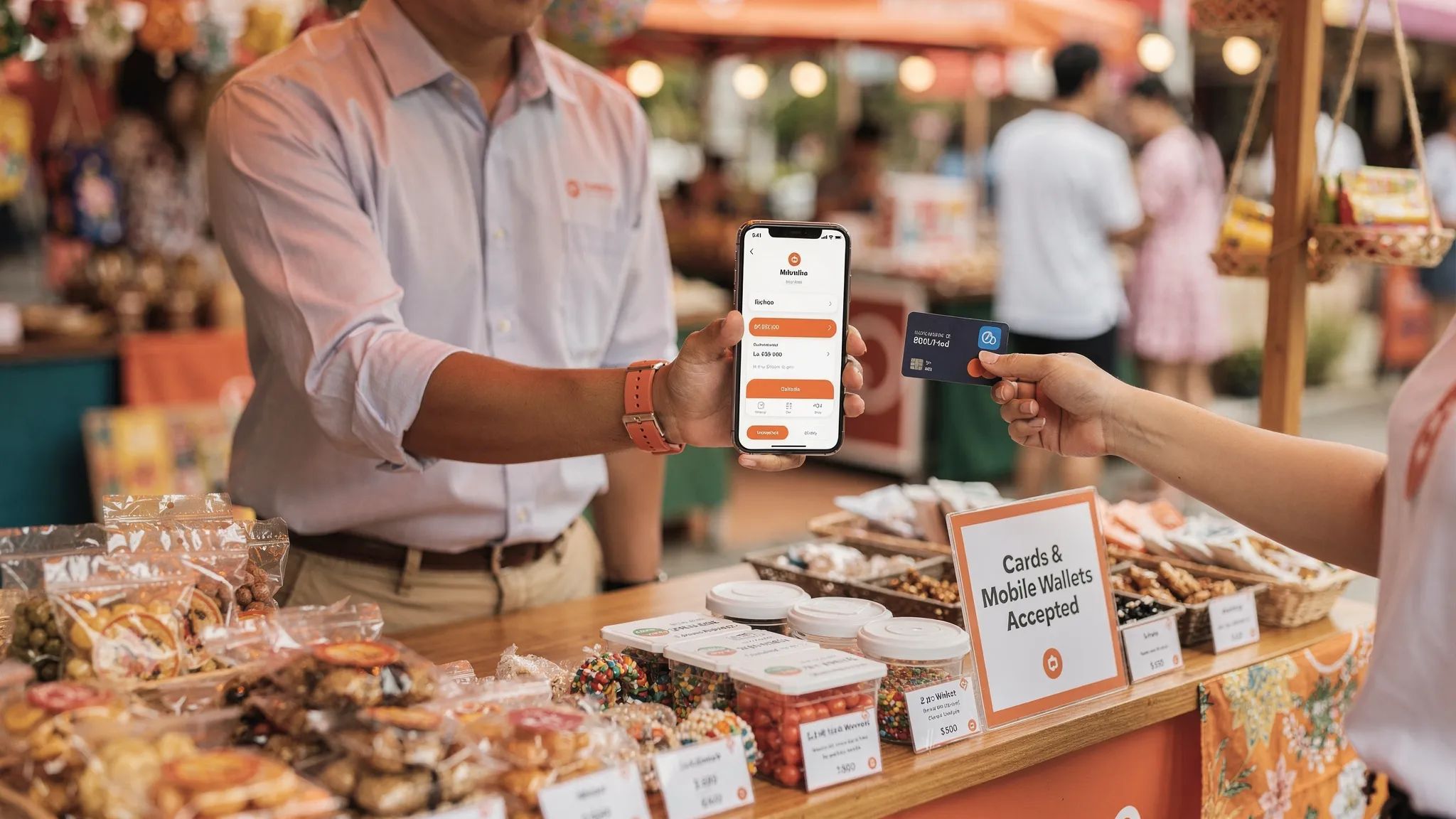
Display a small sign showing that you accept cards and mobile wallets.
Train any staff or helpers on the exact confirmation screen and refund process.
This may sound simple, but it makes a difference. Customers judge payment experiences quickly. A smooth card tap at checkout can make a small business feel more established and trustworthy.
Common mistakes to avoid
The first mistake is treating SoftPOS as a replacement for every payment method. In Singapore, PayNow is too useful to ignore. Keep it for local bank transfer customers, then add SoftPOS for card users.
The second mistake is focusing only on the percentage fee. A fixed transaction fee can change the economics of low-ticket sales. International cards and AMEX may also have different rates. Always estimate costs using your real transaction sizes and customer mix.
The third mistake is waiting until the event day to onboard. Even fast providers need to complete compliance checks. If your pop-up starts on Saturday, do not begin the process on Friday night.
The fourth mistake is not telling customers you accept cards. If your signage only shows PayNow, card-preferring customers may assume they need cash or bank transfer. A small card acceptance sign can prompt a sale that otherwise would not happen.
The fifth mistake is using an old or poorly maintained phone. SoftPOS depends on the phone’s NFC, operating system, battery, and connectivity. Treat the device like business equipment, even if it is your personal phone.
How nashi fits into the SoftPOS market
nashi is built for micro and small businesses in Singapore that want simple in-person card acceptance without extra hardware. It is not a full POS suite, inventory system, or e-commerce platform. That is intentional.
With nashi, merchants can use an NFC-enabled Android phone to accept Visa, Mastercard, and AMEX. There is no card reader, no Bluetooth pairing, no terminal rental, and no monthly subscription fee. Onboarding is digital through the app, approval is typically within 1 business day, and payouts are made to your bank account in 2 business days.
This makes nashi a practical option for merchants who want to add cards alongside PayNow without committing to a heavy payment platform. It is especially relevant for pop-ups, mobile services, small retailers, wholesalers, private tutors, wellness practitioners, and businesses serving international customers.
If you are comparing device options more broadly, you may also find nashi’s guide to credit card readers in Singapore helpful.
Frequently Asked Questions
What does SoftPOS mean?
SoftPOS means software point of sale. It refers to an app that lets a compatible smartphone accept contactless card and mobile wallet payments without a separate card terminal.
Is SoftPOS the same as Tap to Phone?
In most merchant conversations, yes. Tap to Phone is a common name for SoftPOS because customers tap their card or mobile wallet on the merchant’s phone. On iPhone, similar functionality is often called Tap to Pay on iPhone.
Can SoftPOS accept Apple Pay and Google Pay?
Yes, if the provider supports the underlying card network and the customer’s wallet card is eligible. Apple Pay and Google Pay usually work like contactless card payments at checkout.
Do I still need PayNow if I use SoftPOS?
Yes, most Singapore small businesses should offer both. PayNow is useful for local bank transfers, while SoftPOS helps you accept cards from tourists, international customers, and card-preferring locals.
Is SoftPOS safe for merchants?
A reputable SoftPOS provider should follow payment security standards and protect card data through secure transaction flows. Merchants should also keep devices updated, use screen locks, and avoid rooted or jailbroken phones.
How quickly can a small business start using SoftPOS?
It depends on the provider and compliance checks. With nashi, onboarding is completed digitally through the app and approval is typically within 1 business day.
Does SoftPOS work without internet?
No. The phone uses NFC to read the contactless payment, but it still needs WiFi or mobile data to authorise the transaction and confirm approval.
Ready to accept card payments without a terminal?
If you are a small merchant in Singapore and you want a simple way to accept in-person card payments, SoftPOS is worth serious consideration. It gives you the flexibility of a smartphone, the professionalism of card acceptance, and the freedom to keep PayNow as a complementary option.
nashi makes this especially lightweight for micro and small businesses. Download the app, complete digital onboarding, and start accepting Visa, Mastercard, and AMEX on your phone, with no extra hardware and no monthly subscription fee.
Visit trynashi.com to get started.


