
nashi Team
5 min read
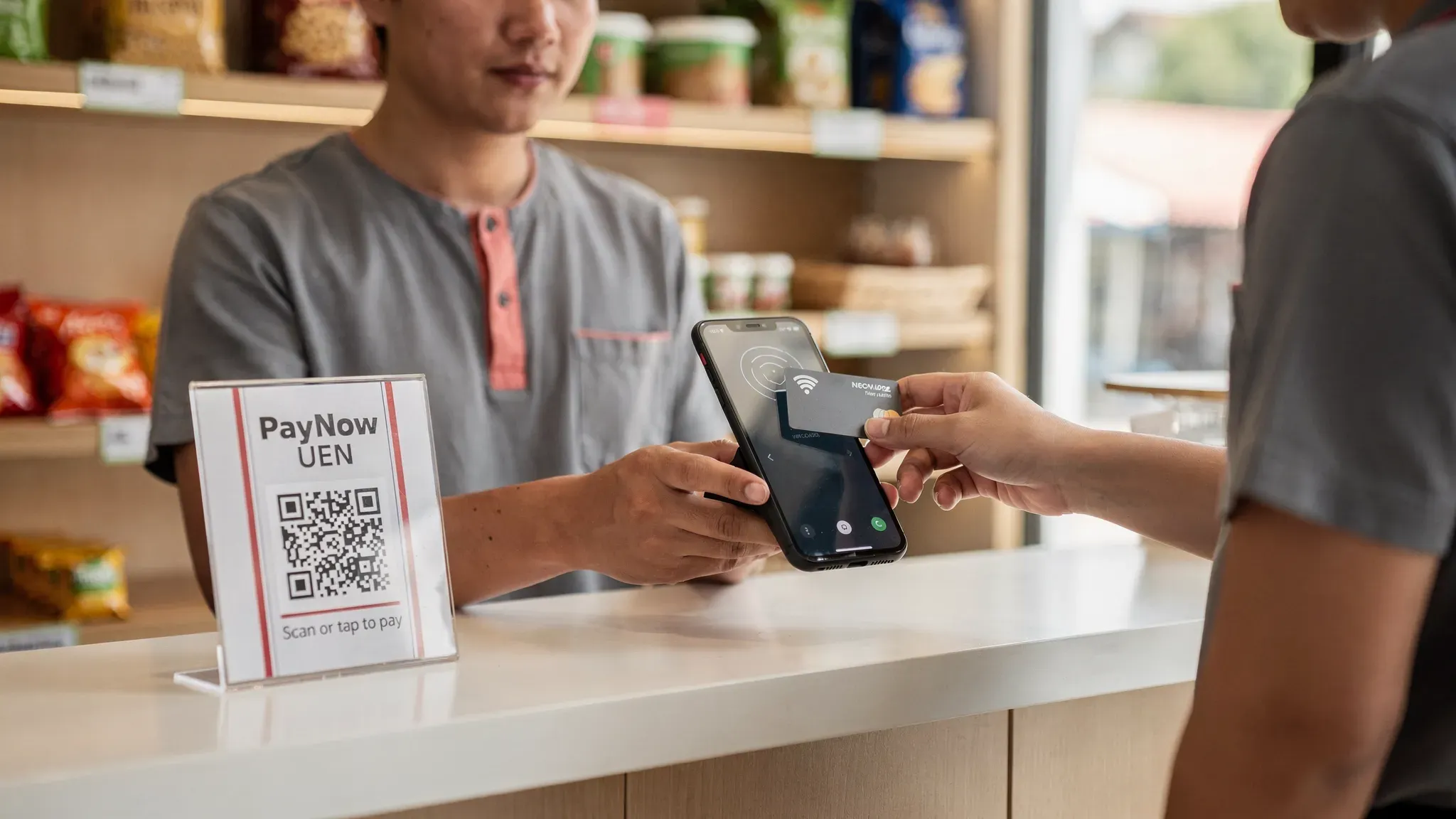
Singapore customers are used to tapping a card or phone everywhere, from malls to hawker centres. For micro and small businesses, the question in 2026 is rarely “should I accept cards?” and more “what card payment system fits my business without locking me into hardware, contracts, or a bloated POS?”
This guide breaks down the main card payment systems available to small businesses in Singapore, how the costs really work, and how to choose based on your day-to-day operations (shop, pop-up, mobile service, tuition centre, tourist-heavy business).
What “card payment systems” means in Singapore (in 2026)
A card payment system is the setup that lets you accept Visa, Mastercard (and sometimes American Express), and settle the money into your bank account. In practice, it includes:
Checkout method: countertop terminal, Bluetooth reader, or Tap to Phone (SoftPOS).
Payment processor / provider: the company that onboards you, verifies your business (KYC), routes the payment, and pays you out.
Commercial terms: transaction fees (percentage and sometimes a fixed fee), payout timing, refunds, and any monthly fees.
Security + compliance: how customer card data is protected, and whether the solution is PCI-DSS compliant.
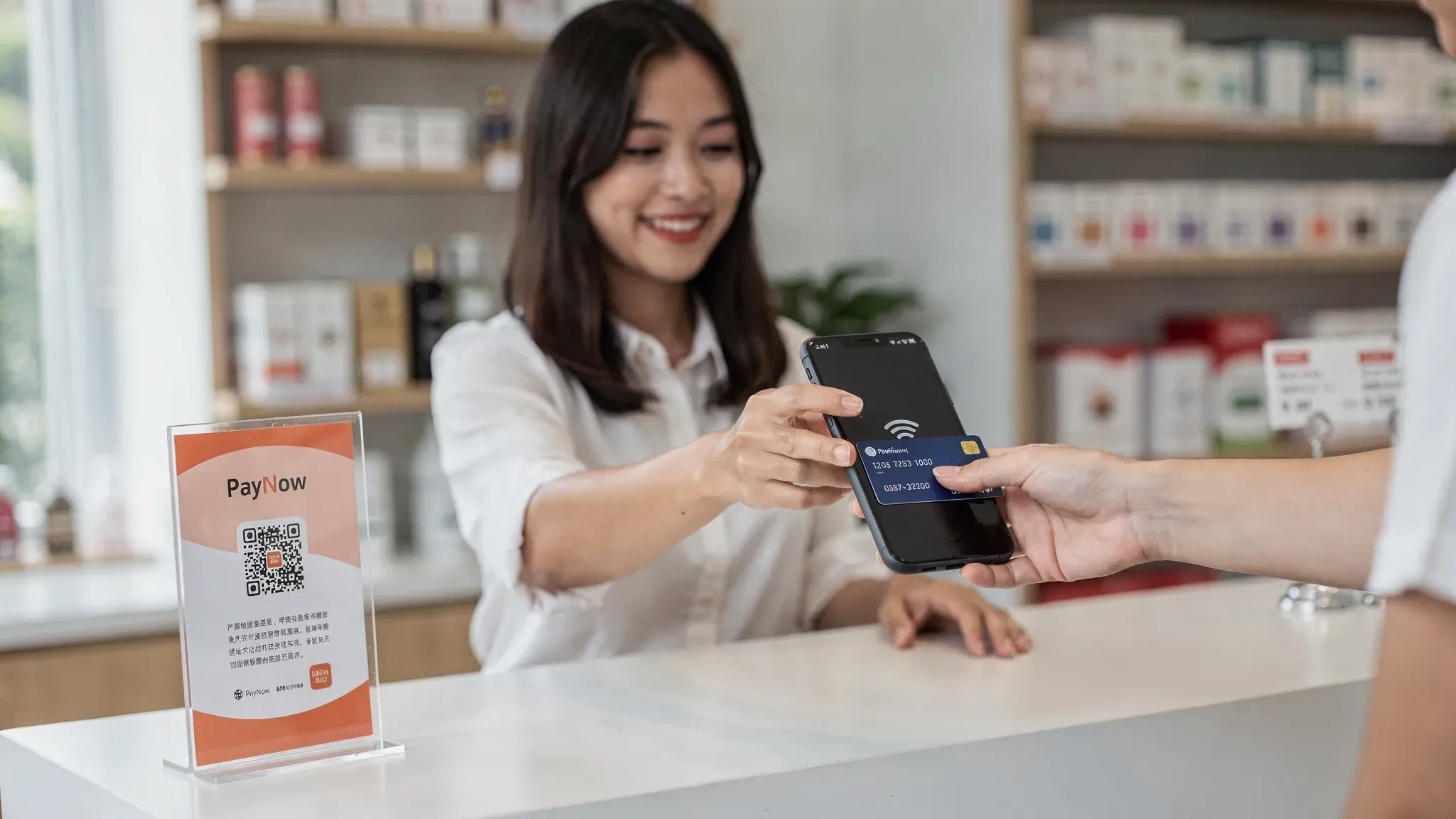
In Singapore, card acceptance usually sits alongside PayNow/SGQR. PayNow is great for local bank transfers, but it does not cover international visitors and it does not behave like card payments (disputes, refunds, card rewards behaviour). For most small merchants, the winning strategy is offering both.
If you want to understand PayNow setup in more detail, see nashi’s guide to creating a PayNow UEN QR code.
The 4 main card payment system types (and who each is best for)
The “best” setup depends less on features and more on where and how you sell: fixed location vs mobile, average ticket size, and how often you need to take payments.
System type | What it is | Typical pros for small businesses | Typical trade-offs | Best fit in Singapore |
|---|---|---|---|---|
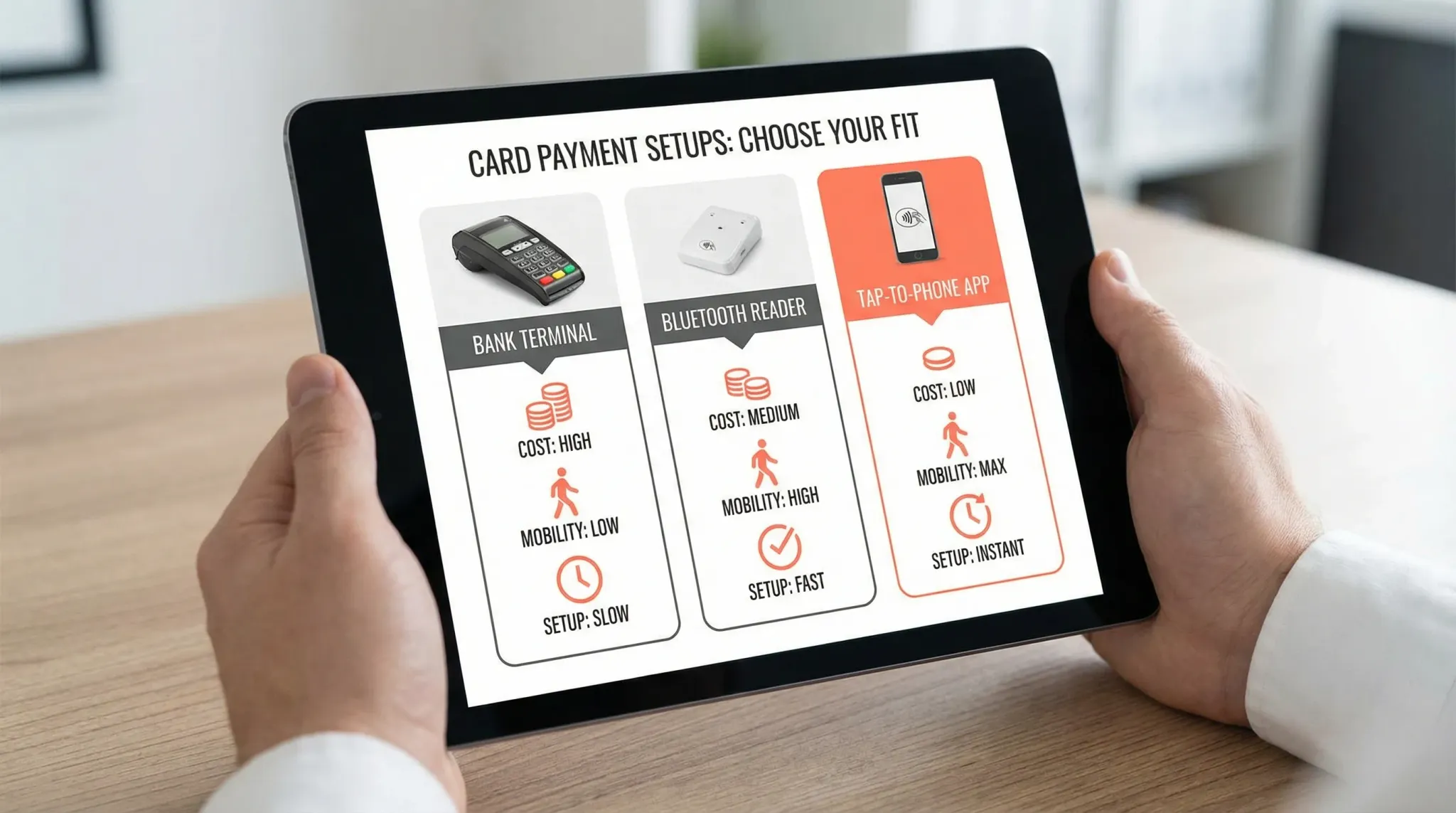
Bank-issued card terminal | Countertop or portable terminal from a bank/acquirer | Familiar, built for in-store, can feel “traditional” and stable | Often involves rental/subscription, contracts, slower setup | Established shops that want a dedicated device and don’t mind ongoing fixed costs |
mPOS (Bluetooth card reader + app) | A small reader paired to your phone/tablet | Lower cost than bank terminals, portable | Bluetooth pairing issues, another device to charge/manage | Mobile sellers who still prefer a separate reader, occasional queue situations |
SoftPOS (Tap to Phone / Tap to Pay) | Your phone becomes the terminal, customers tap on the phone | No extra hardware, fast to start, great for intermittent use | Relies on phone compatibility (NFC), not ideal for very low-value, high-volume queues | Pop-ups, service businesses, appointment-based merchants, market stalls, wholesalers |
All-in-one POS system (POS + payments) | POS software plus payments, sometimes with hardware bundle | Strong if you truly need POS workflows | More setup and cost, you pay for features you may not use | Retailers with inventory needs, multi-staff operations that need POS controls |
A quick reality check for micro-merchants
If your business does not need inventory/SKU management, table management, or e-commerce checkout, a full POS suite can be unnecessary weight. Many micro businesses in Singapore simply want:
A reliable way to accept contactless cards
Fast onboarding
Predictable payouts
Easy refunds
No long-term lock-in
That is exactly why Tap to Phone solutions are growing quickly for small operators.
How card payment fees work (so you can compare properly)
Headline rates are useful, but they do not always reflect what you will actually pay month to month.
The cost components to look for
Cost element | What it means | Why it matters |
|---|---|---|
MDR (percentage fee) | A percentage of every transaction | This is the main cost driver when ticket sizes are larger |
Fixed fee per transaction | A flat fee per payment (for example S$0.30) | Affects low-ticket businesses much more than high-ticket businesses |
International and premium card rates | Higher pricing for foreign-issued cards or certain card types | Important if you serve tourists, expats, or cross-border customers |
Monthly fees / device rental | Ongoing fixed cost regardless of sales | Can punish seasonal sellers or low-volume merchants |
Setup fees and minimums | One-time fees or monthly minimum volume requirements | A hidden blocker for early-stage businesses |
GST on fees | Some providers add 9% GST on top of fees | Impacts your true effective rate |
A practical way to compare providers is to estimate a “typical month” with your sales mix:
Your average transaction size (S$)
Number of transactions
Share of local vs international cards
Whether you will pay any monthly subscription or rental
If you want a deeper walkthrough of fee structures (interchange, scheme fees, processor markup), read nashi’s guide to payment processing fees in Singapore.
Choosing the right card payment system by business type
Below are common Singapore use cases where the “right” system is mostly about mobility, speed, and total cost of ownership.
1) Retailers and small shops
If you have a fixed location, you typically care about stable checkout flow and fast service. A dedicated terminal can work well, but it can also be overkill if:
You have only one cashier point
You do not want to pay a monthly rental
You want to take payments outside the shop (sidewalk sale, roadshow, events)
For many small retailers, a Tap to Phone system is a good default, and you can move to POS later if you outgrow it.
2) Pop-ups, fairs, market stalls, and event vendors
Pop-ups are where fixed monthly costs hurt the most, because your sales are intermittent. A strong fit here is a hardware-free system that:
Works on your phone
Lets you onboard quickly
Does not require managing extra devices
If you want a broader comparison of mobile-first options, see nashi’s guide to the best mobile POS systems in Singapore.
3) Mobile services (contractors, cleaners, drivers, home visits)
For businesses that sell at the customer’s location (air-con servicing, plumbers, private hire drivers, cleaning services), the biggest problems with traditional setups are:
You cannot rely on the customer having PayNow
You do not want to carry a reader or terminal
You need to get paid on the spot, not chase invoices
A Tap to Phone card payment system fits naturally because it travels with you.
4) Tuition centres, fitness professionals, and appointment businesses
These businesses usually have:
Higher average ticket sizes (monthly packages)
Customers who prefer card rewards, instalment behaviour, or simply convenience
A need for clear receipts and easy refunds for cancellations
Here, you should prioritise predictable payout timing and refund handling. Any system you choose should make partial or full refunds straightforward from the merchant side.
5) Tourist-heavy and international customer segments
If you serve tourists, newly arrived expats, or cross-border customers, PayNow alone is not enough. Look specifically for:
Support for international-issued cards
Clear international card pricing
Strong acceptance for mobile wallets (Apple Pay, Google Pay) through contactless card rails
For background on QR wallets that tourists use, you can also explore nashi’s merchant guide to WeChat Pay in Singapore.
A decision checklist: what to evaluate before you sign up
Marketing pages often look similar, so it helps to evaluate the operational details that affect your cash flow and day-to-day checkout.
Onboarding and KYC friction
In Singapore, legitimate providers will still need to do KYC. The question is how painful it is.
Consider:
What documents you must submit (for example ACRA bizfile, IDs, bank statement)
Whether onboarding is fully digital
Typical approval time (especially if you are preparing for a weekend pop-up)
Payout timing and cash flow
A cheaper fee is not always worth it if payouts are slow or unpredictable. Ask:
How many business days to settle to your bank account
Whether payout timing changes for certain card types
Whether the provider has a reputation for holds and what triggers them
Refunds, disputes, and support
Refund capability is part of your customer experience. Disputes are part of card acceptance.
Check:
Can you do partial refunds easily?
How are disputes/chargebacks handled?
Is support human and reachable during your operating hours?
Hardware and reliability
For hardware-based systems, reliability includes both the terminal and the connectivity between devices.
For phone-based systems, reliability is about:
Your phone’s NFC compatibility
Your mobile data/WiFi stability
The app’s day-to-day usability
A good practice is to run a real trial day with actual staff and real checkout conditions.
Contracts and total cost of ownership
For micro and small businesses, flexibility matters. If your sales are seasonal, a monthly fee can dominate your cost structure.
Ask explicitly:
Is there any lock-in (annual contract, minimum term)?
Any monthly subscription, device rental, maintenance fee?
Any setup fee?
A simple “cards + PayNow” setup that works for most SMBs
Rather than debating which one is better, treat PayNow and cards as two rails for different customer needs.
A practical setup for many Singapore SMBs:
PayNow UEN QR (SGQR compliant) at the counter for local customers who want instant bank transfer.
Contactless card acceptance for customers who prefer cards and for international visitors.
This reduces lost sales without forcing you into a complicated payment stack.
If you want a step-by-step explanation of Tap to Phone, read how to use Tap to Pay on your smartphone for business payments.
Where nashi fits (and when it is a strong choice)
nashi is designed for micro and small businesses in Singapore that want in-person card acceptance without the overhead of a full POS suite.
Key points (as of 2026):
Tap to Phone on Android today (iOS support is listed as coming soon).
Accepts Visa, Mastercard, and AMEX via contactless tap (physical card or mobile wallet).
No extra hardware, terminals, or accessories required.
PCI-DSS compliant, powered by Adyen’s payment infrastructure.
Typical approval is about 1 business day with digital onboarding.
Payouts are made automatically to your bank account in 2 business days.
Refunds (full or partial) can be issued in-app.
No annual contracts and no monthly subscription fees.
A free trial is available, up to S$1,000 in fee-free transactions.
If your goal is to start accepting contactless cards quickly for pop-ups, services, or intermittent selling, a lightweight Tap to Phone setup is often the shortest path from “I should accept cards” to “I am taking payments today”. You can learn more at nashi.
Final takeaway: choose the system that matches your operations, not the biggest feature list
In 2026, the Singapore card payment landscape gives small businesses more choice than ever. The biggest win usually comes from reducing fixed costs and setup friction, while keeping payouts predictable and the checkout experience smooth.
If you are a micro or small business and you mainly need in-person card acceptance (not a full POS suite), start by comparing:
Hardware-free vs hardware-based total cost
Onboarding speed
Payout timing
Support quality
Transparency around international card rates and GST
Once those are right, the “best” card payment system becomes the one you will actually use every day, with minimal friction for you and your customers.


