
nashi Team
5 min read
Singapore customers are used to paying quickly. They tap a card, use Apple Pay or Google Pay, scan a PayNow QR code, and expect checkout to take seconds. For small businesses, that creates an opportunity, but also a practical question: what contactless payment setup is actually worth paying for?
For micro and small businesses, the answer is rarely “add every payment method possible.” A tuition centre, mobile beautician, pop-up retailer, private driver, or repair contractor needs a payment setup that is easy to use, affordable, and reliable on the day of sale.
This guide explains what contactless payments mean in Singapore, the benefits for small businesses, the real costs to compare, and how to set up contactless card acceptance without overcomplicating your operations.
What are contactless payments in Singapore?
In everyday language, contactless payments usually means customers can pay without handing over cash or inserting a card. In a stricter card payment sense, it refers to NFC payments, where the customer taps a contactless card or mobile wallet on a payment device.
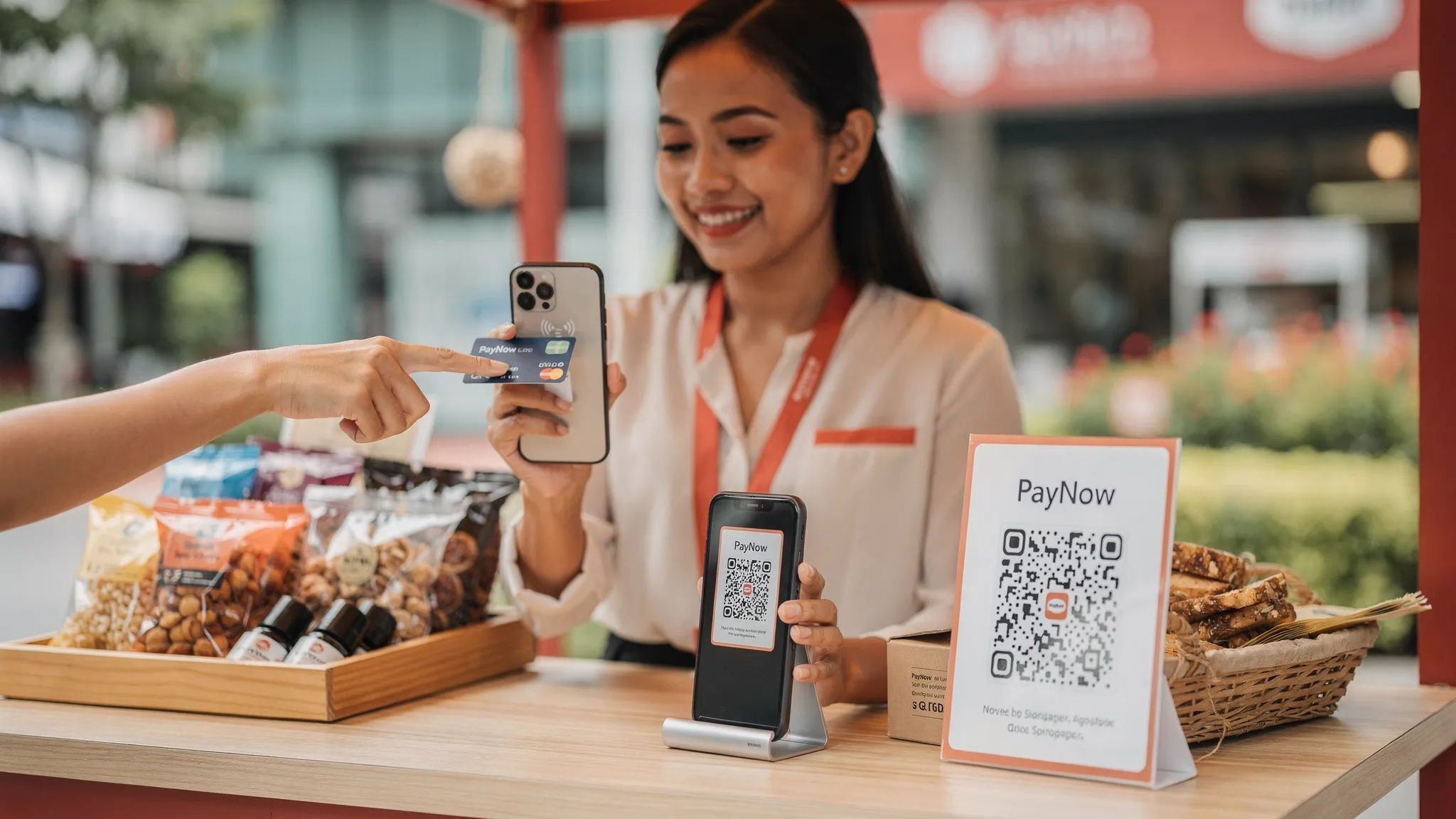
For Singapore businesses, contactless payment options typically include:
Contactless Visa, Mastercard, and American Express cards
Mobile wallets such as Apple Pay and Google Pay, where the wallet is linked to a card
Tap to Phone or Tap to Pay solutions, where a merchant accepts card taps directly on a smartphone
PayNow QR or SGQR, which are QR-based bank transfers rather than card payments
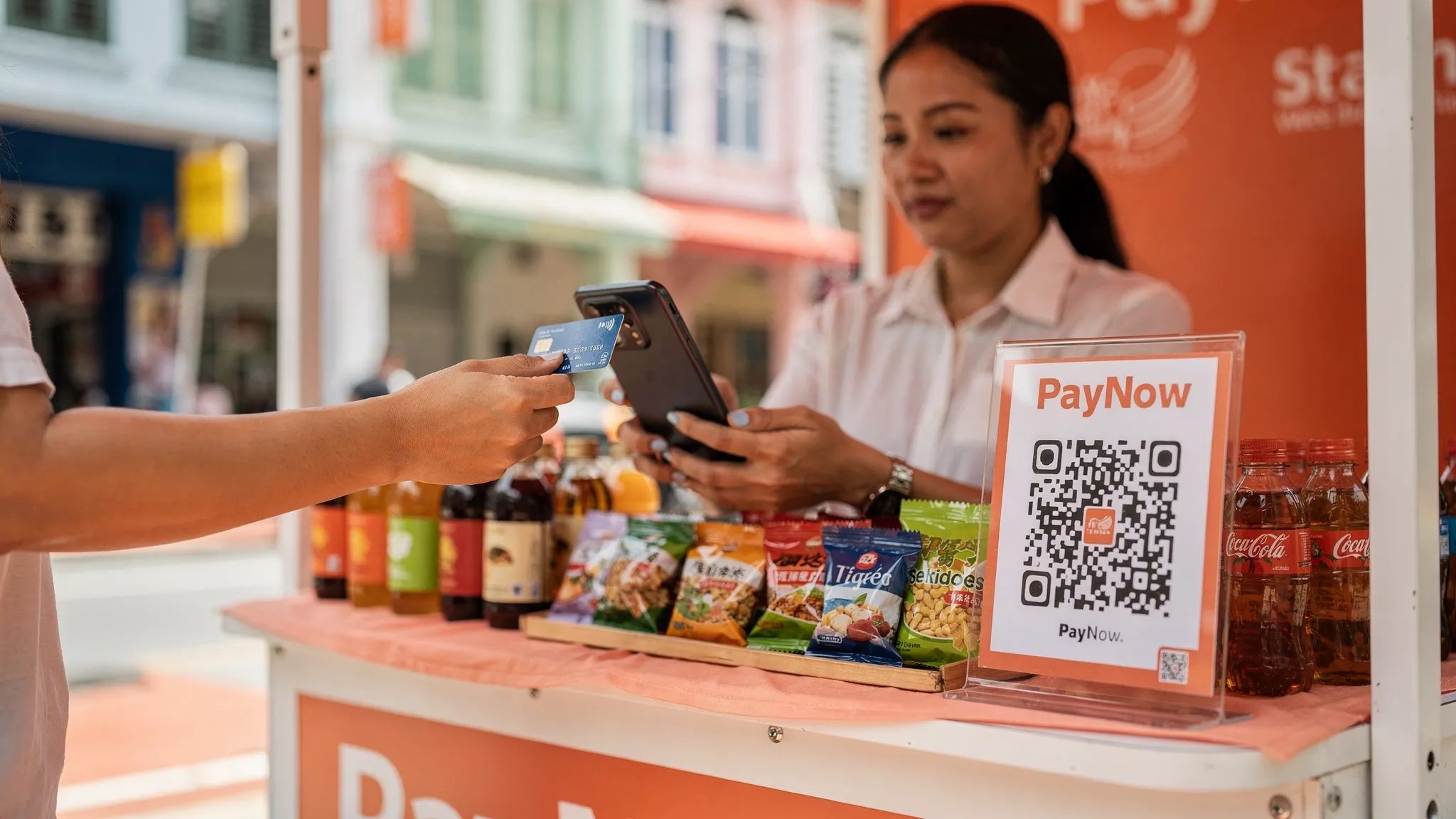
PayNow is important in Singapore, but it is not a direct substitute for cards. PayNow works well for local customers with Singapore bank accounts. Contactless card payments are better for customers who prefer rewards, credit, company cards, or international cards, especially tourists and expats.
The strongest setup for many small businesses is not PayNow versus cards. It is PayNow plus contactless card payments, so customers can choose the method that suits them.
Why contactless payments matter for Singapore small businesses
Singapore’s payment environment is already highly digital. MAS highlights electronic payments as a key part of Singapore’s payment infrastructure, while PayNow and SGQR have made local bank transfer payments familiar to consumers and merchants.
But small businesses still lose sales when they only accept cash or PayNow. The issue is not just convenience. It is customer access.
A tourist cannot usually use PayNow. A newly arrived expat may not have a local bank account set up yet. A corporate customer may need to pay with a company card. A customer buying a higher-value service may prefer the protection, rewards, or cash flow flexibility of a credit card.
Contactless card acceptance helps close that gap.
Faster checkout and fewer awkward payment moments
For in-person sales, speed matters. At a market booth, event, home service appointment, or reception desk, every extra step creates friction. A card tap is familiar, quick, and easy for customers to understand.
PayNow can also be fast, but it often requires the customer to unlock a banking app, scan a QR code, check the recipient name, enter an amount if the QR is static, and show proof of transfer. That is manageable, but it can feel slow during busy periods.
Contactless payments reduce the back-and-forth. The merchant enters the amount, the customer taps, and the transaction is confirmed.
Better fit for higher-value transactions
For a S$5 coffee, card fees can feel expensive. For a S$250 air-con servicing package, S$600 tuition payment, S$900 furniture deposit, or S$1,500 event order, card acceptance can remove hesitation at the point of payment.
Many customers are more comfortable using cards for larger amounts because they can earn rewards, use credit, or avoid transferring a large sum directly from a bank account. For businesses selling higher-ticket products or services, offering cards can support conversion, even after accounting for fees.
Access to international customers
This is one of the clearest advantages in Singapore. PayNow is local. It is excellent for Singapore bank account holders, but it does not serve most visitors.
If your business deals with tourists, expats, overseas parents, private transport customers, event attendees, or corporate visitors, contactless cards and mobile wallets are often essential. International customers already expect to tap their card or phone.
This is especially relevant for:
Fragrance, skincare, gifts, and lifestyle retailers
Pop-ups in tourist-heavy locations
Private airport transfers and cross-border transport
Cleaning, moving, and home services for newly arrived expats
Wellness, fitness, and professional services with international clients
Less cash handling
Cash still has its place, but it adds operational work. Someone has to keep change, reconcile takings, deposit cash, and manage the risk of miscounting. Contactless payments create a clearer digital record and reduce the need to handle notes and coins.
For sole proprietors and small teams, that matters. Less admin means more time serving customers.
More mobility without a full POS system
A traditional card terminal can work well for a fixed retail counter. But many small Singapore businesses are not fixed to one counter. They sell at fairs, visit customers at home, take payment after a service job, or run seasonal booths.
Tap to Phone changes the hardware equation. Instead of buying or renting a terminal, the merchant uses an NFC-enabled smartphone as the payment acceptance device. This is useful for businesses that want card acceptance without carrying extra equipment.
The real costs of contactless payments
The main cost of contactless card acceptance is the payment processing fee, often called the Merchant Discount Rate, or MDR. This is usually a percentage of the transaction amount, sometimes with a fixed per-transaction fee.
However, the headline rate is only part of the story. A cheap-looking card solution may become expensive if it includes monthly terminal rental, setup fees, minimum volumes, GST on fees, add-on charges, or long contracts.
Common cost components to compare
Cost component | What it means | Why it matters |
|---|---|---|
MDR or processing fee | Percentage charged on each card transaction | Biggest ongoing cost for most merchants |
Fixed transaction fee | Flat fee per successful transaction, such as S$0.30 | Makes low-ticket payments more expensive |
Hardware cost | Terminal purchase, rental, or reader cost | Can be unnecessary if you use Tap to Phone |
Monthly fee | Subscription, terminal rental, or maintenance fee | Adds cost even during slow months |
Setup fee | One-time onboarding or activation charge | Painful for new or seasonal businesses |
International card fee | Higher rate for non-Singapore-issued cards | Important for tourist-facing businesses |
Amex fee | Separate rate for American Express | Relevant for premium and corporate customers |
Settlement timing | How fast funds reach your bank account | Affects cash flow |
Refund and chargeback handling | Process and cost of reversals or disputes | Important for service businesses and higher-value sales |
For a deeper fee breakdown, see nashi’s guide to payment processing fees in Singapore.
Why fixed fees matter for small transactions
A percentage fee is easy to understand. A fixed fee is easy to overlook.
For example, if a provider charges 2.4% plus S$0.30, the cost changes significantly by transaction size:
Transaction amount | Fee example | Total cost | Effective rate |
|---|---|---|---|
S$5 | 2.4% + S$0.30 | S$0.42 | 8.4% |
S$50 | 2.4% + S$0.30 | S$1.50 | 3.0% |
S$250 | 2.4% + S$0.30 | S$6.30 | 2.52% |
S$1,000 | 2.4% + S$0.30 | S$24.30 | 2.43% |
This is why contactless cards may not be the best default for very low-value F&B transactions, but can make strong commercial sense for higher-value retail, services, tuition, transport, events, and wholesale payments.
Domestic cards, international cards, and Amex
Not all card payments cost the same. Singapore-issued Visa and Mastercard transactions are usually cheaper than international cards. Amex can also carry a different rate depending on the provider.
This matters because your “average” cost depends on your customer mix. A local tuition centre may see mostly Singapore-issued cards. A gift shop near hotels may see many international cards. A professional service business may see corporate cards or Amex more often.
Before choosing a provider, ask for pricing by card type, not just the headline local card rate.
PayNow versus contactless card costs
PayNow is usually the lowest-cost option for local bank transfer payments. According to The Association of Banks in Singapore, PayNow enables transfers using identifiers such as mobile numbers, NRIC/FIN, or UEN, depending on the user type.
For businesses, PayNow is best viewed as a low-cost local rail. Cards are best viewed as a customer access rail. They serve different needs.
Payment method | Best for | Cost profile | Main limitation |
|---|---|---|---|
PayNow QR | Local customers, low-ticket payments, bank transfers | Usually very low or free via bank channels | Not usable by most tourists or non-local customers |
Contactless cards | Local and international customers, higher-value sales | MDR and possible fixed fee | Costs more than PayNow |
Mobile wallets linked to cards | Apple Pay, Google Pay, card-based wallet users | Usually priced like card payments | Depends on the underlying card type |
Cash | Some very small or informal payments | No processing fee | Manual handling, change, reconciliation, lower convenience |
A practical approach is to keep PayNow for customers who want it, then add contactless card acceptance for customers who prefer or need to pay by card.
Contactless payment setup options in Singapore
Small businesses generally have three ways to accept contactless card payments in person.
Traditional card terminals
These are the familiar countertop or portable terminals provided by banks, NETS, or payment companies. They can be reliable for fixed locations with steady volume, but they may come with rental fees, contracts, setup steps, and hardware management.
They are often more than a micro business needs, especially if the business only accepts card payments occasionally.
Bluetooth card readers
Bluetooth readers, such as a WisePad, connect to a phone or tablet. They are more mobile than traditional terminals, but still require a separate device. You need to keep it charged, pair it, update it, and troubleshoot connectivity when it fails.
For some merchants, that is acceptable. For others, especially solo operators, the extra device is friction.
Tap to Phone or Tap to Pay apps
Tap to Phone, sometimes called SoftPOS, allows a merchant to accept contactless cards directly on a smartphone. Customers tap their card or mobile wallet on the back of the merchant’s phone.
This is the lightest setup for many micro and small businesses because there is no separate terminal, no Bluetooth reader, and no hardware rental. You only need a compatible NFC-enabled phone, mobile data or WiFi, and an approved merchant account.
nashi is built around this model. It is a Tap to Phone app for Singapore micro and small businesses that want in-person card acceptance without a full POS suite or extra hardware.
How to set up contactless payments for your business
The exact steps depend on the provider, but most Singapore merchants can use this checklist.
1. Decide what you actually need
Start with your business model. Do you need inventory, staff rostering, table management, ecommerce, invoices, and loyalty features? Or do you simply need to accept in-person card payments?
If you run a full retail store with many SKUs and staff, a POS system may be useful. If you are a pop-up seller, mobile contractor, tutor, personal trainer, wholesaler, or small service provider, a lightweight Tap to Phone setup may be enough.
2. Check your device requirements
For Tap to Phone, you need an NFC-enabled smartphone and a stable internet connection. Some providers support Android, iOS, or both.
nashi is currently available on Android, with iOS coming soon. There is no Bluetooth accessory, plug-in reader, or separate terminal required.
3. Prepare your business documents
Payment providers need to verify your business before you can accept card payments. This is normal because providers must meet regulatory, card network, and risk requirements.
For nashi, onboarding is digital through the app and typically requires the latest ACRA business profile, IDs of majority shareholders, and a bank statement. Approval is typically within 1 business day, subject to review.
4. Compare pricing based on your actual sales mix
Do not compare providers only by the cheapest advertised rate. Model your own sales.
Look at your average transaction value, number of monthly transactions, local versus international customers, Amex usage, and seasonal volume. A provider with no monthly fee may be better for intermittent sellers, while a business with high steady volume may negotiate differently.
5. Test a real checkout flow
Before using contactless payments at a live event or customer appointment, run test transactions with your team. Make sure staff know where customers should tap, how to confirm a successful transaction, how to handle declined cards, and how to issue refunds.
With nashi, the basic flow is simple: open the app, enter the amount, ask the customer to tap their card or mobile wallet on the back of the phone, and wait for real-time confirmation.
6. Display accepted payment methods clearly
Customers should not have to ask whether you accept cards. Use simple signage at your counter, booth, invoice, booking message, or service confirmation.
For example: “PayNow, Visa, Mastercard, Amex, Apple Pay, and Google Pay accepted.” Only list the methods you can actually support.
7. Track payouts and reconciliation
Settlement timing affects cash flow. Some providers pay out daily, some within a few business days, and some vary by card type or risk review.
nashi settles funds automatically to your bank account in 2 business days. Full or partial refunds can also be issued through the app.
Security and compliance: what merchants should know
Contactless card payments are designed with security controls. Mobile wallets use tokenisation, meaning the actual card number is not shared with the merchant in the usual way. Card networks and payment providers also apply risk checks and authentication rules.
For merchants, the key is to choose a provider that follows recognised payment security standards. nashi is PCI-DSS compliant and powered by Adyen’s payment infrastructure. You can learn more about payment security standards from the PCI Security Standards Council.
Operational security still matters. Keep your phone updated, use a strong device passcode, avoid sharing merchant logins, and only use official provider apps. If staff use a shared business phone, set clear access rules.
When contactless payments are most worth it
Contactless card acceptance is especially valuable when your customers may not want to use PayNow, cannot use PayNow, or are spending enough that card convenience matters.
Business type | Why contactless payments help |
|---|---|
Pop-ups and fairs | Faster checkout, fewer lost sales, easy temporary setup |
Mobile service businesses | Take payment immediately after the job, without sending follow-up messages |
Tourist-facing retailers | Accept international cards and mobile wallets from visitors |
Tuition and enrichment centres | Easier collection for higher-value monthly fees |
Beauty, wellness, and fitness providers | Professional payment experience for appointments and packages |
Wholesalers and B2B sellers | Accept larger in-person deposits or balances by card |
Private transport providers | Useful for airport transfers, visitors, and corporate customers |
If your business only handles very low-value local transactions, PayNow may remain your default. But if you regularly sell above S$50, serve international customers, or take payment outside a fixed shop, contactless card acceptance is often worth considering.
Common mistakes to avoid
The first mistake is buying a full POS system when you only need card acceptance. A full POS can be useful, but it also adds complexity, training, and cost. If your immediate problem is “I need customers to tap a card,” start there.
The second mistake is ignoring the difference between local and international cards. If you serve tourists, your actual cost may be higher than the domestic card rate shown on a pricing page.
The third mistake is relying only on PayNow. PayNow is excellent for Singapore residents, but it leaves out customers without a Singapore bank account and customers who strongly prefer cards.
The fourth mistake is not preparing for live selling conditions. At events, make sure your phone is charged, your data connection works, your staff know the checkout steps, and your backup payment method is ready.
Frequently Asked Questions
Are contactless payments the same as PayNow? No. Contactless card payments usually refer to NFC taps using cards or mobile wallets. PayNow is a bank transfer system that often uses QR codes. Both are useful, and many Singapore businesses should offer both.
Do I need a card terminal to accept contactless payments? Not always. With Tap to Phone solutions, you can accept contactless cards directly on a compatible smartphone without a separate terminal or Bluetooth reader.
How much do contactless payments cost in Singapore? Costs vary by provider, card type, and pricing model. Expect a percentage fee, sometimes with a fixed transaction fee. International cards and Amex may cost more than local Visa or Mastercard payments.
Is PayNow cheaper than card payments? Usually, yes. PayNow is often the lowest-cost option for local bank transfer payments. Cards cost more, but they help you serve customers who prefer cards or cannot use PayNow.
Can tourists use PayNow in Singapore? Most tourists cannot use PayNow because it depends on Singapore bank account access. Tourists are more likely to pay with international cards, Apple Pay, Google Pay, or travel wallets.
Is Tap to Phone secure? A reputable Tap to Phone provider should follow payment security standards and card network requirements. nashi is PCI-DSS compliant and uses Adyen’s payment infrastructure.
How quickly can a small business start accepting contactless card payments with nashi? nashi’s onboarding is digital through the app and is typically approved within 1 business day, subject to verification. The app is currently available on Android, with iOS coming soon.
Add contactless card payments without extra hardware
If you are a Singapore micro or small business that wants to accept cards in person without buying or renting a terminal, nashi is built for that exact use case.
nashi lets you turn an NFC-enabled Android phone into a card payment terminal, accept Visa, Mastercard, and AMEX, and use card payments alongside PayNow. There are no monthly subscription fees, no annual contracts, and no separate hardware to manage. Settlements are paid automatically to your bank account in 2 business days.
For pop-ups, mobile services, small shops, professional services, and growing Singapore businesses, contactless payments do not need to mean a complicated POS rollout. With the right setup, it can be as simple as tap, confirm, and get back to business.


