
nashi Team
5 min read

If you run a small business in Singapore, you no longer need a countertop terminal, a Bluetooth card reader, or a long bank application process to take in-person payments. In many cases, the phone you already use for WhatsApp, invoices, bookings, and PayNow can also become your payment acceptance device.
That matters for pop-up merchants, mobile service providers, tutors, private drivers, home repair contractors, and early-stage retailers who need to start accepting payments quickly without adding more hardware or software complexity.
The key is choosing the right mix of payment methods. PayNow is excellent for local bank transfers. Cards and mobile wallets are often better for tourists, higher-value purchases, and customers who prefer rewards, instalment planning, or the security of card payments. A phone-based setup lets you offer both without turning your business into a full POS project.

What does it mean to accept payments on your phone?
Accepting payments on your phone can mean several things in Singapore. Some methods use your phone to show a QR code. Others use your phone as the actual card payment terminal. The right setup depends on how and where you sell.
For most small businesses, there are three practical categories:
Phone payment method | How it works | Best fit |
|---|---|---|
PayNow or SGQR | Customer scans a QR code or enters your UEN to transfer from a Singapore bank account | Local customers, low-cost payment acceptance, repeat customers |
Tap to Phone or Tap to Pay on iPhone | Customer taps a contactless card or mobile wallet on your smartphone | In-person card payments, tourists, higher-value transactions, mobile businesses |
Payment links | You send a link by WhatsApp, SMS, or email for the customer to pay online | Deposits, remote bookings, invoices, prepayment |
This article focuses mainly on in-person phone payments, especially accepting contactless cards directly on your phone. If you want a broader comparison of PayNow, cards, wallets, and links, nashi also has a practical guide to phone payments for businesses in Singapore.
Step 1: Decide what payment options your customers actually need
Before downloading any app, start with your customer. A payment method is only useful if it matches the way your customers prefer to pay.
PayNow is hard to beat for local bank transfers. It is familiar in Singapore, easy to explain, and typically free when used directly through your bank. Many micro businesses went from cash to PayNow during and after COVID, especially tutors, home service contractors, personal trainers, and small clinics.
But PayNow does not cover every situation. International visitors usually cannot use it. Corporate clients may prefer cards for records. Customers making a large purchase may want card points or miles. Someone booking a S$800 training package, S$1,200 upholstery cleaning job, or S$500 skincare purchase may be more comfortable tapping a card than making a bank transfer on the spot.
A simple rule works well: keep PayNow for customers who prefer it, and add card acceptance for customers who need or expect it. You do not have to replace one with the other.
Step 2: Check whether your phone can become a payment terminal
To accept contactless cards on your phone, you need a compatible device and a payment app that supports Tap to Phone or Tap to Pay on iPhone.
For nashi, the basic technical requirements are straightforward. You need an NFC-enabled Android phone or an iPhone XS or newer, plus a WiFi or mobile data connection. There is no Bluetooth accessory, plug-in reader, or separate terminal to carry.
For business onboarding in Singapore, expect to prepare standard verification documents. With nashi, onboarding is completed digitally in the app and typically requires your latest ACRA bizfile, IDs of majority shareholders, and a bank statement. Approval is typically within 1 business day, subject to verification.
That speed matters if you are preparing for a weekend market, a private event, a pop-up, or your first week of client visits. Traditional terminal applications can involve more paperwork, delivery, setup, and staff training. A phone-first setup removes much of that friction.
Step 3: Compare phone-based payments with card terminals
A traditional card terminal still makes sense for some businesses. If you run a busy F&B counter with many low-value transactions per hour, a dedicated terminal may be the smoother operational choice. But many Singapore micro and small businesses do not need that level of hardware.
For intermittent, mobile, or higher-value transactions, Tap to Phone is often the more practical route.
Setup | Upfront hardware | Monthly fees | Mobility | Good for |
|---|---|---|---|---|
Traditional card terminal | Usually requires a terminal | Often possible, depending on provider | Limited unless you use mobile terminals | Fixed retail counters, higher-volume stores |
Bluetooth card reader | Requires a reader paired to a phone or tablet | Varies by provider | Portable, but another device to charge and sync | Small retail, events, merchants already using a POS |
Tap to Phone app | No extra hardware | Depends on provider, nashi has no monthly subscription fees | Very high, just your phone | Pop-ups, services, deliveries, events, mobile sellers |
PayNow QR | No card hardware | Usually free through banks | High | Local bank transfer payments |
If your main goal is to accept payments anywhere without a card reader, a Tap to Phone app is designed for exactly that use case.
Step 4: Choose a provider that matches your business stage
Not every payment provider is built for the same type of merchant. Some platforms are broad payment suites with e-commerce tools, invoicing, payment links, POS features, and many payment methods bundled together. That can be valuable if you need an all-in-one system, but it can feel heavy if you simply want to take card payments in person.
When comparing providers in Singapore, look beyond the headline transaction rate. Ask these questions:
Does it work on the phone I already use?
Do I need to buy, rent, or sync any hardware?
Are there setup fees, monthly fees, annual fees, or cancellation fees?
How long does onboarding usually take?
Are Singapore-issued cards, international cards, and AMEX priced differently?
Are fees subject to additional GST?
How quickly do funds reach my bank account?
Can I issue full or partial refunds easily?
Is support human and reachable when something goes wrong?
nashi is built specifically for micro and small businesses that want simple in-person card acceptance. It is not a full POS suite, inventory system, or e-commerce platform. It focuses on card payments only, done through a phone, with no additional hardware and no monthly subscription fees. Payments are processed through Adyen’s payment infrastructure, and nashi is PCI-DSS compliant.
Step 5: Set up the app and test before your first sale
Once you have chosen your provider, do not wait until a customer is standing in front of you to try the payment flow. Set up the app, complete onboarding, and run through the steps in advance.
With nashi, the process is simple. Download the app on Android or iPhone, complete digital onboarding, wait for approval, then open the app and enter the amount you want to charge. The customer taps their contactless Visa, Mastercard, AMEX, or supported mobile wallet on the back of your phone. On iPhone, nashi supports Tap to Pay on iPhone and accepts Apple Pay. You receive real-time transaction confirmation, and settlements are paid automatically to your bank account in 2 business days.
You should test a few practical details before going live. Check where the NFC reader is on your phone. Make sure your mobile data works at your stall, studio, job site, or event venue. Confirm who on your team can access the app. Understand how to issue a refund if a customer changes their mind or pays the wrong amount.
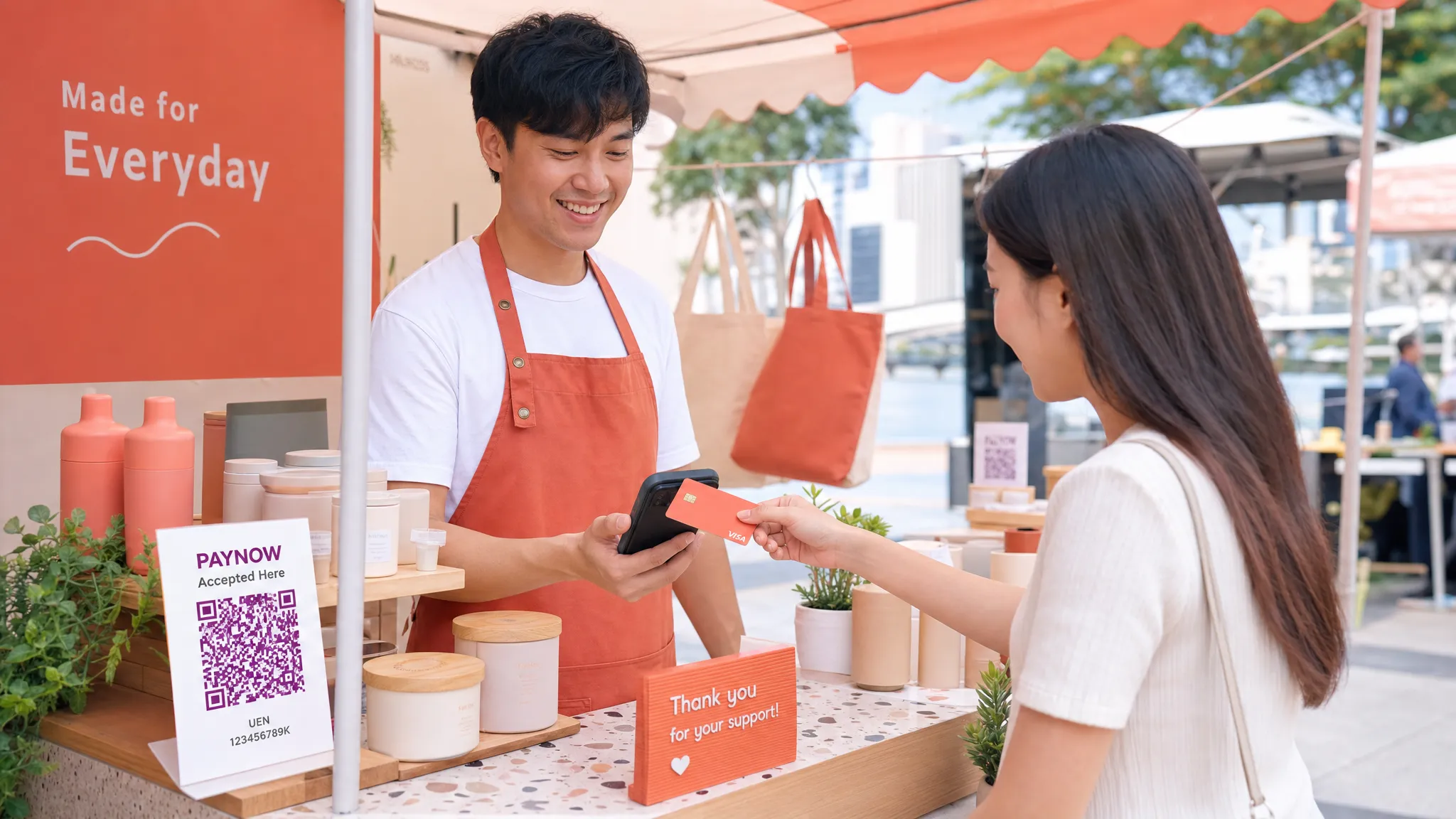
Where phone-based card acceptance works especially well
Phone payments are not only for retail shops. In Singapore, they are especially useful for businesses that sell outside a fixed counter or deal with higher-value transactions.
Pop-up merchants can avoid renting or buying terminals for a short event. If you sell at boutique fairs, weekend markets, roadshows, school events, or corporate bazaars, your checkout setup can be as light as your smartphone and a data connection.
Mobile service providers can collect payment at the customer’s home, condo, office, gym, clinic, or event venue. That includes air-con servicing teams, plumbers, upholstery cleaners, makeup artists, personal trainers, private tutors, physiotherapists, and wellness practitioners.
Businesses serving tourists also benefit. PayNow is local by nature, while many visitors arrive expecting to pay by Visa, Mastercard, AMEX, Apple Pay, or another card wallet. For private transport providers, relocation services, pop-up retailers, and tourist-facing brands, card acceptance can prevent a lost sale when the customer has no Singapore bank account and does not carry enough cash.
If you use an iPhone, it is worth understanding how Tap to Pay works in more detail. This guide to Tap to Pay on iPhone for Singapore SMBs explains device requirements, customer experience, and security considerations.
Cost considerations before you start accepting payments
The cheapest-looking option is not always the cheapest in practice. A provider with a lower headline rate may add monthly fees, fixed transaction fees, hardware costs, GST on fees, or higher rates for international cards. A provider with no hardware cost may be more cost-effective if you only accept card payments occasionally.
For small businesses, total cost of ownership is usually more important than one fee line. Think about how many transactions you expect, the average value, whether customers are mostly local or international, and whether you sell year-round or only at events.
Cost factor | Why it matters | What to check |
|---|---|---|
Setup fee | Increases the cost before you make a sale | Whether onboarding is free or paid |
Monthly subscription | Hurts seasonal or occasional sellers | Whether you pay even when you do not transact |
Transaction percentage | Affects every card payment | Local card, international card, and AMEX rates |
Fixed per-transaction fee | Matters more on low-value transactions | Whether there is a cents-per-transaction charge |
Hardware cost | Adds upfront investment and replacement risk | Whether you need a terminal or card reader |
Payout timing | Affects cash flow | When funds settle into your bank account |
nashi has no hardware requirement, no annual contracts, and no monthly subscription fees. It charges per transaction and can discuss pricing based on your industry and business maturity, which may be useful if you are new to card acceptance or operate in a segment where card payments are higher-value but not constant.
Common mistakes to avoid
The first mistake is assuming PayNow is enough for every customer. PayNow is excellent for many local payments, but it is not universal. If you sell to tourists, expats, corporate buyers, or customers making larger purchases, card acceptance can remove friction.
The second mistake is signing up too late. Even with fast onboarding, verification still requires documents and approval. If you have a weekend event, new shop opening, or client launch date, set up your payment app several days ahead.
The third mistake is buying hardware before confirming you need it. Many businesses assume card acceptance means a terminal. Today, a compatible smartphone can be enough, especially if your transaction volume is moderate or mobile.
The fourth mistake is not training staff on the customer flow. Customers may not know where to tap on your phone. Staff should be comfortable saying, Please tap your card on the back of this phone, and checking the confirmation before handing over goods or leaving the service location.
The fifth mistake is ignoring refund handling. Refunds are part of normal business. Choose a setup where full or partial refunds can be issued without a manual back-and-forth that frustrates the customer.
A simple launch checklist
Use this checklist before your first day accepting phone payments:
Confirm your phone is NFC-enabled, or use an iPhone XS or newer for Tap to Pay on iPhone.
Prepare your latest ACRA bizfile, shareholder IDs, and bank statement.
Download your chosen payment app and complete onboarding early.
Test the payment flow with a small transaction where appropriate.
Check mobile data or WiFi at your selling location.
Decide when to offer PayNow, cards, or both.
Make sure staff know where customers should tap.
Confirm payout timing and refund steps.
Keep a backup option, such as PayNow QR, for customers who prefer bank transfer.
The goal is not to offer every payment method in the market. The goal is to offer the few that help customers say yes more easily.
Frequently Asked Questions
Can I start accepting payments on my phone without a card reader? Yes. With Tap to Phone or Tap to Pay on iPhone, a compatible smartphone can accept contactless card payments without a separate card reader or terminal.
Is PayNow enough for a small business in Singapore? PayNow is a strong option for local bank transfers, but it does not work for every customer. Cards are useful for tourists, higher-value purchases, corporate customers, and people who prefer rewards or mobile wallets.
What phone do I need to accept card payments with nashi? You need an NFC-enabled Android phone or an iPhone XS or newer, plus a WiFi or mobile data connection.
How quickly can a business get set up with nashi? Onboarding is completed digitally in the nashi app. Approval is typically within 1 business day, subject to verification and document checks.
Can customers pay with Apple Pay? Yes. On iPhone, nashi supports Tap to Pay on iPhone and accepts Apple Pay, along with supported contactless cards.
When do funds settle into my bank account? With nashi, payouts are automatic and settle directly to your bank account in 2 business days.
Start taking card payments with the phone you already have
If you are ready to start accepting payments beyond cash and PayNow, you do not need to overcomplicate your setup. For many Singapore micro and small businesses, a phone-based card payment app is enough to serve more customers, look more professional, and avoid hardware costs.
nashi turns your Android phone or iPhone into a simple in-person card acceptance device. No terminal, no Bluetooth accessory, no monthly subscription fees, and no full POS system to learn. If you want card payments only, done simply, visit nashi and see whether it is the right fit for your business.


