
nashi Team
5 min read

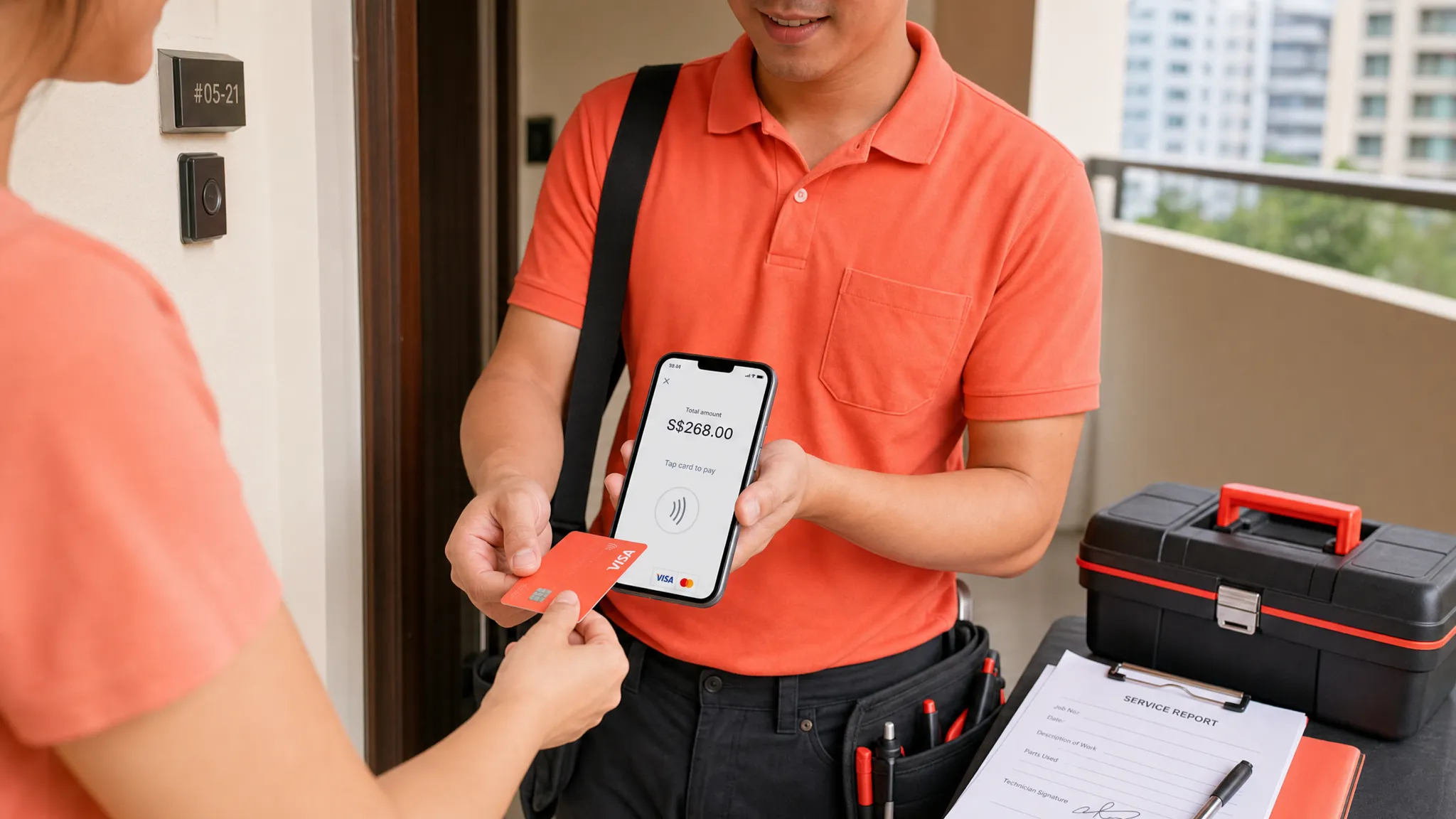
Taking payments on the go used to mean renting a terminal, buying a Bluetooth card reader, charging extra devices, and hoping everything stayed connected when customers were ready to pay. For many Singapore micro and small businesses, that is more setup than they actually need.
Today, you can accept payments anywhere without a card reader by using the phone you already carry. The key is choosing the right mix of phone-based payment methods for your customers: PayNow for local bank transfers, Tap to Phone for in-person card payments, and payment links for remote follow-ups.
For pop-ups, mobile services, tutors, contractors, private drivers, and small retailers, this can remove a major barrier to getting paid. You no longer need to wait for terminal delivery, sign up for long contracts, or carry extra hardware just to take a card payment.
What does it mean to accept payments without a card reader?
Accepting payments without a card reader means your phone becomes the main checkout device. Depending on the payment method, customers can scan a QR code, tap a contactless card, tap a mobile wallet, or pay through a link.
The most important distinction is this: PayNow and QR payments are not the same as card acceptance. PayNow moves money from a Singapore bank account to your business bank account. Card payments run through Visa, Mastercard, AMEX, or a mobile wallet linked to a card.
That difference matters. PayNow is excellent for local customers, especially when cost is the priority. But if you serve tourists, expats, corporate clients, or customers who prefer earning card rewards, you need a way to accept cards too.
Your main options in Singapore
For a Singapore small business, the practical ways to accept payments anywhere without a card reader are:
Payment option | Reader required? | Best for | Watch-outs |
|---|---|---|---|
PayNow QR or SGQR | No | Local customers, low-cost transfers, everyday payments | Requires a Singapore bank account or compatible local app, not useful for most tourists |
Tap to Phone or Tap to Pay on iPhone | No | In-person card and wallet payments using your phone | Requires a compatible NFC phone, onboarding, and card transaction fees |
Payment links | No | Deposits, invoices, remote payments, after-service collections | Less natural for fast in-person checkout and may require more customer steps |
Traditional card terminal | Yes | Fixed shops with high-volume countertop checkout | Hardware rental or purchase, setup time, and less flexibility |
For most mobile or occasional sellers, the strongest setup is not choosing one method only. It is combining PayNow with card acceptance on your phone, so customers can pay the way they prefer.
The simplest way to take card payments anywhere: Tap to Phone
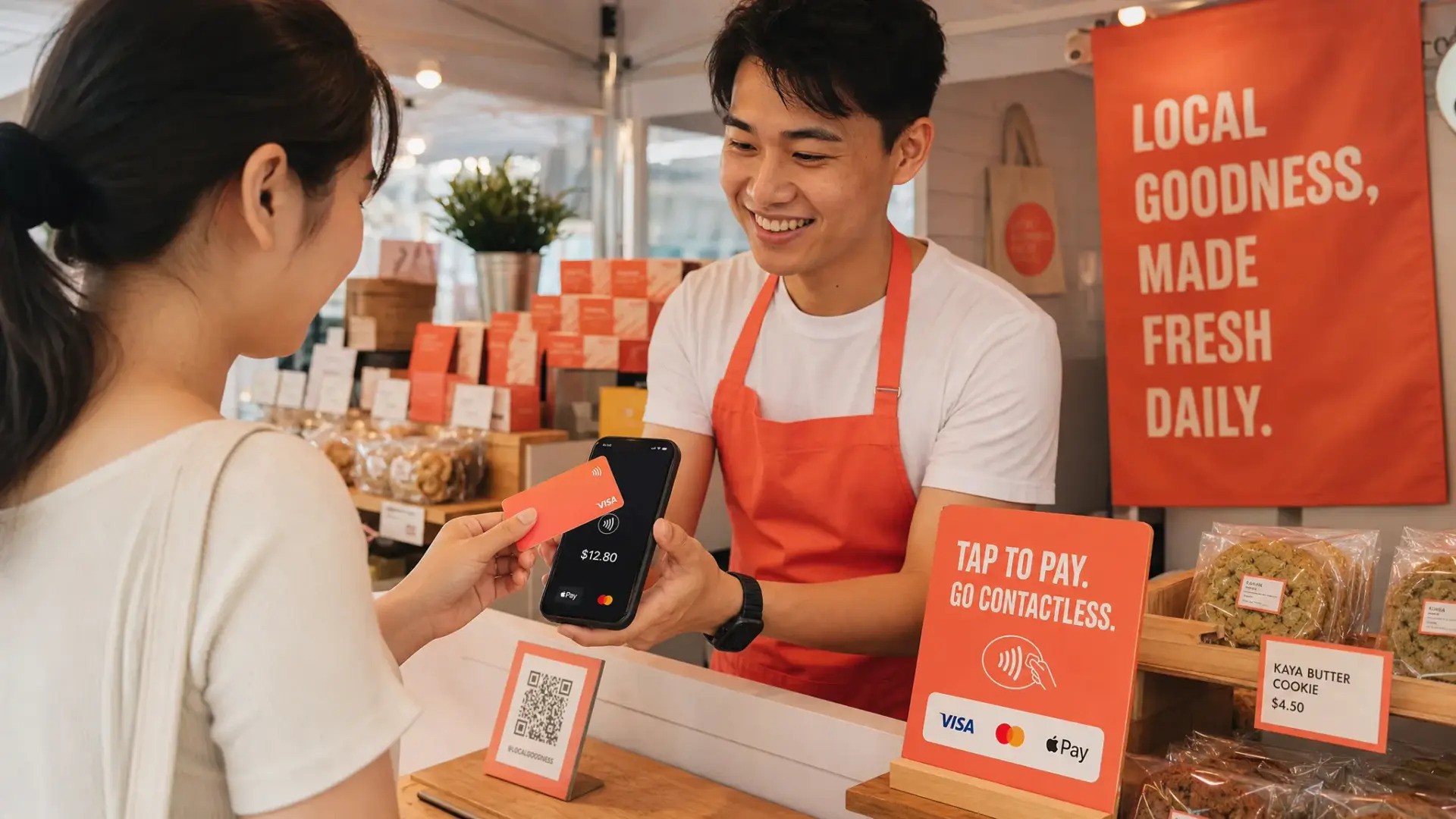
Tap to Phone, sometimes called SoftPOS, lets a business accept contactless card payments directly on a smartphone. The customer taps their contactless card or mobile wallet on your phone, and the payment is processed through a payment app.
There is no separate card reader. No Bluetooth pairing. No extra battery to charge. No terminal to bring to an event.
For iPhone users, the equivalent experience is often called Tap to Pay on iPhone. In Singapore, compatible solutions allow merchants to use supported iPhones as payment acceptance devices, rather than relying on a separate terminal.
This is especially useful if your business moves between locations. A pop-up seller at a weekend market, an air-conditioning contractor visiting a client’s home, or a private tutor collecting fees after class all need the same thing: a fast way to get paid without carrying more equipment.
What you need before you start
You do not need a card reader, but you do need a few basics in place before you can reliably accept payments anywhere.
First, you need a compatible smartphone. For Tap to Phone on Android, that usually means an NFC-enabled Android device. For Tap to Pay on iPhone, you need an iPhone XS or newer when using a supported provider.
Second, you need a stable internet connection. Phone-based payment acceptance depends on WiFi or mobile data, so it is worth checking signal strength before an event, market, or home visit.
Third, you need to complete merchant onboarding with your chosen provider. For a regulated payment setup, this usually includes business verification and bank account details. With nashi, onboarding is completed digitally in the app and typically requires your latest ACRA bizfile, IDs of majority shareholders, and a bank statement.
Finally, you need a simple checkout routine. Tell the customer what payment options you accept, enter the amount, ask them to tap, wait for confirmation, and keep your own sales records updated.
Step-by-step: how to accept payments anywhere without a card reader
Here is a practical flow for Singapore small businesses setting this up for the first time.
Decide which payment types you want to support: For most small businesses, a sensible baseline is PayNow for local transfers and Tap to Phone for card and wallet payments.
Choose a provider that matches your business size: If you only need in-person card acceptance, avoid paying for a full POS or e-commerce suite unless you truly need those features.
Download the payment app: Choose an app that works on your device, whether Android or iPhone, and check that it supports the card types your customers use.
Complete digital onboarding: Submit your business documents, identity details, and bank account information, then wait for approval before taking payments.
Test your first transaction: Run a small test payment if available, confirm the payment flow, and understand where transaction confirmations appear.
Prepare your customer-facing wording: A simple line like “You can PayNow or tap your card here” helps customers understand that your phone is the payment terminal.
Use it where you sell: At a pop-up, client site, class, clinic, or retail counter, open the app, enter the amount, and let the customer tap their card or mobile wallet.
This setup works best when staff are trained to keep the process calm and clear. Some customers may still expect to see a terminal, so a short explanation is often all they need.
Where phone-based payments work especially well
Not every business needs the same payment setup. A busy cafe selling S$5 coffees all day may have very different requirements from a wholesaler collecting S$800 at a showroom appointment.
Tap to Phone is particularly useful where mobility, simplicity, or intermittent usage matters more than a complex POS system.
Business type | Why card-reader-free payments help |
|---|---|
Pop-ups and market stalls | You can start selling without renting hardware for a short event |
Mobile beauty, grooming, or wellness services | Customers can pay by card at their home, office, or appointment location |
Contractors and maintenance services | You can collect payment immediately after the job instead of chasing transfers later |
Tutors, coaches, and trainers | Parents and clients can pay on the spot using cards or mobile wallets |
Tourist-facing retailers and transport providers | Visitors who cannot use PayNow can still pay with an international card |
Wholesalers and higher-ticket sellers | Customers may prefer card payment for larger invoices, rewards, or company expenses |
The common thread is flexibility. If your business location changes, your checkout should be able to move with you.
Why PayNow alone may not be enough
PayNow is one of the most useful payment methods in Singapore. It is familiar, widely used, and at its core, bank-to-bank PayNow transfers are free through banking providers. If your customers are local and comfortable scanning a QR code, you should probably keep offering it.
But PayNow has limits. It depends on the customer having access to a Singapore bank account or compatible local payment app. That can be a problem for international visitors, newly arrived expats, and overseas clients. It can also be less attractive for customers who prefer card rewards, chargeback protection, or corporate card tracking.
This is why many businesses should not think in terms of PayNow versus cards. A better approach is PayNow plus cards. PayNow keeps costs low for local customers, while Tap to Phone gives you a card option when the customer wants or needs it.
If you already use a PayNow QR code, you can read more about strengthening that setup in nashi’s PayNow QR guide.
Costs to check before choosing a solution
A reader-free setup can reduce your upfront cost, but it does not mean every provider costs the same. Card payments usually include a percentage fee, sometimes a fixed fee per transaction, and different rates for local, international, or AMEX cards.
Before choosing a provider, compare the total cost of ownership rather than only the headline transaction rate.
Cost or term | Why it matters |
|---|---|
Hardware cost | A true Tap to Phone setup should not require you to buy or rent a separate reader |
Monthly subscription | A monthly fee can be painful if you sell seasonally or only at occasional events |
Transaction fee | Check both the percentage and any fixed per-transaction fee |
International card pricing | Tourist-heavy businesses may see a meaningful share of overseas cards |
GST on fees | Some providers add GST on top of quoted processing fees, so confirm the actual cost |
Settlement timing | Faster payouts help small businesses manage cash flow |
Contract length | Avoid lock-ins if your payment volume is still uncertain |
Refund support | Full or partial refund capability matters for services, deposits, and product returns |
This is also where simplicity matters. If a platform bundles payment links, e-commerce, inventory, invoicing, and POS features you do not use, you may end up with more complexity than benefit.
How nashi helps Singapore businesses accept payments anywhere
nashi is built for micro and small businesses that want to accept in-person card payments without card readers, terminals, or extra accessories. It turns your smartphone into a contactless payment acceptance device, so customers can tap their card or mobile wallet directly on your phone.
The app is available on Android and iOS, including Tap to Pay on iPhone for iPhone XS and newer. nashi supports Visa, Mastercard, and AMEX, and is powered by Adyen’s payment infrastructure. It is PCI-DSS compliant and designed specifically for card acceptance, not as a full POS, inventory, or e-commerce suite.
For small Singapore businesses, the practical benefits are straightforward:
No card reader purchase or rental
No Bluetooth accessory to pair
No annual contract
No monthly subscription fees
Digital onboarding through the app
Typical approval within 1 business day
Automatic payouts direct to your bank account in 2 business days
Full or partial refunds through the app
Free trial of up to S$1,000 in fee-free transactions
nashi is especially suited to businesses that want something lighter than a full POS system: pop-up sellers, small retailers, service contractors, tutors, trainers, wholesalers, event sellers, and mobile professionals.
If you want a broader comparison of card acceptance options, you can also read nashi’s guide to card payment solutions for small businesses.
Practical tips for taking payments on the move
A phone-based payment setup is simple, but small operational habits make it smoother.
Keep your phone charged before events or service appointments. Bring a power bank if you will be selling for several hours. Test your data connection at the venue, especially in basement retail spaces, crowded halls, or outdoor markets.
Make your accepted payment methods visible. A small sign that says “PayNow and cards accepted” can reduce awkward checkout conversations and reassure customers before they decide to buy.
For higher-value payments, confirm the amount verbally before the customer taps. This is good practice whether you use a phone, terminal, or card reader. After payment, wait for the app confirmation before handing over goods or leaving the job site.
It is also worth reviewing your transactions at the end of each day. Match payments against orders, invoices, or appointment notes, especially if you sell across multiple locations.
Frequently Asked Questions
Can I accept card payments without a card reader in Singapore? Yes. With a Tap to Phone or Tap to Pay on iPhone app, a compatible smartphone can accept contactless card and mobile wallet payments without a separate card reader.
Do customers need to install an app to pay me? No. For Tap to Phone card payments, the customer typically taps their contactless card or mobile wallet on your phone. They do not need your payment app.
Is PayNow enough for a small business? PayNow is very useful for local customers, but it does not cover everyone. Tourists, international customers, and card-preferring customers may need or prefer card payment, so many businesses should offer both.
Can I use Tap to Phone at pop-ups and events? Yes, as long as your payment account is approved, your phone is compatible, and you have WiFi or mobile data. It is a strong fit for pop-ups because there is no separate terminal to carry.
Do I need a full POS system to accept payments anywhere? Not always. If you need inventory, staff management, and detailed retail reporting, a POS may help. If you mainly need to accept in-person card payments, a focused Tap to Phone app may be simpler.
How quickly can I start with nashi? nashi onboarding is completed digitally in the app and businesses are typically approved within 1 business day, subject to verification.
Start accepting cards with the phone you already have
If your business needs to accept payments anywhere without buying a card reader, nashi gives you a simple way to add in-person card acceptance to the phone you already use.
Keep PayNow for local customers. Add nashi for cards, mobile wallets, tourists, higher-value payments, and on-the-go selling. No terminal rental, no monthly subscription, and no extra hardware.
Try nashi and turn your smartphone into a contactless card payment terminal for your Singapore business.


