
nashi Team
5 min read
For many Singapore small businesses, the moment comes at a pop-up booth, inside a customer's home, or after a consultation: the customer takes out a card and asks, “Can I tap?”
Until recently, the answer usually depended on whether you had a card terminal, a Bluetooth reader, or a full POS setup. Today, you can accept NFC payments on your phone using Tap to Phone technology. In practice, your smartphone becomes the contactless card terminal, so customers can tap a card or mobile wallet directly on your device.
This guide explains what NFC payments are, what you need to get started in Singapore, how the payment flow works, and when phone-based card acceptance makes sense alongside PayNow.
What does it mean to accept NFC payments on your phone?
NFC stands for near-field communication. It is the short-range wireless technology used when a customer taps a contactless Visa, Mastercard, AMEX card, Apple Pay, or another supported mobile wallet at checkout.
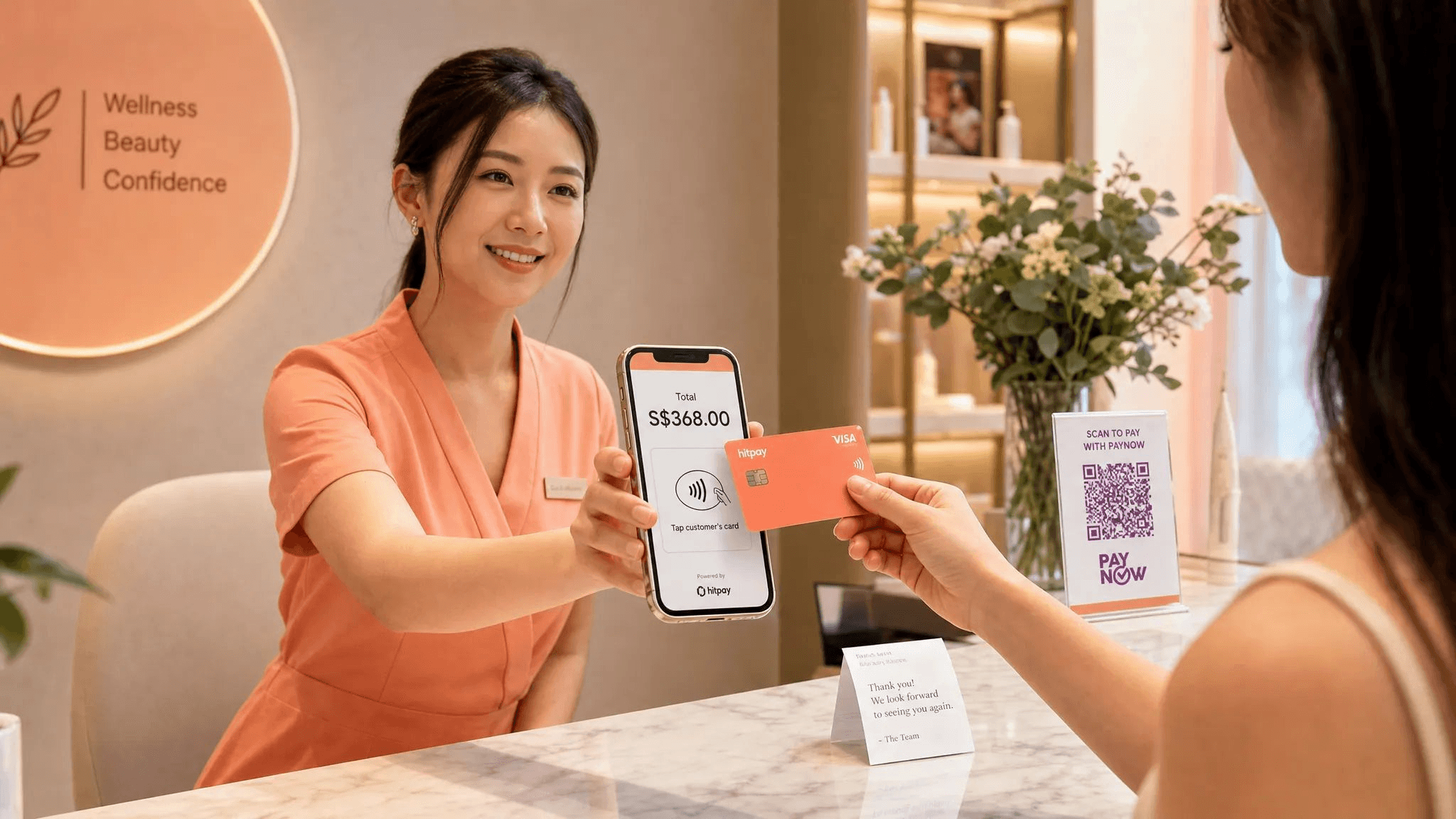
For merchants, accepting NFC payments on a phone means using a payment app that turns a compatible smartphone into a secure contactless payment device. Instead of buying or renting a separate terminal, you open the app, enter the amount, and ask the customer to tap their card or phone on the back of your smartphone.
This is often called Tap to Phone, Tap to Pay on iPhone, or SoftPOS. The names differ, but the core idea is the same: in-person card acceptance without external hardware.
It is important to separate this from PayNow. PayNow QR is a bank transfer method where customers scan a QR code or enter your UEN. NFC card payments run through card networks and allow customers to pay using contactless cards or wallets. For most Singapore businesses, the best setup is not one or the other. It is to offer both, then let customers choose.
If you want a deeper technical explanation of the tap, authorisation, and settlement process, nashi has a separate guide on how contactless payment works for Singapore merchants.
What you need to accept NFC payments in Singapore
The requirements are simpler than many business owners expect. You do not need a countertop terminal, a Bluetooth dongle, or a separate card reader. You do need a compatible phone, a payment app, and a verified merchant account.
Requirement | What it means for your business |
|---|---|
Compatible smartphone | An NFC-enabled Android phone or an iPhone that supports Tap to Pay on iPhone, such as iPhone XS and newer for nashi |
Payment app | A provider that supports phone-based contactless card acceptance in Singapore |
Business verification | Basic KYC documents, usually including ACRA business information, shareholder or owner ID, and bank details |
Internet connection | WiFi or mobile data so the transaction can be authorised in real time |
Bank account | A business bank account or approved settlement account for payouts |
With nashi, the setup is designed for micro and small businesses in Singapore. You download the app, complete onboarding digitally, and use your existing Android phone or compatible iPhone to accept in-person card payments. There is no card terminal to rent, no Bluetooth accessory to pair, and no monthly subscription fee.
For iPhone users, Tap to Pay on iPhone is supported on iPhone XS and newer. Apple also explains the underlying Tap to Pay on iPhone experience for merchants and platforms on its official Tap to Pay page.
How to accept NFC payments on your phone, step by step
The exact screens differ by provider, but the process is broadly similar across phone-based card acceptance apps in Singapore.
Choose a Tap to Phone provider: Look for a provider that supports Singapore businesses, accepts the card types your customers use, gives clear pricing, and does not force you into hardware or features you do not need.
Download the app: Install the merchant payment app on your compatible Android phone or iPhone.
Complete merchant onboarding: Submit the required business documents and bank details through the app or provider portal. With nashi, onboarding is digital and typically approved in about 1 business day once documents are complete.
Enter the transaction amount: Open the app at the point of sale, key in the amount, and confirm the charge.
Ask the customer to tap: The customer taps a contactless card or supported mobile wallet on the back of your phone. On iPhone, the app will show where to tap.
Wait for confirmation: The transaction is authorised in real time. If the payment is approved, you can complete the sale.
Track payout and refunds: Funds are settled according to your provider's payout schedule. With nashi, settlements are automatic to your bank account in 2 business days, and full or partial refunds can be issued through the app.
That is the main difference between Tap to Phone and older terminal workflows. You are not pairing a device, charging a separate reader, waiting for delivery, or training staff on a full POS system. Your phone is the payment acceptance device.
Where NFC payments fit alongside PayNow in Singapore
PayNow is extremely useful for local businesses. It is familiar, direct, and often free when used through your banking provider. Many sole proprietors, tutors, contractors, and home service businesses moved from cash to PayNow during the COVID period and never added card acceptance after that.
The problem is that PayNow does not cover every customer or every situation. Tourists do not have Singapore bank accounts. Corporate clients may prefer cards for reconciliation. Some customers want card rewards, instalment-linked card benefits, or the security of paying by card. For higher-value purchases, a customer may also be more comfortable tapping a card than making a bank transfer on the spot.
Payment method | Best for | Main limitation |
|---|---|---|
PayNow QR | Local Singapore customers, bank transfers, low-cost payment acceptance | Not usable by most tourists or customers without Singapore bank access |
NFC card payments on phone | Contactless cards, Apple Pay, mobile wallets, tourists, higher-value in-person payments | Merchant pays card processing fees |
Cash | Occasional small transactions or fallback situations | Many customers carry less cash, and change handling is inconvenient |
Traditional card terminal | Fixed retail counters with high card volume | Hardware, contracts, monthly fees, or setup processes can be excessive for small businesses |
For many small businesses, the practical answer is simple: keep PayNow, then add NFC card payments for customers who prefer cards or cannot use PayNow. If you want a broader comparison of options, see nashi's guide to mobile payment methods in Singapore.
Which Singapore businesses benefit most?
Phone-based NFC payments are especially useful when your business is mobile, occasional, or too small to justify a traditional terminal.
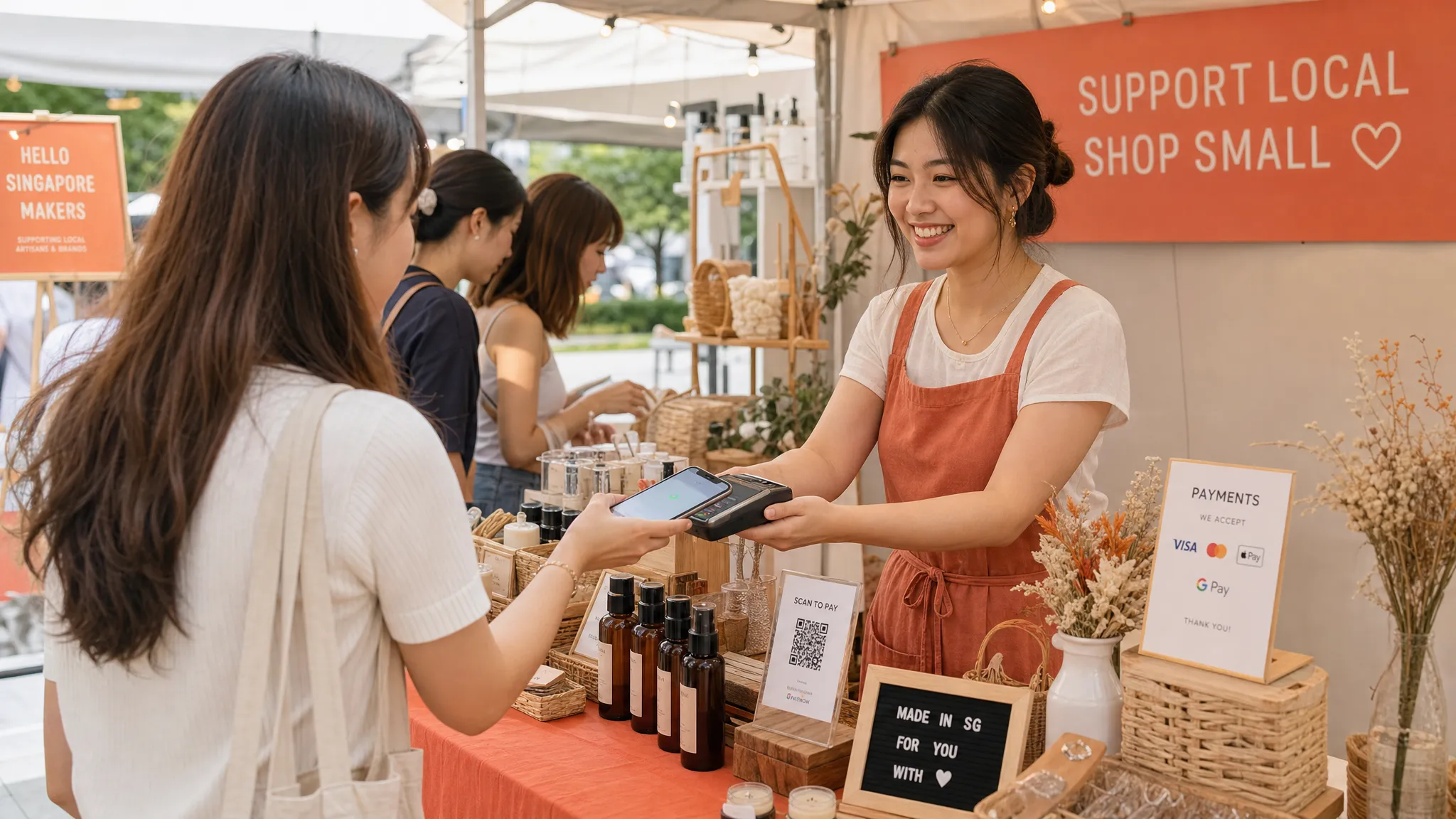
Pop-up brands and market vendors are a natural fit. If you sell at Boutiques Fair, weekend markets, school fairs, corporate bazaars, or seasonal events, you may only need card acceptance on specific days. A phone-based setup avoids the awkwardness of renting hardware for short periods or relying only on PayNow when tourists and international visitors walk up to your booth.
Mobile service providers also benefit. Personal trainers, makeup artists, tutors, physiotherapists, osteopaths, and wellness practitioners often collect higher-value payments away from a fixed retail counter. If a client is paying for a package, a consultation, or a session bundle, card acceptance can feel more professional and convenient.
Home and trade services are another strong use case. Air-con servicing businesses, plumbers, upholstery cleaners, carpet cleaners, and general maintenance contractors frequently collect payment at homes or commercial sites. Instead of asking for cash or waiting for a PayNow transfer, staff can accept a card tap before leaving the job.
Wholesalers and showroom-style businesses can use NFC payments when buyers visit a warehouse, small studio, or event booth. This is helpful for furniture, fragrance, skincare, coffee suppliers, and similar businesses where order values can be meaningfully higher than a quick-service F&B transaction.
There are also cases where Tap to Phone is less ideal. If you run a high-volume, low-ticket operation such as $5 coffees all day, card processing fees may be a bigger margin consideration. If you need inventory, table management, kitchen routing, or detailed SKU controls, you may need a full POS system rather than a lightweight card acceptance app.
How much does it cost to accept NFC payments on a phone?
The total cost usually has two parts: fixed costs and transaction fees.
Traditional terminals may involve terminal rental, monthly fees, setup fees, minimum commitments, or replacement costs. Phone-based NFC payment apps can reduce this because there is no separate hardware to buy or maintain.
Transaction fees vary by provider and card type. Domestic Visa and Mastercard transactions often cost less than international cards or AMEX. Some providers charge a percentage plus a fixed fee per transaction. Others may add GST on fees, monthly maintenance, or additional charges depending on the setup.
When comparing providers in Singapore, ask these questions before choosing:
Are there monthly subscription fees or terminal rental fees?
Is there a setup fee or cancellation fee?
Are Singapore-issued Visa and Mastercard priced differently from international cards?
Is AMEX supported, and what does it cost?
Is GST added on top of the advertised fee?
How long do settlements take?
Can you issue full or partial refunds from the app?
Do you need to meet a monthly volume requirement to access better pricing?
nashi is built to keep the cost structure simple for micro and small businesses: no hardware investment, no annual contract, and no monthly subscription fee. The app is purpose-built for in-person card acceptance, rather than bundled with a large POS or e-commerce suite. Pricing can depend on business type and maturity, so it is worth speaking with nashi if you are new to card acceptance or operate in a higher-value in-person segment.
Is it secure to accept NFC payments on your phone?
A common concern is whether accepting card payments on a phone is as secure as using a traditional terminal. The short answer is that it can be secure when you use a compliant provider and follow basic device hygiene.
Modern Tap to Phone solutions are designed around payment security standards. The PCI Security Standards Council maintains standards for accepting contactless payments on commercial off-the-shelf devices, which is the technical category behind many phone-based payment solutions.
For merchants, the key point is that you should not be manually handling card details. Customers tap their own card or mobile wallet. The app and payment infrastructure manage the secure transaction flow.
nashi is PCI-DSS compliant and powered by Adyen's payment infrastructure. That means the payment acceptance layer is built on established payment rails, while the merchant experience stays lightweight.
You should still apply sensible operating habits. Keep your phone operating system updated, use a secure device passcode, download payment apps only from official app stores, and avoid accepting payments on jailbroken or rooted devices. Staff should also understand where the customer should tap and what an approved transaction confirmation looks like.
Common mistakes when setting up NFC phone payments
Most setup issues are avoidable. The first mistake is assuming every phone can accept NFC payments. Many modern Android phones include NFC, but you should still check the model. For iPhone, provider support depends on Tap to Pay on iPhone compatibility, and with nashi that means iPhone XS or newer.
The second mistake is leaving onboarding until the morning of an event. Even with fast digital onboarding, you still need to submit correct documents and wait for approval. If you have a pop-up, fair, or client visit coming up, set up your account in advance and run a small test transaction if your provider allows it.
Another common problem is tapping in the wrong location. NFC antennas are usually on the back of the phone, but the exact position can vary. Thick cases, metal accessories, magnetic mounts, or card holders may interfere with the tap. If a card does not read, remove the case and ask the customer to hold the card steady for a moment.
Poor connectivity can also cause delays. Tap to Phone payments require an internet connection to authorise transactions. If you sell at events, check mobile data coverage at the venue and have WiFi details ready if available.
Finally, do not treat cards and PayNow as competing options. In Singapore, customers are used to choice. Displaying PayNow and being able to accept card taps gives you more ways to close the sale without forcing the customer into one payment method.
Choosing the right NFC payment app in Singapore
The best NFC payment app is not always the one with the longest feature list. For a micro business, too many features can create more setup work and more confusion for staff.
If your main requirement is in-person card acceptance, focus on practical factors: onboarding speed, supported devices, supported card types, pricing transparency, payout timelines, refund handling, and human support when something goes wrong.
A full POS suite may be useful if you need inventory, barcode scanning, staff rosters, table management, online checkout, or omnichannel reporting. But if you only want to accept a card tap at a booth, in a client's home, or after a service appointment, a dedicated Tap to Phone app can be simpler.
For a related overview of turning a phone into a payment device, you can also read nashi's smartphone terminal guide for Singapore businesses.
Frequently Asked Questions
Can I accept NFC payment on phone without a card reader in Singapore? Yes. With a Tap to Phone or Tap to Pay on iPhone app, a compatible smartphone can accept contactless card and mobile wallet payments without a separate card reader.
Do customers need to download an app to pay me? No. Customers usually just tap their contactless card or supported mobile wallet on your phone. The merchant needs the payment acceptance app, not the customer.
Can iPhones accept NFC card payments directly? Yes, if the provider supports Tap to Pay on iPhone and the device is compatible. With nashi, Tap to Pay on iPhone is available on iPhone XS and newer.
Is PayNow the same as NFC payment? No. PayNow is a bank transfer method, usually through QR code or UEN. NFC card payment is a contactless card or mobile wallet transaction processed through card networks.
How long do payouts take with nashi? nashi settles funds automatically to the merchant's bank account in 2 business days.
Can sole proprietors use nashi? Yes. nashi is built for micro and small businesses in Singapore, including sole proprietors and small Pte Ltd companies, subject to normal onboarding checks.
Start accepting card taps with the phone you already have
If your customers ask to pay by card, you no longer need to start with a terminal rental, hardware purchase, or complicated POS setup. With nashi, you can turn a compatible Android phone or iPhone into a simple card acceptance device for in-person payments.
Use it alongside PayNow, accept Visa, Mastercard, AMEX, and supported mobile wallets, and keep your checkout process simple wherever business takes you.
To see whether nashi fits your business, visit nashi and get started with phone-based card acceptance in Singapore.


