
nashi Team
5 min read

How to AFor many home service businesses in Singapore, the job is completed at the customer’s home, but payment still feels awkward. The air-con unit is serviced, the pipe is fixed, the rug is cleaned, then the customer asks if they can pay by card. If your only options are cash or PayNow, you may end up waiting, reminding, checking screenshots, or losing convenience for customers who prefer credit cards.
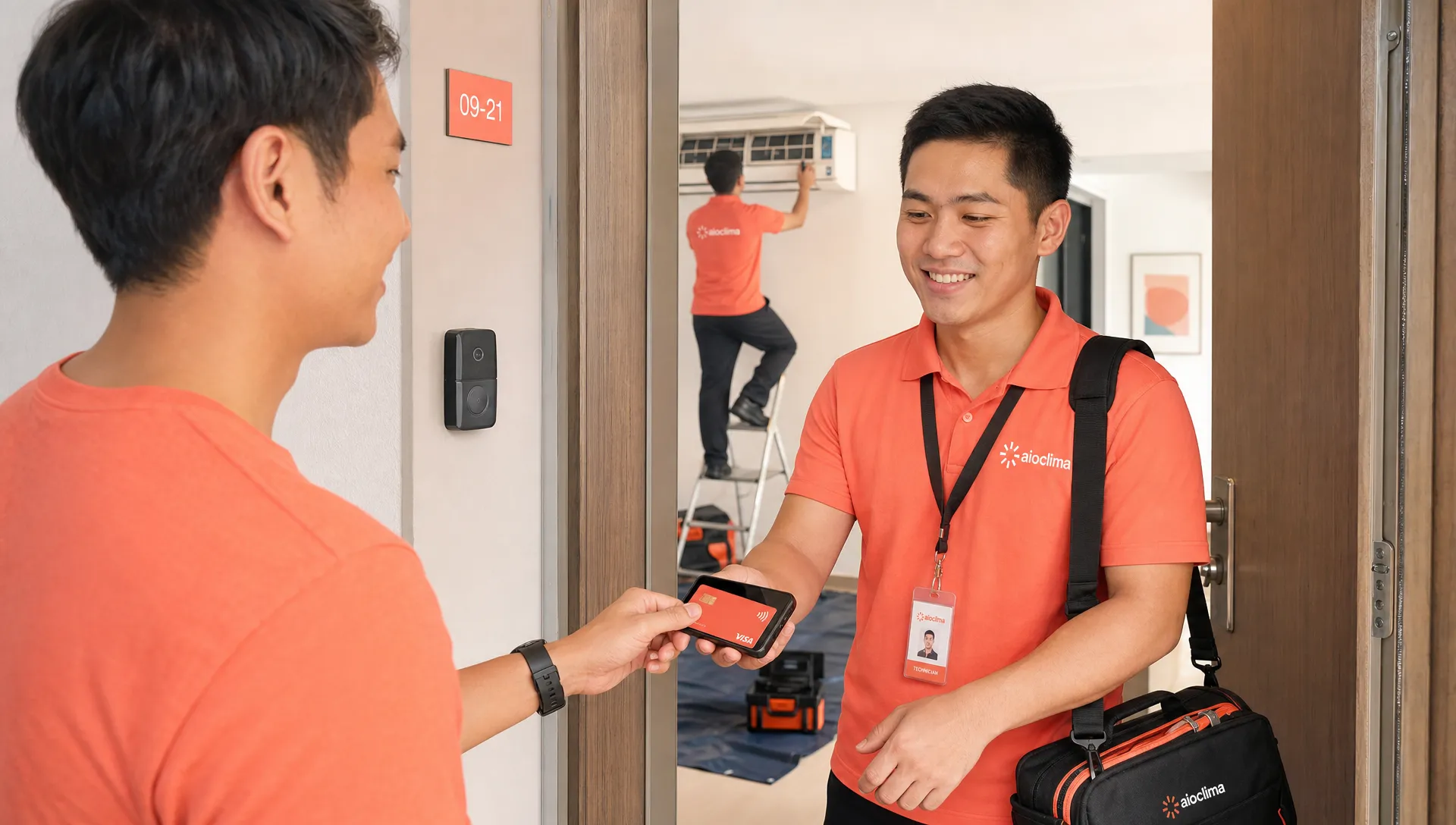
The good news is that you no longer need a countertop terminal, Bluetooth reader, or long bank application process to take cards on-site. With Tap to Phone or Tap to Pay on iPhone, eligible businesses can accept card payments on your phone, directly at the job location.
For home services, this is especially useful because the payment moment happens wherever the work happens: HDB flats, condos, landed homes, offices, retail units, or event spaces. A smartphone-based card payment setup gives your team a way to collect immediately, professionally, and without carrying extra hardware.
Why home services need more than cash and PayNow
PayNow is extremely useful in Singapore. It is familiar, quick, and usually free when used directly through your bank. Many air-con servicing companies, plumbers, cleaners, contractors, and mobile service providers rely on it every day.
But PayNow does not solve every payment situation. International customers may not have access to it. Some corporate clients prefer cards for expense tracking. Some homeowners want to earn credit card rewards or use a card for higher-value repairs. Others simply do not want to type a UEN, scan a QR code, or send a screenshot while your technician waits at the door.
Card payments are not a replacement for PayNow. They are a complementary option. The practical goal is simple: let the customer choose the payment method that is easiest for them, while your business gets paid before leaving the site.
Home service situation | Common payment friction | How phone card payments help |
|---|---|---|
Air-con servicing package | Customer wants to use a credit card for a larger bill | Technician collects on-site after the job is complete |
Plumbing or repair call-out | Final amount changes after inspection | Business enters the exact amount in the app before payment |
Rug, upholstery, or carpet cleaning | Customer is not near a bank app or prefers card rewards | Customer taps a contactless card or mobile wallet on the phone |
Expat or tourist-facing services | Customer may not have PayNow | International card payment gives another option |
Small contractor work | Cash collection and follow-up create admin | Payment confirmation happens before leaving the premises |
If you are still comparing different provider types, nashi also has a broader guide to card payment solutions for home services businesses in Singapore.
The simple version: your phone becomes the terminal
Phone-based card acceptance uses the NFC capability already built into many smartphones. Instead of connecting a separate card reader, your payment app turns the phone itself into the card acceptance device.
On Android, this is commonly called Tap to Phone. On iPhone, it is often referred to as Tap to Pay on iPhone. In both cases, the flow is similar: your staff enters the amount, the customer taps their contactless card or supported mobile wallet on the back of the phone, and the transaction is confirmed in the app.
For a home services business, this matters because you are rarely standing behind a cashier counter. You may be in a corridor, kitchen, service yard, carpark, office pantry, or customer reception area. A phone-based setup is a better fit than a traditional terminal because your phone is already with you.
With nashi, businesses can use an Android phone or an iPhone XS and newer to accept in-person card payments. nashi supports Visa, Mastercard, Amex, customer mobile wallets, and Apple Pay on iPhone. It is built specifically for card acceptance, not as a full POS, inventory system, or e-commerce platform.
What you need before your first on-site card payment
Before you start accepting cards on the job, make sure the basics are ready. The exact requirements can vary by provider, but most Singapore businesses should prepare the same core items.
An NFC-enabled Android smartphone or an iPhone XS or newer.
A mobile data or WiFi connection at the job site.
A payment app that supports Singapore-registered businesses.
Business verification documents, such as your latest ACRA BizFile, IDs of majority shareholders, and a bank statement.
A business bank account for settlement payouts.
A simple internal process for receipts, refunds, and end-of-day reconciliation.
For micro and small businesses, the biggest difference between providers is often not the technology itself. It is the onboarding time, fee structure, support experience, and whether the product is simple enough for field staff to use without training.
nashi’s onboarding is digital and can be completed in the app. Approval is typically around 1 business day, depending on the business and documents provided. Once approved, payments settle automatically to your bank account in 2 business days, and full or partial refunds can be issued through the app.
Step by step: how to collect payment at the customer’s home
A clean payment workflow is just as important as the app you choose. Your technicians or service staff should know what to say, when to collect, and how to confirm that the payment has gone through.
Confirm the final amount: Before asking for payment, confirm the job scope, parts used, labour charges, transport fees, GST treatment if applicable, and any discounts.
Open your card payment app: Enter the final amount clearly so the customer can see what they are paying.
Let the customer choose card or PayNow: Do not pressure the customer into one method. Present card payment as an added convenience.
Ask the customer to tap: The customer taps their contactless card or mobile wallet on the back of your phone, following the on-screen prompt.
Wait for confirmation: Do not leave the premises based only on the customer saying it worked. Check the successful transaction confirmation in the app.
Send or record the receipt: Depending on your process, send the receipt, update the invoice, or note the transaction reference in your job management system.
Close the job internally: Mark the job as paid so office staff do not chase the customer unnecessarily.
Handle refunds through the proper flow: If a partial refund is needed later, use the app or provider process rather than making ad hoc manual adjustments.
This process is simple enough for a single owner-operator, but it also scales to a small team of technicians. The key is consistency. Every staff member should follow the same collection steps so your accounts are easier to reconcile.
Where card payments fit alongside PayNow, cash, and invoices
Most home service businesses should not think in terms of one perfect payment method. A better approach is to match the payment option to the situation.
Payment method | Best for | Watch out for |
|---|---|---|
PayNow | Local customers who are comfortable with bank transfers | Not useful for customers without Singapore bank access |
Card on phone | On-site collection, higher-value jobs, international customers, customers who prefer rewards | Transaction fees apply, so understand your pricing |
Cash | Some older customers or emergency jobs | Manual handling, change, loss risk, and weaker records |
Invoice or remote payment link | Jobs where the payer is not physically present | Collection may be delayed after the technician leaves |
For example, a landlord overseas may ask a tenant to let your technician in, but the landlord may be the payer. In that case, an invoice or remote link may still be more appropriate. But if the paying customer is physically present, card payment on a phone reduces follow-up and makes payment immediate.
If you want a wider view of Singapore payment options, including PayNow, QR wallets, and Tap to Phone, see nashi’s practical guide to phone payments for businesses.
Home-service workflows that work well with phone card payments
Air-con servicing and maintenance
Air-con businesses often deal with repeat customers, maintenance packages, chemical wash jobs, and add-on repairs. The final amount may change after inspection, which makes on-site payment useful.
A typical flow is to quote a base servicing fee, explain any additional work before proceeding, then collect the final amount by card or PayNow once the customer approves the completed job. If the customer is buying a larger package, card payment can feel more natural than cash.
Plumbers and general contractors
For plumbers, electricians, and repair contractors, the challenge is often uncertainty. A simple leak may become a parts replacement. A call-out may turn into a larger repair. If you only accept bank transfer, your staff may leave before payment is actually verified.
With card payment on a phone, the technician can enter the final agreed amount and collect immediately. This also gives a more professional impression, especially for higher-value jobs in condos, offices, and commercial units.
Rug, upholstery, and carpet cleaners
Cleaning services often operate across multiple homes in one day. Carrying a terminal or chasing transfers later adds unnecessary admin. A phone-based card setup lets the cleaner collect when the customer checks the completed work.
This can also help when customers book premium cleaning services, such as full sofa sets, large rugs, mattresses, or office upholstery. These are not low-value transactions, so customers may prefer card payments for convenience and record keeping.
Mobile beauty, wellness, and personal services
Some home services are not repairs, but they still happen away from a fixed counter. Mobile makeup artists, hair stylists, personal trainers, physiotherapists, and wellness practitioners often sell packages or sessions with meaningful transaction values.
For these businesses, accepting cards on a phone can make the payment experience feel more polished without turning the business into a full retail operation.
Pricing: what to check before choosing a provider
Card acceptance is not free, so you should understand your cost before rolling it out. That said, home service transactions are often higher value than small retail or F&B purchases. A card fee on a S$300 repair or S$900 cleaning package may be easier to absorb than on a S$5 coffee.
When comparing providers, look beyond the headline percentage. The total cost can include fixed per-transaction fees, monthly rentals, setup fees, GST on fees, international card rates, Amex rates, payout timing, and the cost of buying or maintaining hardware.
Cost factor | Why it matters for home services |
|---|---|
Monthly subscription or terminal rental | Painful if your jobs are seasonal or irregular |
Setup fee | Adds upfront cost before you know card volume |
Percentage transaction fee | Affects margin on every collected job |
Fixed per-transaction fee | Less significant on higher-value jobs, more significant on small jobs |
International card rates | Important if you serve expats, tourists, or overseas clients |
Hardware cost | Adds replacement, charging, storage, and setup concerns |
Payout timing | Affects cash flow for parts, labour, and subcontractors |
nashi does not require a card terminal, Bluetooth reader, annual contract, or monthly subscription fee. It charges per transaction, and pricing can be discussed based on your industry and business maturity. If you are new to card acceptance, ask any provider to explain the full cost clearly before you onboard.
Security and trust at the customer’s doorstep
Customers may be comfortable tapping a card at a shop counter, but paying at home can feel more personal. Your staff should make the payment process clear and reassuring.
Use a provider that follows recognised card security standards. nashi is PCI-DSS compliant and powered by Adyen’s payment infrastructure. You can also refer to the PCI Security Standards Council for background on payment data security standards.
Your team should never write down card numbers, photograph cards, or ask customers to read card details aloud. With Tap to Phone, the customer keeps control of their card or mobile wallet and taps it themselves. That small detail helps build trust.
It is also worth setting basic device rules. Keep phones updated, use screen locks, avoid installing unnecessary apps on payment devices, and make sure staff know what successful and failed transactions look like.
A practical checklist before your next job
Before you roll out card payments across your home service team, test the full flow internally. A five-minute dry run can prevent awkward moments in front of customers.
Make sure each payment phone is charged before leaving for jobs.
Check that mobile data works reliably in the areas you serve.
Train staff to explain card payment as an option, not a complication.
Decide whether card fees are absorbed, built into pricing, or handled by package design.
Keep PayNow available as a backup for local customers.
Confirm who in the business handles refunds and reconciliation.
Review transactions daily, especially if multiple technicians collect payments.
The best setup is one your team actually uses. If the process requires too many steps, extra hardware, or complicated menus, staff may fall back to PayNow and cash even when customers want to pay by card.
Frequently Asked Questions
Can home service businesses in Singapore accept card payments on a phone? Yes. With a supported Tap to Phone or Tap to Pay on iPhone app, eligible Singapore businesses can accept in-person contactless card payments using a compatible smartphone.
Do customers need to download an app to pay? No. The customer only needs a contactless card or supported mobile wallet. They tap on the merchant’s phone, similar to tapping at a regular payment terminal.
Is card payment on a phone the same as PayNow? No. PayNow is a bank-to-bank transfer system using a UEN, mobile number, or QR code. Card payment on a phone processes a Visa, Mastercard, Amex, or mobile wallet transaction through a card payment provider.
Do I still need a card terminal for home service jobs? Not necessarily. If your provider supports Tap to Phone or Tap to Pay on iPhone and your phone is compatible, you can accept contactless cards without a separate terminal or card reader.
What happens if I need to refund a customer? This depends on your provider. With nashi, full or partial refunds can be issued through the app, which is useful for adjustments after a service issue or billing correction.
Start accepting cards at the job site
If you run an air-con servicing company, cleaning business, repair trade, mobile wellness practice, or other home service in Singapore, card acceptance can help you collect professionally at the moment the work is completed.
nashi turns your Android phone or iPhone into a simple in-person card payment terminal, with no additional hardware, no monthly subscription fee, and no annual contract. You can onboard digitally in the app, accept cards on-site, and receive payouts automatically to your bank account.
To make card payments easier for your customers and your team, visit nashi and see how phone-based card acceptance can fit into your home service workflow.ccept Card Payments on Your Phone for Home Services


