
nashi Team
5 min read

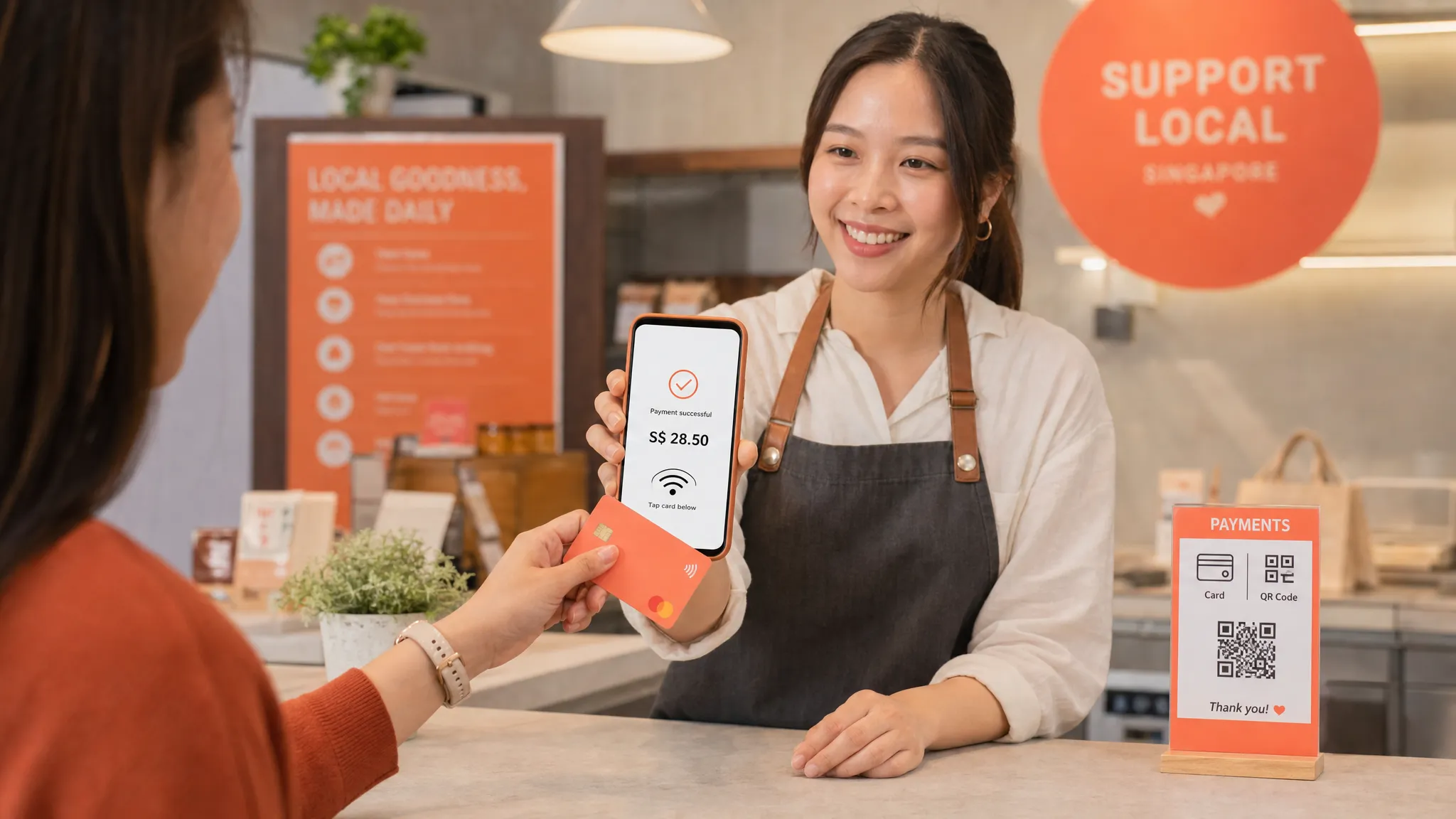
For many Singapore merchants, contactless payment feels almost too simple: the customer taps a card or phone, the screen says approved, and the sale is done. But behind that one-second tap is a secure payment flow involving NFC technology, card networks, banks, fraud checks, and settlement rules.
If you have ever wondered, “contactless payment, how does it work for my business?”, this guide breaks it down in practical terms. We will cover what happens during a tap, how it differs from PayNow, what equipment you need, how fees and payouts work, and how small businesses in Singapore can start accepting card taps without buying a traditional terminal.
What counts as a contactless payment in Singapore?
In Singapore, “contactless payment” usually refers to any payment where the customer does not insert a card, swipe a card, or hand over cash. At checkout, they either tap a card, tap a mobile wallet, or scan a QR code.
For merchants, it is useful to separate contactless payments into two broad categories: card-based contactless payments and bank transfer or wallet-based QR payments.
Payment type | What the customer does | How it moves money | Common Singapore examples |
|---|---|---|---|
Contactless card | Taps a physical card | Card network and issuing bank authorise the transaction | Visa, Mastercard, American Express |
Mobile wallet tap | Taps a phone or watch | Usually a tokenised card transaction | Apple Pay, Google Pay, Samsung Pay |
Tap to Phone merchant acceptance | Customer taps card or wallet on the merchant’s phone | Card transaction processed through a payment provider | Tap to Phone on Android, Tap to Pay on iPhone |
QR bank transfer | Customer scans a QR code and pays from a bank app | Bank-to-bank transfer | PayNow, SGQR |
PayNow is important in Singapore, and many small businesses should keep using it. But PayNow is not the same as a card tap. PayNow works through local bank transfers, while contactless card payments work through card payment networks. This difference matters for tourist-facing businesses, higher-value transactions, refunds, fees, and customer preference.
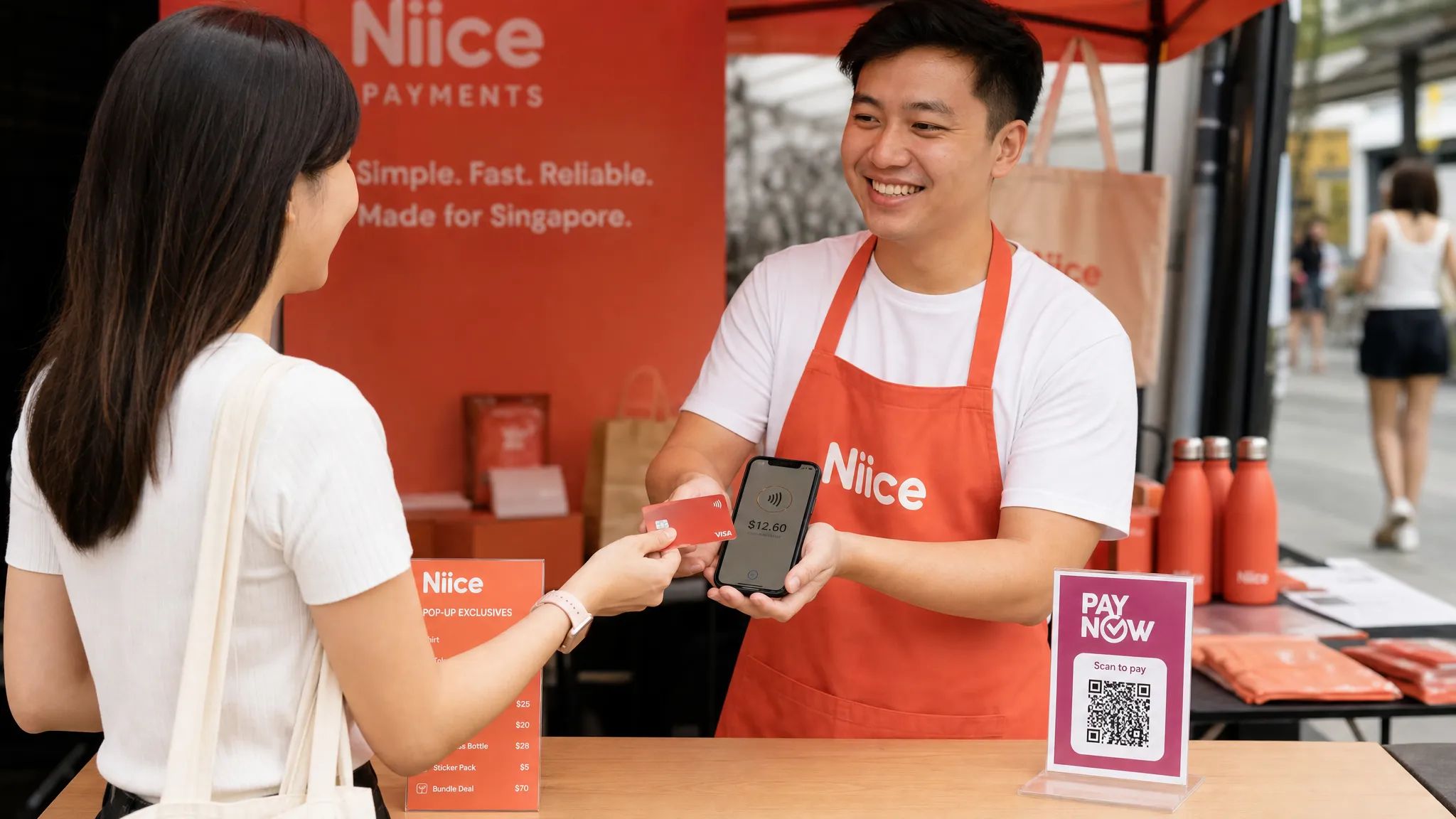
Contactless payment: how does it work at checkout?
A contactless card or mobile wallet payment may look instant, but it follows a structured authorisation process. Here is what happens from the merchant’s point of view.
The merchant enters the amount in a payment terminal, card reader, or Tap to Phone app.
The device activates its NFC reader and waits for the customer’s card or mobile wallet.
The customer holds their card, phone, or watch close to the reader.
The card or wallet sends encrypted payment data over a very short-range NFC connection.
The merchant’s payment provider routes the transaction for authorisation through the relevant card network and issuing bank.
The customer’s bank checks whether the card is valid, the transaction looks safe, and there is enough credit or available balance.
The approval or decline message travels back to the merchant device.
The merchant sees a confirmation, and the customer can receive a receipt if needed.
The approval message is not the same as money arriving in your bank account. Approval means the customer’s bank has authorised the transaction. Settlement, which is when the money is paid out to your business bank account, happens later according to your provider’s payout timeline.
With nashi, for example, payouts are settled automatically to the merchant’s bank account in 2 business days.
The technology behind the tap: NFC, EMV, and tokenisation
Most contactless card payments use NFC, short for Near Field Communication. NFC allows two devices to exchange payment information when they are held very close together. In practice, this means the customer must tap or hover their card or phone near the reader.
The payment itself follows EMV contactless standards, the same global security framework used by chip cards and contactless terminals. Instead of sending a simple, reusable card number in plain text, the system uses dynamic and encrypted transaction data. This helps reduce the risk of card data being copied and reused.
Mobile wallets add another layer. When a customer pays with Apple Pay or another mobile wallet, the wallet normally uses a token rather than the actual card number. The customer may also authenticate using Face ID, Touch ID, passcode, or device unlock, depending on the wallet and device settings.
For merchants, the key point is simple: when you use a compliant provider, your phone or terminal should not be storing raw card details. Your payment provider handles the secure processing, compliance controls, authorisation flow, and settlement.
nashi is PCI-DSS compliant and is powered by Adyen’s payment infrastructure, so merchants can accept card taps through the app without managing sensitive card data themselves.
How Tap to Phone changes contactless acceptance
Traditionally, accepting contactless card payments meant renting or buying a terminal. Some merchants still use countertop terminals, while others use Bluetooth card readers connected to a phone or tablet.
Tap to Phone removes that extra hardware layer. With the right app and an NFC-enabled smartphone, the merchant’s phone becomes the card acceptance device. On iPhone, this is commonly known as Tap to Pay on iPhone. In Singapore, Tap to Pay on iPhone is supported on iPhone XS and newer.
Acceptance method | Hardware required | Best suited for | Main trade-off |
|---|---|---|---|
Countertop card terminal | Dedicated terminal | Busy retail counters, larger stores, fixed locations | Rental, contracts, setup time, less mobile |
Bluetooth card reader | Phone or tablet plus separate reader | Small merchants wanting a portable reader | Device pairing, charging, syncing, reader replacement |
Tap to Phone | NFC-enabled smartphone only | Pop-ups, mobile services, sole proprietors, small shops | Requires compatible phone, app, and data connection |
For micro and small businesses, Tap to Phone is especially useful because it lowers the cost and friction of accepting cards. There is no separate reader to buy, no Bluetooth device to pair, and no terminal to carry between appointments or events.
This is why Tap to Phone fits many Singapore use cases: pop-up stalls, weekend fairs, home-based businesses doing occasional in-person sales, private tutors, air-conditioning contractors, mobile beauty providers, personal trainers, transport operators, and small retailers that do not need a full POS system.
What customers can tap
The exact payment methods depend on your provider, your device, and your acquiring setup. In general, contactless card acceptance may include physical cards and mobile wallets linked to supported card schemes.
With nashi, Singapore merchants can accept Visa, Mastercard, and American Express. Customers can tap a physical card or mobile wallet, and nashi also supports Apple Pay on iPhone. That makes it easier to serve customers who prefer card rewards, tourists who cannot use PayNow, and local customers who simply expect to tap and go.
This is particularly relevant in Singapore because many customers are already used to tapping for MRT rides, retail purchases, and food orders. When a merchant only offers cash or PayNow, some customers may still pay, but the checkout experience feels less flexible.
How contactless payments differ from PayNow
PayNow is a bank-to-bank transfer system. Customers scan your PayNow or SGQR code, confirm the recipient, enter or verify the amount, and transfer funds from their bank account. For many Singapore businesses, PayNow is low-cost or free through their banking provider, and it is excellent for local customers.
Contactless card payments solve a different problem. They let customers pay with a credit card, debit card, or mobile wallet. They also work better for many international visitors, since non-Singapore customers usually cannot use PayNow.
For most small merchants, the best strategy is not “PayNow or cards”. It is PayNow and cards. Use PayNow for customers who prefer bank transfer, and use contactless card acceptance when customers prefer rewards, credit, overseas cards, or a faster tap experience.
Here is a practical way to think about it.
Situation | PayNow fit | Contactless card fit |
|---|---|---|
Local customer buying a low-value item | Strong | Useful, but fixed fees can matter |
Tourist or newly arrived expat | Weak | Strong |
Higher-value service invoice paid in person | Good if customer is local | Strong, especially if customer wants card points or credit |
Pop-up with queues | Good if QR flow is smooth | Strong for quick tap checkout |
Mobile service at a customer’s home | Good if customer has local banking app | Strong for customers who prefer card |
Fees: what Singapore merchants should look at
Contactless card payments usually carry a merchant service fee. This is often called the MDR, or Merchant Discount Rate. It may include a percentage fee, a fixed per-transaction fee, or both.
The fee can vary based on several factors, including whether the card is local or international, whether it is Visa, Mastercard, or Amex, and whether the provider charges monthly fees, setup fees, hardware rental, GST on fees, or minimum monthly commitments.
Cost item | What it means | Why it matters |
|---|---|---|
Percentage fee | A percentage of each card transaction | Bigger impact on higher-value sales |
Fixed transaction fee | A flat fee per transaction | Bigger impact on low-ticket purchases |
Hardware cost | Terminal purchase, rental, or reader cost | Raises total cost before you make sales |
Monthly subscription | Recurring platform or terminal fee | Painful for seasonal or intermittent sellers |
International card rate | Higher rate for non-Singapore cards | Important for tourist-facing businesses |
Settlement timing | When funds reach your bank account | Affects cash flow |
nashi is designed for small businesses that want card acceptance without heavy overhead. The app has no hardware investment, no monthly subscription fees, and no annual contracts. nashi also offers a free trial of up to $1,000 in fee-free transactions, which helps merchants test card acceptance before committing to regular usage.
The main lesson is to compare total cost, not just the headline rate. A terminal with a low-sounding rate may still be expensive if it comes with rental, setup work, contract lock-in, or hardware that you rarely use.
Security and compliance: what merchants should know
A common concern among small business owners is whether contactless payments are safe. When implemented through a compliant provider, contactless card acceptance is built around multiple layers of protection.
First, NFC has a very short operating range. The card or wallet needs to be close to the reader. Second, EMV contactless transactions use dynamic data rather than a simple static card number. Third, mobile wallets usually add device authentication and tokenisation. Fourth, payment providers monitor transactions for fraud and compliance requirements.
For merchants, the most important operational habits are straightforward. Use a reputable payment provider, keep your app and phone operating system updated, protect your device with a passcode or biometric lock, and avoid using shared or unsecured devices for payment acceptance.
If your staff are new to contactless payments, train them to explain the process clearly: enter amount, ask the customer to tap, wait for approval, then offer a receipt. For teams that handle customer questions or objections, tools such as AI role-play training for sales and service teams can help staff practise realistic checkout conversations before they happen in front of customers.
The merchant flow with nashi
nashi is purpose-built for simple in-person card acceptance. It is not a full POS suite, inventory system, or e-commerce platform. The point is to let small businesses accept contactless card payments using the phone they already have.
Here is how the nashi flow works:
Download the nashi app on Android or iPhone.
Complete digital onboarding in the app using your latest ACRA bizfile, IDs of majority shareholders, and a bank statement.
Once approved, open the app and enter the amount to be charged.
Ask the customer to tap their card or mobile wallet on your phone.
See real-time transaction confirmation in the app.
Receive automatic settlement to your bank account in 2 business days.
Issue full or partial refunds through the app when needed.
Onboarding is typically approved in about 1 business day, subject to the required checks and documents being complete. For businesses that need to start quickly, such as a weekend pop-up or a newly launched service business, this can be much simpler than waiting for terminal delivery, installation, and training.
The technical requirements are also light: an NFC-enabled Android phone or an iPhone XS or newer, plus a WiFi or mobile data connection. There is no Bluetooth accessory to sync, no plug-in reader, and no countertop terminal.
When contactless card acceptance is most useful
Not every business needs the same payment setup. A high-volume café selling S$5 items all day may care more about ultra-low per-transaction economics and queue speed. A boutique, tuition centre, mobile contractor, wellness practitioner, wholesaler, or pop-up seller may care more about flexibility, higher transaction sizes, and avoiding terminal overhead.
Contactless card acceptance is especially useful when:
Your customers include tourists, expats, or international visitors who cannot use PayNow.
Your average transaction value is high enough that card acceptance fees make commercial sense.
You sell at events, markets, fairs, or customer locations.
You do not want to rent hardware before proving card demand.
You want a backup option when customers do not have cash or cannot make a PayNow transfer.
For example, an air-conditioning servicing company can collect payment at the customer’s home without asking the customer to find cash. A private tutor can accept card payments after a trial class. A skincare brand can use the same phone for pop-ups across different malls or markets. A transport provider serving airport arrivals can accept cards from visitors who have not set up local banking apps.
Common mistakes to avoid
The first mistake is assuming PayNow covers every customer. PayNow is excellent for local bank users, but it does not solve payment acceptance for many tourists or international customers.
The second mistake is buying or renting a full terminal too early. If you are an early-stage business, seasonal seller, or occasional event vendor, hardware and monthly fees may not match your actual sales pattern.
The third mistake is ignoring fixed fees. If you sell very low-ticket items, a fixed fee per card transaction can noticeably increase your effective rate. In that case, you may want to encourage PayNow for small local purchases and reserve card acceptance for customers who prefer or need it.
The fourth mistake is poor checkout communication. If customers cannot see that you accept cards, they may assume you only take PayNow or cash. Simple signage such as “Cards accepted” or “Tap your card here” can increase usage.
The fifth mistake is not preparing your phone. For mobile businesses and pop-ups, battery level, data connection, app updates, and staff familiarity all matter. Test your setup before the event or appointment, not in front of the first paying customer.
A simple setup checklist for Singapore merchants
Before accepting contactless payments, make sure your basics are ready. You do not need a complex POS rollout, but you do need a reliable process.
Setup item | What to prepare |
|---|---|
Business documents | Latest ACRA bizfile, shareholder IDs, bank statement |
Device | NFC-enabled Android phone or iPhone XS and newer for Tap to Pay on iPhone |
Connection | Stable mobile data or WiFi |
Pricing awareness | Understand domestic, international, Amex, and fixed transaction fees |
Checkout process | Decide who enters the amount, who confirms approval, and how receipts are handled |
Signage | Tell customers you accept contactless cards and mobile wallets |
Refund process | Know how to issue full or partial refunds before you need one |
Once this is in place, contactless card acceptance becomes a simple extension of your existing checkout. You can still keep PayNow for local customers, while adding cards for customers who prefer to tap.
Frequently Asked Questions
Is contactless payment the same as PayNow? No. PayNow is a bank-to-bank transfer system used in Singapore. Contactless card payments use card networks such as Visa, Mastercard, or American Express. Both can be offered side by side.
Can I accept contactless payments without a card reader? Yes. With Tap to Phone or Tap to Pay on iPhone, a compatible smartphone can accept card and mobile wallet taps through a payment app, without a separate card reader or terminal.
Do customers need a Singapore bank account to pay contactless? Not for card payments. Customers can use supported local or international cards, depending on your provider. This is one reason contactless card acceptance is helpful for tourist-facing businesses.
How quickly do I receive the money from a contactless payment? The approval happens almost instantly, but settlement happens later. With nashi, funds are automatically paid out to your bank account in 2 business days.
Are contactless payments secure for merchants? Yes, when processed through a compliant provider. Contactless card payments use secure standards, encrypted transaction data, and provider-level risk checks. nashi is PCI-DSS compliant and powered by Adyen’s payment infrastructure.
Should I stop using PayNow if I accept cards? No. For many Singapore merchants, the best setup is to offer both. PayNow works well for local bank transfers, while cards help you serve customers who prefer rewards, credit, mobile wallets, or international cards.
Start accepting contactless card payments with your phone
Contactless payment works because a secure tap can connect your customer’s card or mobile wallet to the banking and card network system in seconds. For Singapore merchants, the practical question is not whether the technology works, but how simply and affordably you can offer it.
If you want to accept in-person card payments without buying a terminal, nashi lets you turn your Android phone or iPhone into a contactless payment device. There is no additional hardware, no monthly subscription fee, no annual contract, and a free trial of up to $1,000 in fee-free transactions.
Keep PayNow for customers who prefer it, and add nashi for customers who want to tap their card or mobile wallet. Visit trynashi.com to get started.


