
nashi Team
5 min read
For many small businesses in Singapore, choosing a payment terminal device used to mean renting a countertop machine, applying through a bank, waiting for approval, and paying monthly fees whether you used it or not.
That is no longer the only option.
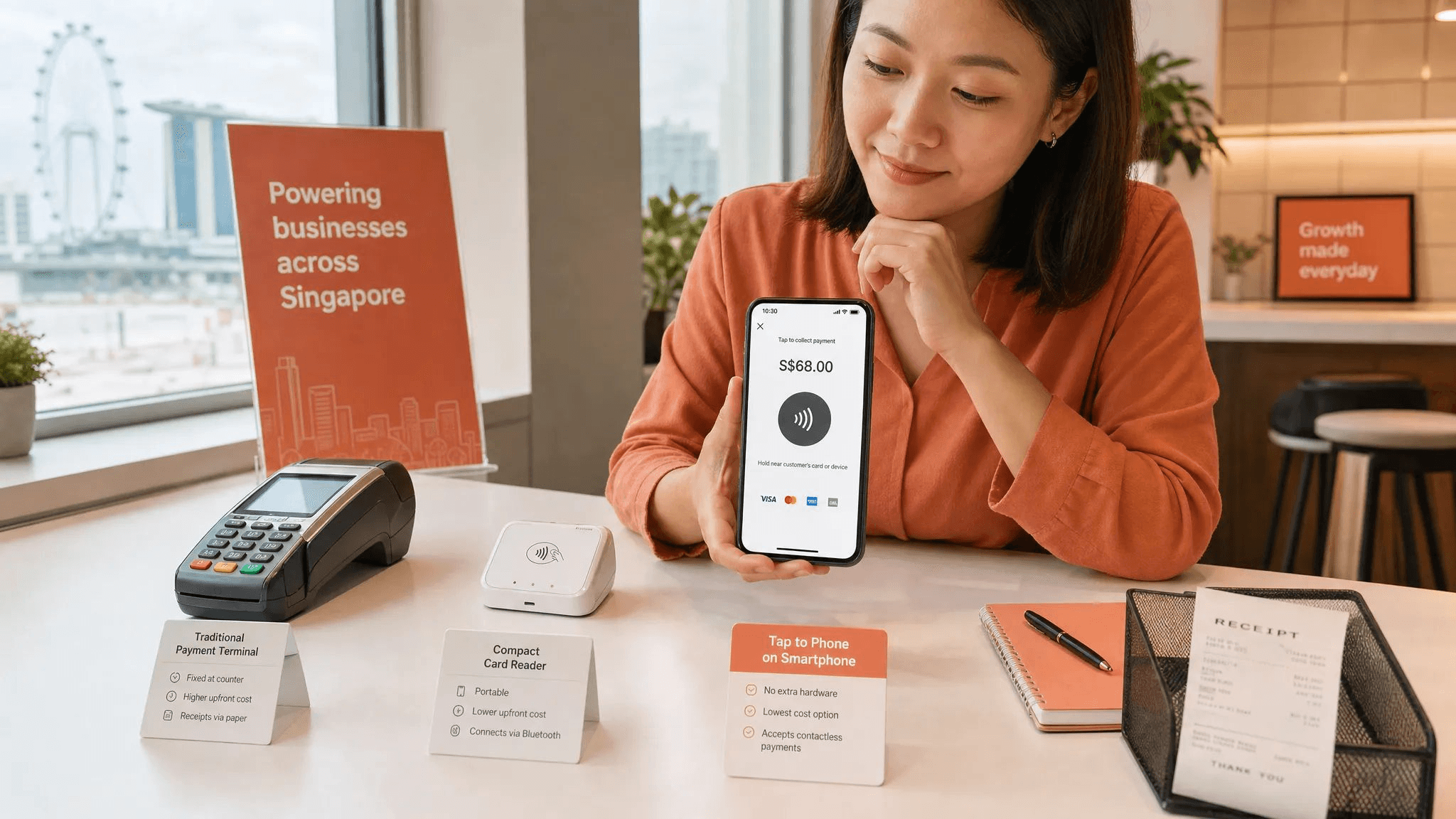
In 2026, a payment terminal device can be a traditional card terminal, a portable reader, a full POS terminal, or simply the smartphone you already carry. The best choice depends on how you sell: fixed shop counter, pop-up booth, home service call, tuition centre, private class, warehouse pickup, or event stall.
If you are a micro or small business that mainly needs to accept in-person card payments without a full POS system, the short answer is simple: a Tap to Phone app is often the best payment terminal device because it removes the hardware, reduces setup friction, and works wherever your business happens.
But it is not the best answer for every business. Here is how to choose properly.
What is a payment terminal device?
A payment terminal device is any tool that allows a business to accept customer payments in person, usually by card or mobile wallet. In Singapore, that might mean a familiar NETS-style terminal at a checkout counter, a handheld wireless terminal, a Bluetooth card reader, or a phone-based Tap to Phone app.
The key difference today is that the terminal no longer has to be a separate piece of hardware. With SoftPOS and Tap to Phone technology, compatible smartphones can accept contactless card payments directly through an app.
That matters for small businesses because hardware often creates hidden friction. You may need to order it, charge it, update it, troubleshoot it, pair it with Bluetooth, pay rental fees, or carry it from place to place. For a retailer with a permanent counter, that may be fine. For a mobile makeup artist, air-con servicing business, pop-up vendor, private tutor, or personal trainer, it can be unnecessary overhead.
The best payment terminal device by business type
There is no single best terminal for every merchant. A cafe doing hundreds of low-value transactions per day has different needs from a wholesaler taking a few high-value card payments each week.
Use this as a practical starting point:
Business type | Best-fit payment terminal device | Why it fits |
|---|---|---|
Pop-ups, fairs, and market stalls | Tap to Phone app | No hardware to bring, fast setup, works well for intermittent selling |
Mobile services such as cleaning, repairs, fitness, beauty, and transport | Tap to Phone app | Accept payments at the customer’s home, studio, venue, or pickup point |
Small retail shops with simple checkout needs | Tap to Phone app or compact card terminal | Keeps card acceptance simple without full POS complexity |
Cafes and high-volume F&B outlets | Integrated POS terminal or F&B-focused system | Better suited to fast queues, kitchen workflows, and low-ticket volume |
Businesses with inventory, staff permissions, and SKU tracking needs | Full POS system | Useful when payments must connect to stock and reporting workflows |
Larger multi-lane retail operations | Bank terminal or enterprise POS terminal | Built for volume, counter reliability, and more complex operations |
New businesses testing card acceptance for the first time | Tap to Phone app | Low commitment and no hardware investment |
For most micro and small businesses, especially those not running a complex retail or F&B operation, the best device is the one that gets out of the way. Customers can tap, you get confirmation, and the sale is done.
The main types of payment terminal devices in Singapore
Before choosing a provider, it helps to understand the categories. Many business owners search for a card terminal, card reader, payment terminal, or POS machine when they actually need something much simpler.
Countertop card terminals
Countertop terminals are the traditional devices you see at fixed checkout counters. They are usually reliable, familiar to customers, and suitable for businesses with a permanent payment station.
They make sense for established retailers, clinics, salons, and larger stores where payments happen at one counter. The downside is that they can involve rental fees, paperwork, longer setup, or contracts depending on the provider. They are also less practical if you sell at events, visit customers, or move between locations.
Portable wireless terminals
Portable terminals are standalone devices that connect through WiFi or mobile data. They are useful when you need to bring the payment device to the customer, such as at a restaurant table, event booth, warehouse, or delivery point.
They are more flexible than countertop terminals but still involve hardware. You need to keep them charged, updated, and available. If you have multiple staff or multiple booths, you may need multiple devices.
Bluetooth card readers
Bluetooth readers are small devices that pair with a phone or tablet. They are often cheaper and more mobile than traditional terminals, but the pairing process can be a pain point. If the reader disconnects, runs out of battery, or refuses to sync during a busy period, the checkout experience suffers.
For small businesses that only need contactless card acceptance, Bluetooth readers are increasingly being replaced by Tap to Phone apps because the phone itself can act as the terminal.
If you are comparing these categories in more detail, nashi’s guide to mobile payment terminals versus card readers in Singapore explains the practical differences.
Full POS terminals
A POS terminal is more than a payment device. It may include inventory management, staff accounts, SKU tracking, receipt printing, reporting, loyalty tools, and integrations.
That is helpful if you run a retail store with many products or an F&B business with operational complexity. But for many sole proprietors and small service businesses, a full POS system is more than they need. More features can mean more setup, more training, and more things to manage.
Tap to Phone apps
Tap to Phone turns a compatible smartphone into a contactless card payment terminal. On iPhone, this is commonly referred to as Tap to Pay on iPhone. On Android, it usually works through NFC-enabled devices.
The merchant opens the app, enters the amount, and the customer taps a contactless card or mobile wallet on the phone. There is no separate reader, no Bluetooth pairing, and no terminal rental.
For small businesses in Singapore, this is often the most practical payment terminal device because it matches how they already work: mobile-first, lean, and cost-conscious.
What Singapore small businesses should check before choosing
A cheap-looking terminal is not always cheaper in practice. The right choice should fit your transaction size, sales environment, customer profile, and operational habits.
Total cost of ownership
Do not only compare transaction rates. Look at setup fees, monthly rental, maintenance fees, cancellation terms, extra device costs, GST treatment on fees, and whether you need to buy or rent hardware.
A business that only sells at weekend pop-ups may not want a monthly fee. A mobile contractor may not want to pay for a terminal that sits unused between jobs. A new business may prefer a per-transaction model so costs rise only when sales happen.
Onboarding speed
Some businesses can wait weeks. Many cannot.
If you are preparing for a fair, roadshow, private event, launch weekend, or seasonal market, delayed onboarding can mean lost sales. Check what documents are required, whether the process is digital, and how long approval typically takes.
Mobility
Ask where payments actually happen. At a counter? In a client’s home? At a booth? At a class? Beside a delivery van? During a private appointment?
If payment happens away from a fixed checkout point, a phone-based terminal can be much easier than carrying a separate device. This is especially true for businesses such as mobile beauty services, private tutors, personal trainers, upholstery cleaners, plumbers, air-con servicing teams, and private drivers.
Customer payment preferences
PayNow is excellent for many Singapore customers and is free when used directly through your bank. But it is not enough for every situation. Tourists and newly arrived expats may not have PayNow. Customers buying higher-value packages may prefer cards for rewards, credit, or familiarity. Corporate clients may also prefer card payment records.
The best setup for many small businesses is not cards instead of PayNow. It is PayNow plus cards, so customers can choose. For a broader overview, see nashi’s guide to payment options for small businesses in Singapore.
Security and compliance
Any payment terminal device should handle card data securely. For Tap to Phone solutions, security is not optional. Look for reputable payment infrastructure, compliance with payment security standards, and clear transaction confirmation.
For example, nashi is PCI-DSS compliant and powered by Adyen’s payment infrastructure. More broadly, the payment industry also maintains standards for contactless payments on commercial off-the-shelf devices through the PCI Security Standards Council.
Why Tap to Phone is often the best payment terminal device for small businesses
Tap to Phone is not just a smaller card reader. It changes the cost and convenience equation because the separate terminal disappears.
For a small business, that has several practical advantages.
First, there is no upfront terminal purchase. If you already have a compatible smartphone, you can use what you have. That is particularly valuable for early-stage businesses, sole proprietors, and seasonal sellers who do not want to invest in equipment before they know their card payment volume.
Second, there is less to carry. A pop-up vendor already has stock, signage, packaging, chargers, stands, receipts, and maybe a tablet. A mobile service provider may already carry tools or equipment. Removing one more device makes the payment flow simpler.
Third, there is less operational friction. No Bluetooth accessory means no pairing issue. No terminal delivery means one less setup step. No separate charging routine means fewer dead-device moments.
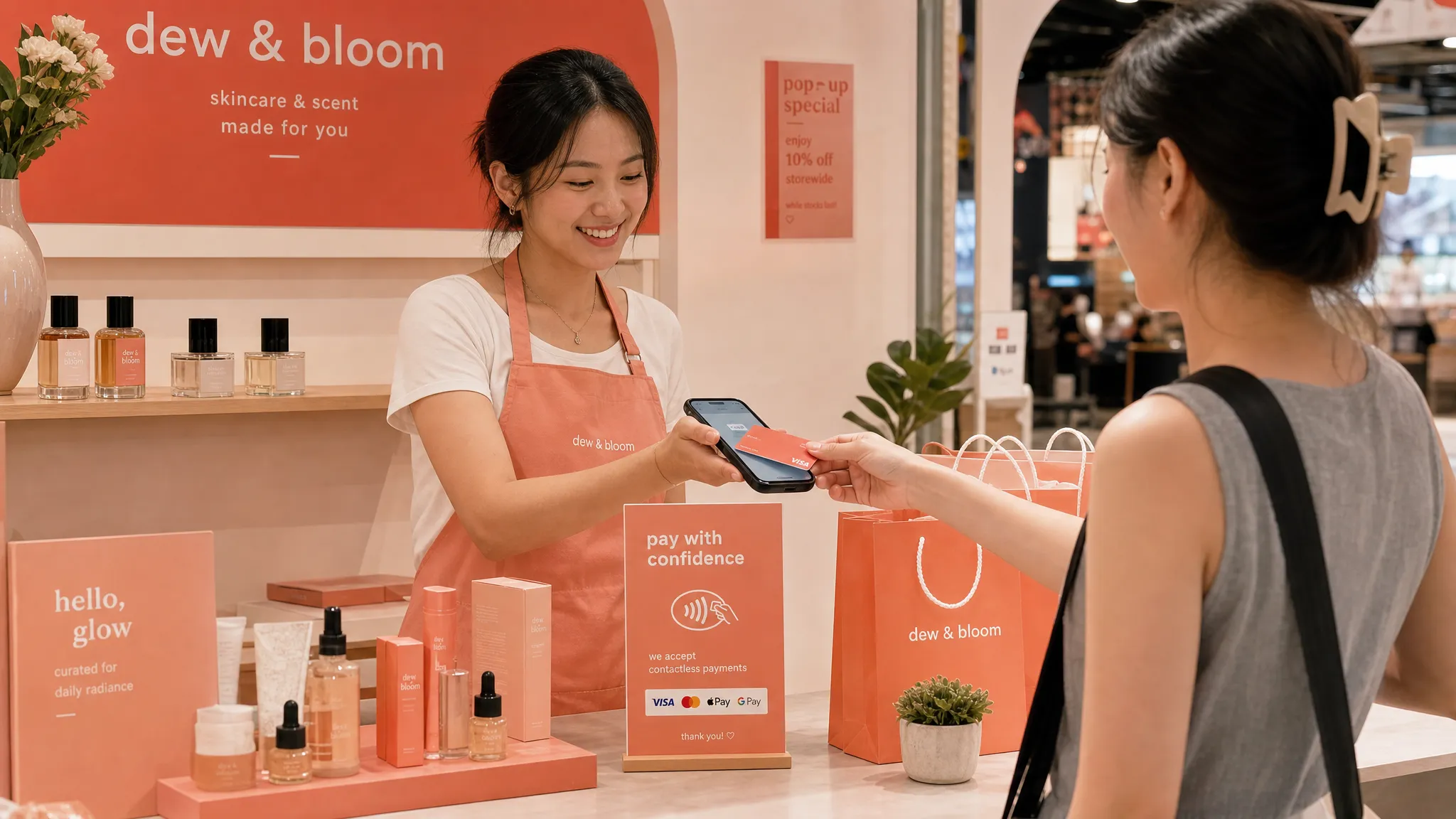
Fourth, it helps small businesses appear more professional. If a customer asks to pay by card and the answer is yes, that can create confidence, especially for higher-value services. It can also reduce the awkwardness of asking a customer to scan, key in a reference, or send a transfer screenshot.
Finally, Tap to Phone works well alongside PayNow. You do not have to abandon QR payments. You simply add card acceptance for the customers and situations where cards are preferred.
If you want a deeper technical explanation, nashi’s SoftPOS guide for small merchants explains how phone-based card acceptance works.
Where nashi fits
nashi is built for small businesses in Singapore that want to accept in-person card payments without buying or renting a payment terminal device.
It turns a smartphone into a card acceptance device through a simple Tap to Phone app. nashi is available on Android and iOS, with Tap to Pay on iPhone supported on iPhone XS and newer. Customers can tap a Visa, Mastercard, or American Express card, or use a supported mobile wallet. On iPhone, Apple Pay is also supported.
nashi is designed specifically for card payments, not as a full POS suite. That focus is important. Many small businesses do not need inventory management, e-commerce tools, payment links, BNPL, or a large dashboard. They just need to accept a card in person, confirm the transaction, and receive settlement.
The typical flow is straightforward:
Download the nashi app on Android or iPhone.
Complete digital onboarding in the app with business documents such as your latest ACRA bizfile, IDs of majority shareholders, and bank statement.
Once approved, open the app and enter the amount to charge.
Ask the customer to tap their card or mobile wallet on the back of your phone.
Receive real-time transaction confirmation.
Get automatic payouts to your bank account within 2 business days.
Issue full or partial refunds through the app if needed.
There are no additional terminals, Bluetooth readers, plug-ins, or accessories required. nashi also has no annual contracts and no monthly subscription fees. Instead, businesses pay per transaction, with pricing that can be discussed based on industry and business maturity.
This makes nashi especially suitable for businesses such as pop-up retailers, boutique brands, wholesalers, mobile service providers, tuition centres, wellness practitioners, private drivers, event sellers, and small shops that want card acceptance without POS overhead.
When a phone-based terminal may not be the best choice
Tap to Phone is a strong fit for many small businesses, but it is not always the right answer.
If you run a busy F&B outlet with many low-value transactions, a dedicated F&B POS setup may be more suitable. Speed, order routing, kitchen tickets, table management, and receipt workflows may matter more than minimising hardware.
If your business depends heavily on inventory and SKU management, a full POS system may be worth the cost. For example, a retail store with thousands of SKUs, multiple employees, promotions, stock transfers, and detailed reporting may need more than a simple payment terminal.
If you operate multiple permanent checkout counters with high transaction volume, traditional or enterprise-grade terminals may offer the operational structure you need.
The point is not that hardware is bad. The point is that hardware should earn its place. If all you need is in-person card acceptance, a separate terminal may be unnecessary.
A practical checklist before you decide
Before choosing your payment terminal device, ask these questions:
Do I sell mostly at a fixed counter, or do I move between locations?
Do I need inventory and POS features, or just card acceptance?
How often will I accept card payments each month?
Are my customers local only, or do I also serve tourists and expats?
Are my transactions low-value and high-volume, or higher-value and less frequent?
Do I want to avoid monthly fees and hardware rental?
How quickly do I need to start accepting payments?
Who will help me if setup or verification gets stuck?
For many Singapore small businesses, the answers point toward a lightweight, phone-based solution. You keep PayNow for local bank transfers, add card acceptance for customers who prefer cards, and avoid paying for a terminal that may not match the way you actually sell.
Final recommendation
The best payment terminal device for a small business in Singapore is the one that matches your sales environment without adding unnecessary cost or complexity.
Choose a traditional countertop or POS terminal if you have a fixed location, high volume, and operational needs such as inventory, staff workflows, or F&B order management.
Choose a portable terminal or card reader if you need hardware for specific operational reasons and are comfortable managing another device.
Choose Tap to Phone if you want the simplest path to in-person card acceptance, especially if you sell at pop-ups, serve customers on-site, run a small retail business, or provide mobile services.
For micro and small businesses that want to accept cards without hardware, nashi is a strong fit: simple onboarding, no additional terminal, no monthly subscription fee, Visa, Mastercard and Amex acceptance, and settlement to your bank account within 2 business days.
Frequently Asked Questions
What is the best payment terminal device for a small business in Singapore? For many micro and small businesses, a Tap to Phone app is the best choice because it turns a smartphone into a contactless card terminal without extra hardware. However, businesses with complex POS, inventory, or F&B workflows may prefer a full POS terminal.
Can I accept card payments without a card reader in Singapore? Yes. With a Tap to Phone app such as nashi, a compatible smartphone can accept contactless card payments directly. You do not need a Bluetooth reader, plug-in accessory, or traditional terminal.
Is PayNow enough for a small business? PayNow is useful and often free when used through your bank, but it is limited to customers with access to Singapore bank accounts. Card acceptance helps when customers are tourists, expats, corporate buyers, or people who prefer card rewards and credit.
Do I need a full POS system to accept cards? No. A full POS system is only necessary if you need features such as inventory, SKU tracking, staff management, or F&B workflows. If you only need in-person card acceptance, a Tap to Phone app may be simpler.
What phone do I need for Tap to Phone payments? You need a compatible NFC-enabled smartphone. For nashi, Android devices are supported, and Tap to Pay on iPhone is supported on iPhone XS and newer.
Accept card payments without buying a terminal
If you want a simple payment terminal device without the device, nashi lets you accept contactless card payments using your phone.
No card reader. No Bluetooth accessory. No monthly subscription fee. Just a straightforward way for small businesses in Singapore to accept Visa, Mastercard, Amex, and supported mobile wallets in person.
Visit nashi to see how your phone can become your card payment terminal.


