
nashi Team
5 min read
Choosing payment options is not just a checkout decision. For a small business in Singapore, it affects customer trust, cash flow, operating cost, refunds, reconciliation, and whether a customer can pay you at all.
The good news is that you do not need every payment method on the market. Most micro and small businesses can build a practical setup with two or three options: PayNow for local bank transfers, card acceptance for customers who prefer tapping, and one or two specialist methods depending on whether you sell online, serve tourists, or issue invoices.
Below are seven payment options for small businesses in Singapore, with the practical pros, trade-offs, and best-fit use cases for each.
Quick comparison of small business payment options in Singapore
Payment option | Best for | Main advantage | Watch out for |
|---|---|---|---|
PayNow and SGQR | Local customers, low-cost payments | Usually free through banks and familiar to Singapore residents | Not useful for many tourists or customers without Singapore bank access |
Tap to Phone card payments | Pop-ups, mobile services, shops, higher-value sales | Accept cards on your phone with no extra terminal | Card fees apply, so check domestic, Amex and international rates |
Traditional card terminals | High-volume stores, clinics, F&B counters | Dedicated checkout device and familiar workflow | Rental, contracts, setup, maintenance and hardware management |
Mobile card readers | Small shops that want a separate device | Portable and cheaper than full terminals in some cases | Bluetooth pairing, charging, device reliability and extra hardware |
Digital wallets and tourist QR wallets | Tourist-facing retail, attractions, cross-border customers | Useful for Alipay, WeChat Pay, GrabPay and other wallet users | Coverage and fees vary by provider |
Payment links and digital invoices | Deposits, remote orders, professional services | Lets customers pay without being physically present | Not ideal for fast in-person checkout |
Cash and manual bank transfers | Backup, older customers, B2B arrangements | Simple and widely understood | Cash handling, errors, slower reconciliation and payment chasing |
1. PayNow and SGQR
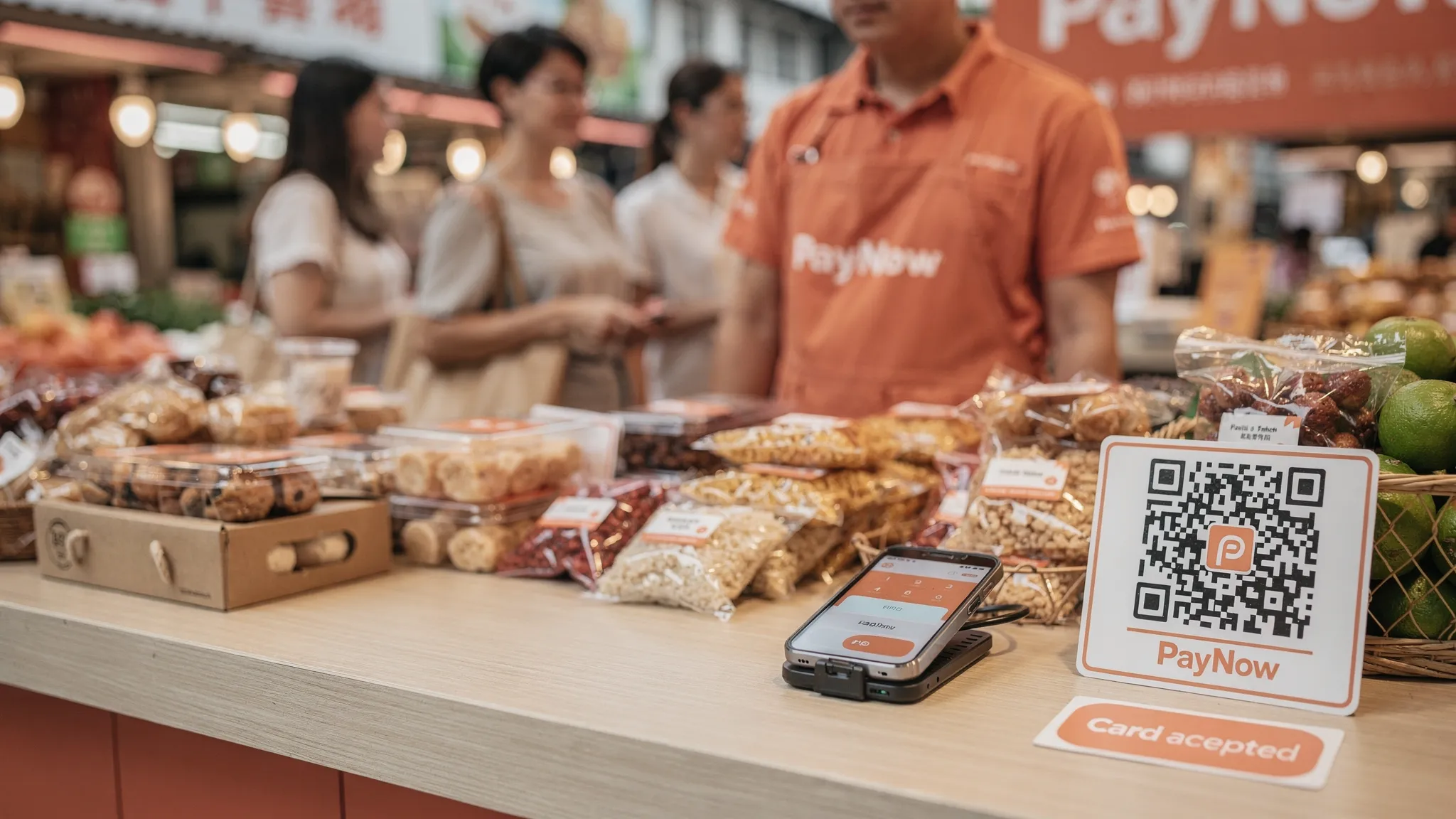
PayNow is often the first digital payment method Singapore small businesses adopt, and for good reason. It is familiar, local, and usually free when used through a bank. Customers can scan your QR code or enter your UEN, then transfer money directly from their bank account to yours.
For sole proprietors, tuition centres, contractors, home-based brands and local service providers, PayNow is a strong baseline. It is especially useful for low-ticket transactions where card processing fees could take a noticeable bite out of margins.
SGQR also makes QR acceptance less messy. Instead of placing multiple QR codes at the counter, SGQR consolidates supported payment schemes into one standardised QR label. The Monetary Authority of Singapore explains SGQR as Singapore’s unified payment QR code, designed to simplify acceptance for merchants and consumers.
The limitation is customer coverage. PayNow works well for people with access to participating Singapore bank accounts, but it does not help many tourists, newly arrived expats, foreign corporate visitors, or customers who simply prefer paying by card for rewards, credit terms or security.
Use PayNow when your customer base is mostly local and your transaction sizes are small to moderate. Do not rely on it as your only method if you sell to international customers or handle higher-value purchases where customers expect to tap a card.
2. Tap to Phone card payments
Tap to Phone, also called SoftPOS or Tap to Pay on iPhone, lets a business accept contactless card payments directly on a smartphone. Instead of buying or renting a card terminal, you download an app, complete onboarding, enter the amount, and ask the customer to tap their card or mobile wallet on your phone.
This is one of the most practical payment options for small business owners in Singapore who sell in person but do not want a full POS setup. It works especially well for pop-up stalls, market vendors, mobile beauty providers, air-con servicing contractors, private tutors, personal trainers, event sellers, transport providers, and small retailers that only need card acceptance.
With nashi, businesses can accept Visa, Mastercard and AMEX using an NFC-enabled Android phone or an iPhone XS and newer. Customers can tap a physical contactless card or supported mobile wallet. The app is built for in-person card acceptance only, with no extra hardware, no Bluetooth reader, no monthly subscription fees, and no annual contract.
nashi is also designed for small business onboarding. You complete digital onboarding in the app using documents such as your latest ACRA business profile, IDs of majority shareholders and a bank statement. Approval is typically within 1 business day, and settlements are paid automatically to your bank account in 2 business days. Full and partial refunds can also be issued through the app.
For small businesses that already use PayNow, Tap to Phone is not a replacement. It is a complement. PayNow can remain your low-cost local payment rail, while card acceptance helps you serve customers who want to tap, use Apple Pay, pay with an international card, or avoid cash.
3. Traditional card terminals
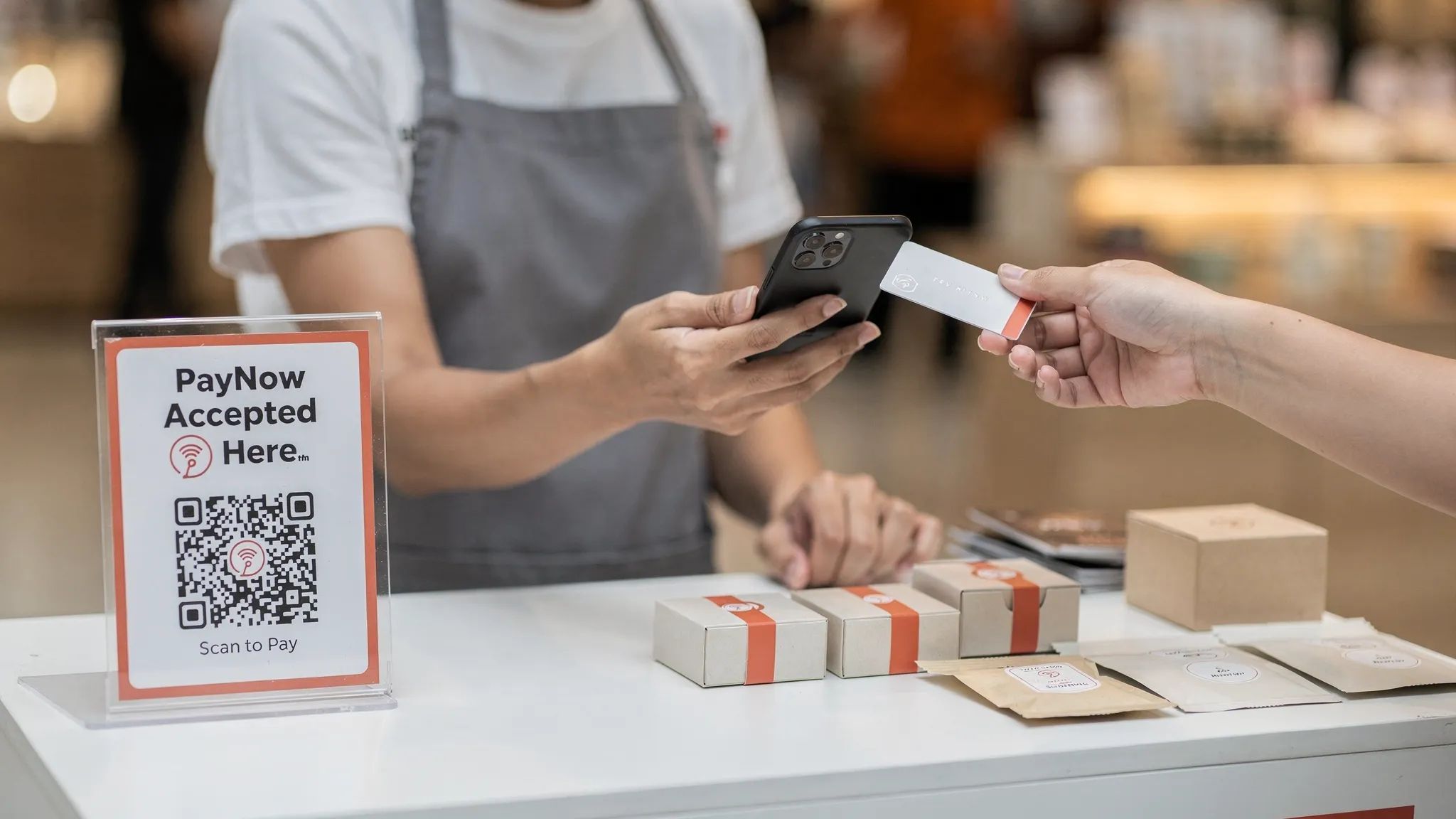
Traditional card terminals are the dedicated devices you see at retail counters, clinics, restaurants and supermarkets. They may be countertop terminals connected to power and internet, or wireless terminals with a SIM card.
They remain useful for businesses with a permanent checkout counter, higher daily transaction volume, multiple staff, or a need for a device that is always ready at the cashier area. Some customers also recognise these terminals immediately, which can make the checkout flow feel familiar.
The downside is total cost and setup friction. Depending on the provider, businesses may face hardware rental, setup fees, monthly fees, minimum contract terms, paper forms, delivery, terminal training, replacement processes, and additional charges for specific card types. Even when the headline transaction rate looks acceptable, the real effective cost can increase once rental and fixed fees are included.
Traditional terminals are often a better fit for businesses that already know they have consistent volume, fixed premises, and staff who need a dedicated checkout device. For a new pop-up, home-based brand, mobile service provider, or newly incorporated company testing demand, a terminal may be more commitment than necessary.
4. Mobile card readers
Mobile card readers are small physical devices that pair with a phone or tablet, often by Bluetooth. The merchant enters the sale amount in an app, the customer taps or inserts a card on the reader, and the payment is processed through the provider.
For years, these devices were the lighter alternative to full card terminals. They can still make sense if you want a separate card device, need chip-and-PIN support in certain cases, or prefer not to use the phone itself as the tap point.
However, mobile card readers still involve hardware. You need to buy, rent, charge, store, update and troubleshoot the reader. Bluetooth pairing can fail at inconvenient moments. A reader can be misplaced before an event, run out of battery during a queue, or require firmware updates when you least expect it.
For many small Singapore businesses, Tap to Phone has reduced the need for separate readers. If your main requirement is contactless card acceptance, your smartphone may already be enough.
5. Digital wallets and tourist QR wallets
Singapore customers use a mix of wallets and bank-linked apps, including DBS PayLah!, GrabPay and other SGQR-supported options. Tourist-facing businesses may also consider Alipay+ and WeChat Pay, especially if they serve visitors from Mainland China or customers who are used to QR wallet payments.
Wallets can be valuable, but they are not all the same. Some are essentially local bank transfer experiences. Some run on card rails when a customer uses a wallet linked to a Visa or Mastercard. Others are cross-border wallet ecosystems that require a payment service provider to process and settle funds for the merchant.
If you run a souvenir shop, beauty brand, event booth, transport service, attraction-related business, or retail concept in tourist-heavy areas, wallet coverage can help reduce lost sales. Visitors may not have PayNow, may not want to carry cash, and may prefer the wallet they already use at home.
For most micro businesses, the key is to avoid adding wallets just because they exist. Add them because your customer base actually asks for them. A tuition centre serving local families may not need WeChat Pay. A pop-up at a tourist event might.
6. Payment links and digital invoices
Payment links and digital invoices allow you to request payment without being face to face with the customer. You send a link by WhatsApp, email, SMS or invoice, and the customer pays online by card or another supported method.
This is useful for deposits, bookings, custom orders, professional services, wholesale orders, event registration, course fees, or follow-up payments after a quotation. A rug cleaner could collect a deposit before a job. A tutor could send a monthly invoice. A small wholesaler could request payment before dispatch.
The trade-off is speed at the point of sale. Payment links are excellent when the customer is remote, but they are often slower than a simple tap when the customer is standing in front of you. For in-person sales, a QR code or Tap to Phone flow is usually cleaner.
Service businesses that bill by invoice also need clear written communication, especially for quotations, payment reminders, rescheduling notes and formal notices. If you want help drafting polished wording quickly, an AI letter generator for professional business letters can save time before you send customer-facing documents.
It is also worth noting that nashi is focused on in-person card acceptance, not online payment links or e-commerce checkout. If remote payments are central to your workflow, you may need a separate online payment tool alongside your in-person setup.
7. Cash and manual bank transfers
Cash has not disappeared, and some small businesses still keep it as a backup. It can be helpful for older customers, small cash tips, temporary internet outages, or markets where cash remains common.
Manual bank transfers are also still used in B2B situations, especially where a company pays after receiving an invoice. They may be appropriate for wholesale orders, recurring commercial clients, or suppliers who prefer account-to-account settlement.
The issue is operational friction. Cash needs change, storage, counting, deposit runs and controls. Manual transfers need reference numbers, follow-up, reconciliation and sometimes awkward chasing. If the amount is entered incorrectly or the customer forgets to include an invoice number, your admin workload increases.
Small businesses should treat cash and manual transfers as support methods, not the centre of the payment experience. Your main checkout options should be easy to verify and easy to reconcile.
Which payment mix is best for your business?
The right mix depends on who pays you, where they pay, and how often you sell. A local-only home service provider does not need the same setup as a tourist-facing pop-up. A $5 coffee seller does not have the same cost sensitivity as a furniture wholesaler taking $800 deposits.
Business type | Recommended starting mix | Why it works |
|---|---|---|
Pop-ups and market stalls | PayNow + Tap to Phone cards + cash backup | Covers local QR users, card users and occasional cash customers without hardware commitment |
Mobile service providers | PayNow + Tap to Phone cards + invoice links for deposits | Lets customers pay on-site while still supporting prepayments or later billing |
Tuition, fitness and wellness | PayNow + card payments for packages | PayNow works for regular local clients, cards help with higher-value packages and convenience |
Tourist-facing retail or services | Cards + PayNow + relevant tourist wallets | International visitors may not have PayNow and may prefer cards or familiar wallets |
Low-ticket F&B | PayNow/SGQR + a dedicated setup suited to high-frequency payments | Fixed fees can affect margins on small transactions, so compare effective cost carefully |
Small wholesalers | Bank transfer + card acceptance for in-person or urgent payments | Supports traditional invoicing while giving buyers a convenient card option |
A simple rule works for many Singapore small businesses: start with PayNow, add card acceptance when customers ask for it or when you serve higher-value and international transactions, then add specialist wallets or online tools only when your customer base justifies them.
How to compare payment providers without getting distracted
Payment providers often compete on long feature lists. That can be helpful for larger companies, but it can overwhelm a micro business that only wants to get paid reliably.
When comparing providers, look beyond the headline rate. A card provider charging a lower percentage but adding monthly rental, GST on fees, minimum volume commitments or hardware costs may not be cheaper in practice. A provider with a full POS suite may be useful if you need inventory and staff management, but unnecessary if you only need to accept card payments at a pop-up.
Focus on the details that affect daily operations:
Onboarding speed and documents required
Hardware required, if any
Domestic card, international card and AMEX fees
Fixed per-transaction fees and how they affect low-ticket sales
Settlement timing to your bank account
Refund process for full and partial refunds
Support responsiveness when something fails during selling hours
Whether the product is built for your business size, not just enterprise merchants
For many small businesses, simplicity has real value. A payment method that staff can learn in minutes, that works on the phone you already carry, and that does not require a long contract can be better than a feature-heavy system you barely use.
A practical rollout plan for Singapore small businesses
You do not need to change everything in one week. Start by mapping your current customer behaviour. Count how many customers ask for PayNow, card, cash, invoice, or wallet payments. Note which transactions are local, international, low-ticket, high-ticket, urgent, or recurring.
Next, calculate your real cost per payment type. For cards, include both the percentage fee and any fixed transaction fee. For terminals, include monthly rental or subscriptions. For cash, include time spent counting, depositing and reconciling. For manual transfers, include the admin time spent matching payments.
Then test your payment flow before using it with customers. Do a small transaction, issue a refund, check the receipt, confirm settlement timing, and train anyone who will accept payments. Place clear signs where customers decide how to pay, such as your counter, booth display, booking message, quotation, or invoice.
If you are adding card acceptance for the first time, nashi offers a free trial of up to $1,000 in fee-free transactions. That gives small businesses a practical way to test whether customers use cards before committing to a heavier setup.
Frequently Asked Questions
What payment options should a small business in Singapore offer? Most small businesses should start with PayNow or SGQR for local transfers, then add card acceptance if customers ask to tap or if the business serves tourists, expats, higher-value purchases or professional services. Add wallets, payment links or cash only where they fit your customer base.
Is PayNow enough for a small business? PayNow is excellent for local Singapore customers, but it is not enough for every business. Tourists and some foreign customers cannot use it, and many customers prefer cards for rewards, credit terms or convenience. PayNow and card acceptance work best together.
Can I accept card payments without a card terminal? Yes. With Tap to Phone or Tap to Pay on iPhone, a compatible smartphone can accept contactless card payments through an approved payment app. nashi supports Android and iPhone XS or newer, with no extra card reader or terminal required.
Which payment option is cheapest? PayNow is usually the lowest-cost option when used through a bank. For card payments, the cheapest option depends on domestic versus international card mix, fixed transaction fees, monthly fees, hardware rental and your average transaction size.
Do I need a full POS system? Not always. If you need inventory, staff management, table management or complex reporting, a POS system may help. If you only need to accept in-person card payments, a focused Tap to Phone app may be simpler and more cost-effective.
Are digital wallets necessary in Singapore? They can be useful, especially for tourist-facing businesses, but they are not mandatory for everyone. Choose wallets based on actual customer demand rather than trying to support every payment method from day one.
Start with the payment options your customers actually use
The best payment setup is not the longest list of logos. It is the mix that lets customers pay easily while keeping your costs, admin and hardware simple.
For many Singapore micro and small businesses, that means keeping PayNow for local transfers and adding card acceptance for customers who want to tap. If you want to accept Visa, Mastercard and AMEX in person without buying a terminal, try nashi. Download the app, complete onboarding digitally, and turn your phone into a simple contactless payment terminal for your business.


