
nashi Team
5 min read
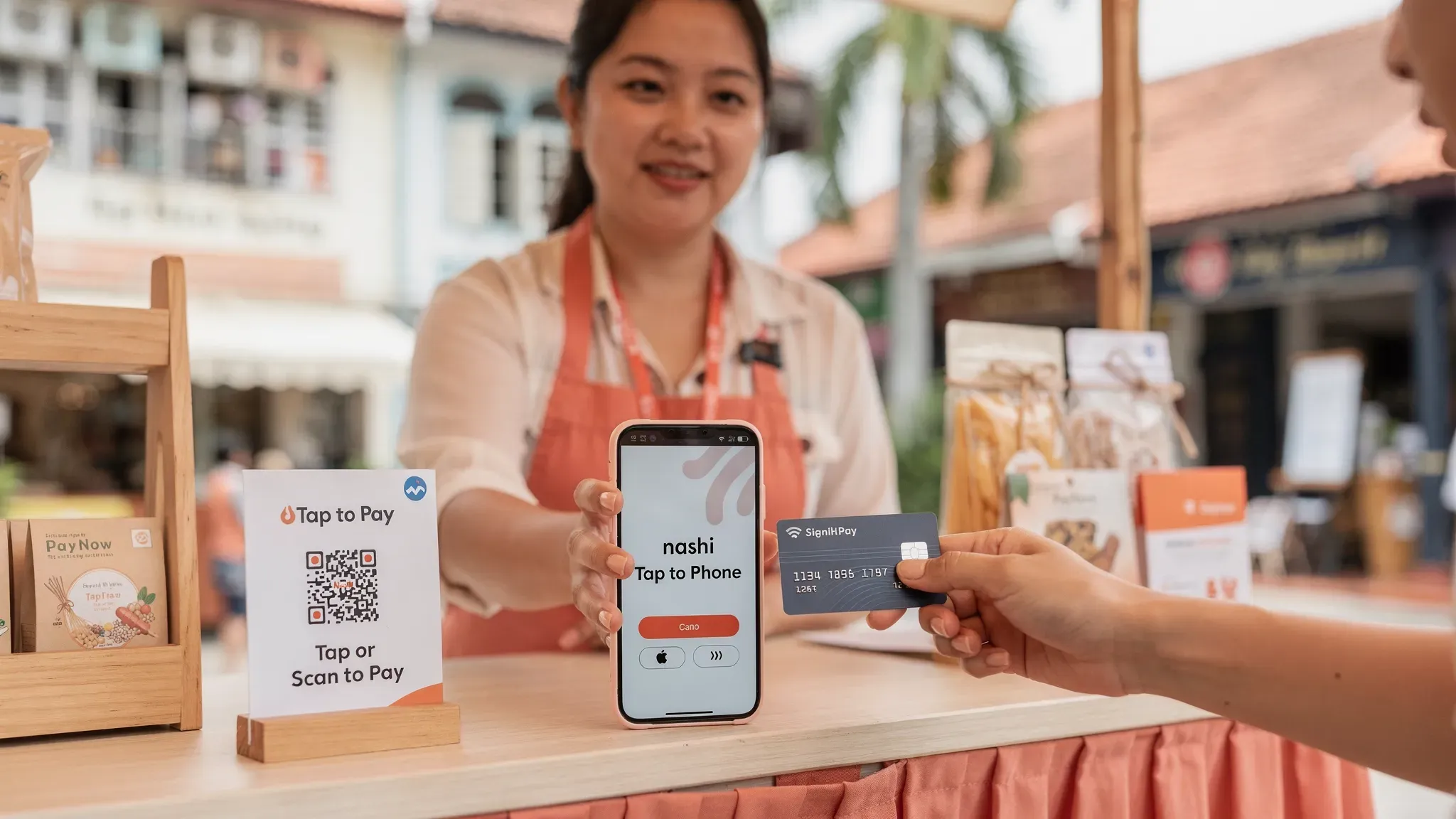
If you run a micro or small business in Singapore, “smartphone contactless payment” usually means one of two things: customers tap a card or mobile wallet (Apple Pay, Google Pay) on a card terminal, or they tap directly on your phone using Tap to Phone (also called SoftPOS).
For many merchants, the second option is the fastest way to start taking card payments without buying a terminal, but it comes with important questions: what’s the setup like, what are the real fees in Singapore, and what limits should you expect?
What “smartphone contactless payment” means for Singapore merchants
A smartphone contactless payment is an in-person, card-present transaction where the customer pays by tapping:
A physical contactless card (Visa payWave, Mastercard Contactless, AMEX)
A mobile wallet (Apple Pay, Google Pay)
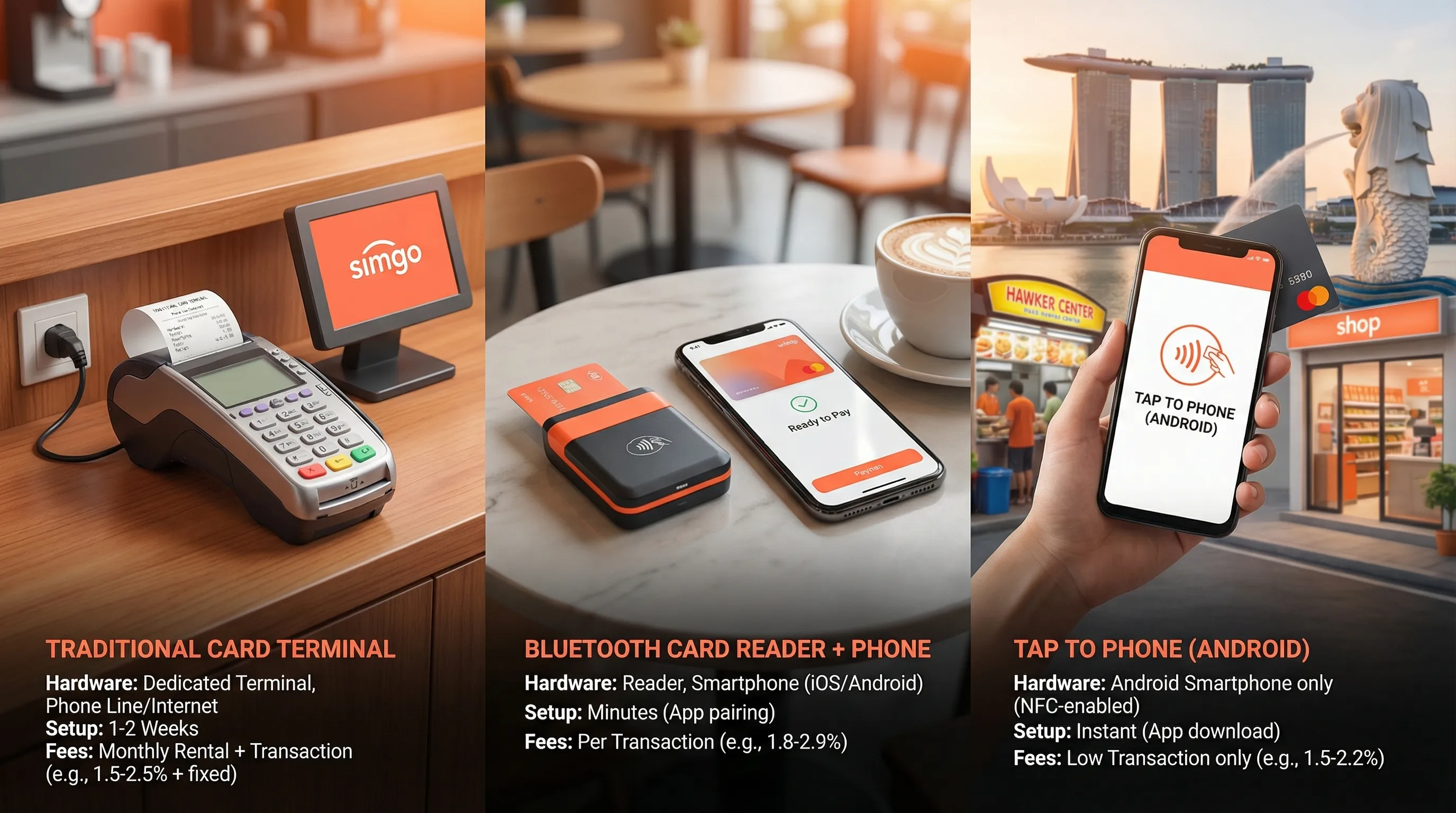
From a merchant perspective, there are three common setups in Singapore:
Setup | What the merchant uses | Typical best fit | What to watch for |
|---|---|---|---|
Traditional terminal (bank/NETS/PSP provided) | Dedicated countertop or portable terminal | Fixed-location retail, high throughput | Hardware costs, monthly fees, contract terms, setup time |
mPOS (Bluetooth card reader + phone/tablet) | Card reader accessory + app | Pop-ups that want a “reader” workflow | Bluetooth reliability, charging accessories, reader replacement |
Tap to Phone (SoftPOS) | NFC phone only + app | Mobile services, pop-ups, small retailers that want no hardware | Phone compatibility, provider risk rules, how high-value taps are handled |
nashi sits in the third category: it’s a lightweight Tap to Phone app focused on in-person card acceptance (not a full POS suite).
Setup in Singapore: what you need (and what you don’t)
The main promise of Tap to Phone is simple: no terminal delivery, no accessories, no countertop setup. But to avoid surprises, check these requirements first.
1) Phone requirements
For Tap to Phone, your device must support:
NFC (Near Field Communication)
A supported OS version (varies by provider)
A stable internet connection (WiFi or mobile data)
With nashi specifically:
Android is currently supported
iOS is coming soon (Tap to Pay on iPhone)
If you are planning around iPhone acceptance, Apple’s Tap to Pay on iPhone availability and partners can change over time. For background, see Apple’s official announcements in the Apple Newsroom.
2) Business onboarding and KYC (Singapore reality check)
In Singapore, any legitimate card acceptance provider will require KYC. “Fast onboarding” should still be compliant onboarding.
With nashi, onboarding is designed to be digital and typically requires:
Latest ACRA business profile (BizFile)
IDs of majority shareholders
A bank statement for settlement
nashi’s typical approval timeline is around 1 business day (subject to verification).
3) What checkout looks like in real life
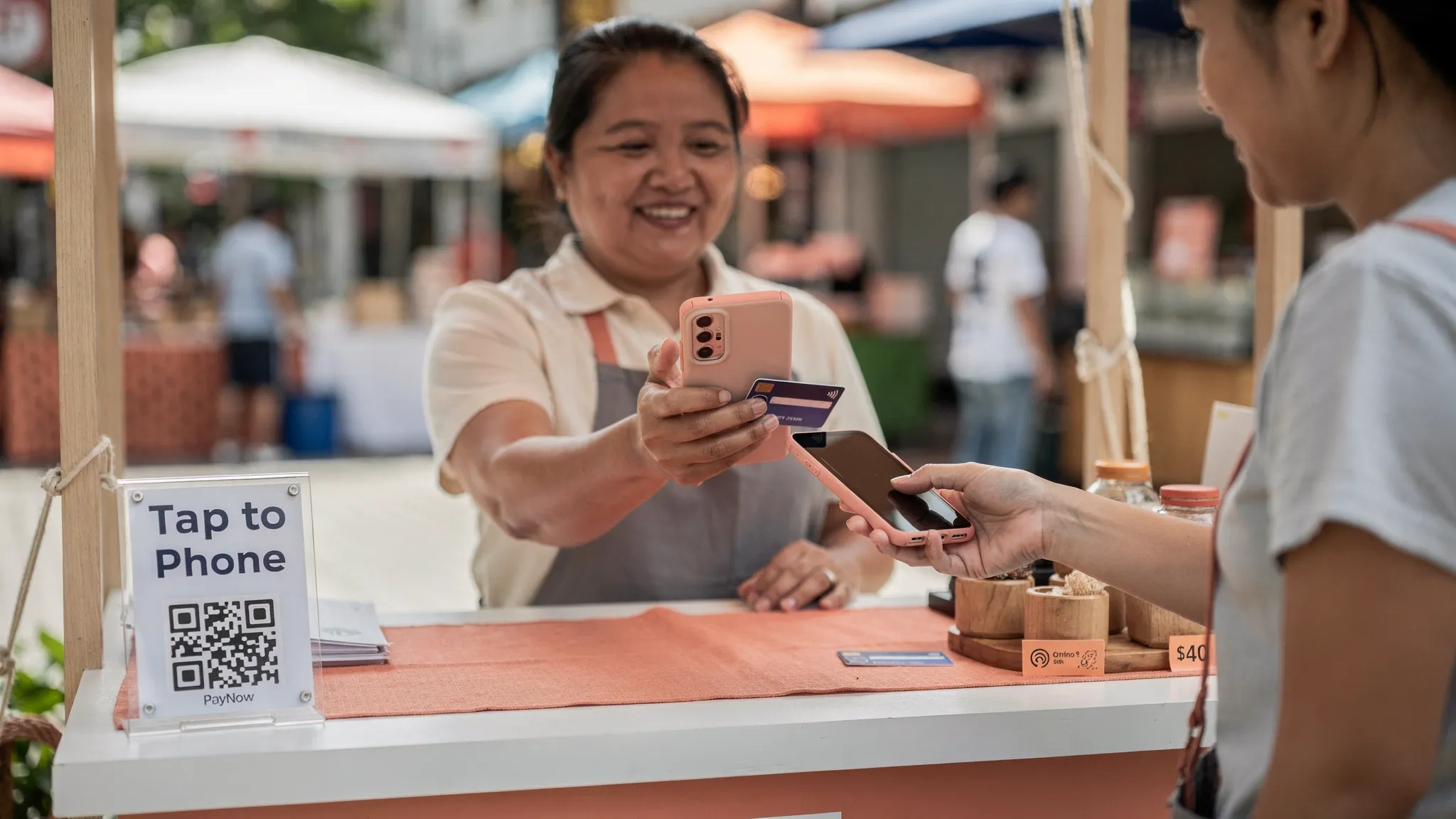
A Tap to Phone transaction typically flows like this:
You key in the amount in the app.
The customer taps their card or mobile wallet on the back of your phone.
You get confirmation in-app.
For small teams, the big operational difference vs terminals is that your phone becomes the acceptance device, so you should plan for battery life and basic process discipline.
4) Receipts, refunds, and settlements
Before you commit to any provider, confirm three practical details:
Settlement timing (how fast payouts hit your bank)
Refund capability (full and partial)
Proof of payment (what you and the customer can reference)
With nashi:
Settlements are paid out automatically to your bank account in 2 business days
Refunds can be issued in-app (full or partial)
Fees in Singapore: how smartphone contactless payment is priced
When merchants compare fees, they often look only at the headline percentage. In practice, your real cost is driven by (1) percentage fee, (2) fixed per-transaction fee, (3) card type mix, and sometimes (4) GST applied to the processing fee depending on the provider.
If you want the deeper breakdown of how card fees work end-to-end, nashi’s guide is a good reference: A Guide to Payment Processing Fees: The Singapore Merchant's Handbook.
The two numbers that matter most: % + fixed fee
Many Tap to Phone offers in Singapore look like:
X% of the transaction amount, plus
S$Y fixed fee per transaction
This matters because the fixed fee hits small tickets hard.
A quick way to estimate your effective rate
Use this simple estimate:
Effective rate (%) = (total fees paid ÷ total sales) × 100
A pricing model with a fixed fee is often cheaper for higher tickets and more expensive for low tickets.
Example fee math (illustrative)
Below is an example using a common “% + fixed” structure to show why ticket size matters.
Average transaction | Example pricing | Fee paid | Effective rate |
|---|---|---|---|
S$20 | 1.99% + S$0.30 | S$0.70 | 3.50% |
S$80 | 1.99% + S$0.30 | S$1.89 | 2.36% |
S$200 | 1.99% + S$0.30 | S$4.28 | 2.14% |
These examples are purely to illustrate mechanics. Your actual pricing depends on provider, card type, and your merchant profile.
Domestic vs international cards (a big Singapore factor)
In Singapore, fee differences often show up when you accept:
International-issued cards (common in tourist areas, expat-heavy services, airport transfers)
AMEX (can be priced differently)
So if you serve international customers, don’t just ask “what’s your rate?”, ask:
“What’s my rate for Singapore-issued Visa/Mastercard?”
“What’s my rate for international Visa/Mastercard?”
“How is AMEX priced?”
With nashi (per the current reference pricing provided):
Public list pricing on the site is positioned around 2.4% (businesses new to cards) and 2.7% (other categories)
Selected segments may be eligible for sharper pricing (for example, from 1.99% + S$0.30)
Free trial includes up to S$1,000 in fee-free transactions
Because pricing can be segment-led, the most accurate approach is to treat your first conversation like a mini-discovery: share your average ticket size, expected monthly volume, and customer mix (local vs tourist).
Watch-outs that change total cost
For Singapore SMBs, the “gotchas” usually are not hidden in the percentage, but in the operating model:
Monthly fees and annual contracts (common with some terminal providers)
Setup fees (sometimes added for certain solutions)
Extra GST on fees (some providers add GST on top of processing fees)
Payout timing (cash flow matters when you are small)
If you want a sanity check on terminal-style cost structures, it’s worth comparing against the baseline of “no hardware, no monthly subscription” Tap to Phone pricing.
Limits: what can (and will) stop a smartphone contactless payment
When merchants ask about “limits,” they often mean three different things:
Contactless transaction limits (what the customer can tap without extra verification)
Provider risk limits (what your payment provider allows for a new or low-history merchant)
Practical limits (battery, connectivity, staff workflow)
1) Contactless transaction limits and verification
Contactless card payments sometimes require additional cardholder verification depending on:
Transaction amount
Card scheme rules
Issuer risk settings
Whether the device supports PIN entry or wallet-based verification
In Singapore, many consumers are used to tapping for everyday purchases, but for higher-value transactions you should expect that the payment flow may change, for example prompting additional verification.
Because exact thresholds can vary by card, bank, and scheme rule updates, treat any fixed “tap limit” you hear as a rule of thumb, then validate it with your provider for your specific acceptance method.
Practical takeaway for merchants: if you regularly charge S$150 to S$500 and above (tuition packages, home services, wellness bundles), choose a solution that can reliably handle high-value contactless transactions and ask the provider how verification is handled when required.
2) Provider risk limits (especially for new businesses)
Separately from card scheme rules, payment providers may apply internal controls such as:
Limits on unusually large single transactions
Limits on rapid spikes in volume
Manual review for certain categories
This is normal risk management across the industry. For micro businesses, the best way to reduce friction is to proactively share context during onboarding:
What you sell
Your typical ticket size
Whether you do deposits or prepayments
Whether you serve tourists (international cards)
If you run seasonal pop-ups, also mention your calendar so spikes don’t look suspicious.
3) Practical limits: phone ops in the field
Tap to Phone is hardware-free, but not reality-free. Plan for:
Battery management (carry a power bank if you sell all day)
Connectivity (dead zones in some event halls, basements, certain industrial sites)
Device access (if your phone is also your WhatsApp Business line, don’t let payments interrupt customer comms)
A simple rule: if payments are mission-critical for an event day, don’t run acceptance on a phone that is already overloaded with live-streaming, hotspotting, and constant camera use.
A Singapore-first strategy: cards plus PayNow (not either-or)
For most micro businesses, the smartest setup in Singapore is PayNow + cards, because each wins in different situations:
PayNow is typically free and great for locals
Cards are essential when customers:
Want rewards or purchase protection
Prefer tapping for speed
Are tourists or new arrivals without PayNow access
If you need help with the PayNow side, this guide is the quickest on-ramp: Create Your PayNow UEN QR Code: A Singapore Business Guide.
How to choose the right smartphone contactless payment setup
If you want a decision framework that matches how Singapore SMBs actually operate, evaluate providers with these questions:
Will this be your primary checkout, or a secondary option?
Primary checkout (daily use): prioritise reliability, support responsiveness, and predictable payouts.
Secondary option (pop-ups, mobile jobs): prioritise fast onboarding, no hardware, no lock-in.
What is your average ticket size?
If you sell many low-value items (for example, under S$10), fixed per-transaction fees can be painful.
If you sell services or bundles (S$80 to S$500+), Tap to Phone often makes more economic sense than renting or buying hardware.
How international is your customer base?
If you serve tourists, expats, or cross-border customers, confirm pricing for international Visa/Mastercard and whether AMEX is supported.
What support do you need when things go wrong?
In-person payments fail in the worst possible moment, in front of a customer. Ask:
How fast can I reach a human?
What are support hours?
What’s the most common reason transactions fail, and how do you resolve it?
Where nashi fits (and when it doesn’t)
nashi is purpose-built for simple in-person card acceptance via Tap to Phone:
No additional hardware
Fast digital onboarding
PCI-DSS compliant, powered by Adyen infrastructure
Built for micro and small businesses
No monthly subscription fees or annual contracts
It is not designed to be a full POS suite (inventory, SKUs, e-commerce). If you need that, you will likely want a POS-first provider instead.
If you want to start with Tap to Phone and keep your setup lightweight, you can explore nashi at trynashi.com.
The bottom line
For Singapore micro and small businesses, smartphone contactless payment is often the quickest path to accepting cards, especially if you want no hardware, no lock-in, and fast setup.
To choose well, don’t just compare headline MDR. Compare your effective rate by ticket size, understand international card pricing, and clarify what happens at high values (verification and provider risk controls). Then pair cards with PayNow so you can accept the payment method your customer has, not the one you wish they had.


