
nashi Team
8 min read
Ditch the clunky card terminal. Start accepting payments directly on your phone.
The future of point-of-sale is here, and it fits in your pocket. This technology is a game-changer for Singapore’s entrepreneurs, market stall holders, and mobile service providers. It simplifies transactions and cuts hardware costs.
This guide covers the best NFC payment apps in Singapore. We provide real-world insights to help you make a smart decision. Forget the marketing jargon; we've analyzed what matters for your business.
You'll get a clear breakdown of each platform. We focus on details like transaction fees, device compatibility (Apple's Tap to Pay on iPhone vs. Android's SoftPOS), and setup complexity. We also pinpoint the ideal use case for each app to match your needs.
By the end, you’ll have a clear roadmap to selecting the perfect NFC payment solution. You'll be ready to accept contactless payments effortlessly and enhance your customer experience. Let's find the app that will transform your business.
1. nashi
Best for: Micro-businesses, pop-ups, and sole proprietors needing a simple, hardware-free card payment solution.
nashi transforms a compatible smartphone into a secure contactless payment terminal. It’s built for Singaporean micro-merchants and sole traders. This Tap-to-Phone technology eliminates rental hardware, monthly fees, or complex contracts.

Its core strength is simplicity. Unlike all-in-one POS systems, nashi focuses solely on reliable in-person payments. This makes the user experience clean and efficient.
This focus is ideal for market vendors and small retailers who value speed. It’s for businesses that prioritize low overheads over features like inventory management.
Key Features and Pricing
nashi's model is accessible and transparent. This makes it a compelling choice for new businesses.
Zero-Hardware Tap-to-Phone: Accept Visa, Mastercard, AMEX, and digital wallets on your iPhone or Android smartphone.
Rapid Digital Onboarding: Get your account approved and ready to accept payments, often within a business day.
Transparent & Adaptive Pricing:
Starter Rate: A competitive S$1.99% + S$0.30 per transaction.
AMEX/International: Higher rates apply at ~3.3% + S$0.30.
Reliable Payouts: Funds settle to your bank account in about two business days.
Security Assured: Fully PCI-DSS compliant, meeting global security standards.
Real-World Insight: As Jon Loken, founder of GARÐR, puts it, "nashi works every time and it works fast. As a small business we are very cost conscious and with nashi we keep the costs to a minimum."
Pros & Cons
Strengths | Weaknesses |
|---|---|
Zero hardware or setup costs. | Not a full POS system (no inventory or multi-channel e-commerce features). |
Extremely fast, fully digital onboarding. | Requires a compatible NFC-enabled iPhone or Android smartphone (compatibility check is necessary). |
Low, transparent starter rates and a fee-free trial. | Higher fees for AMEX and international card transactions. |
Simple, focused user interface designed for speed. | Best for in-person payments only; not designed for online gateways. |
No monthly fees, long-term contracts, or terminal rentals. | Lacks advanced reporting or back-office management tools found in larger platforms. |
Learn more and get started at trynashi.com
2. Apple Tap to Pay on iPhone (Singapore)
If you use an iPhone, Apple's official Tap to Pay page is your first stop. It's a hub for turning your iPhone into a payment terminal without extra hardware. This is the definitive guide from the source.
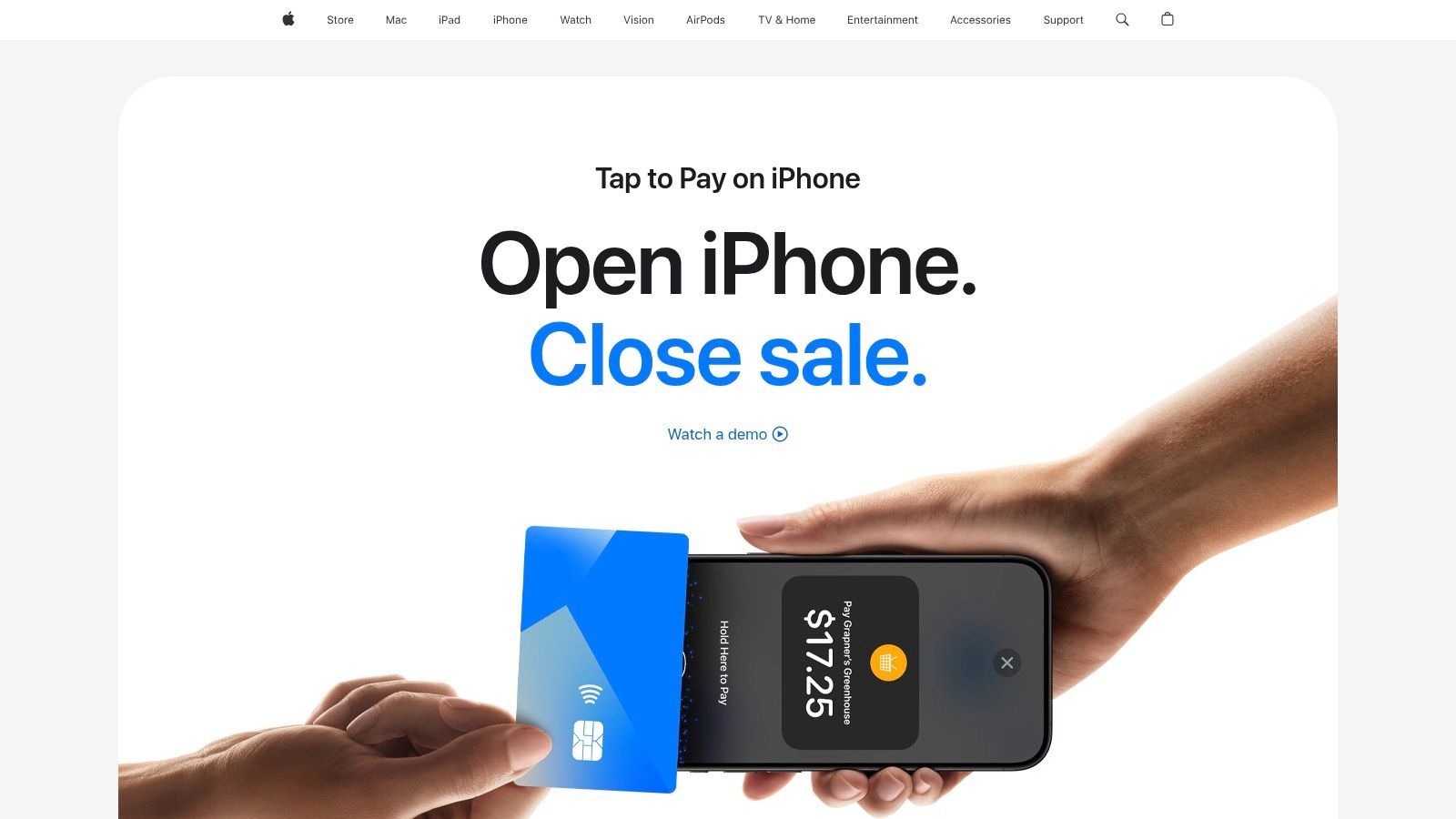
This website empowers you with knowledge. It provides an updated list of payment platforms in Singapore that have integrated the feature. Compare Apple-approved providers like Stripe, Revolut, and Grab in one place.
Key Details & Guidance
Apple details the technical requirements clearly. It lists compatible iPhone models and the minimum iOS version needed. It also explains the robust security features that protect your data.
For merchants, the process is straightforward:
Check Your Device: Ensure you have a compatible iPhone (iPhone XS or later).
Choose a Provider: Select one of the listed partner nfc payment apps like Adyen or Fiuu.
Download & Set Up: Get the provider’s app and enable Tap to Pay on iPhone.
Why It's a Must-Visit: This is an official, authoritative blueprint. It gives you a vetted list and all the foundational knowledge you need to start.
Feature Analysis | Merchant Takeaway |
|---|---|
Provider List | The most reliable, up-to-date directory of supported payment platforms in Singapore. |
Device Requirements | No guesswork. Instantly see if your current iPhone is ready to become a payment terminal. |
Security Information | Provides peace of mind by explaining the underlying privacy and security architecture. |
Implementation Steps | Offers a clear, high-level overview of the setup process, demystifying the technology. |
Pricing | Not available. Apple directs you to the individual payment platforms for all fee and transaction-cost details. |
Website: https://www.apple.com/sg/business/tap-to-pay-on-iphone/
3. Stripe (Singapore) — Tap to Pay on iPhone via Stripe Terminal
Stripe's guide is for businesses in the Stripe ecosystem or those with development resources. It's not just a simple app. It's about using the Stripe Terminal SDK to build payment experiences into your own platform.

Its developer-first approach is what makes it stand out. Stripe provides the building blocks for a custom solution. This page details how to deploy the technology using Stripe's APIs and SDKs.
Key Details & Guidance
The guide outlines how to start with the Stripe Terminal SDK. This allows you to present a payment flow within your own app. This means a completely branded and customized checkout experience.
The process is geared towards integration:
Get the SDK: Integrate the Stripe Terminal SDK for iOS into your application.
Configure & Customise: Follow the documentation to set up the payment flow.
Deploy: Start accepting payments, with all transactions managed in your Stripe Dashboard.
Why It's a Must-Visit: This is the guide for businesses that want more than an off-the-shelf solution. It empowers you to build Tap to Pay functionality directly into your workflow.
Feature Analysis | Merchant Takeaway |
|---|---|
Developer SDKs | Unlocks full customisation of the payment experience within your own app. |
Stripe Ecosystem | Transactions integrate seamlessly with Stripe's full suite of products like Billing and Invoicing. |
Scalability | A powerful solution that grows with you, from a solo operation to a multi-user platform. |
Hardware-Free | Turns any compatible iPhone into a payment terminal without needing extra card readers. |
Pricing | List Price. Singapore Domestic Cards 3.4% + $0.50
|
Website: https://stripe.com/en-sg/guides/enabling-contactless-in-person-payments-at-scale-with-only-an-iphone
4. Grab Merchant (Singapore) — Tap to Pay on iPhone in Grab Merchant iOS app
For merchants already in the Grab ecosystem, this is a game-changer. Grab’s Tap to Pay on iPhone integration transforms the Grab Merchant app into a payment terminal. It's a new capability within the tool you already use.

The seamless integration is its standout feature. If you're a Grab merchant-partner, activation is quick and lives entirely within the app. There’s no need to manage a separate service or learn a new interface.
Key Details & Guidance
The primary value is convenience for existing Grab users. The feature is built on Apple’s security framework, ensuring all transaction data is encrypted. Merchants can offer a trusted payment method using just their iPhone.
The process for existing Grab merchants is simple:
Update Your App: Ensure you have the latest version of the Grab Merchant iOS app.
Check Device Compatibility: You'll need a compatible iPhone model (iPhone XS or newer).
Activate in-app: Follow the prompts within the app to enable Tap to Pay on iPhone.
Why It's a Must-Visit: This is the most direct path for any business using Grab to expand its payment options. It leverages your existing relationship and eliminates the friction of adopting a new system.
Feature Analysis | Merchant Takeaway |
|---|---|
Ecosystem Integration | Works directly within the Grab Merchant app, streamlining operations for existing partners. |
Hardware-Free | No extra dongles or card readers needed; your iPhone becomes the terminal. |
Security | Leverages Apple’s secure Tap to Pay technology, protecting both merchant and customer data. |
Setup Process | Onboarding is fast and handled entirely within the app, ideal for quick deployment. |
Pricing | Not specified publicly. Fees and settlement details are provided to merchants directly by Grab upon sign-up. Expected List Price* Singapore Domestic Cards 2.5% |
6. HitPay (Singapore) — Tap to Pay
For Singaporean SMEs seeking a homegrown, all-in-one payment solution, HitPay is a fantastic resource. It details how their platform transforms both Android and iPhones into payment terminals. As a MAS-licensed provider, it's designed for local omnichannel sellers.
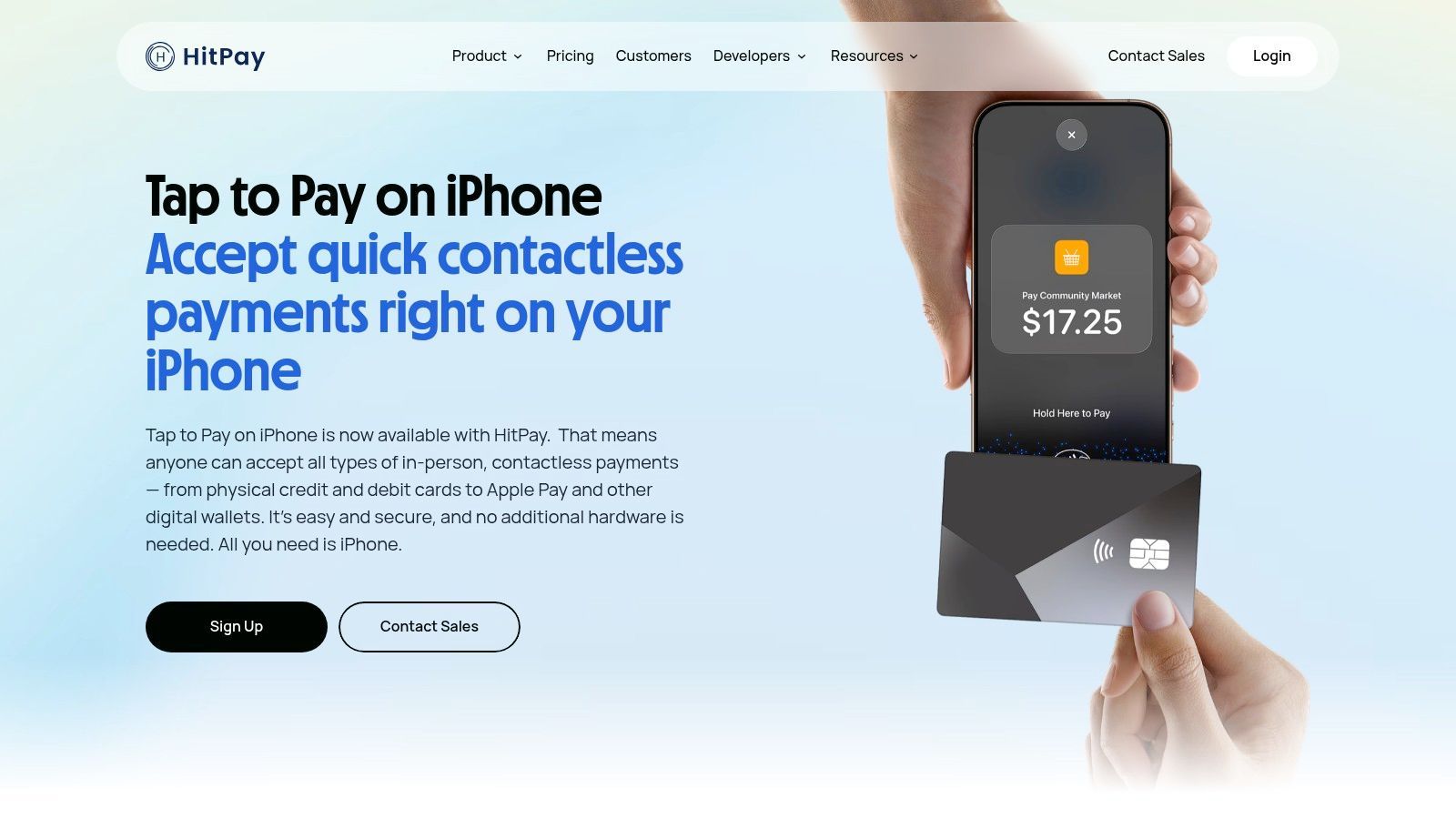
HitPay stands out with its digital-first approach and broad payment acceptance. The platform is engineered for fast digital onboarding. It supports not just major credit cards but also local payment methods.
Key Details & Guidance
HitPay’s strength is its comprehensive feature set for local merchants. The platform explains its SoftPOS capabilities, enabling NFC payments on your phone. This eliminates the need for separate hardware.
The setup is designed for simplicity:
Sign Up: Complete the fast digital onboarding process.
Download the App: Get the HitPay mobile app on your compatible smartphone.
Activate & Accept: Follow the in-app instructions to activate Tap to Pay.
Why It's a Must-Visit: HitPay is a powerful, locally-focused choice. It provides a full suite of payment tools from a trusted, MAS-licensed Singaporean company.
Feature Analysis | Merchant Takeaway |
|---|---|
Platform Support | Offers both Tap to Pay on Android (SoftPOS) and support for iPhone, covering the majority of devices. |
Local Payment Methods | CellExcellent for Singaporean businesses, with built-in support for local payment rails alongside international cards. |
Onboarding Process | Digital-first and incredibly fast, minimising the friction for new small businesses to start accepting payments. |
Omnichannel Focus | Designed for sellers who operate both online and in-person, providing a unified payment system. |
Pricing | List Price. Singapore Domestic Cards 2.5% (min fee $0.20) |
Website: https://hitpayapp.com/tap-to-pay
7. Fiuu (Singapore) — Tap to Pay on iPhone via Fiuu Virtual Terminal
For merchants already in the Fiuu ecosystem, their Tap to Pay on iPhone feature is great news. It's an extension of their existing services, enabling businesses to use iPhones as payment terminals. The news page outlines how their Virtual Terminal app supports this.
This solution provides a seamless, hardware-free upgrade for existing Fiuu clients. It allows businesses to consolidate their payment channels under one trusted provider. Adding Tap to Pay on iPhone is a logical next step.
Key Details & Guidance
The main advantage is convenience for current customers. Fiuu delivers a reliable NFC payment solution using its established infrastructure. The process is a quick activation within their Virtual Terminal app.
For merchants considering Fiuu, this feature adds a powerful incentive:
Become a Fiuu Merchant: You must first be onboarded with Fiuu's acquiring services.
Get the App: Download the Fiuu Virtual Terminal (VT) application.
Activate & Accept: Follow the in-app instructions to enable Tap to Pay on iPhone.
Why It's a Must-Visit: This is the direct line for existing Fiuu merchants to eliminate terminal clutter. It confirms that a trusted local institution has embraced hardware-free technology.
Feature Analysis | Merchant Takeaway |
|---|---|
Integrated Solution | Perfect for businesses already using Fiuu; it works within their existing VT app. |
Hardware-Free | Eliminates the need for separate card readers, reducing costs and simplifying operations. |
Local Presence | A Singapore-based provider with clear communications tailored for local merchants. |
Simple Activation | Designed for quick setup on compatible iPhones once you are an approved merchant. |
Pricing | Not available. Details are provided upon onboarding as a Fiuu merchant, not on the public news page. Expected List Price* Singapore Domestic Cards 2.9% + GST |
Website: https://fiuu.com/news/w/OEgxCR76YBlGuUx7633txeHA
8. NETS SoftPOS (Singapore) — Android SoftPOS for NETS and cards
For any Singaporean merchant, accepting NETS is essential. The NETS SoftPOS app makes this easier than ever. It transforms a compatible Android device into a payment terminal, prioritizing the national payment network.
This app stands out because it comes directly from the source. It guarantees seamless integration with the NETS ecosystem. It also accepts major contactless credit cards and popular QR wallets.
Key Details & Guidance
The advantage of NETS SoftPOS is its integration with local payment habits. The app replicates the familiar NETS experience, including on-screen PIN entry. This builds immediate customer trust.
Getting started involves:
Contact NETS: Reach out to their merchant services to sign up.
Check Device Compatibility: Ensure you have a supported Android smartphone with NFC.
Install & Activate: Download the NETS SoftPOS app and follow their activation process.
Why It's a Must-Have: This is the definitive solution for mobile NETS acceptance. If your customers use NETS, this app eliminates extra hardware and reduces clutter.
Feature Analysis | Merchant Takeaway |
|---|---|
NETS Acceptance | The primary benefit. Offers native, secure acceptance of contactless NETS payments directly on your phone. |
Hardware-Free | No need for a separate terminal. Perfect for businesses on the go, pop-ups, or as a cost-effective backup. |
Multi-Payment Support | Also accepts contactless cards and QR codes, providing flexibility for different customer preferences. |
Device Compatibility | Currently limited to supported Android devices, so iPhone users will need an alternative solution. |
Pricing | Not publicly available. You must contact NETS directly to get detailed information on fees and rates for your business. |
9. Global Payments — Mobile Tap (Singapore) using Visa Tap to Phone
For merchants who value the stability of a traditional bank acquirer, Global Payments offers a powerful option. Their Mobile Tap solution turns standard Android devices into secure payment terminals. It's built on Visa’s robust Tap to Phone technology.
This solution acts as a gateway to wider enterprise-grade services. Unlike fintech providers, Global Payments provides a pathway to more complex solutions as your business scales. The initial press release guides interested merchants to their sales team.
Key Details & Guidance
The core value is the backing of a major financial institution. Global Payments leverages the trusted Visa network for security and reliability. This is an advantage for businesses that prefer the support of an established acquirer.
The onboarding process is more traditional:
Express Interest: Reach out to the Global Payments sales team.
Consultation: Discuss your business profile and specific needs.
Receive a Quote: Get a customized proposal for their nfc payment apps solution.
Setup & Deploy: Follow their guided process to activate the Mobile Tap app.
Why It's a Must-Visit: This is for the serious business owner planning for long-term growth. It offers flexible NFC payments today with a partner who can support your evolving needs tomorrow.
Feature Analysis | Merchant Takeaway |
|---|---|
Acquirer Relationship | Backed by a global acquiring leader, perfect for merchants seeking stability and enterprise-level support. |
Visa Technology | Built on the secure and globally recognised Visa Tap to Phone framework, ensuring customer trust. |
Scalability Path | Provides a clear route to access a wider range of merchant services as your business grows. |
Onboarding Process | A consultative sales process means the solution is tailored to your specific business needs. |
Pricing | Not available. Pricing is quote-based and requires direct contact with their sales team for a custom offer. |
10. Visa Tap to Phone (Small Business) — Technology and partner portal
For Android users wanting to understand the engine behind SoftPOS solutions, Visa’s Tap to Phone portal is key. It's an educational hub explaining how Android smartphones become payment terminals. It is the authoritative source from one of the world's largest payment networks.
This site focuses on the 'how' and 'who'. It explains the technology and helps merchants discover certified partners in Singapore. It empowers you to make an informed choice about which provider to partner with.
Key Details & Guidance
The portal's primary value is demystifying the technology. Visa details how its program works, the security protocols, and the benefits. It gives merchants a clear understanding of the Android SoftPOS ecosystem.
For merchants, the path forward is clear:
Understand the Tech: Use the site to learn how devices become payment terminals.
Explore Partners: Discover Visa-approved solution providers and acquirers.
Contact & Deploy: Reach out to a chosen partner to get their specific nfc payment apps.
Why It's a Must-Visit: This is an essential blueprint for any business considering Android-based Tap to Phone payments. It provides foundational knowledge and a direct line to finding a certified partner.
Feature Analysis | Merchant Takeaway |
|---|---|
Partner Discovery | A crucial directory for finding Visa-certified providers to activate Tap to Phone. |
Technical Overview | Explains the security and technology, giving you confidence in the solution. |
Ecosystem Education | Helps you understand the roles of acquirers, networks, and solution providers. |
Android Focus | The definitive resource for merchants committed to using the Android platform. |
Pricing | Not available. Pricing is set by the individual partners and acquirers, not Visa directly. |
Website: https://www.visa.com.sg/run-your-business/small-business-tools/tap-to-phone.html
Frequently Asked Questions (FAQ)
What is an NFC payment app for businesses?
An NFC payment app, often called a SoftPOS or Tap-to-Phone solution, turns a compatible smartphone into a payment terminal. It uses the phone's built-in Near Field Communication (NFC) chip to accept contactless payments from cards and digital wallets. This eliminates the need for separate card reader hardware.
Do I need special hardware to accept NFC payments?
No, that's the main benefit. For "Tap to Pay on iPhone," you need a compatible iPhone (XS or newer). For Android-based "Tap to Phone" solutions, you need a modern Android phone with an NFC chip. The app handles the rest, removing the cost and hassle of renting or buying a traditional terminal.
Are these NFC payment apps secure?
Yes, they are highly secure. Solutions like Apple's Tap to Pay on iPhone and Visa's Tap to Phone are built on secure payment frameworks that encrypt transaction data. They must meet strict PCI security standards, ensuring that sensitive card information is never stored on the merchant's device.
How much do NFC payment apps cost?
Pricing varies by provider. Some, like nashi, have a simple pay-per-transaction fee with no monthly costs. Others, like Revolut or Stripe, might have pricing tied to their broader business accounts or transaction volume. It's crucial to check each provider's specific rates for Singapore.
Your Next Step to Simple, Secure Payments
The days of clunky, expensive payment terminals are numbered. Your smartphone is now your most powerful tool for accepting payments. This technology breaks down barriers for your business.
We’ve explored a diverse landscape. From all-in-one platforms like Stripe and HitPay to dedicated SoftPOS solutions like NETS and Fiuu, the options are vast. Each app offers a unique blend of features and fees.
The central theme is empowerment. A tool exists that fits your workflow perfectly, whether you're a hawker, a freelance photographer, or a boutique owner. The choice is no longer about if you can accept contactless payments, but how.
Making the Right Choice for Your Business
Selecting the perfect app from our list comes down to your unique needs. Don't just chase the lowest transaction fee. Focus on the overall value the platform brings.
Consider these crucial factors:
Your Customer Flow: Do you need rapid, back-to-back transactions? Or do you have more time with each customer?
Hardware Loyalty: Do you use iPhones exclusively, or a mix of Android and iOS devices? This is a primary decision point.
Integration Needs: Does your payment system need to talk to your inventory or accounting software? Platforms with robust APIs like Stripe are a natural fit.
Fee Structure Transparency: Look beyond the percentage. Are there monthly fees, setup costs, or charges for chargebacks?
Your Action Plan for Implementation
Here are your immediate next steps.
Shortlist Your Top Three: Pick three apps that seem like the best fit based on your needs.
Visit Their Websites: Go directly to the source to check for current pricing and promotions.
Download and Test: Most apps are free to download. Set one up and run a few small transactions to see how it feels.
The future of commerce is in your pocket. By embracing these powerful nfc payment apps, you are future-proofing your business. You are delighting your customers and simplifying your own life.
Ready to cut through the complexity and start accepting payments in minutes? nashi was built for entrepreneurs who value speed and simplicity. As the most straightforward of all the NFC payment apps, it lets you accept contactless payments directly on your iPhone with no fuss. Get started with nashi today and see how effortless payments can be.


