
nashi Team
5 min read
Singapore customers have become used to paying with a tap, a scan, or a phone. For a small business, that creates a practical question: what happens when PayNow is not enough?
PayNow is excellent for local bank transfers, especially for regular Singapore customers. But tourists, expats, corporate buyers, card-rewards users, and higher-ticket customers often prefer to pay by Visa, Mastercard, Amex, Apple Pay, or another contactless card wallet.
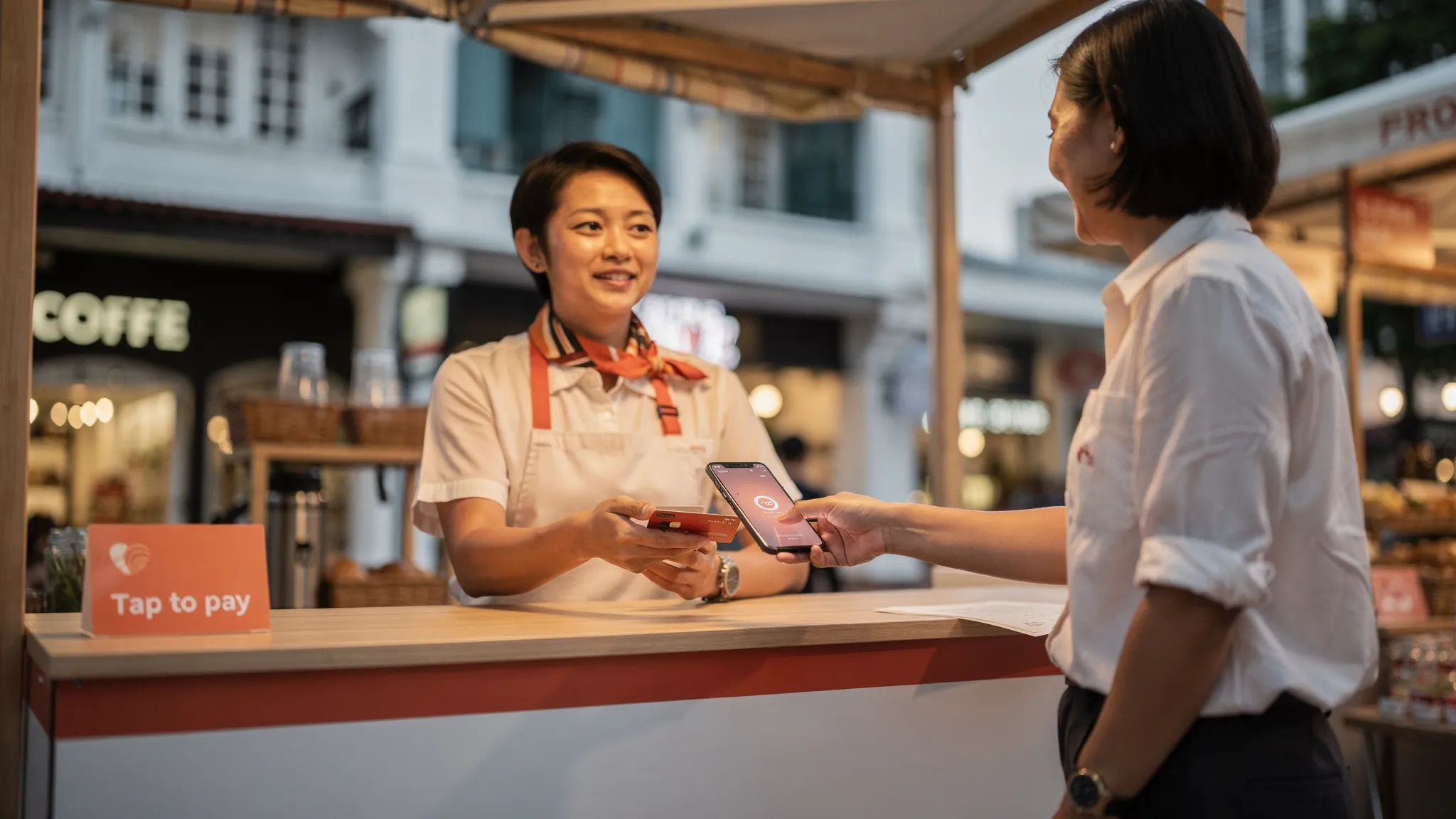
The good news is that you no longer need a countertop terminal or Bluetooth card reader to accept card payments on your phone. With a Tap to Phone app, your smartphone becomes a secure contactless payment terminal for in-person transactions.
How to Accept Card Payments on Your Phone in Singapore
Singapore customers have become used to paying with a tap, a scan, or a phone. For a small business, that creates a practical question: what happens when PayNow is not enough?
PayNow is excellent for local bank transfers, especially for regular Singapore customers. But tourists, expats, corporate buyers, card-rewards users, and higher-ticket customers often prefer to pay by Visa, Mastercard, Amex, Apple Pay, or another contactless card wallet.
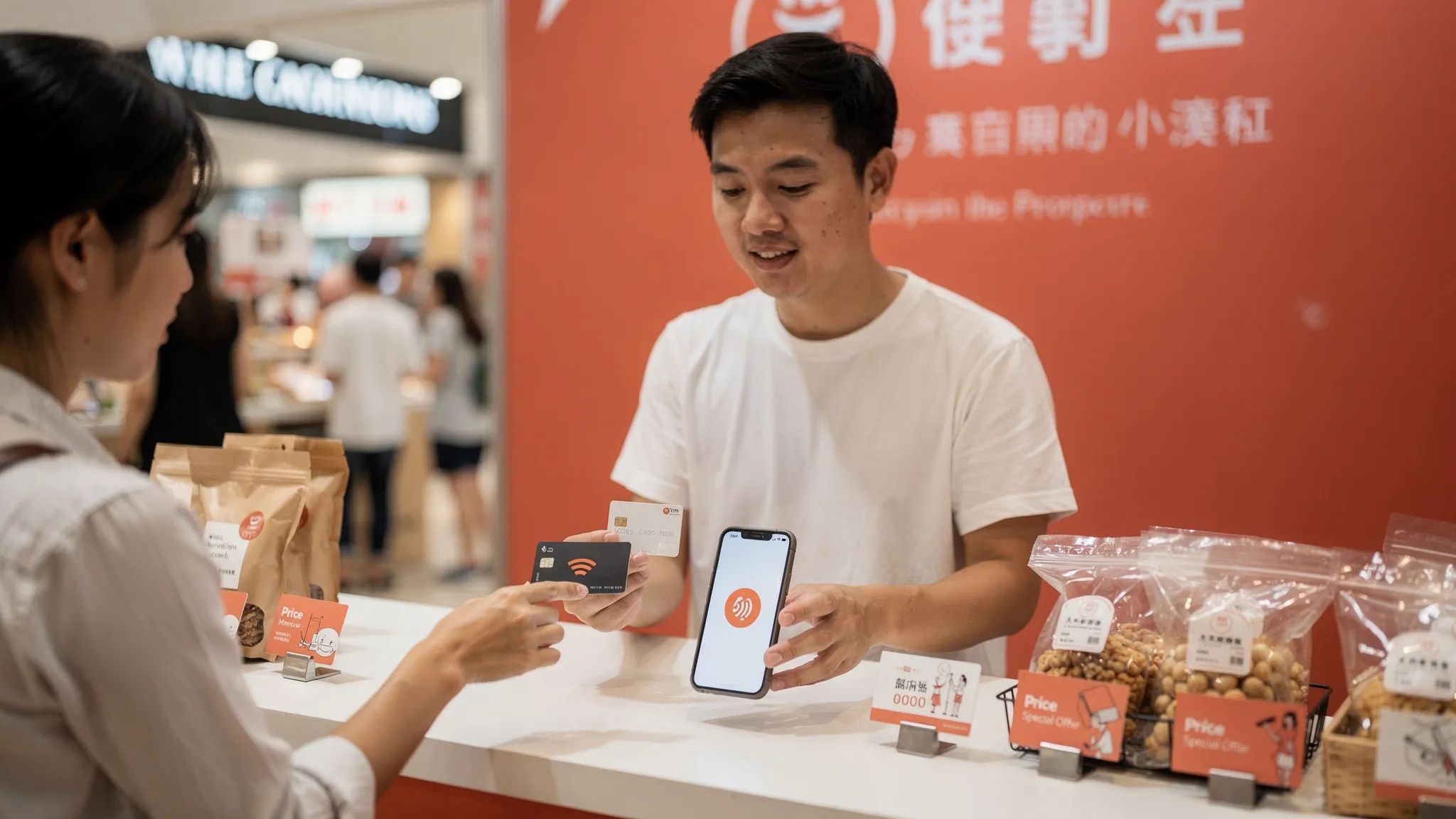
The good news is that you no longer need a countertop terminal or Bluetooth card reader to accept card payments on your phone. With a Tap to Phone app, your smartphone becomes a secure contactless payment terminal for in-person transactions.
What accepting card payments on your phone means
Accepting card payments on your phone means using your smartphone as the payment terminal itself. The customer taps a contactless card or compatible mobile wallet on your phone, and the transaction is processed through your payment provider.
This technology is often called:
Tap to Phone, commonly used for Android-based phone acceptance
Tap to Pay on iPhone, Apple’s name for iPhone-based contactless acceptance
SoftPOS, short for software point of sale
In practice, it is much simpler than the terminology sounds. You open an app, enter the amount, ask the customer to tap, and receive transaction confirmation. There is no separate card reader, no Bluetooth pairing, no terminal delivery, and no countertop hardware.
It is also different from payment links, QR payments, or PayNow transfers. Those methods usually require the customer to scan, type, or open a banking app. Tap to Phone is for in-person contactless card acceptance, which is especially useful when the customer already has a card or phone wallet ready.
What you need to accept card payments on your phone in Singapore
For most Singapore micro and small businesses, the requirements are straightforward. You need a compatible phone, a payment app, a business bank account, and basic documents for merchant onboarding.
Requirement | What to check | Why it matters |
|---|---|---|
Compatible smartphone | NFC-enabled Android phone, or iPhone XS and newer for Tap to Pay on iPhone | NFC is what lets your phone read a contactless card tap |
Payment provider app | Supports Singapore businesses and in-person card acceptance | The provider handles merchant setup, processing, and settlement |
Business documents | Latest ACRA BizFile, IDs of majority shareholders, and a bank statement | Providers need these for KYC and compliance checks |
Internet connection | WiFi or mobile data | The app needs connectivity to authorise and confirm payments |
Business bank account | Account in your business name where required | This is where card takings are settled |
If you are a sole proprietor, check whether the provider supports sole proprietors as well as Pte Ltd companies. Some payment providers are built around larger merchants, while others are more comfortable with small, mobile, or newly incorporated businesses.
Step by step: how to accept card payments on your phone
The exact screens differ by provider, but the process is generally similar across Tap to Phone apps in Singapore.
Choose a Tap to Phone provider: Look for a provider that supports your business type, card brands, operating system, settlement needs, and expected transaction size.
Download the app: Install the provider’s app on your compatible Android phone or iPhone.
Complete digital onboarding: Submit your business details, ACRA document, shareholder IDs where required, and bank statement through the app or provider portal.
Wait for approval: Approval time varies by provider, so do this before your event, pop-up, or first customer appointment.
Test your setup: Check that your phone has NFC enabled, the app is updated, your connection is stable, and your staff know the payment flow.
Enter the payment amount: Open the app, type the amount to charge, and confirm the card payment method.
Ask the customer to tap: The customer taps their contactless card or phone wallet on the correct area of your device.
Confirm the transaction: Wait for the successful payment confirmation before handing over goods or marking the invoice paid.
Track settlement and refunds: Reconcile payouts to your bank account and use the app’s refund tools if your provider supports them.
The key operational difference is that the phone is now the terminal. This makes it easier to take payments at a fair, in a customer’s home, at a clinic room, in a delivery context, or at a temporary event booth.
Which cards and wallets can customers use?
Card and wallet support depends on your provider. Before signing up, check whether the app accepts the cards your customers actually use.
For Singapore businesses, the most important categories are usually local Visa and Mastercard, international Visa and Mastercard, Amex, and mobile wallets that are linked to cards. If you serve tourists, international card support is particularly important because visitors usually cannot pay with PayNow.
With nashi, businesses can accept Visa, Mastercard, and Amex through a phone-based contactless payment flow. On iPhone, nashi also supports Tap to Pay on iPhone for iPhone XS and newer, including Apple Pay acceptance.
If your business already uses PayNow, card acceptance does not need to replace it. A stronger setup is usually to offer both. PayNow remains useful for local customers who want a free bank transfer, while cards help you serve customers who prefer rewards, corporate cards, international cards, or a faster tap-to-pay experience.
For a deeper look at using bank transfers alongside card acceptance, see nashi’s guide to the PayNow QR code.
Fees, settlement, and hidden costs to check
When comparing ways to accept card payments on your phone, do not look only at the headline percentage rate. The true cost depends on the full fee structure, your average transaction size, your customer mix, and whether you need any paid hardware or monthly plans.
Cost or term | Why it matters | What to ask |
|---|---|---|
Setup fee | Some providers charge to activate an account | Is there any upfront fee? |
Monthly fee | Monthly costs hurt intermittent users and seasonal businesses | Is there a subscription or minimum monthly volume? |
Hardware cost | Tap to Phone should not require a terminal or reader | Do I need to buy, rent, or pair any device? |
Local card rate | This affects most Singapore customer payments | What is the rate for Singapore-issued Visa and Mastercard? |
International card rate | Tourist and expat payments may cost more | What is the rate for overseas-issued cards? |
Amex support and rate | Amex is useful for some higher-income and business customers | Is Amex supported, and at what fee? |
Fixed per-transaction fee | A fixed fee matters more on small tickets | Is there a S$0.30 to S$0.50 style fee per transaction? |
GST treatment | Some providers add GST on top of quoted rates | Are the fees inclusive or exclusive of GST? |
Settlement timing | Cash flow is critical for small merchants | When will funds arrive in my bank account? |
Refund tools | Refunds are common for services, deposits, and events | Can I issue full and partial refunds in the app? |
For a S$200 beauty service, wholesale order, tuition payment, or transport booking, card fees may be worth the convenience and conversion. For a S$5 coffee, a fixed per-transaction fee can take a larger bite out of your margin, so PayNow or cash may still be more economical.
Different industries also need different payment tools. For example, a travel agency handling complex supplier payments, virtual cards, and reconciliation may prefer a specialist travel payment platform such as Elia Pay. A Singapore pop-up stall, service contractor, tutor, or small retailer may only need a focused Tap to Phone app that accepts in-person card payments without extra software complexity.
When phone-based card payments make the most sense
Tap to Phone is especially useful when your business needs mobility, simplicity, or occasional card acceptance without committing to a terminal.
For pop-ups, fairs, and markets, a phone-based terminal means you can accept card payments at temporary booths without waiting for terminal delivery. This is helpful when you participate in seasonal events, weekend markets, hotel bazaars, or brand collaborations.
For mobile service providers, it allows payment collection at the point of service. Air-conditioning contractors, plumbers, rug cleaners, maintenance teams, private drivers, pet transport providers, beauty professionals, and fitness trainers can take payment immediately after completing the job.
For professional services, it provides a more polished checkout experience. Tutors, counsellors, physiotherapists, osteopaths, wellness practitioners, and small clinics can offer cards for packages, deposits, and one-off appointments.
For tourist-facing businesses, cards are often essential. Visitors may not have a Singapore bank account, may not use PayNow, and may not carry much cash. A contactless card option helps reduce friction at the exact moment a customer is ready to buy.
Why you should still keep PayNow
Singapore businesses should not treat card payments and PayNow as an either-or decision. They solve different problems.
PayNow is a strong default for local bank transfers. It is familiar, fast, and typically free when used directly through your banking provider. It works well for local customers who are comfortable scanning a QR code and paying from a bank account.
Card payments are better when the customer wants to tap, use rewards, pay with a corporate card, use an overseas card, or avoid opening a local banking app. They also help when the customer is not eligible for PayNow, which is common for tourists and some newly arrived expats.
A simple checkout script can make this easy: You can pay by PayNow or card. If you prefer card, just tap here.
That small choice can prevent awkward moments, especially when the customer is ready to pay but cannot use your preferred method.
Security and compliance: what to look for
A proper Tap to Phone app is not just a casual card reader on a mobile screen. It should be part of a compliant payment acceptance setup, with secure handling of card data, payment authorisation, and merchant settlement.
Before choosing a provider, check whether it uses recognised payment infrastructure and follows relevant card industry standards. nashi is PCI-DSS compliant and powered by Adyen’s payment infrastructure, which helps small merchants access secure card acceptance without building payments expertise in-house.
You should also follow basic operational security. Keep your phone updated, use screen lock, avoid sharing unlocked devices unnecessarily, train staff to show the amount before the customer taps, and make sure payments show as successful before completing the sale.
Common mistakes to avoid
The first mistake is buying a full POS system when you only need card acceptance. A full retail POS can be valuable if you need inventory, staff management, SKUs, loyalty, and deep reporting. But if your immediate problem is simply taking card payments in person, a lightweight Tap to Phone app may be more suitable.
The second mistake is ignoring fixed fees and international card rates. A low headline rate may not be the cheapest once you include per-transaction fees, overseas cards, Amex, GST, monthly rental, or terminal costs.
The third mistake is setting up too late. Even fast digital onboarding still requires business verification. If you have a pop-up or event this weekend, do not wait until the morning of the event to apply.
The fourth mistake is hiding the fact that you accept cards. If customers do not know they can tap, they may walk away, reduce their basket size, or assume you are PayNow-only. Add a small sign at your booth, counter, treatment room, or checkout table.
How nashi works for Singapore small businesses
nashi is built for micro and small businesses that want to accept in-person card payments without extra hardware, monthly subscriptions, or a complex POS suite.
You download the nashi app, complete onboarding digitally, and use your Android phone or compatible iPhone as the payment terminal. The onboarding process can be completed in the app, with typical approval in about 1 business day, subject to verification.
Once approved, you enter the amount, the customer taps their card or wallet on your phone, and the payment is confirmed. Funds are automatically paid out to your bank account in 2 business days. Full or partial refunds can also be issued through the app.
nashi is purpose-built for card acceptance. It is not an e-commerce platform, inventory system, or full POS suite. That is deliberate. If you are a pop-up seller, wholesaler, mobile service provider, tutor, wellness practitioner, private driver, or small shop owner who mainly needs a simple way to accept cards, that focus can be a benefit.
New businesses can also try nashi with up to S$1,000 in fee-free transactions, making it easier to test whether card acceptance increases customer convenience and sales.
Frequently Asked Questions
Can I accept card payments on my phone without a card reader? Yes. With a Tap to Phone or Tap to Pay on iPhone app, your compatible smartphone acts as the contactless terminal. You do not need a separate Bluetooth card reader or countertop terminal.
Can Singapore businesses accept card payments on iPhone? Yes, if they use a provider that supports Tap to Pay on iPhone in Singapore. nashi supports iPhone XS and newer for Tap to Pay on iPhone.
Is Tap to Phone secure for small businesses? Yes, when you use a compliant provider. Look for secure payment infrastructure, PCI-DSS compliance, encrypted payment handling, and proper merchant onboarding.
Should I replace PayNow with card payments? No. For most Singapore small businesses, the best approach is to offer both. Keep PayNow for local bank transfers and add cards for customers who prefer to tap, use rewards, pay internationally, or use corporate cards.
How quickly will I receive money from phone card payments? Settlement depends on your provider. With nashi, payouts are automatically settled to your bank account in 2 business days.
Can sole proprietors accept card payments with nashi? nashi is built for micro and small businesses, including sole proprietors and small Pte Ltd companies. You will still need to complete business verification during onboarding.
Ready to accept card payments on your phone?
If you want a simple way to take in-person card payments in Singapore, nashi lets you turn your Android phone or compatible iPhone into a contactless card terminal. There is no extra hardware, no monthly subscription fee, and no annual contract.
Get started at trynashi.com and give customers one more easy way to pay, right from the phone already in your pocket.


