
nashi Team
5 min read

Pop-ups move fast. You may have one weekend, one booth, and a short window to convert foot traffic into sales. If a customer wants to buy but cannot use PayNow, does not carry cash, or prefers earning card rewards, the last thing you want is to lose the sale because you cannot accept card payments on the spot.
For Singapore pop-up vendors, the good news is that card acceptance no longer has to mean renting a terminal, waiting for hardware delivery, or learning a full POS system. With Tap to Phone and Tap to Pay on iPhone, many small businesses can take contactless cards directly on a smartphone, while still keeping PayNow as a low-cost local option.
This guide focuses specifically on how to accept card payments for pop-ups in Singapore, what to prepare before event day, and how to keep checkout simple when queues start forming.
Why pop-up vendors in Singapore should offer card payments
PayNow is excellent for many Singapore customers. It is familiar, quick, and when used directly through your bank, generally free for the merchant. But PayNow alone can be limiting at pop-ups.
Some buyers are tourists or newly arrived expats who do not have a Singapore bank account. Some customers prefer credit cards for points, miles, or purchase protection. Others are buying higher-value items, such as skincare sets, fragrances, jewellery, homeware, fitness packages, workshops, or wholesale samples, and would rather not transfer a large amount manually.
At a pop-up, payment friction is sales friction. If a customer has to scan a QR code, key in a reference, check the recipient name, wait for their banking app, and show proof of transfer, the process can feel slow in a busy booth. Cards can be especially useful when you need a quick, familiar checkout experience.
The best approach for most Singapore pop-ups is not card versus PayNow. It is PayNow plus cards. PayNow covers local bank transfers. Card acceptance covers customers who prefer Visa, Mastercard, Amex, Apple Pay, or another mobile wallet.
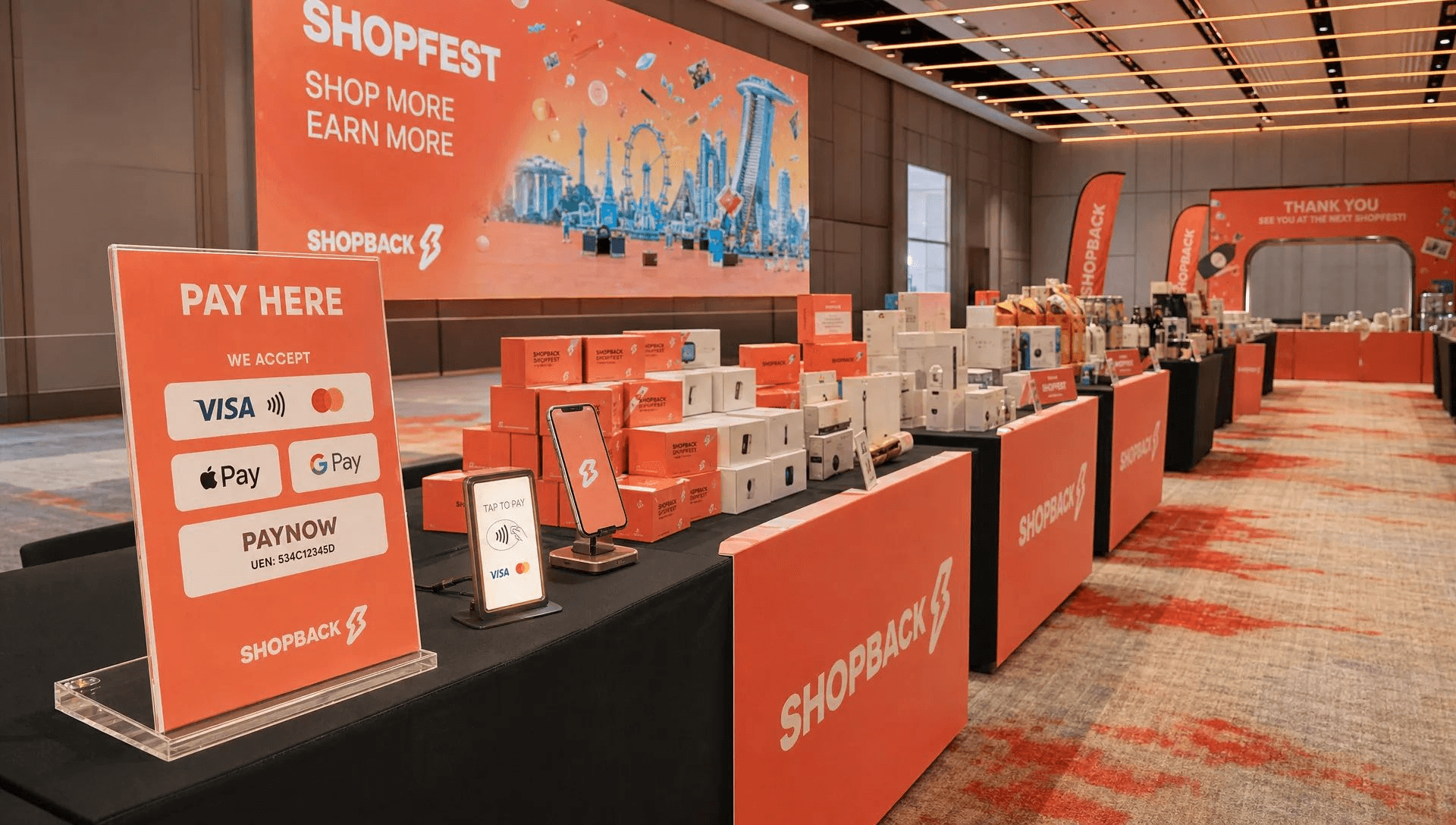
The main ways to accept card payments at a pop-up
Before choosing a setup, be clear on what you actually need. A pop-up selling 30 products over a weekend does not need the same system as a large retail chain. Many micro and small businesses simply need a reliable way to enter an amount, let the customer tap, and confirm payment.
Option | Best for | What to watch |
|---|---|---|
Traditional card terminal | Permanent retail counters or higher-volume stores | Hardware rental, setup time, possible monthly fees, and less flexibility for mobile selling |
Bluetooth card reader | Vendors who want a physical reader but do not need a full terminal | Reader battery, pairing issues, delivery timing, and another device to carry |
Tap to Phone or Tap to Pay on iPhone | Pop-ups, fairs, mobile businesses, and small teams that want no extra hardware | Requires an NFC-enabled smartphone, onboarding, and a stable data connection |
PayNow only | Local customers making bank transfers | Not suitable for tourists or customers without Singapore bank access, and less ideal for some higher-value purchases |
For many pop-up vendors, Tap to Phone is the leanest option. Your phone becomes the card acceptance device. There is no Bluetooth accessory to sync, no plug-in reader, and no countertop terminal to transport.
If you are still planning your full booth payment workflow, including QR placement and backup options, this broader pop-up payment setup guide for Singapore is a useful companion. This article goes deeper into the card acceptance side.
What you need before the pop-up
Card acceptance is simple once it is set up, but you should not leave onboarding until the morning of the event. Even with a fast digital provider, your business still needs to be verified.
For a Tap to Phone setup with nashi, you generally need an Android phone or iPhone XS and newer, a WiFi or mobile data connection, and the required onboarding documents. nashi’s onboarding is done through the app and typically requires your latest ACRA bizfile, IDs of majority shareholders, and a bank statement. Approval is typically within 1 business day, but event vendors should still prepare earlier to avoid last-minute stress.
Here is a practical timeline for pop-up vendors.
When | What to do | Why it matters |
|---|---|---|
1 to 2 weeks before | Choose your payment setup and start onboarding | Gives time to handle verification questions before event week |
3 to 5 days before | Test a small transaction and check your mobile data | Confirms the phone, app, and connection are working |
1 day before | Charge devices, prepare power banks, print or display PayNow QR, and brief staff | Reduces checkout delays and staff confusion |
Event day | Keep the payment phone accessible, use a clear checkout script, and record each sale | Keeps the queue moving and makes reconciliation easier |
If you have multiple staff at a booth, decide who is responsible for taking payment. Do not let every team member improvise their own process. A pop-up can get crowded quickly, and a consistent checkout flow helps prevent mistakes.
How Tap to Phone works at a pop-up
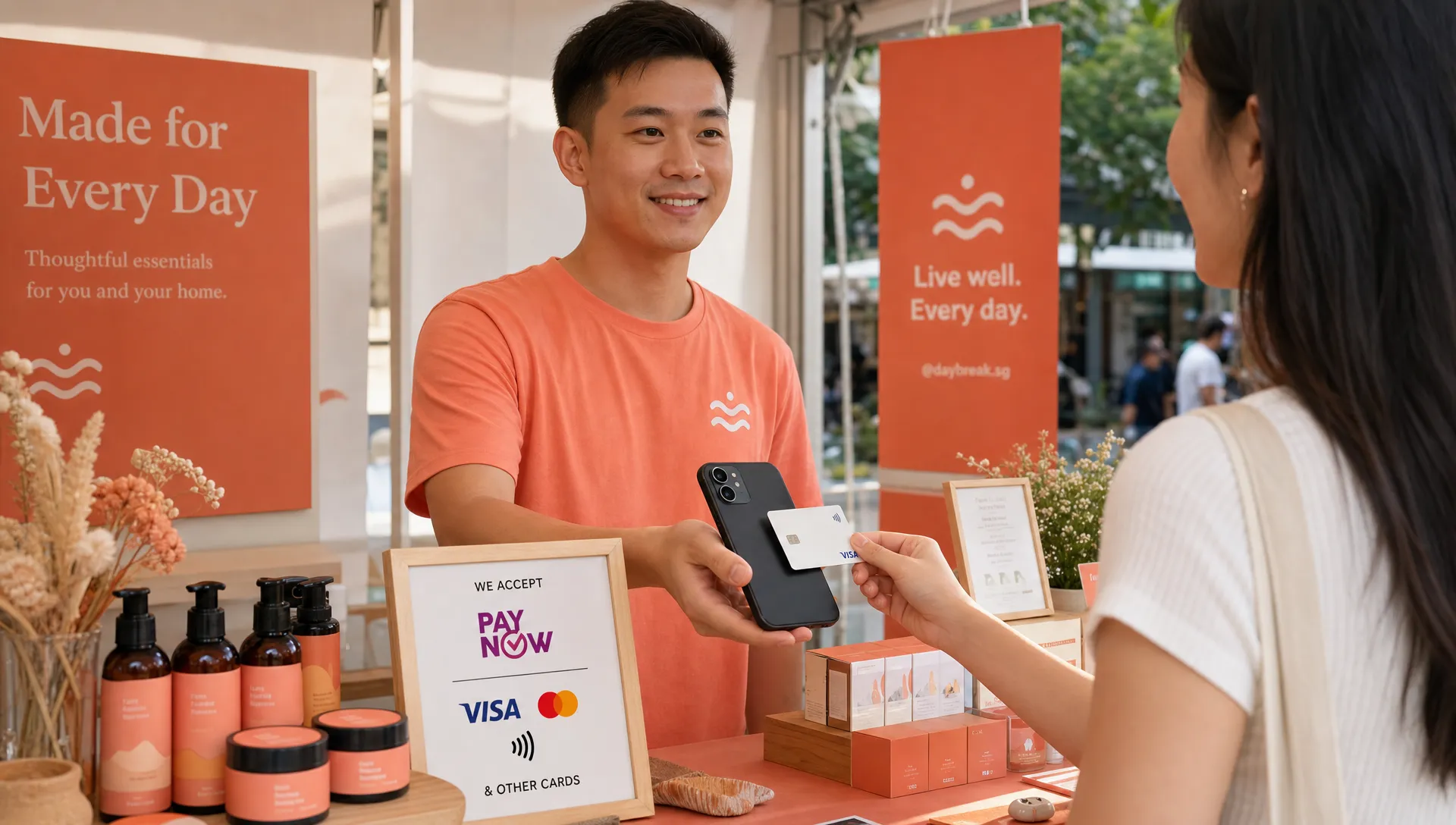
Tap to Phone lets you accept contactless card payments using your smartphone. The customer taps their physical card or mobile wallet on the back of your phone, and you receive confirmation when the payment is approved.
With nashi, the process is intentionally lightweight. You download the app on Android or iPhone, complete digital onboarding, enter the transaction amount, and ask the customer to tap their card or mobile wallet on your phone. nashi supports Visa, Mastercard, and Amex, and on iPhone it supports Tap to Pay on iPhone for compatible devices.
For a pop-up, this matters because every extra piece of hardware is one more thing to forget, charge, sync, pack, or troubleshoot. If you already use your phone for booth communication, product photos, and PayNow checks, adding card acceptance to the same device can make operations simpler.
nashi is also purpose-built for in-person card acceptance. It is not trying to be a full POS suite, inventory system, or e-commerce platform. That is important for small vendors who do not want to spend event week learning software features they will not use.
Step-by-step: Accepting a card payment at your booth
A good checkout flow should feel natural to both you and the customer. The wording can be simple: “You can pay by PayNow or card.” If the customer chooses card, move straight into the card flow.
Open your card acceptance app and enter the final amount.
Confirm the amount aloud with the customer before payment.
Ask the customer to tap their card or mobile wallet on the back of your phone.
Wait for the approval confirmation before handing over the item.
Record the sale in your own order sheet, inventory system, or Shopify store if you use one.
If needed, handle any full or partial refund through your payment app.
The most common mistake is treating payment as an afterthought. At a pop-up, payment is part of the sales experience. Customers should be able to see what methods you accept before they reach checkout, especially if your booth is busy.
Add a small sign that says you accept PayNow and cards. If you accept Amex or mobile wallets, say so clearly only if your provider supports them. Avoid listing payment methods you have not tested.
How to combine card payments with PayNow
PayNow should still be part of your setup. For many Singapore residents, it is the lowest-friction option, especially for lower-value items. Cards become the alternative for customers who prefer card rewards, are using foreign-issued cards, or cannot use PayNow.
A simple booth script works well: “PayNow or card is fine.” This gives the customer choice without making the payment conversation awkward.
You can also decide when to suggest cards more proactively. For example, if a customer is purchasing a higher-value bundle or signing up for a service package, you can mention that card payment is available. This can make the purchase feel more familiar and professional, especially for international customers.
The key is not to route every customer into the most expensive method. Use PayNow where it makes sense, and use card acceptance to capture sales that PayNow alone might miss.
What about Shopify merchants doing pop-ups?
Many Singapore brands use Shopify for their online store, then join fairs, markets, or pop-up events for offline sales. In that case, you may not need a totally separate POS ecosystem. You may want Shopify to remain your product catalogue and inventory source, while using a simple in-person card acceptance tool at the booth.
The practical workflow is to record or manage the sale in Shopify, then collect the card payment through a Tap to Phone app. This is especially useful when Shopify’s own hardware options are not the right fit for your Singapore pop-up setup.
If this is your situation, read the dedicated guide on accepting card payments at a pop-up when you are running Shopify. It covers the two-app workflow in more detail.
Pricing and cash flow considerations
Card payments come with transaction fees. PayNow, when used directly through your bank, is generally free at the transfer level. That means you should understand your margins before deciding how heavily to promote card payments.
For pop-ups selling higher-value goods or services, card fees may be worth it if they help you close more sales. For very low-value, high-volume items, such as S$5 drinks or snacks, fixed per-transaction fees can have a bigger effect on your margins. In those cases, compare providers carefully and keep PayNow visible.
nashi has no additional hardware requirement, no annual contract, and no monthly subscription fees. It charges per transaction. Public pricing may vary by business type and card category, and nashi can discuss pricing based on your industry and business maturity. If your pop-up sales are seasonal or intermittent, avoiding hardware rental and monthly fees can be just as important as the headline transaction rate.
Settlement timing also matters. With nashi, payouts are automatically settled to your bank account in 2 business days. For pop-up vendors, that helps with post-event cash flow planning, supplier payments, and reconciling weekend sales.
Day-of-event tips to avoid checkout friction
The best payment setup is the one your team can use calmly under pressure. Even a simple system can cause delays if nobody has tested it.
Before the doors open, run through the checkout flow once. Make sure your phone has mobile data, the app is logged in, the battery is full, and your power bank is within reach. If the venue WiFi is crowded or unreliable, rely on your own mobile data where possible.
Use clear payment signage. A customer should not have to ask if cards are accepted. Place your sign near the price list or checkout area, not hidden behind products.
Keep your payment phone physically accessible. If it is also your personal phone, avoid burying it under stock, using it for long calls, or handing it to someone who is not trained to take payments.
For busy periods, separate selling from payment where possible. One person can answer product questions while another handles checkout. Even a two-person booth can feel much smoother when roles are clear.
Common mistakes pop-up vendors make with card payments
Small errors can cost real sales during a short event. These are the ones to avoid.
Waiting until event morning to apply for card acceptance.
Assuming PayNow is enough for tourists or foreign customers.
Using a payment method that staff have never tested.
Forgetting to charge the phone or bring a power bank.
Not checking whether Amex or international cards are supported.
Hiding payment signage until the customer asks.
Forgetting to reconcile card transactions against your sales records.
The goal is not to create a complicated payment operation. It is to remove awkward moments at checkout. If the customer is ready to buy, payment should feel like the easiest part of the interaction.
For event organisers: Make payment options part of vendor planning
If you organise pop-ups, payment setup affects more than individual vendor sales. It affects queue management, customer experience, and sometimes revenue tracking, especially where booth fees include a gross turnover component.
A common problem is that every vendor arrives with a different payment setup. Some accept PayNow only. Some take cards with hardware readers. Some use personal bank transfers. Some have no backup when their device fails.
Organisers can improve the experience by recommending a simple baseline: every vendor should have PayNow and a way to accept contactless cards. For smaller vendors, Tap to Phone can be easier to deploy than asking everyone to rent or buy card terminals.
If you are comparing options from the vendor perspective, this guide to the best payment solutions for event vendors in Singapore can help you evaluate what fits your event type.
A simple pop-up card payment checklist
Use this checklist before your next event.
Area | Checklist item |
|---|---|
Onboarding | Card acceptance account approved before event day |
Device | NFC-enabled Android or iPhone XS and newer ready for use |
Connectivity | Mobile data available, with venue WiFi as optional backup |
Power | Phone fully charged, power bank packed, charging cable tested |
Signage | PayNow and card acceptance clearly displayed |
Staff | Team knows the payment script and refund process |
Reconciliation | Sales records can be matched against card and PayNow payments |
If you can tick every box before the event starts, you are in a strong position. Your booth will not only look more professional, it will also be ready for more types of customers.
Frequently Asked Questions
Can I accept card payments at a pop-up without a card reader? Yes. With Tap to Phone or Tap to Pay on iPhone, you can accept contactless cards on a compatible smartphone without a separate card reader or terminal. nashi supports this on Android and iPhone, with iPhone XS and newer required for Tap to Pay on iPhone.
Do I still need PayNow if I accept cards? Yes, for most Singapore pop-ups, offering both is best. PayNow is useful for local customers and lower-cost transfers, while cards help with tourists, higher-value transactions, and customers who prefer card rewards or mobile wallets.
How early should I set up card acceptance before a pop-up? Start at least a few days before the event, ideally 1 to 2 weeks before if it is your first time. nashi onboarding is typically completed within 1 business day, but you should leave time to prepare documents, test payments, and train staff.
Can tourists pay by card at Singapore pop-ups? Yes, if your card acceptance provider supports the customer’s card type. This is one of the biggest reasons pop-up vendors should not rely on PayNow alone, since tourists usually do not have access to Singapore bank transfer systems.
Are card payments worth it if PayNow is cheaper? Often, yes, especially for higher-value products or customers who cannot use PayNow. The question is whether card acceptance helps you close sales you might otherwise lose. For very low-value items, compare transaction fees carefully.
Is nashi a POS system? No. nashi is focused on in-person card acceptance using your phone. It is not a full POS suite, inventory management system, or e-commerce platform. That focus is useful for pop-up vendors who want a simple way to accept cards without extra hardware.
Turn your phone into your pop-up card terminal
If you are preparing for a pop-up in Singapore, do not wait until a customer asks, “Can I pay by card?” Set up card acceptance before the event, keep PayNow as an option, and make checkout feel effortless.
nashi lets micro and small businesses accept contactless card payments on Android and iPhone with no additional terminal, no Bluetooth reader, no annual contract, and no monthly subscription fees. Download the app, complete digital onboarding, and start accepting Visa, Mastercard, Amex, and supported mobile wallet payments directly on your phone.


