
nashi Team
5 min read

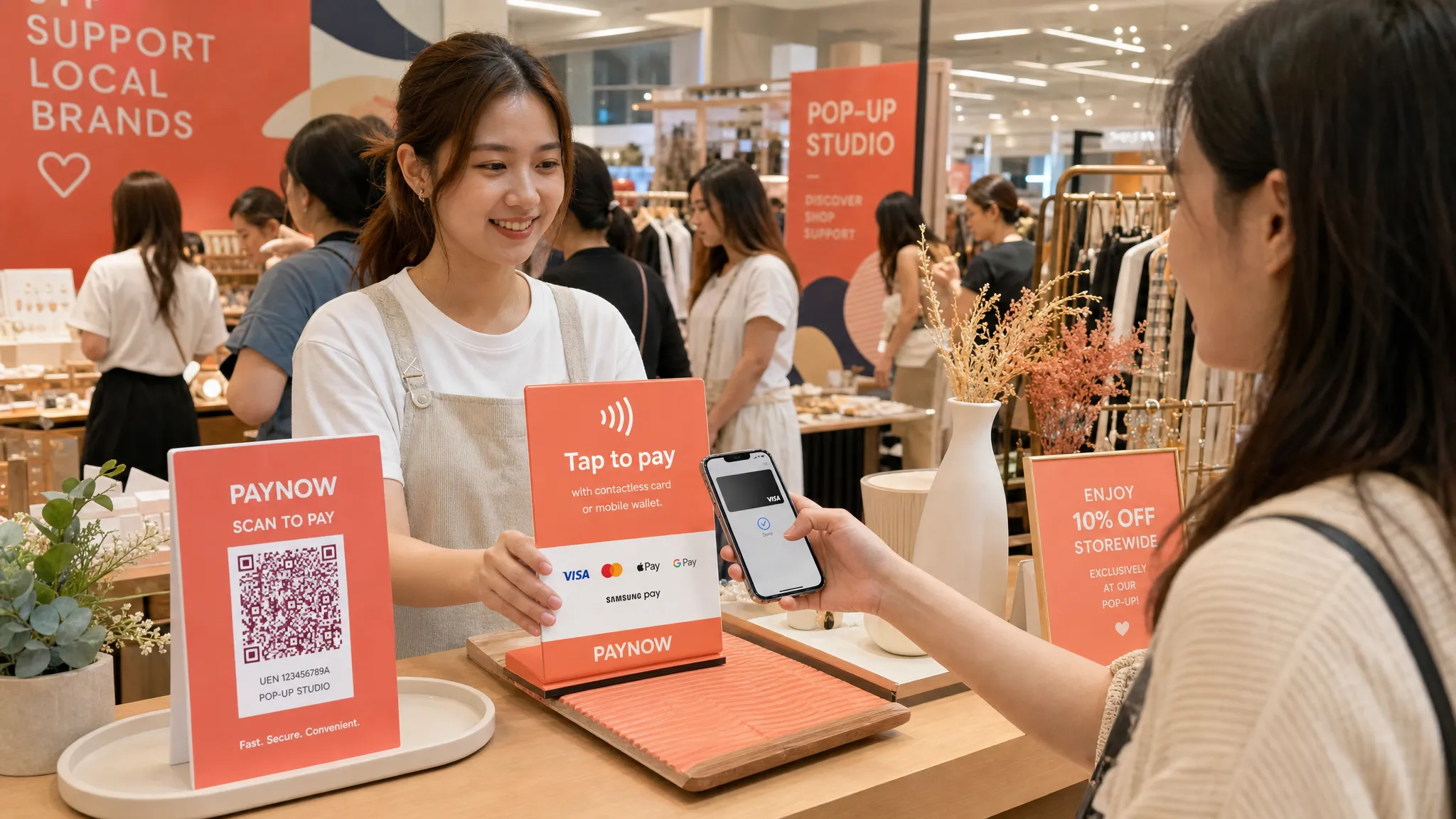
For a pop-up, checkout is not just the last step. It is the moment where a browser becomes a buyer. If payment feels slow, awkward, or limited to one method, people can walk away, especially in a crowded Singapore fair, weekend market, mall atrium, or event booth.
A good pop up payment setup should be simple enough to run from a small table, flexible enough for locals and tourists, and affordable enough that you are not locked into hardware after a two-day event. For most micro and small businesses in Singapore, that means combining PayNow with contactless card acceptance, then preparing your booth so customers know exactly how to pay.
This guide walks through the practical setup, the payment methods to offer, what to test before event day, and when a hardware-free Tap to Phone app like nashi makes sense.
What makes pop up payment different from normal retail checkout?
A permanent shop can justify a fixed counter, a full POS system, and a dedicated payment terminal. A pop-up usually cannot. Your sales window may be one weekend, one market day, or one product launch. You may be sharing a booth, selling from a foldable table, moving between events, or operating with only one or two people.
That changes what “good” looks like. The best pop up payment setup is not necessarily the most feature-rich one. It is the one that lets you take payment quickly, clearly, and reliably with minimal setup.
For Singapore pop-ups, the main requirements are:
Fast checkout when queues build up
Support for PayNow because local customers are used to it
Support for cards and mobile wallets for tourists, expats, and higher-value purchases
Low or no upfront hardware cost
No long-term contract for occasional selling
Easy refunds if an order changes or a customer returns an item
A simple process that temporary staff can learn quickly
If your setup passes those tests, you are already ahead of many pop-up booths that rely on a single QR code and hope every customer can use it.
The simplest payment mix for Singapore pop-ups
For most small businesses, you do not need every payment method under the sun. You need enough choice to avoid losing sales while keeping operations manageable.
Payment method | Best for | Main limitation | Practical pop-up role |
|---|---|---|---|
PayNow / SGQR | Local Singapore customers | Not useful for most tourists without Singapore bank access | Your low-cost default option |
Contactless cards | Tourists, expats, higher-value buyers, corporate cards | Merchant processing fees apply | Essential backup and sales enabler |
Mobile wallets like Apple Pay | Customers who prefer phone or watch payments | Usually works through card acceptance rails | Fast contactless checkout |
Cash | Older customers, backup situations | Change handling, security, reconciliation | Keep a small float only if relevant |
PayNow is excellent in Singapore, especially because it is familiar and usually low-cost when used directly through your bank. The SGQR standard also helps consolidate QR payment acceptance, making it easier for customers to scan one code.
But PayNow alone is not enough for every pop-up. Tourists may not have it. Some shoppers prefer to use a credit card for rewards, buyer protection, or expense claims. For a $180 skincare bundle, a $600 rug cleaning package sold at a home fair, or a private transport booking for visiting relatives, card acceptance can be the difference between “I’ll think about it” and “I’ll pay now.”
The goal is not to replace PayNow. It is to offer PayNow plus cards, then let the customer choose.
Step-by-step pop up payment setup before your event
Step 1: Confirm the event organiser’s requirements
Before choosing tools, ask the organiser what is required. Some Singapore event organisers have specific rules for signage, booth layout, receipts, power usage, WiFi, or gross turnover reporting. If you are selling at a mall atrium or curated fair, there may also be restrictions on where you can place QR codes or payment signage.
Clarify these points early:
Whether mobile data is reliable at the venue
Whether shared WiFi is available for merchants
Whether you need to report daily sales to the organiser
Whether the organiser requires printed receipts or order records
Whether power sockets are provided or chargeable
Whether your booth can display payment logos and QR codes
If the event uses a gross turnover rent model, keep your own clean record of payments by method. Even a simple spreadsheet or daily sales log can save time when reconciling after a busy weekend.
Step 2: Set up PayNow for local customers
If your business is registered in Singapore, PayNow Corporate through your bank is usually the simplest way to receive bank transfers. You can create a PayNow QR code linked to your UEN and display it at checkout.
For pop-ups, your PayNow QR should be:
Printed large enough to scan from a short distance
Laminated or placed in an acrylic stand
Displayed near the payment area, not hidden behind products
Tested using more than one phone before the event
Labelled with your business name so customers can verify the payee
A static PayNow QR is often enough for small booths, but it requires the customer to type in the amount. If you are selling many similarly priced items, that may be fine. If you sell custom bundles or higher-ticket services, make sure your staff confirm the amount clearly before asking the customer to pay.
For a deeper setup walkthrough, see nashi’s guide to creating a PayNow UEN QR code.
Step 3: Add card acceptance without buying a terminal
Traditional card terminals can be useful for permanent shops, but they are often too heavy for pop-ups. You may need to rent or buy hardware, wait for delivery, charge the device, pair it with Bluetooth, and return or store it after the event.
Tap to Phone changes that. It turns an NFC-enabled smartphone into a contactless payment terminal, so customers can tap a card or mobile wallet directly on your phone. On iPhone, this is commonly known as Tap to Pay on iPhone.
With nashi, Singapore micro and small businesses can accept in-person contactless card payments using an Android phone or iPhone XS and newer, without an additional terminal or card reader. nashi accepts Visa, Mastercard, and AMEX, and supports Apple Pay on iPhone. It is PCI-DSS compliant and powered by Adyen’s payment infrastructure.
The setup is designed for small businesses that want to get going without complex POS software. You download the nashi app, complete digital onboarding in the app, and provide the required documents such as your latest ACRA bizfile, IDs of majority shareholders, and a bank statement. Approval is typically within 1 business day.
Once approved, the payment flow is simple: open the app, enter the amount, ask the customer to tap their card or mobile wallet on your phone, then wait for the real-time confirmation. Settlements are automatically paid to your bank account in 2 business days, and full or partial refunds can be issued through the app.
You can learn more about nashi’s iPhone setup on the Tap to Pay on iPhone Singapore page.
Step 4: Prepare payment signage before the pop-up
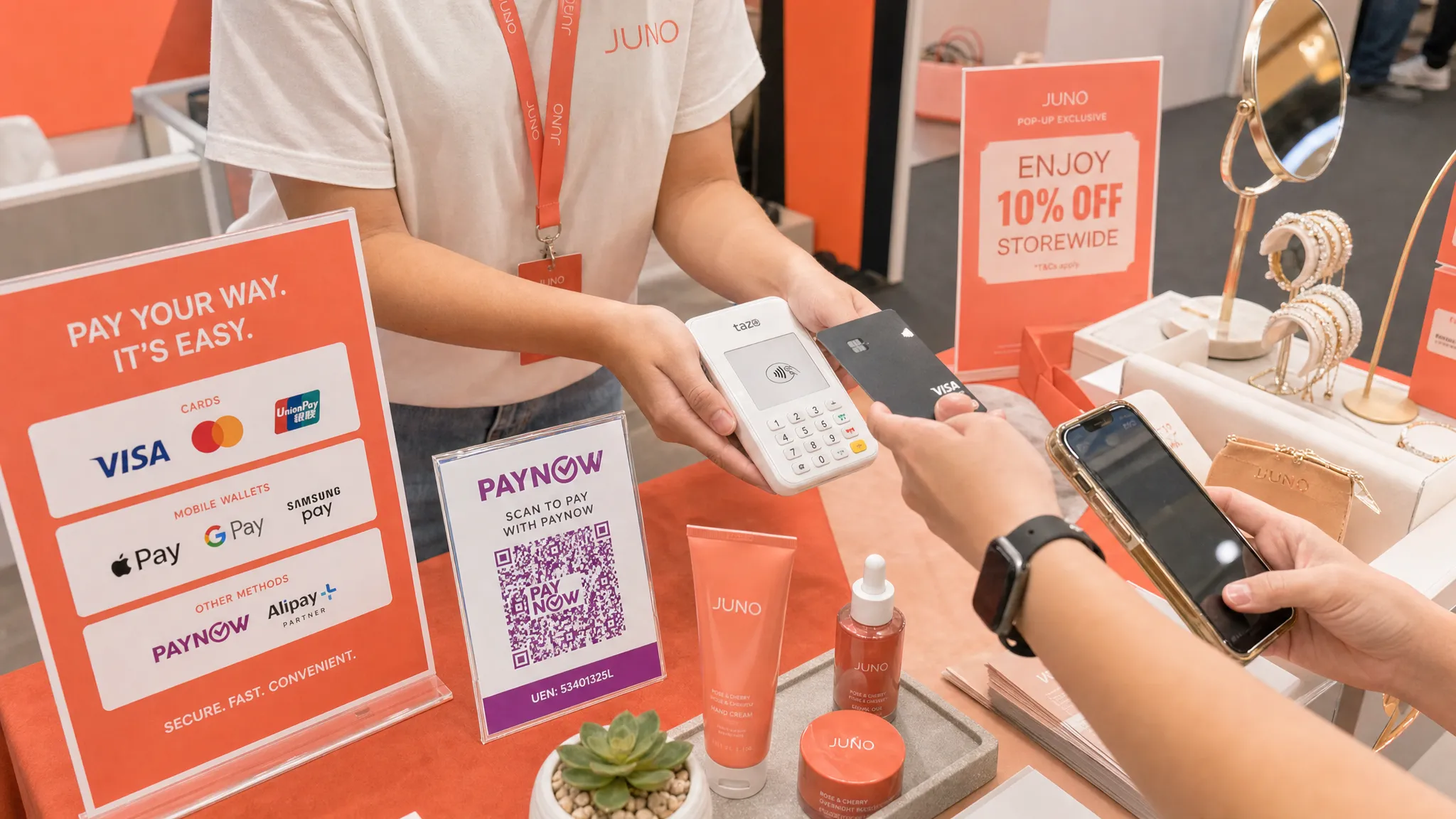
Customers should not need to ask, “Can pay by card?” or “Do you take PayNow?” Clear signage reduces hesitation and speeds up checkout.
A simple sign can say:
We accept PayNow, Visa, Mastercard, AMEX, and Apple Pay.
If your booth serves many tourists, place the card logos higher and make them visible from the front of the booth. If your booth mainly serves local residents, put the PayNow QR near the cashier area and card acceptance signage beside it.
Avoid cluttering your table with too many payment stickers or handwritten notes. One clean payment sign and one clear QR code are usually enough.
Step 5: Test the full checkout flow
Do not wait until the first customer is standing in front of you. Test your payment setup at least one or two days before the event.
Test these scenarios:
A PayNow transfer with the correct business name shown
A contactless card payment for a small amount
A mobile wallet tap if you expect Apple Pay users
A refund flow, if your provider supports refunds in-app
Mobile data at or near the venue, if possible
Phone battery drain after repeated usage
Also test the human side. Staff should know what to say when the customer asks to pay by card, how to hold the phone for tapping, what confirmation screen to look for, and what to do if a payment fails.
Cost considerations for pop-up sellers
The cheapest-looking payment option is not always the cheapest overall. A terminal with monthly rental can be expensive if you only sell a few days a month. A full POS system may include inventory features you do not use. A card reader may have no subscription, but still require hardware purchase, pairing, charging, and troubleshooting.
When comparing pop up payment options, look at total cost and operational fit.
Cost factor | Why it matters for pop-ups | What to look for |
|---|---|---|
Setup fee | A one-off event may not justify upfront cost | Prefer $0 setup where possible |
Monthly fee | Hurts seasonal or intermittent sellers | Avoid subscriptions unless you use the system weekly |
Hardware cost | Terminals can be lost, damaged, or underused | Consider phone-based acceptance |
Transaction fee | Affects margin on every sale | Compare by local card, international card, and AMEX |
Fixed per-transaction fee | Can be costly for low-ticket items | Watch this carefully for $5 to $10 purchases |
Settlement timing | Affects cash flow after the event | Know when funds reach your bank account |
Refund handling | Important for changes and returns | Check whether partial refunds are supported |
For very low-value F&B items, such as $5 coffees, card fees and fixed transaction costs can eat into margins. In that case, PayNow or cash may remain your main payment methods, with cards offered only when customers buy larger bundles or insist on card.
For higher-value retail, beauty, wellness, tuition, transport, home services, and wholesale orders, card acceptance is often much easier to justify. Customers expect to use cards for larger amounts, and the ability to accept card payment on the spot can reduce follow-up chasing.
nashi has no monthly subscription fees, no annual contracts, and no extra hardware requirement. It also offers a free trial of up to $1,000 in fee-free transactions, which can be useful if you are testing your first pop-up or trying card acceptance for the first time.
A practical event-day checkout workflow
On the day itself, the best payment setup is the one your team can repeat under pressure. Keep it simple.
A clean checkout flow looks like this:
Confirm the order and total amount aloud.
Ask, “Would you like to pay by PayNow or card?”
If PayNow, point to the QR code and ask the customer to show confirmation.
If card, enter the amount in your payment app and ask the customer to tap.
Wait for payment confirmation before packing or handing over the item.
Record the sale in your own sales tracker if needed.
That last step matters. A payment app confirms the transaction, but you may still want your own sales record for stock, event reporting, GST accounting, or simple reconciliation. If you do not use a full POS, a spreadsheet, notebook, or order form can be enough.
For busy booths, separate the “browse and explain” area from the “pay and collect” area if space allows. Even a small sign that says “Pay here” can stop customers from blocking your product display.
Common pop-up scenarios in Singapore
Different pop-ups have different payment needs. Here is how to think about your setup.
Business type | Payment priority | Recommended setup |
|---|---|---|
Handmade goods or lifestyle retail | Fast checkout and impulse purchases | PayNow plus contactless cards |
Skincare, fragrance, wellness, or beauty | Higher basket sizes and tourist buyers | Cards, Apple Pay, and PayNow |
Art fairs or designer products | High-value payments and customer trust | Card acceptance as a must-have |
Tuition, coaching, or workshops | Deposits and package payments | Card acceptance plus PayNow |
Home services at fairs | Booking deposits on the spot | Tap to Phone for cards, PayNow for locals |
Food and drinks | Speed and low-ticket cost control | PayNow first, cards for larger orders if margin allows |
Tourist-facing booths | International payment access | Cards and mobile wallets are essential |
If you serve tourists or expats, do not rely on PayNow alone. Many international visitors will expect to tap a Visa, Mastercard, AMEX, or mobile wallet. They may not carry much cash, and they typically cannot use local bank transfer methods.
If your booth sells to Singapore residents only, PayNow may handle a large share of transactions. But card acceptance still gives customers choice, especially for larger purchases or business expense payments.
Do you need a full POS system for a pop-up?
Sometimes, yes. If you need inventory management, SKU tracking, staff permissions, e-commerce syncing, loyalty points, table management, or kitchen order tickets, a full POS may be worth it.
But many pop-ups do not need that. They simply need to accept payment in person. If your stock list is short, your event is temporary, and your team is small, a full POS can add unnecessary cost and learning curve.
This is where a focused card acceptance app can be a better fit. nashi is not a full POS suite, and it is not trying to be one. It is purpose-built for in-person card acceptance on a phone. For micro and small businesses that already track stock separately or only sell occasionally, that simplicity is the point.
A useful rule is this: if your biggest problem is managing products, orders, and inventory, look at POS software. If your biggest problem is accepting cards without a terminal, look at Tap to Phone.
Your 7-day pop-up payment checklist
If your event is coming up soon, use this simple timeline.
Timing | What to do |
|---|---|
7 days before | Confirm event rules, WiFi, power, and reporting requirements. |
5 days before | Set up or test your PayNow QR code and check the payee name. |
3 to 5 days before | Apply for card acceptance if you do not already have it. |
2 days before | Test PayNow, card tap, mobile wallet tap, and refunds. |
1 day before | Charge phones, prepare power banks, print signage, and pack QR stands. |
Event morning | Check mobile data, open your payment app, and run a low-value test if appropriate. |
After the event | Reconcile PayNow, card payments, cash, refunds, and sales records. |
The most common mistake is leaving payment setup until the night before. Even if onboarding is fast, you still need time to test the flow and make sure your team is comfortable.
Frequently Asked Questions
What is the best pop up payment setup in Singapore? For most small businesses, the best setup is PayNow for local bank transfers plus contactless card acceptance for customers who prefer cards, mobile wallets, or do not have access to PayNow. This gives you broad coverage without needing a full POS system.
Can I accept card payments at a pop-up without a card terminal? Yes. With Tap to Phone technology, you can accept contactless card payments using an NFC-enabled smartphone. nashi supports Android and iPhone XS and newer, with no additional card reader or terminal required.
Is PayNow enough for a Singapore pop-up? PayNow is a strong default for local customers, but it is not enough if you serve tourists, expats, corporate buyers, or customers who prefer credit cards for rewards and protection. Offering both PayNow and cards is usually more practical.
How early should I set up payments before a pop-up? Ideally, start at least 5 to 7 days before the event. This gives you time to complete onboarding, print signage, test your QR code, test card payments, and prepare backup power or mobile data.
Do pop-up sellers need a full POS system? Not always. If you need inventory, SKU management, loyalty, or online store syncing, a POS may help. If you mainly need to accept in-person payments, PayNow plus a Tap to Phone card acceptance app may be simpler.
What should I do if mobile data is weak at the venue? Test reception before the event if possible, bring a second phone on another network, ask the organiser about merchant WiFi, and keep a small cash float as a backup. Payment reliability is part of booth preparation.
Make your next pop-up easier to pay at
A strong pop up payment setup does not need to be complicated. For Singapore small businesses, the winning formula is usually simple: keep PayNow, add card acceptance, display clear signage, and test everything before customers arrive.
If you want to accept Visa, Mastercard, AMEX, and Apple Pay using the phone you already have, nashi is built for exactly that. No terminal, no Bluetooth reader, no monthly subscription, and no annual contract.
Download nashi, complete digital onboarding in the app, and start accepting in-person card payments once approved. Visit nashi to get started.


