
nashi Team
5 min read

From Pasar Malam night markets to curated design fairs and weekend bazaars, event vending in Singapore is thriving. Independent sellers operating outside permanent retail are more common than at any point in the last decade. Singapore hosts hundreds of pop-up events annually--craft fairs, food markets, bazaars, and trade-specific expos. Each one draws crowds that expect to pay the modern way.
The payment problem is real. Most Singapore shoppers do not carry cash. Credit cards account for 34% of in-person transactions in Singapore in 2026, with digital wallets and QR payments close behind. Vendors who cannot accept either lose sales to the next stall that can.
This guide covers the best payment solutions for event vendors in Singapore. Whether you sell at a craft fair, food market, or weekend bazaar, this guide covers your options.
What are the best payment solutions for event vendors in Singapore?
nashi is the strongest option for mobile card acceptance. No hardware, no monthly fee, and approved in one business day. DBS MAX suits merchants already banking with DBS who want cards and PayNow in a single app. PayNow via your bank account is a free, essential tool for reaching local shoppers who pay through Singapore bank apps.
Solution | Card Acceptance | PayNow | Starting Fee | Free Trial |
|---|---|---|---|---|
nashi | Visa, MC, Amex | No (use bank separately) | From 1.99% + $0.30 | Yes, up to $1,000 |
DBS MAX | Visa, MC (no Amex) | Yes (0.25%) | 2.50% for cards | No |
PayNow via bank | No | Yes (free) | Free | N/A |
1. nashi: Mobile card acceptance, no hardware required
Disclosure: nashi is our own product. We've included it because we believe it genuinely belongs on this list, but you should know we're not a neutral party.
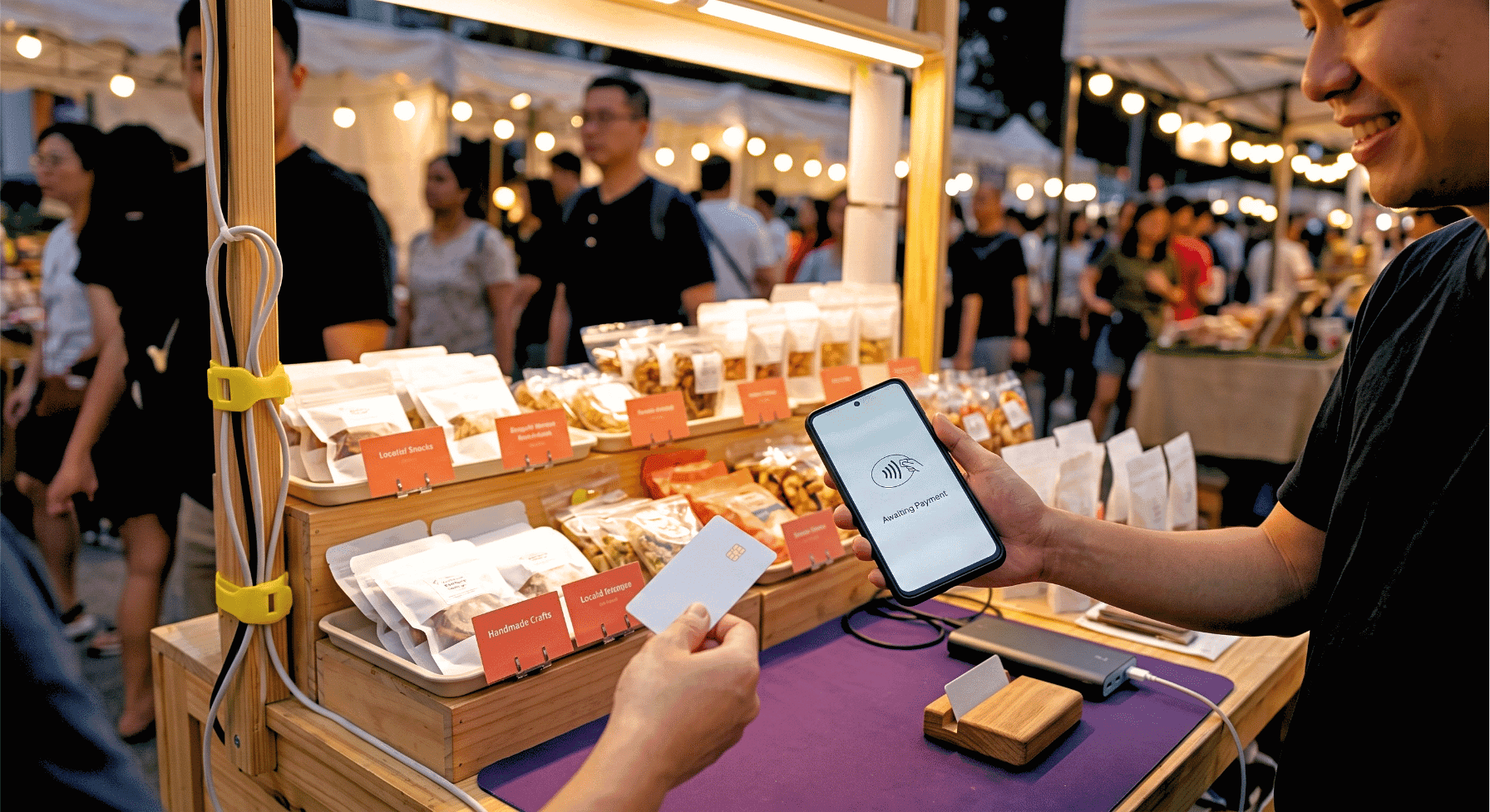
nashi turns any NFC-enabled Android phone into a card terminal. No card reader, no Bluetooth device, no monthly subscription. For event vendors who need to stay mobile, it is the most practical card acceptance option in Singapore.
Rates start from 1.99% + $0.30 for Singapore-issued Visa and Mastercard. Amex and international cards are accepted at 3.3% + $0.30. That matters at events drawing expats, tourists, or corporate spenders. This group skews heavily toward Amex and foreign-issued cards.
Onboarding is fully digital and typically completed within one business day. No paper forms, no bank account prerequisites, no hardware to order. Settlements reach your bank account within two business days.
Key features
Tap to Phone on any NFC-enabled Android device (no extra hardware)
Accepts Visa, Mastercard, and Amex
Fully digital KYC (typically approved in one business day)
Automatic payouts to bank account in 2 business days
Full and partial refunds through the app
No hardware, no monthly fees, no lock-in contract
Free trial: up to $1,000 in fee-free transactions
Pricing
Singapore Visa / Mastercard: from 1.99% + $0.30 (eligible segments)
Amex and international cards: 3.3% + $0.30
Standard list pricing: 2.4% for new-to-cards merchants; 2.7% for all others
No setup fee, no monthly fee
Contact nashi directly to discuss pricing for your business category
Pros & cons
Pros:
No hardware to buy, carry, charge, or troubleshoot at a booth
Lowest starting rate for card acceptance in Singapore
Accepts Amex; rare among Singapore mobile payment tools
One-day digital onboarding; no paperwork or branch visits required
Free trial covering up to $1,000 in fee-free transactions
Cons:
Android only for now (iPhone Tap to Pay support is coming soon)
No built-in PayNow QR (use your bank app separately)
No inventory management or loyalty features built in
Customers
nashi is built for sole proprietors and small businesses with fewer than ten employees. Early adopters include fragrance and skincare brands, personal trainers, private tutors, and pop-up operators across Singapore. For vendors starting from scratch, it is the fastest, lowest-cost path to card acceptance at any Singapore stall or booth.
2. DBS MAX: Cards and PayNow in one app, for DBS business account holders
DBS MAX is DBS Bank's cashless collections platform for Singapore merchants. In June 2026, DBS added Tap-to-Phone capability to the platform. Merchants with a DBS business account can now accept contactless cards directly on an Android phone--no physical terminal required.
PayNow QR is included alongside card acceptance by default. The card rate is 2.50% for contactless payments, including Apple Pay and Google Pay. PayNow transactions through the DBS MAX platform are charged at 0.25%. Standard PayNow via your DBS bank app is free.
DBS MAX is only available to merchants registered on IDEAL, DBS's corporate banking platform. If you already bank with DBS, the app setup costs nothing. If you don't have a DBS business account, you will need to open one before accessing the platform.
Key features
Tap-to-Phone on Android for contactless card acceptance (Visa, Mastercard)
PayNow QR built in alongside card acceptance
Apple Pay and Google Pay supported
Transactions managed via DBS IDEAL
T+1 settlement for cards; same-day settlement for PayNow
Pricing
Contactless card Tap-to-Phone: 2.50%
PayNow QR via DBS MAX platform: 0.25%
Zero app setup cost for existing DBS business account holders
Amex: not supported
Card transactions: void-only before 10pm on the day (no post-event refunds)
Pros & cons
Pros:
Cards and PayNow in one app; fewer tools at the booth
Competitive 2.50% card rate for contactless payments
T+1 card settlement--funds arrive the next working day
Zero setup cost for existing DBS business account holders
Bank-backed platform with strong institutional credibility
Cons:
Requires an active DBS business banking account; not available to all merchants
Amex not supported
Card transactions cannot be refunded post-event; only voided before 10pm on the day
Android only for card acceptance
PayNow through MAX costs 0.25%; standard bank PayNow acceptance is free
Customers
DBS MAX suits event vendors who already hold a DBS business bank account. It offers a clean, consolidated setup for card and PayNow in one place. For merchants not on DBS, opening a business account first takes additional time. The no-refund limitation on card transactions is also worth weighing before committing.
3. PayNow via your bank account: Free QR payments, essential at every event
PayNow is Singapore's real-time bank transfer scheme. Any merchant with a Singapore bank account can accept PayNow for free. There are no transaction fees, no monthly costs, and no equipment beyond your bank's mobile app.
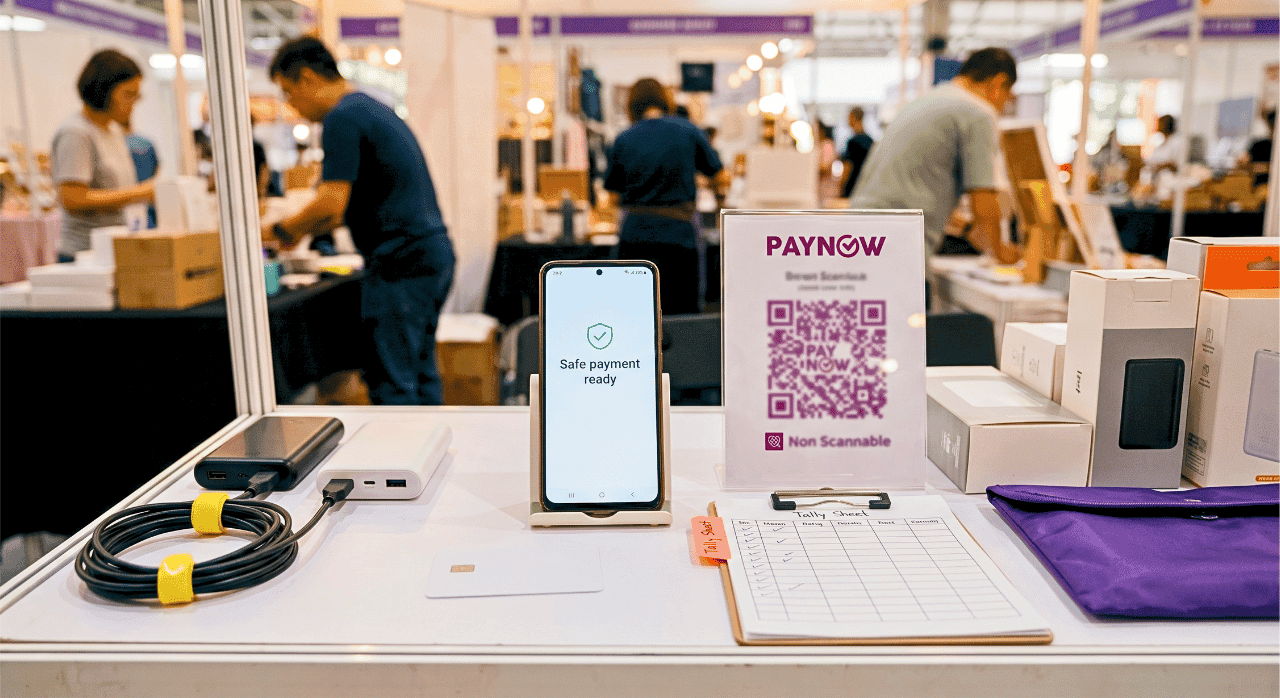
Your bank generates a static PayNow QR code you can print and display at your booth. Shoppers scan it using their own bank app, enter the amount, and confirm. Funds settle to your account immediately or within the same business day, depending on your bank.
PayNow only works for customers with a Singapore bank account. International visitors and expat cardholders cannot use it. That is why successful event vendors pair PayNow with a card tool--they are complements, not alternatives. Cards cover tourists and expats who bank outside Singapore. PayNow covers local shoppers transacting through their Singapore bank apps.
How to set up PayNow for your booth
Log in to your bank's mobile or internet banking app. Go to the PayNow or merchant QR section. Generate your QR code, save it, and print it before the event.
At the booth, display the QR at a size clearly visible from arm's reach. Consider laminating it. Spills and crowded stalls are common at Singapore events. Keep your phone nearby to confirm incoming payment notifications between sales.
For high-traffic booths, consider a dedicated device for PayNow confirmations. Switching between screens during a queue costs you time and attention. A separate display showing incoming transfers keeps the checkout flow clean.
PayNow QR codes are linked to a specific bank account. If you have multiple business accounts, confirm which account receives the transfers before printing. Generating the wrong QR, and only realising after the event, means lost reconciliation time and potential missed payments.
Key facts
Free for merchants: Zero transaction fee to receive PayNow
Works across DBS, OCBC, UOB, Standard Chartered, and most Singapore banks
Immediate settlement for most bank-to-bank transfers
Cannot be used by customers without a Singapore bank account
Essential complement to any card acceptance tool (not a substitute)
Practical tips for event vendor payment setup
Set up at least five business days before the event
nashi's digital onboarding typically takes one business day. DBS MAX requires an existing DBS business account, which takes longer if you are not already a customer. Leaving payment setup to the day before is the most common mistake event vendors make. Give yourself a buffer, and test a live transaction before event day. Approval issues caught a few days early are manageable. The same issues found the morning of the event are not.
Carry at least two portable chargers
Running a payment app drains your phone faster than normal use. Your phone is your cash register at the event. A dead battery is a closed stall. Bring two portable chargers rated for a full day of use. Keep at least one connected throughout the selling day.
Run a test transaction at home before the event
Tap a contactless card on your phone to verify NFC is working. Confirm the payment processes and that a notification appears. Problems found at home take minutes to resolve. The same problem discovered mid-queue costs you a line of customers.
Accept both cards and PayNow
Local shoppers increasingly prefer PayNow for smaller amounts. Expat visitors and tourists almost always pay by card. Singapore's 2026 payment data shows both behaviours are common in equal measure. Covering both removes friction for every shopper, regardless of their preferred method.
Know your refund policy before it comes up
nashi supports full and partial refunds through the app. DBS MAX allows voids only--and only before 10pm on the same day, not after the event ends. Knowing this before a customer asks for a return prevents an awkward conversation at the booth.
Collect customer contact details at the event
Card payments through nashi confirm instantly. But there is no built-in way to follow up with buyers after the event. Consider keeping a simple paper sign-up sheet at the booth. Ask buyers if they'd like to be notified about your next event or new product launch. Most buyers who stop at your booth are genuinely interested. A short follow-up list is one of the most underused tools in event selling.
Frequently asked questions
What payment methods do Singapore event shoppers use most?
Cards and PayNow are the two dominant methods. In 2026, credit cards account for around 34% of in-person Singapore transactions, with digital wallets and QR payments close behind. Cash usage at Singapore events has declined sharply. Vendors who accept both cards and PayNow cover the vast majority of shoppers they will encounter.
Do I need a card reader or physical terminal at an event?
No. Tap to Phone apps use the NFC chip built into your Android to accept contactless Visa, Mastercard, and Amex. No card reader, no Bluetooth terminal, no hardware to buy or carry. For event vendors working from a small booth, it removes one more item from your setup list.
How quickly can I get set up with nashi?
nashi's digital onboarding is typically completed within one business day. You submit documents through the app and receive approval without visiting a bank branch or mailing any paperwork. Apply at least three to five business days before your event. This leaves buffer time for approval and a live test transaction before the day itself.
Can I accept Amex at Singapore events?
Yes. Through nashi, at 3.3% + $0.30 per transaction. DBS MAX does not support Amex. Events that draw international tourists, expats, or corporate spenders tend to see higher Amex usage. Not accepting it means turning away some of your highest-spending potential customers.
Is PayNow free for merchants to accept?
Yes. Accepting PayNow through your bank's standard mobile banking app is completely free. No transaction fee, no monthly cost. DBS MAX charges 0.25% for PayNow processed through its platform specifically. Use your bank's free PayNow QR for standard event use.
What if my phone battery dies mid-event?
Keep a portable charger connected during the event. nashi saves all transaction records in the dashboard even if your phone restarts. If the device dies before a sale is recorded, note the customer amount manually on paper. Reconcile everything from the nashi dashboard once you are back online--completed transactions will all be there, accurately recorded.
Can I run nashi and PayNow at the same booth?
Yes, and this is the recommended setup for most event vendors. nashi handles card payments. A PayNow QR from your bank handles local bank transfers. They operate independently and require no integration. Together, they cover every shopper you are likely to encounter.
What types of events in Singapore need card payment solutions?
Any event where customers are not carrying cash. This includes craft fairs, design markets, food bazaars, pop-up lifestyle events, trade expos, charity sales, and community fair days. Singapore's increasingly cashless consumer base means card acceptance is now a baseline expectation at all of these. Even charity and community events have moved toward card terminals--a trend that has accelerated significantly since 2023.
Conclusion: Cards and PayNow, sorted before the event
For most Singapore event vendors, the practical setup is clear. Use nashi for card payments, like Visa, Mastercard, and Amex, with no hardware and no monthly fee. Display a PayNow QR from your bank account for local shoppers. Together, they cover every customer you will encounter at a market, fair, or bazaar.
DBS MAX is a strong option if you already hold a DBS business account. It combines PayNow and card acceptance in a single app, with T+1 settlement and a competitive 2.50% card rate. The key trade-off: card transactions cannot be refunded after the event day ends, and Amex is not supported.
Merchants not yet banking with DBS will need to open a business account before using MAX. Factor that setup time into planning for your first event.
Sort your payment setup before the event--not on setup day, and certainly not the morning of. Try nashi free with up to $1,000 in fee-free transactions. Arrive at your next event ready to take every card.


