
nashi Team
5 min read

You built your Shopify store. You booked a pop-up. Then you realised your online checkout does nothing for the customer standing in front of you.
Shopify's own tools work — but the rates on the Basic plan bite. A $120 card sale costs $4.10 in fees with Shopify Payments. At a full-day market, that difference compounds fast across dozens of transactions.
The right payment setup for a Singapore pop-up or event isn't obvious. It depends on your Shopify plan, your transaction volume, and how tightly you want to stay inside Shopify's ecosystem. This guide compares the four strongest options so you can decide before you show up.
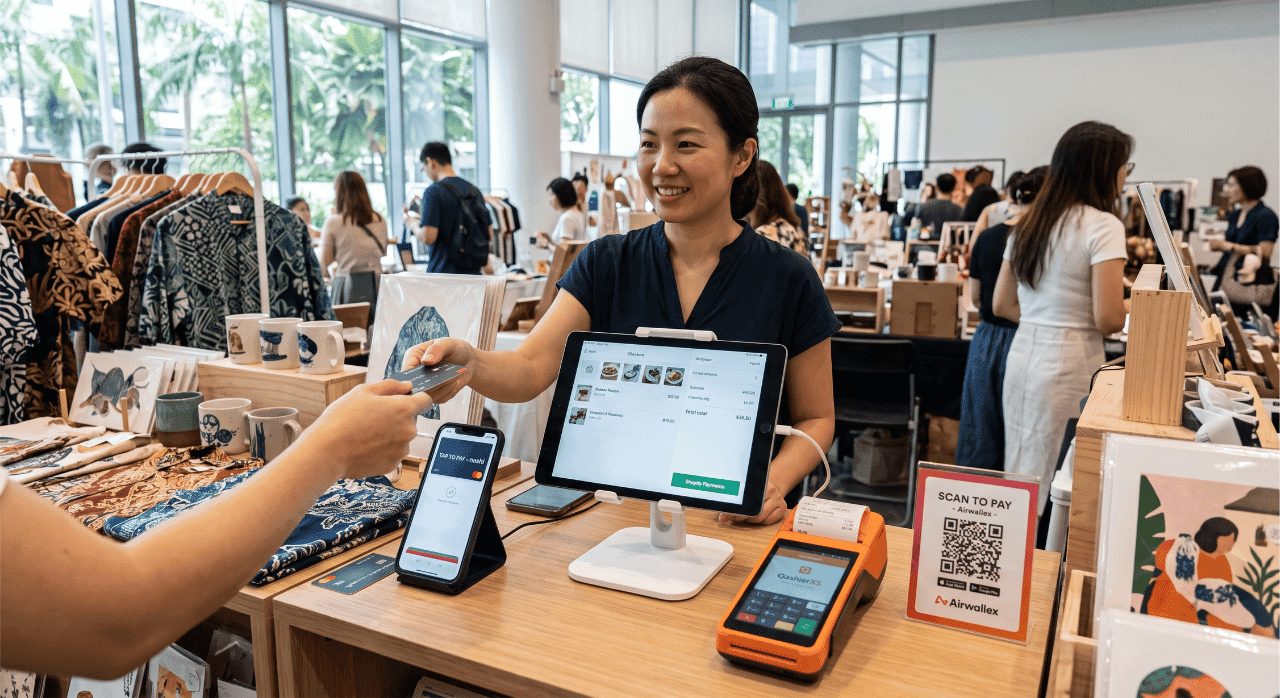
What are the best Shopify payment alternatives for pop-ups and events?
Each option below fits a different merchant type. nashi suits fee-sensitive merchants who want no hardware and the lowest per-transaction cost. Shopify Payments suits merchants who want everything inside one app.
Qashier suits merchants who want a purpose-built event POS with inventory tracking. Airwallex suits merchants who prefer payment links or already manage multi-currency sales online.
Platform | Starting Transaction Rate | Best For | Key Feature | Free Trial |
|---|---|---|---|---|
nashi | From 1.99% + $0.30 | Lowest fees, no hardware | Tap to Phone, Shopify POS custom payment | Up to $1,000 fee-free |
Shopify Payments | From 3% + $0.50 (Basic) | Integrated Shopify workflow | One-app checkout, real-time inventory sync | No |
Qashier | From 1.8% card MDR + $5/day software | Full event POS | Portable terminal, events specialist | No |
Airwallex | Custom pricing | Online-to-offline merchants | Payment links + in-person POS | No |
1. nashi: Lowest rates, no hardware, works inside Shopify POS
Fair warning: nashi is our own product. We've included it because we believe the rates and setup genuinely suit Shopify merchants at pop-ups — but decide for yourself based on what follows.
nashi turns any NFC-enabled Android phone into a contactless card terminal. There's no Bluetooth reader to order and no hardware rental. You download the app, complete digital KYC, and get approved within one business day.
At pop-ups, nashi works alongside Shopify POS Lite as a custom payment method. You process the card on nashi, then record the sale in Shopify POS as a custom payment. Shopify logs the order and deducts inventory. No Shopify transaction fee applies — the payment never flowed through Shopify's system.
Singapore pop-up shoppers increasingly pay by contactless card. Expats, tourists, and corporate buyers default to tap. nashi handles Visa, Mastercard, and Amex across all of them.
Why it stands out
nashi runs on enterprise-grade infrastructure — Adyen powers the backend. That means network reliability and security without enterprise pricing or sales-led onboarding.
Setup time matters more than merchants realise before their first pop-up. Discovering the night before that your card reader hasn't arrived is a real problem. nashi approves accounts in a day, with nothing to ship.
New merchants also get a fee-free trial covering up to $1,000 in transactions. That covers a full small pop-up before any rate applies.
What you’ll pay
Card Type | Rate |
|---|---|
Singapore Visa / Mastercard (Starter) | 1.99% + $0.30 |
Singapore Visa / Mastercard (Standard) | 2.7% + $0.30 |
Amex / International Visa / Mastercard | 3.3% + $0.30 |
No monthly fee. No setup fee. No GST added on top. On a $120 sale at the Starter rate, fees come to $2.69. Shopify Payments on the Basic plan charges $4.10 for the same transaction — a $1.41 difference per sale.
Across a 40-transaction pop-up, that difference is $56.40 saved. Across a 10-event year, it's over $500 in lower fees.
The trade-offs
Strengths: Lowest published in-person card rates in Singapore. No hardware cost or rental. One-day approval. Amex accepted. Fee-free trial for new merchants. No Shopify transaction fee when used as a custom payment.
Limitations: The checkout runs across two apps: nashi processes the card, Shopify POS records the sale. At a busy booth, the extra step adds roughly ten seconds per transaction.
Who it’s built for
Shopify merchants on the Basic plan who do occasional pop-ups. Merchants selling at Singapore markets, fairs, boutique events, and design festivals. Anyone who wants to cut per-transaction fees without locking into a monthly software subscription.
If fee savings matter more than single-app simplicity, nashi is the clear choice.

2. Shopify Payments via Shopify POS: The fully integrated option
Shopify Payments for POS launched in Singapore for eligible merchants. It's the integrated route — one app covers payment processing and inventory, with no reconciliation required after the event.
Tap to Pay on Android turns your NFC-enabled phone into a contactless terminal with no card reader needed. The customer taps, the sale records in Shopify instantly, and inventory adjusts across all your channels.
The trade-off is the rate — and it's material on entry-level plans.
Why it stands out
Everything stays inside Shopify. Your product catalog, order history, inventory levels, and card payment records all update in real time without a separate step. There's nothing to export or match after a long event day.
For merchants on higher Shopify plans, the rate gap versus external alternatives narrows. On the Advanced plan at 2.75% + $0.50, the difference on a $120 sale drops under $0.80. For high-volume merchants, the integration benefit can absorb that gap cleanly.
Shopify POS Lite comes free with every paid Shopify plan. There's no additional subscription for pop-up selling — the only cost is the in-person transaction rate.
What you’ll pay
Shopify Plan | Monthly Fee (SGD) | In-Person Card Rate |
|---|---|---|
Basic | $39/month | 3% + $0.50 |
Grow | $132/month | 2.9% + $0.50 |
Advanced | $531/month | 2.75% + $0.50 |
Using a third-party processor through Shopify's gateway adds a surcharge: 2% on Basic, 1% on Grow, 0.6% on Advanced. The exception is custom payment methods, which carry no Shopify transaction fee — Shopify isn't processing the payment, just recording the order.
The trade-offs
Strengths: Fully integrated — one app for payment and inventory. Real-time stock deductions with no reconciliation. Supports contactless, Apple Pay, and Google Pay. No separate app to manage or switch between.
Limitations: Higher per-transaction rates, especially on the Basic plan. Tied to your existing Shopify monthly cost. Eligible merchants only — check your account dashboard for availability.
Who it's built for
Shopify merchants on the Grow or Advanced plan who value a frictionless one-app checkout. High-volume vendors at large events where checkout speed matters more than per-sale cost. Anyone who manages Shopify as their primary back-office and wants zero manual reconciliation after events.
If you're already on a higher plan and prefer simplicity over savings, Shopify Payments is the cleanest option you have.
3. Qashier: Purpose-built for events and roadshows
Qashier is a Singapore POS company with a dedicated product for events and roadshows. It goes deeper on event selling than a tap-to-phone app. The cost is more setup, a daily software fee, and optional hardware.
QashierPOS syncs with Shopify and WooCommerce, keeping online and event inventory in sync automatically. It's not a workaround. Qashier handles the full checkout flow through its own platform, with Shopify as the e-commerce backend.
For merchants doing regular Singapore events, Qashier replaces the multi-app patchwork with a single event-ready system.
Why it stands out
Qashier holds a Major Payment Institution licence from the Monetary Authority of Singapore. It has powered payment operations at events including Gastrobeats, Christmas Wonderland, and Chatuchak Weekend Market.
The QashierXS terminal is portable, WiFi and 4G enabled, and accepts contactless cards, PayNow, and e-wallets from one device. For merchants who want one piece of hardware handling all payment methods, the terminal removes multi-device complexity.
Post-event reporting is built in. Sales by product, payment type, and time slot are available immediately once the booth closes — no manual count required.
What you'll pay
Item | Cost |
|---|---|
Software subscription | $5/day (full platform) |
QashierXS terminal | From $299 upfront |
In-store card MDR (starting from) | 1.8% (Visa / Mastercard) |
PayNow MDR (starting from) | 0.4% |
E-wallet MDR (starting from) | 1.25% |
Prices exclude GST. Card processing rates depend on your volume and are quoted after sign-up. The $5/day subscription covers POS, payments, loyalty, reporting, and Shopify sync — everything included, no feature tiers.
The terminal at $299 upfront is a meaningful cost for occasional sellers. Merchants doing monthly events amortise it quickly. Qashier also offers a rental model — contact them for event-specific quotes.
The trade-offs
Strengths: Built specifically for events, roadshows, pop-ups, and school fairs. Shopify and WooCommerce sync included. Portable hardware accepting cards, PayNow, and e-wallets from one terminal. MAS-licensed. Proven at large Singapore events.
Limitations: The $5/day software fee adds up for merchants doing only occasional pop-ups. Terminal purchase or rental required for card acceptance — no hardware-free option. More setup time than a tap-to-phone app. Better value at higher event frequency.
Who it's built for
Established Shopify merchants who sell at events regularly — monthly markets, quarterly fairs, or roadshow circuits. Merchants running a small team at larger events who need reporting, stock tracking, and multi-payment support from one device. Brands that already use Qashier for a permanent retail location and want to extend to event selling.
4. Airwallex: Payment links and in-person payments for online-first merchants
Airwallex is a global payments platform that recently launched in-person POS payments for Singapore merchants. Its core strength is connecting online and in-person payment flows on one platform. That makes it useful for Shopify merchants processing international orders or multi-currency sales online.
For pop-ups, Airwallex offers two practical approaches. Payment links are shared as a QR code or via message. Customers pay from their own phone — no card terminal needed.
The newer POS product handles in-person card acceptance for merchants who want a single platform across digital and event channels. For low-traffic booths, workshops, or ticketed experiences, payment links suit the trade-off well. Order values are high, volumes are low, and no hardware is required.
Why it stands out
Airwallex connects across currencies and payment methods in a way few Singapore-focused tools do. For Shopify merchants processing international orders online, one platform for all payments removes reconciliation overhead. Online and in-person sales land in one view.
Their payment links overview outlines how QR-based checkout works for pop-up stalls and market events without hardware. The approach suits merchants who rarely sell in-person but don't want to invest in a dedicated payment app.
The in-person POS product is newer. It targets flexible use cases: self-serve kiosks, pop-ups, and mobile checkouts. No additional hardware is required in some configurations.
What you’ll pay
Airwallex does not publish standard Singapore pricing publicly. Fees are quoted on application and vary by transaction volume, payment method, and account tier. Contact Airwallex directly for current rates before committing.
That opacity is worth factoring in. For merchants who prioritise transparent, published rates, nashi and Qashier both publish their fees upfront.
The trade-offs
Strengths: Payment links work without any card reader or hardware. In-person POS now available for Singapore. Handles multi-currency and international payment methods. Useful single-platform view across online and event sales. Suited to ticketed events, workshops, and high-value single-unit sales.
Limitations: Pricing not transparent — custom quotes required. Better suited to businesses with consistent volume than occasional pop-up sellers. The in-person POS product is newer, with less event track record than Qashier. Primarily an online payment platform with event capabilities added.
Who it’s built for
Shopify merchants with a strong international customer base who want one platform across online and event payments. Businesses running ticketed workshops, brand experiences, or sample sales where a payment link is cleaner than a card terminal. Merchants already using Airwallex for FX and multi-currency operations who want to extend to in-person events.
For domestic pop-up selling, nashi or Qashier offer better rates, faster setup, and transparent pricing.
Frequently asked questions
Do I pay extra Shopify transaction fees when I use a third-party payment app at a pop-up?
It depends on how you set up the payment method. If the third-party processor connects as a Shopify gateway, Shopify adds a surcharge. Rates are 2% on Basic, 1% on Grow, and 0.6% on Advanced.
If you collect payment externally and record it in Shopify POS as a custom payment, no fee applies. Shopify is only logging the order — not processing the payment.
Can I keep Shopify inventory in sync when I use an external payment tool at events?
Yes, with the right workflow. nashi processes the card externally; you record the sale in Shopify POS as a custom payment, which deducts inventory. Qashier integrates directly with Shopify and syncs stock in real time.
Airwallex requires a separate integration step for Shopify sync. Shopify Payments keeps everything in one app — no manual recording needed.
Can I take PayNow and cards from the same device at my pop-up booth?
It depends on the tool. Shopify Payments Tap to Pay on Android handles contactless cards. PayNow is handled separately via your bank's QR code at the booth.
Qashier's terminal accepts cards, PayNow, and e-wallets from one device. nashi handles cards only; PayNow runs alongside it via a displayed bank QR code.
How do I handle refunds after the event when I used a non-Shopify payment method?
Refunds go back through the processor that handled the original payment. For nashi transactions, open the nashi dashboard and issue the refund from there. The amount returns to the customer's card within a few business days.
Update the corresponding Shopify order to mark the return. Restore inventory if the item comes back into stock.
Can I accept tourist card payments and cross-border e-wallets at Singapore pop-ups?
Some options cover this better than others. Qashier's soundbox handles cross-border QR payments from major Southeast Asian e-wallets. It's useful at events drawing Chinese, Indonesian, or Malaysian visitors.
Airwallex covers multi-currency and international payment methods. nashi and Shopify Payments focus on Visa, Mastercard, and Amex — cross-border QR wallets are not currently supported. If tourist traffic is significant at your pop-up, a Qashier soundbox is worth adding.
What is the fastest payment setup for a Singapore Shopify merchant doing a first pop-up?
nashi is the fastest path. Download the app, complete digital KYC in-app, and get approved within one business day. No hardware to order or wait for.
Add a custom payment method in Shopify POS and run a test transaction before the event. Shopify Payments activates instantly for eligible accounts on a qualifying plan. Qashier and Airwallex both involve a demo or quote process that adds days to setup.
Conclusion: Match the payment setup to how you actually sell
The payment setup decision is simpler than it looks. It comes down to two questions: how often do you sell in person, and how much does per-transaction cost matter to you?
Once you have answers, the comparison table does the work. The mistake most merchants make isn't picking the wrong tool — it's leaving the decision too late.
Test your checkout before the day. Run a real transaction, confirm NFC works on your phone, and check that Shopify records the sale correctly. Discovering a setup problem at the booth, with a queue forming, is the worst time to troubleshoot.
Try nashi free — new merchants process up to $1,000 in fee-free transactions before any rate applies, which covers a full small pop-up to test the setup in a live environment.


