
nashi Team
5 min read

Singapore runs on air conditioning. Residential and commercial units run almost every day of the year. Regular servicing keeps them operational — and keeps the job bookings coming.
Cash used to handle the payment at the end. A technician finished the job, the homeowner produced some notes, and both parties moved on. That model is breaking down.
Over 92% of Singapore consumers now pay cashlessly. Many HDB and condo residents do not keep cash at home. Asking for it at the end of a job risks an awkward conversation — and sometimes an uncollected bill.
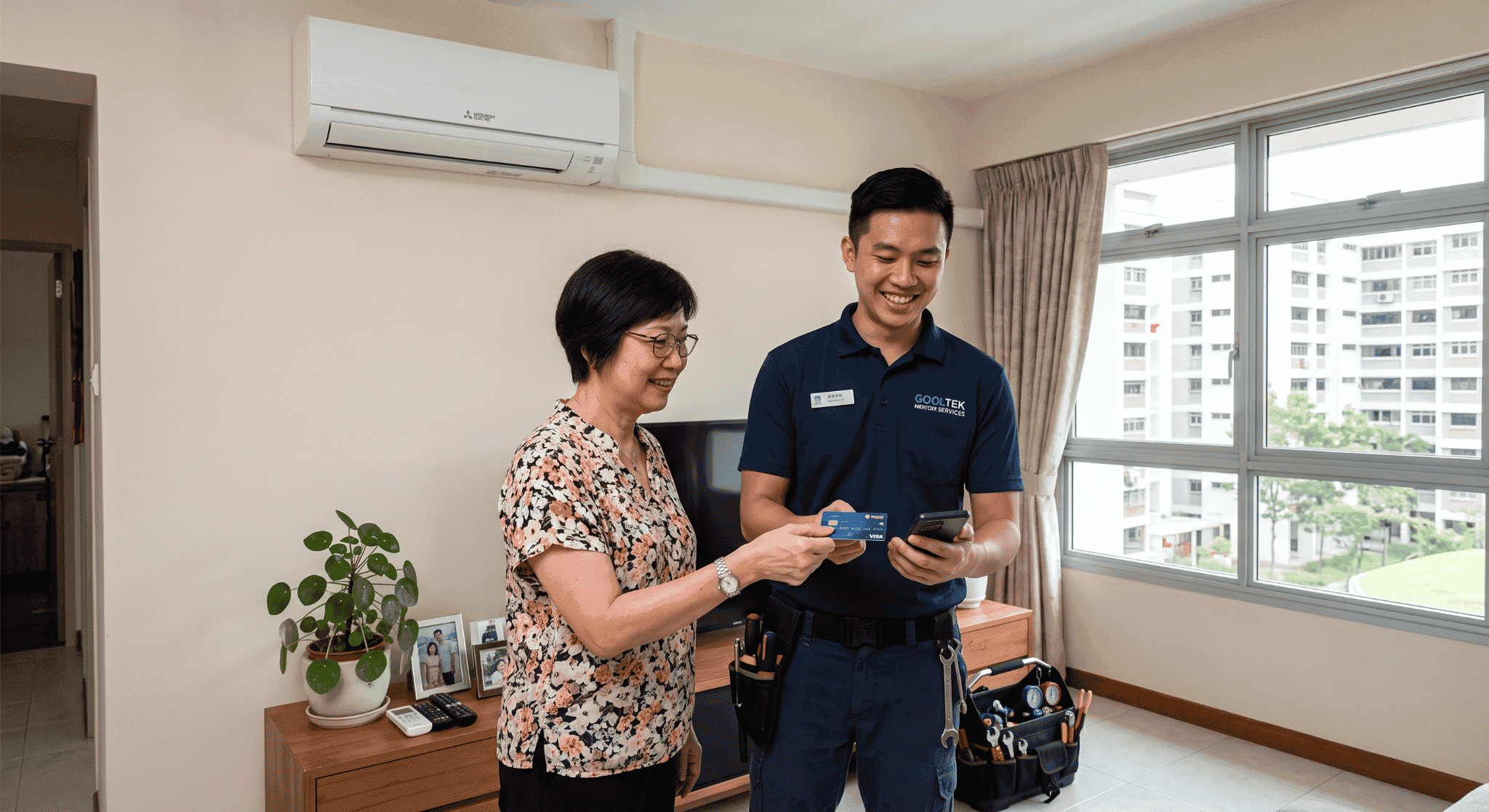
Card payment solves this problem cleanly. A customer taps their card on the technician's phone and payment confirms in seconds. The job closes on-site, with no invoice to chase and no bank transfer to track.
This guide covers how to set that up for a Singapore air-con servicing business — step by step.
What card payment looks like for an air-con servicing business
Air-con servicing payment is different from retail. There is no shop counter, no till, and no fixed checkout point. Payment happens wherever the technician finishes — a living room, a condo corridor, a plant room.
Most air-con servicing jobs fall into three payment scenarios:
On-site payment: the customer pays at the property when the job is done.
Advance collection: a deposit taken before the team arrives, common for larger jobs.
Deferred invoicing: used for corporate accounts and maintenance contracts. An invoice goes out after the work and is settled later.
This guide focuses on on-site payment, since it covers most residential and commercial servicing calls. It also covers how to handle remote invoicing for business accounts.
Why card acceptance matters for air-con servicing businesses
Standard aircon servicing in Singapore costs $25–$60 per unit for a general clean, rising to $80–$150 for a chemical wash. A gas top-up adds another $80–$180 depending on refrigerant type.
A customer booking a chemical wash across four units may be looking at $400–$600 in one visit. Most Singapore residents do not keep that amount in cash at home.
If your technician cannot take a card, the only fallback is PayNow. That only works for customers with a local Singapore bank account.
Expats make up a significant share of Singapore condo and landed property residents. They typically pay by Visa, Mastercard, or Amex for most purchases. An air-con business that cannot accept cards loses this segment — usually at the worst possible moment.
Step 1: Choose your card acceptance tool
Fair warning: nashi is our own product. We believe it fits this use case — factor that in when reading our recommendation.
nashi turns any NFC-enabled Android phone into a card terminal using Tap to Phone. No card reader. No Bluetooth device. No monthly subscription.
A technician opens the app, enters the job total, and holds the back of the phone toward the customer's card. Payment confirms in under two seconds.
For air-con servicing, this setup removes friction that hardware creates. Technicians already carry tools, hoses, and chemicals. A dedicated card reader adds charging requirements and Bluetooth pairing issues to a kit that is already full.
nashi accepts Visa, Mastercard, and Amex. That third card type matters more than most Singapore payment tools acknowledge.
Expat residents and corporate clients frequently carry Amex. Most Singapore mobile payment tools do not support it.
Key rates and setup details:
Singapore Visa / Mastercard: from 1.99% + $0.30
Standard list pricing: 2.4% (new-to-cards), 2.7% (all other categories)
Amex and international cards: 3.3% + $0.30
No setup fee, no monthly fee, no lock-in contract
Free trial: up to $1,000 in fee-free transactions
Currently Android-only — iOS Tap to Pay support coming soon
Contact nashi directly to discuss pricing for your business segment. For most air-con businesses, the free trial covers several residential jobs before any rate applies.
Step 2: Sign up and get approved
Download the nashi app from the Google Play Store on an NFC-enabled Android phone. KYC is entirely in-app. What you upload depends on your business structure:
Sole proprietor: upload your NRIC. No Acra-registered business is required to apply.
Registered company: upload your business registration documents instead. The process is fully digital, completed inside the app.
Most applicants are approved within one business day — no branch visits, no paper forms.
Apply at least two to three business days before the first job where you want to take cards. This gives you time to complete onboarding and run a test before a customer is waiting.
Once approved, confirm your bank account is correctly linked. nashi settles payments to your bank account in two business days (T+2). A quick check now prevents a reconciliation issue later.
Step 3: Test before the first job
Run a test transaction at home before taking it to a customer's property. Tap a contactless card on the back of your phone. Confirm the NFC reads correctly and the payment confirmation screen appears.
Immediately issue a refund through the nashi app after the test. This confirms you know where the refund function is if you ever need it at a job site. The refund returns to the card within a few business days.
Toggle NFC off and back on in your Android settings once during the test. This confirms you can reset it quickly on the job. The full test takes about five minutes.
Step 4: Take payment at the customer's location
When the job is complete, open nashi and enter the transaction amount. Show the screen to the customer so they can confirm the figure before processing.
Hold the back of the phone toward the customer's contactless card or mobile wallet. The NFC chip reads the card in under two seconds. A confirmation screen appears when the payment goes through.
If the card is declined, the app shows a clear notification. Follow this sequence:
Ask the customer to try a different card.
If that also fails, show your PayNow QR code — it gives most local customers a fallback option.
The transaction appears in your nashi dashboard instantly once confirmed.
Step 5: Handle receipts and records
Air-con servicing customers often want a record of what was done. nashi's transaction record confirms the payment amount and time. Your job sheet documents the service performed.
For residential customers, a short handwritten note — units serviced, total charged — satisfies most on-the-spot requests. For corporate accounts, send a proper invoice via email after the job.
For GST-registered businesses in Singapore, nashi's dashboard provides transaction-level data for quarterly filings. Export the history monthly and store it alongside your job records. Each nashi settlement appears as a single bank transfer — the export breaks it down to the individual transaction.
Step 6: Collect payment remotely for corporate accounts
Not every air-con servicing payment happens face to face. Property managers and corporate facilities teams are typically invoiced after the job. That requires a payment link — a URL the customer clicks to pay by card remotely.
Airwallex supports payment link generation for Singapore merchants. Create a secure card payment URL in the dashboard and share it with the invoice via WhatsApp or email. The customer clicks the link, enters their card details, and pays without you being present.
For businesses with both residential and corporate accounts, nashi covers on-site collection and a payment link tool handles invoiced accounts.
Step 7: Run PayNow alongside cards
PayNow is free for Singapore bank account holders to send and receive. Most air-con businesses already have a PayNow QR linked to their bank account. Keep it accessible alongside card acceptance — it covers local customers who prefer bank transfer.
Do not rely on PayNow alone. It does not work for customers without a Singapore bank account. Cards and PayNow together cover every customer type you are likely to encounter.
Print your PayNow QR and laminate it. A laminated code is easier to display at the end of a job than a phone screen. Keep one in every technician's kit bag.
Managing card payments across a team
Each technician needs the nashi app on their own NFC-enabled Android phone. Multiple phones link to the same merchant account. All transactions flow into one dashboard and settle into one bank account.
Set a clear payment policy before rolling it out to the team. The most reliable practice: collect payment at the property before the technician leaves. Once the door is closed, collecting an unpaid balance becomes a follow-up conversation that many customers avoid.
Establish a shared naming convention for jobs in your records. When multiple technicians are active on the same day, clear job labels in the dashboard make reconciliation faster. Date and job address are usually enough.
Brief your team on the declined-card protocol in advance:
Try a different card first.
Fall back to PayNow if the second card also fails.
If neither works, note the outstanding amount and send a WhatsApp follow-up the same day.
Handling annual maintenance contracts
Many Singapore air-con businesses offer annual contracts — four to six servicing visits per year at a fixed package rate. Card acceptance simplifies contract management on both sides.
Card acceptance suits both billing approaches:
Upfront payment: process the card on-site when the customer signs up. A single tap for the full package value takes seconds.
Per-visit billing: take payment at the end of each call, the same as any residential job.
Consistency matters for contract customers. They interact with your business multiple times a year. A professional, predictable payment experience at every visit builds trust.
Keep all contract transaction records in the nashi dashboard. Export them by date if you need to verify payment history for a renewal or a dispute.
Practical field tips for technicians
Keep your phone charged through the day. Running Tap to Phone drains the battery faster than normal. Carry a portable charger in your service bag and keep it connected between jobs.
Toggle NFC at the start of each day. Turn it off and back on once in your Android settings before the first job. Ten seconds in the morning is much simpler than troubleshooting on-site.
Have a declined-card plan ready. Know before arriving at each job that PayNow is the backup and your QR code is accessible. A prepared response to a declined card preserves the customer relationship even when the first attempt fails.
Note amounts manually on commercial jobs with poor signal. In buildings with variable connectivity, payment confirmation can delay. Record the amount and job details on your sheet until signal is restored.
The nashi app queues payments in low-signal conditions. Once connectivity returns, queued transactions process automatically — check the dashboard to confirm.
Frequently asked questions
Do I need a registered business to accept card payments for air-con servicing in Singapore?
No. nashi accepts sole proprietors applying as individuals with a valid NRIC and a local bank account. An Acra business registration is not required. Onboarding is entirely digital and typically approved within one business day.
Should I collect payment before or after completing the service?
After, in most cases — customers expect to verify the work is complete before paying. For new customers or large jobs like chemical overhauls, collecting a partial deposit upfront is reasonable. Process it by card when the booking is confirmed.
How do I take card payments when there is no WiFi at the job site?
nashi works over mobile data — no WiFi needed. A standard 4G connection handles transactions reliably. In locations with no signal at all, the app queues the payment and processes it once connectivity is restored.
Can I enter different amounts for different jobs on the same nashi account?
Yes. nashi does not require pre-set service items or SKUs. You enter the transaction amount manually for each job. This suits air-con servicing well, since totals vary by unit count, service type, and any parts used.
What if a customer asks for a GST tax invoice after the service?
Issue your own tax invoice using your standard template — most air-con businesses already have one. The nashi transaction record confirms payment received. Your invoice documents the service details and GST component for the customer's records.
How do I handle payment when two technicians work the same job?
Designate one phone as the payment device and process the full amount through it. nashi processes one payment per transaction. Distribute earnings internally based on your team's pay arrangement.
What happens if a customer disputes a card charge after the service?
Issue a full or partial refund directly through the nashi app. Refunds return to the customer's card within a few business days. Keep your job records and agreed pricing in writing — a clear paper trail resolves most disputes before they escalate.
Can I use nashi for commercial air-con servicing in offices or shopping malls?
Yes. nashi does not restrict by job type or location. Commercial buildings, office floors, and retail spaces all work with the same setup. The payment workflow is identical regardless of job scale.
Conclusion: Get paid on-site, every time
Card payment is the gap most Singapore air-con servicing businesses have not yet closed. PayNow works for customers with local bank accounts. Cash requires the homeowner to have notes ready.
Neither covers expat residents, corporate clients, or the growing share of Singapore customers who do not carry cash at all.
nashi closes that gap with no hardware, no monthly fee, and no paperwork. Any technician with an NFC-enabled Android phone can accept Visa, Mastercard, and Amex at the end of any job. Onboarding completes in one business day through a fully digital process.
The free trial covers up to $1,000 in transactions before any rate applies. For corporate accounts that pay on invoice, a payment link tool handles remote collection.
The core of air-con servicing is simple: show up, fix the unit, get paid. The on-site card tap is the cleanest way to close each job.
Start your nashi free trial and take your first card payment at the next service call — no hardware, no setup fee, no monthly cost.


